

Share this tool:
 |
Description:
Photor.io is not one single AI photo editor with one clear flagship workflow. It is better understood as a growing AI photo toolbox built around three main ideas: analyze photos, improve photos, and transform photos into something new. Its current public surface mixes practical tools like Photo Score AI, face restoration, super resolution, low-light enhancement, and chat-based photo edits with more novelty-heavy utilities and experimental features, all under a site that still labels itself beta.
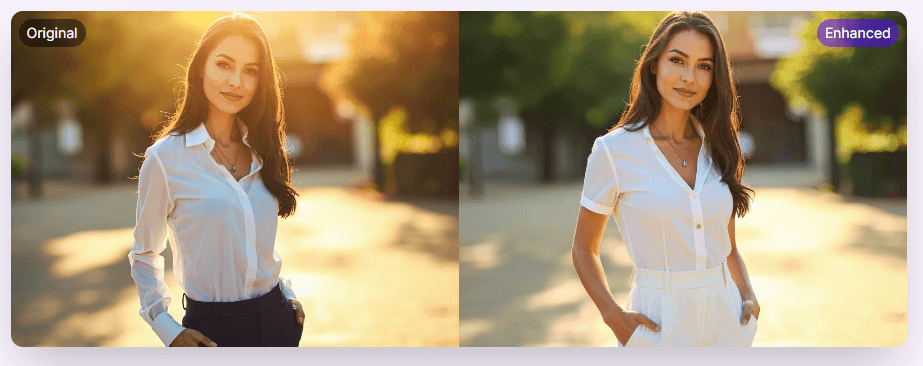
Rates photos and gives feedback for social profiles, dating profiles, and general image quality decisions.
Uses CodeFormer for face enhancement and Real-ESRGAN-based background improvement and upscaling.
The site lists 34 tools, from enhancement and analysis to text-to-image and lightweight creative utilities.
“Chat to Edit Photos with AI” suggests a more conversational editing layer instead of only fixed presets.
Plans are built around monthly credits, with different costs for analysis, enhancement, and specialized tools.
The site says the iOS app is live while Android is still coming soon.
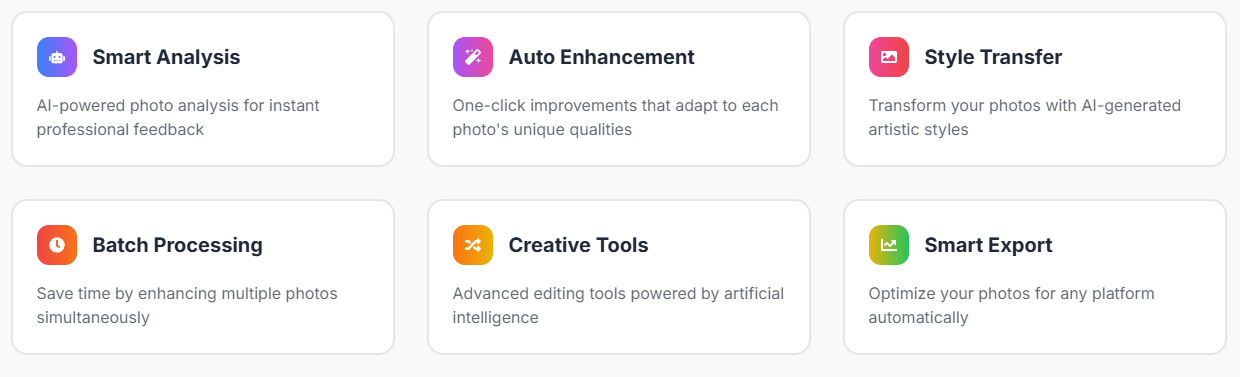
The clearest way to think about Photor AI is as a hybrid between a photo-quality evaluator and a lightweight AI image utility hub. On one side, it has serious-ish photography helpers like Photo Score AI, face restoration, low-light enhancement, super resolution, deblurring, and object detection. On the other, it also surfaces fun or curiosity-driven tools like face roasters, future-face aging, pickup-line generators, photo stories, and alternate-life transformations.
That split matters because it defines the product’s personality. Photor does not present itself like a polished Photoshop competitor or a tightly focused pro retouching suite. It looks more like a broad AI playground for photographers, creators, profile optimizers, and casual users who want several image-related tools in one place.
Photor looks strongest when the user already has an image and wants either feedback or a fast improvement pass. Photo Score AI is a good example: upload up to five photos, get AI analysis, and use that feedback for social media, dating profiles, or photography improvement. That is more practical than many “AI image” products that focus only on generation.
It also looks strongest on portrait-adjacent enhancement. The Retake Photo tool is clearly aimed at faces, selfies, and portraits, with face enhancement, background improvement, upscaling, and adjustable fidelity settings. The official page explicitly says it works best for portrait photos and selfies, even though it can also help general photos.
A quieter strength is that Photor has enough variety to solve small image problems without forcing you into another app. If you need low-light repair, face restoration, a headshot-style cleanup, a style transformation, or a quick object read from an image, there is usually a dedicated page for it. That breadth is useful for casual creators and side-project users who care more about convenience than deep workflow control.
The workflow is very simple, almost to a fault. Most tools follow the same pattern: upload an image, wait for AI processing, then download or review the result. Photo Score AI, Face to Many Styles, Retake Photo, low-light enhancement, and the chat-based image editor all follow that same general structure.
That simplicity is one of the product’s advantages. You do not need onboarding, prompt engineering skill, or advanced photo-editing knowledge. If you are the kind of user who wants to test a picture, restore a face, or run a style transformation quickly, Photor’s workflow is approachable.
The trade-off is that the product does not look deeply unified. Publicly, it feels more like a collection of AI-powered pages under one umbrella than one tightly integrated editor with shared project memory, layered canvas editing, or a robust asset workspace. That shapes expectations: Photor is better treated as a convenient toolbox than a full professional editing environment.
The first layer is the analysis layer. Photo Score AI is the clearest example, giving feedback on image quality and positioning itself for social media, dating profiles, and photography improvement. The site also includes object detection and image-chat tools that extend that “understand the picture” angle.
The second layer is the enhancement and restoration layer. This includes face restoration, super resolution, deblurring, lighting correction, old photo restoration, and the Retake Photo workflow built around CodeFormer and Real-ESRGAN-like enhancement logic. This is probably the most practically valuable part of Photor for users who care about better output rather than novelty.
The third layer is the creative transformation layer. Face to Many Styles, professional portraits, future-face tools, age-change tools, Ghibli-style transforms, and chat-based edits all sit here. This is where Photor starts to feel less like a utility and more like a consumer AI image playground.
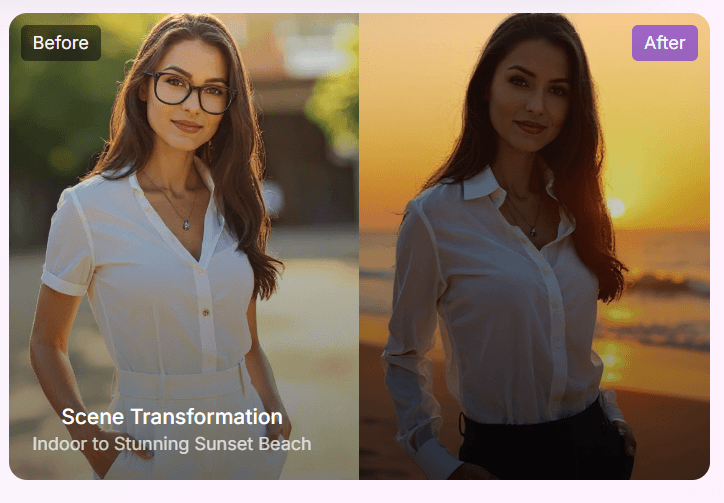
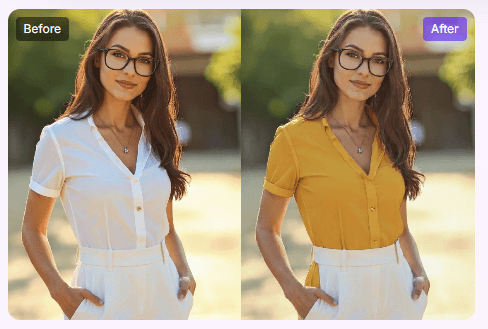
The fourth layer is the novelty and utility layer. The all-tools page lists items like photo stories, mood music, pickup lines, excuse generators, pet personality reads, and recipe generation from food photos. These are not the reason a serious editor would subscribe, but they do show how broad and experimental the toolbox has become.
- Profile photo review: Photor is useful when you want quick feedback before choosing a social, dating, or professional profile image.
- Portrait cleanup: Face restoration, retake tools, enhancement, and upscaling make sense for selfies, headshots, old photos, and casual portraits.
- Low-effort photo improvement: Users who do not want to learn a full editor can still run quick enhancement, restoration, and style tools.
- Creative experimentation: Style transformations, scene changes, future-face tools, and chat-based edits make Photor useful for playful image exploration.
- Casual creator workflows: The broad tool library is useful for creators who need a fast photo fix or visual variation without opening a heavier design suite.
- The biggest trade-off is focus. Photor has many tools, but that breadth makes it feel more like a collection of AI pages than one deeply polished photo-editing suite.
- The second limitation is control depth. The workflow is simple and approachable, but users who want layered editing, masking, professional retouching controls, or precise manual adjustment will likely need a more advanced editor.
- The third limitation is product maturity. The site still labels itself beta, so the experience should be treated as a developing toolbox rather than a fully settled professional platform.
- The fourth trade-off is credit planning. Since different tools use credits differently, users should pay attention to what they are running before treating the platform like unlimited casual editing.
- The fifth limitation is mixed seriousness. Practical tools like photo scoring and restoration sit beside novelty tools, which can make the product feel less focused for users looking only for serious photography workflows.
Photor AI is best understood as a broad AI photo toolbox for users who want fast image analysis, enhancement, restoration, and creative transformations without learning a professional editor.
Its strongest qualities are Photo Score AI, portrait enhancement, face restoration, super resolution, low-light repair, style changes, scene transformations, and a simple upload-and-process workflow.
The main caveat is that Photor feels more like a beta-stage collection of AI utilities than a unified professional editing platform. It is best for quick feedback, casual enhancement, and creative experiments, not deep manual photo production.
TAGS: Social Media Tools
Related Tools:

Creates digital ads for social media

Simplifies social media content creation

Generates engaging and personalized comments

Mange social media presence by providing real-time analytics

Creates content and automatically manages engagement

Social media analysis tool that extracts actionable insights