

Share this tool:
 |
Description:
Buzzabout is an AI-first social media intelligence tool built for audience research, trend analysis, competitor monitoring, and messaging discovery across social platforms. Its public site positions it around Reddit, TikTok, YouTube, Instagram, X, and LinkedIn, with workflows for researching niches, analyzing profiles by URL, tracking narratives over time, exploring results in AI chat, and exporting findings as links or PDFs.
Buzzabout says it researches major social platforms and publicly shows Reddit, TikTok, YouTube, Instagram, X, and LinkedIn in its product flow.
The site says you can analyze exact profiles or pages by link, and its product-update post says you can build a watchlist of up to 100 accounts.
Buzzabout highlights AI chat, custom prompts, and follow-up analysis rather than only static dashboards.
Public use cases include tracking narratives, Slack alerts for important mentions, spikes detection, and trend lines.
The company explicitly pushes content intent analysis, separate post-versus-comment analysis, and quote extraction for real audience language.
Buzzabout says you can build charts in AI chat, share results by link, and download PDFs.
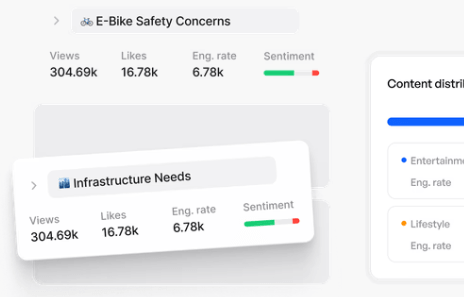
Buzzabout looks strongest when the real job is not posting content but understanding what people are already saying. The official use cases lean toward trend analysis, synthetic audiences, market insights, competitor research, narrative tracking, and digging past simple sentiment into the reasons behind audience reactions. That makes it feel much more like a research and strategy layer for marketers than a social publishing tool. That last point is an inference from the product’s public positioning, but it is a strong one.
That matters because plenty of “AI social media” products are really schedulers with a caption generator bolted on. Buzzabout’s public story is different. It is trying to help you answer questions like what motivates buyers, what messaging will resonate, what your audience actually cares about, and how competitors are being received in public conversation. If those are your bottlenecks, the product makes sense quickly.
The public workflow is straightforward enough. Buzzabout’s homepage surfaces four stages—Search, Analyse, Ask, and Track—which is a good summary of how the product is meant to be used. You define a topic, pick the source, run the research, inspect the metrics and topic breakdowns, ask AI follow-up questions, then turn useful searches into tracking or alerting workflows.
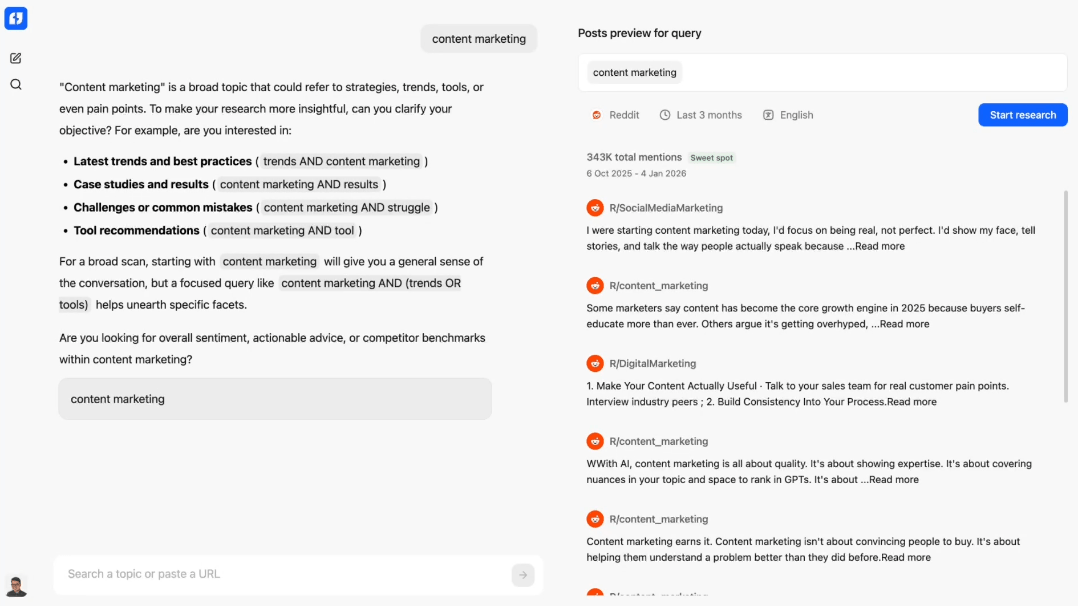
The best-practice guide fills in the practical details. Buzzabout recommends starting with the right keywords, choosing a date range, considering localization, selecting a source, and then letting the platform process discussions. That same guide says the app can analyze thousands of discussions in minutes and surface metrics like resonance score, engagement, sentiment, and opinions, after which the AI assistant can be used for follow-up questions.
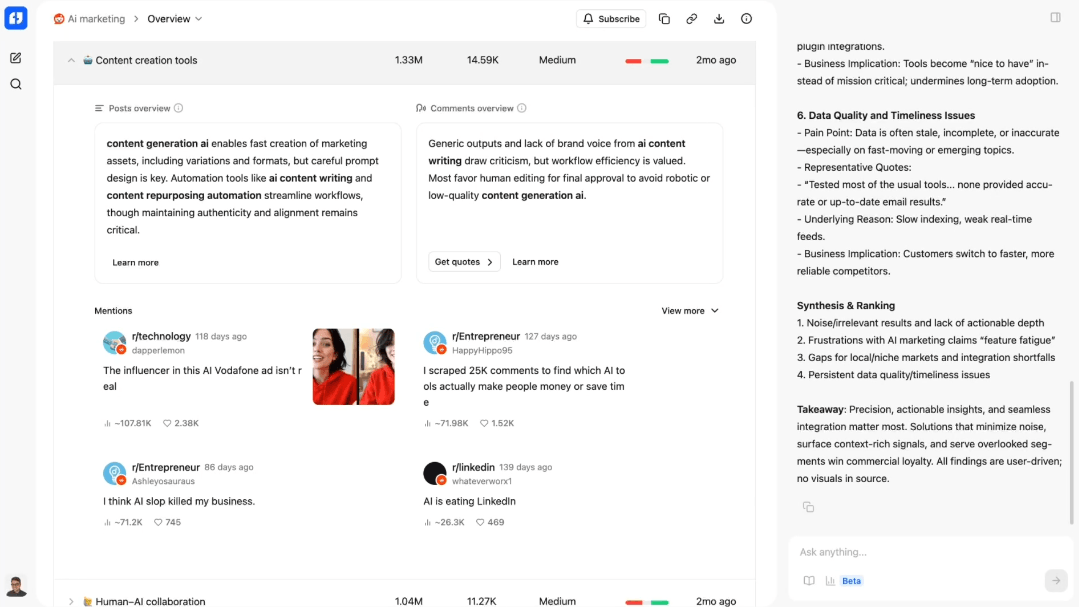
That is a sensible research loop. It also tells you something important about the product: input quality matters a lot. Buzzabout’s own update post says the quality of your research starts with the keywords you choose and even frames bad keywords as a classic “garbage in, garbage out” problem, which is refreshingly honest. So this is not a magic-answer machine. It still rewards people who know what they are looking for.
Buzzabout appears strongest in five kinds of work.
The product is clearly designed to pull out pains, objections, desires, and language patterns from real conversations rather than relying on surveys alone. Its own examples focus on understanding what audiences want, which features they care about, and what messaging should be emphasized.
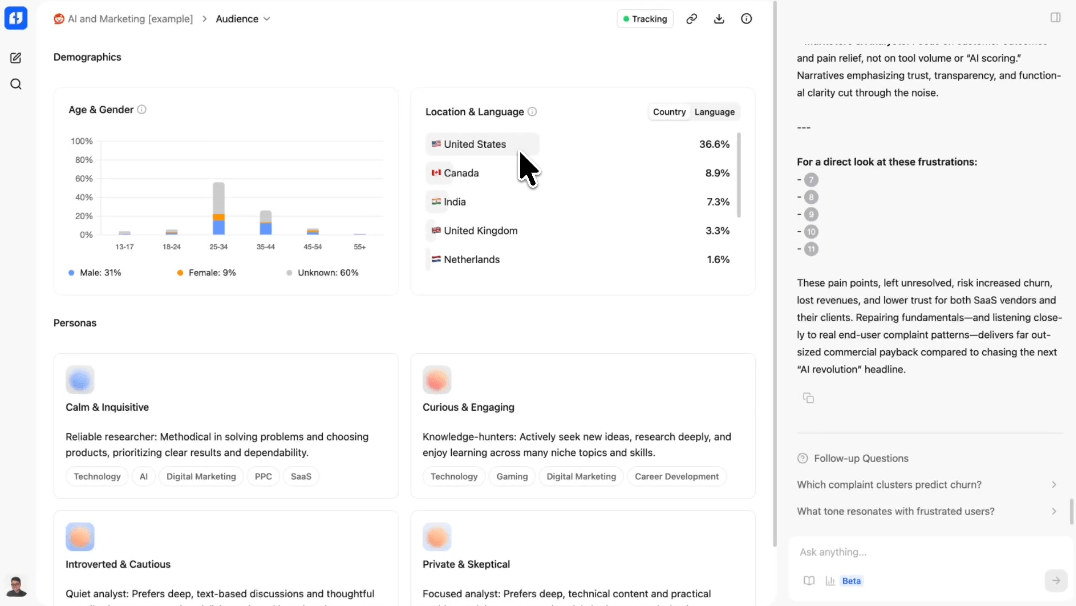
Buzzabout says you can analyze exact profiles or pages by link, and its recent product update says you can build a watchlist of up to 100 accounts and monitor what they publish, how audiences respond, and how their strategy evolves. That is one of the clearest practical reasons to use the platform regularly instead of as a one-off report generator.
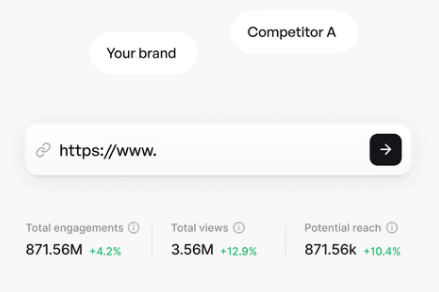
The product explicitly offers tracking, Slack alerts, spikes detection, trend lines, and separate analysis of posts and comments. That combination is useful when you want to see not only what is being said but whether the reaction is supportive, skeptical, or drifting in a new direction.
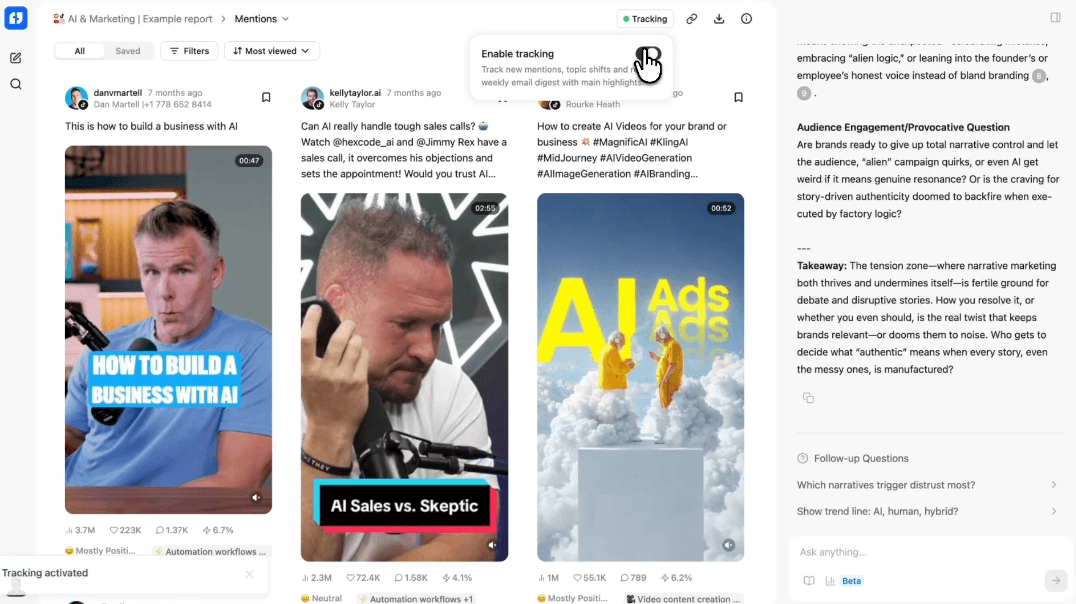
Buzzabout’s quote extraction tool pulls direct user quotes, slang, and buzzwords, and the company explicitly says these can be dropped into reports, pitch decks, or even ad creatives. That is one of the more compelling parts of the product because it connects research to execution without pretending the platform replaces human judgment.
Buzzabout’s automation write-up shows how the tool can feed discussions into OpenAI via Zapier and deliver content ideas into Slack. Even though that workflow depends on outside tools, it shows Buzzabout can sit upstream from content systems instead of only serving as a dashboard.
Buzzabout’s strongest quality signal is that it tries to move beyond flat sentiment dashboards. The updated platform overview mentions trend lines, sentiment tracking, content intent analysis, separate post and comment analysis, and quote extraction, all aimed at explaining not just whether conversation is positive or negative but what is actually being said and why. That is the right direction for a research product because raw sentiment alone is often too blunt to be useful.
There also seems to be decent control in how you shape the research. The platform highlights localization, custom date ranges, custom prompts, AI assistant follow-ups, and a research assistant that suggests stronger keywords before you run a report. That suggests Buzzabout is not only summarizing a pile of data; it is also trying to improve the setup and interpretation of the search itself.
The main caution is that Buzzabout still looks like a marketer’s tool, not a full analyst workbench. Publicly, it is stronger on practical insight extraction, fast topic analysis, and campaign-relevant outputs than on the deeper methodological transparency you might want from a heavy research platform. That is an inference from the public pages, but it is a fair one given how the company talks about strategy, copy, and marketing wins rather than formal research rigor.
Buzzabout looks like a strong fit for brand marketers, content strategists, agencies, product marketers, social-search teams, and founders who need faster insight into what audiences are saying in the open. It is especially useful when you are trying to sharpen positioning, understand objections, identify the language people actually use, or spot competitor narratives before they become obvious everywhere else.
Agencies seem like an especially natural fit. Buzzabout’s own customer story says Deviation used the platform’s social listening and topic intelligence to help BullyBillows achieve a 139% increase in organic revenue in three months, along with large increases in branded search. That is still a vendor case study, so it should not be treated like independent proof, but it does show the type of work the platform is being positioned for.
It is a weaker fit for teams that mainly need publishing, community management, or post scheduling. Buzzabout may support “engage” workflows and prompt-based reply generation, but its public materials are overwhelmingly centered on research, listening, tracking, and messaging discovery rather than operational social media management. That is an inference from the official site, and it is probably the most important expectation-setting point in the whole review.
- Start with narrow, high-intent keywords instead of broad vague categories. Buzzabout’s own guidance makes it clear that the research is only as good as the topic definition, and its newer Research Assistant is explicitly there to improve that step.
- Use date ranges deliberately. The company’s best-practice guide says “all time” works better for durable themes, while recent windows are better for emerging topics and cleaner short-term datasets. That is a small detail, but it is the kind that usually separates useful insight from noisy output.
- Treat the AI assistant as a follow-up layer, not the whole product. Buzzabout’s own examples show more value in asking better second questions after the data has been gathered than in expecting a first prompt to do everything.
- Use quote extraction and topic analysis together. The most useful workflow here is probably finding the themes first, then pulling the actual language people use so your copy and messaging sound grounded in the market rather than internally invented.
The biggest limitation is that Buzzabout depends on good research framing. The company says this itself in softer language, but the implication is clear: weak keywords, poor scoping, or the wrong time window will lead to weaker outputs. That is normal for research tools, but it still matters.
The second limitation is product clarity around pricing mechanics. The visible plan structure is clear enough, but the RH usage unit is not explained plainly in the publicly accessible snippets, which makes it harder to estimate cost until you are deeper into the funnel.
The third limitation is scope. Buzzabout appears to be a strong upstream intelligence tool, but not a full downstream execution suite. If your main need is social listening, competitive narrative tracking, and audience-language research, that is fine. If you want a broad content production and publishing system, the public site does not suggest that Buzzabout is trying to be that.
Buzzabout looks like a useful, focused social intelligence platform for marketers who need to understand what audiences, competitors, and niches are actually saying across social platforms.
It appears strongest for audience research, narrative tracking, competitor watching, and turning public conversation into better messaging. The main caveat is that it is a research-first product: the value rises fast if insight is your bottleneck, and drops just as fast if what you really need is a scheduler or a broader social management suite.
TAGS: Social Media Tools
Related Tools:
Enhances live streaming experience

Distributes content across social media
Automates Instagram engagement growth

Transforms long videos into engaging clips
Analyzes and optimizes YouTube thumbnails
Automatically transforms long videos into engaging short clips