

Share this tool:
 |
Description:
- Introduction
- What PostSyncer Actually Is
- Strong Features and Capabilities
- Where PostSyncer Is Strongest
- AI Content Creation and Creative Control
- Scheduling, Calendar, and Publishing Workflow
- Platform Support and Publishing Control
- Workspaces, Teams, and Agencies
- API, SDK, MCP, and Automation
- Best Use Cases
- Practical Tips
- Limitations and Trade-Offs
- Final Takeaway
PostSyncer is an AI-powered social media management platform for creators, freelancers, agencies, and teams that need one place to create content, schedule posts, manage comments, organize workspaces, generate AI images and videos, and automate publishing through API or MCP-connected agents. The product’s strongest angle is not just “schedule posts everywhere.” It is the combination of cross-platform posting, unlimited team members on paid plans, AI content creation, unified comments, analytics, workspaces, and developer-friendly automation in one relatively compact tool.
PostSyncer is best understood as a social media publishing hub with four practical layers.
| Layer | What it does | Why it matters |
|---|---|---|
| Scheduling layer | Schedules posts, queues, carousels, Reels, Shorts, first comments, and threaded posts. | This is the daily publishing workflow. |
| AI creation layer | Generates captions, hooks, hashtags, images, videos, and repurposed content from URLs, PDFs, images, videos, or text. | Helps users create more posts without starting from scratch. |
| Team and client layer | Supports team members, workspaces, approval workflows, labels, filters, and media storage. | Useful for agencies and multi-brand teams. |
| Automation layer | Provides REST API access and MCP tools for AI assistants such as Claude Desktop, Cursor, and OpenClaw-style workflows. | Lets technical users automate publishing and social operations. |
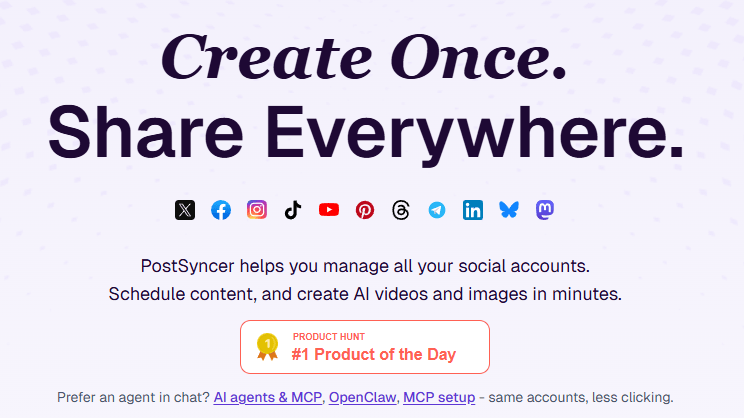
The platform currently lists support for Twitter/X, Facebook, Instagram, TikTok, YouTube, Pinterest, Threads, Telegram, LinkedIn, Bluesky, and Mastodon in its navigation and API documentation. That is broader than many lightweight schedulers, especially because it includes newer or less universally supported platforms like Bluesky, Mastodon, Threads, and Telegram.
PostSyncer lets users schedule content across major social platforms from one dashboard, including visual calendar planning, queues, carousels, Reels, Shorts, and threaded posts.
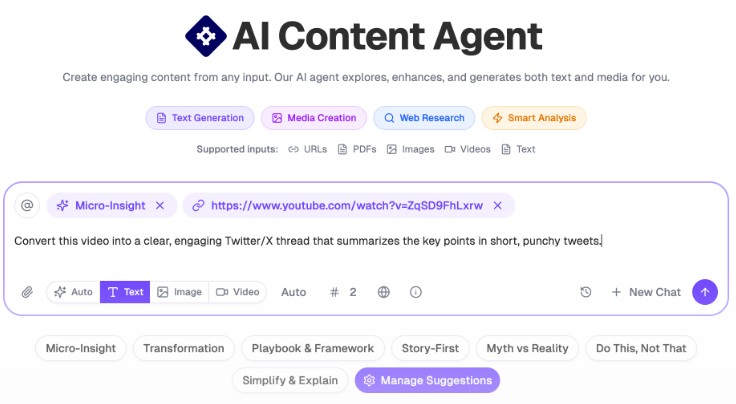
The AI agent can create content from URLs, PDFs, images, videos, and text, then generate captions, media, rewrites, and platform-optimized copy.
Paid plans include AI image and video generation, with PostSyncer naming tools such as Veo 3, Sora 2, and Nano Banana Pro in the current pricing copy.
PostSyncer includes a comments inbox, with higher tiers offering advanced inbox functionality. The scheduler page also highlights AI-powered auto-replies for common questions.
Users can invite team members, assign roles, review content, comment, approve posts, and separate brands or clients into workspaces.
PostSyncer provides a REST API for posts, comments, accounts, analytics, labels, media, and workspaces, plus an MCP server that exposes similar actions to AI assistants and coding agents.
PostSyncer is strongest for users who want a full social publishing workflow without paying per team member. That is one of its clearest differentiators. The pricing page lists unlimited team members across Starter, Pro, and Pro Plus, while the comparison pages position this as a major advantage over tools that charge per seat. For agencies and small teams, that can matter more than a small difference in monthly plan price.
The second strength is platform breadth. PostSyncer is not only built around the usual Instagram, Facebook, LinkedIn, and X workflow. Its official platform list also includes TikTok, YouTube, Pinterest, Threads, Telegram, Bluesky, and Mastodon. That makes it more useful for creators and agencies that publish outside the standard four-platform stack.
The third strength is automation depth. PostSyncer is not only a dashboard. It also has REST API and MCP workflows, which makes it more interesting for technical marketers, SaaS builders, agencies, and teams building custom content pipelines.
PostSyncer’s AI Content Agent is designed for speed and repurposing. It can work from URLs, PDFs, images, videos, and text, then generate content in different formats. This is especially useful when a user wants to turn a YouTube video, article, product page, PDF, or rough idea into short-form social posts.
The AI Studio is the more visual creative layer. It can generate videos and images using current AI models, with controls for media type, model, resolution, duration, aspect ratio, and credits. This makes PostSyncer more useful than a basic caption assistant because users can create or test creative assets before moving into the scheduler.
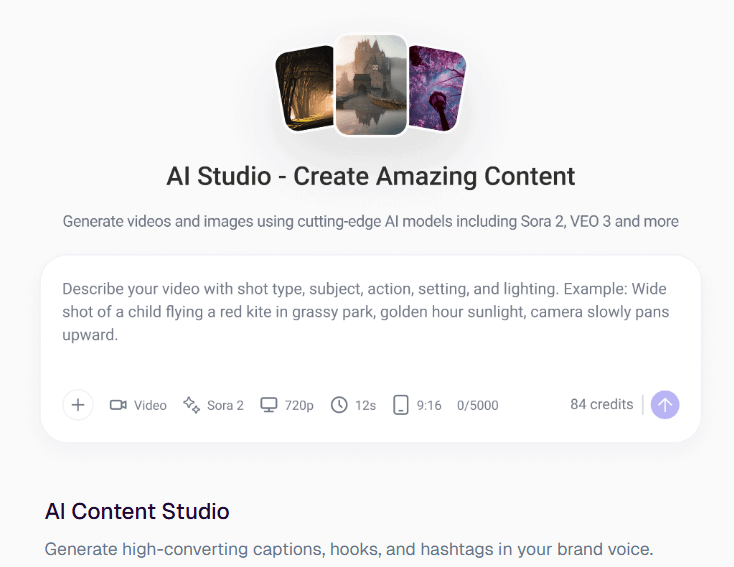
The practical limitation is that AI media generation still needs review. PostSyncer can create images and videos quickly, but social-ready does not always mean brand-ready. High-stakes campaigns, client deliverables, regulated industries, and paid ads still need human review for accuracy, tone, rights, visual consistency, and platform fit.
PostSyncer’s scheduling workflow is built around reducing platform switching. Users can create content, choose accounts, tailor platform settings, and schedule posts from one place. The visual calendar is especially important because PostSyncer is not only for one-off posts. It supports weekly and monthly planning, campaign timing, queue visibility, and multi-platform review.
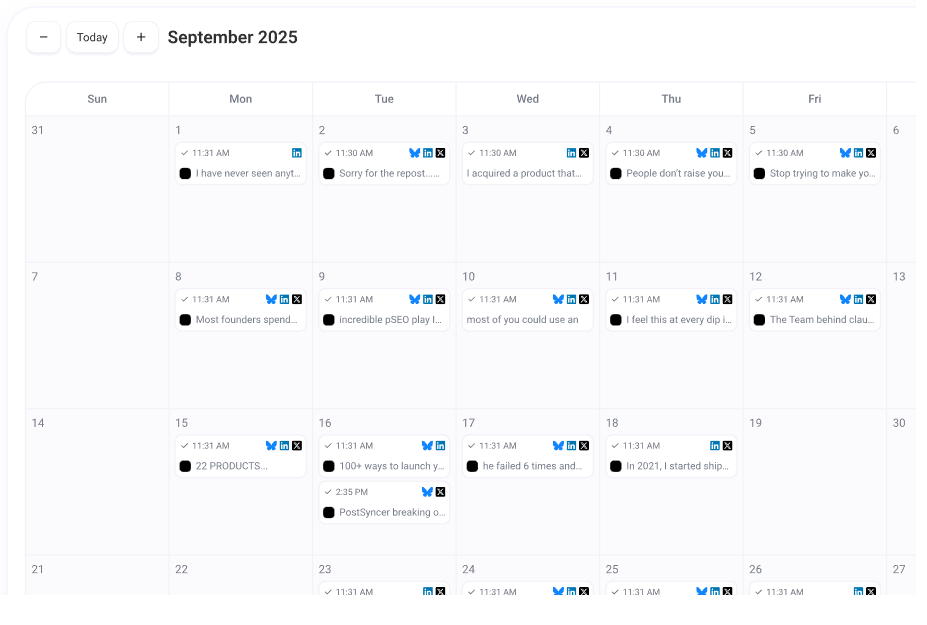
The scheduling layer includes cross-platform posting, account selection, and platform-specific settings. This is useful because the same post should not always be sent everywhere in identical form. A LinkedIn post, TikTok caption, X thread, Instagram caption, and Pinterest description may need different structure, tone, and formatting.
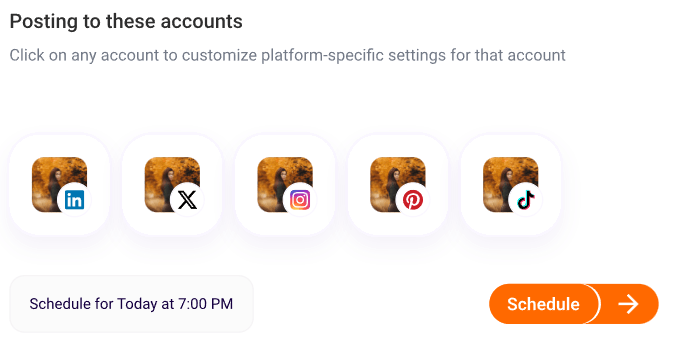
The strongest workflow is creating one core idea, adapting it for each platform, then using the calendar to keep the publishing rhythm visible.
PostSyncer’s strongest everyday use case is publishing to multiple networks from one dashboard. Its current public platform list includes Twitter/X, Facebook, Instagram, TikTok, YouTube, Pinterest, Threads, Telegram, LinkedIn, Bluesky, and Mastodon.
That platform mix is broad enough for most creators and small teams. It covers short-form video, professional content, text-first networks, Facebook pages/groups, YouTube, Pinterest, newer public conversation networks, and messaging-style publishing surfaces like Telegram.
Customization is an important detail. Cross-posting is most useful when it saves time without turning every platform into a clone. PostSyncer is strongest when users use its platform support to adapt one idea into multiple native-feeling versions.
PostSyncer becomes more interesting for teams once workspaces are involved. Workspaces can separate brands, clients, media assets, calendars, roles, and approvals. This matters for agencies because client mistakes are expensive.
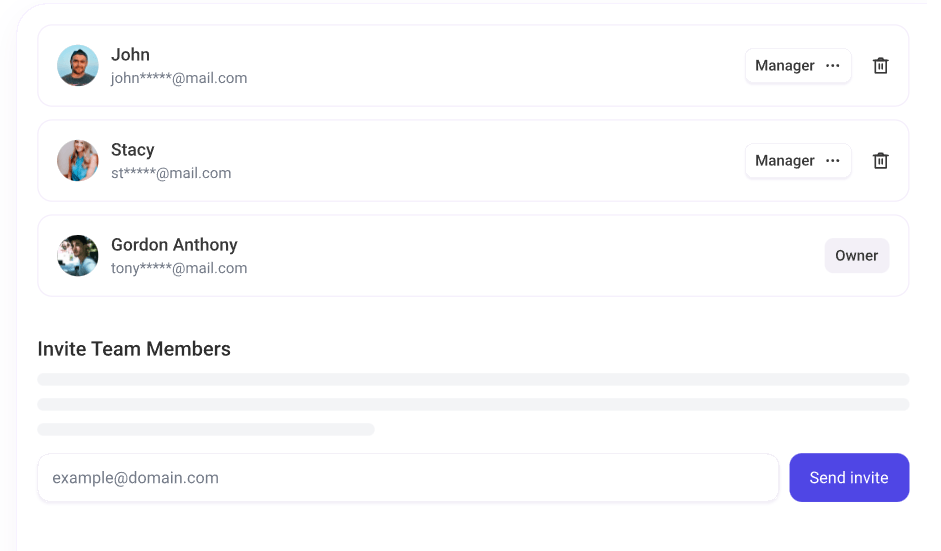
The role setup is straightforward: Admin, Editor, and Viewer. Editors can create content, Viewers can review, and Admins control the workspace. Approval workflows let drafts stay in review until an authorized user signs off. That makes the tool more serious than a simple solo scheduler.
The developer layer is one of PostSyncer’s strongest differentiators. The REST API lets users schedule posts, upload media, publish to supported platforms, manage accounts, generate AI images, monitor publishing results, and retry failed platform destinations.
The API supports automation use cases that normal schedulers usually do not handle well. PostSyncer mentions SaaS builders embedding scheduling into their products, agencies automating client posting, internal tools building approval workflows and analytics pipelines, and content pipelines connecting RSS feeds, CMS systems, or AI generators to auto-publish content.
The MCP connection is especially interesting because it lets AI-agent workflows interact with PostSyncer from MCP-compatible clients. This gives the product a more modern automation angle than many standard social schedulers.
- Solo creators who publish across many channels: PostSyncer makes sense when one person wants to manage multiple accounts, schedule posts, and use AI content generation from one place.
- Small businesses that batch content weekly: PostSyncer is a strong fit for teams that want to create posts, generate captions or visuals, schedule across networks, and avoid logging into every native platform.
- Agencies managing multiple brands: Workspaces, team roles, approvals, and client separation become important quickly.
- Technical marketers and SaaS builders: The API, SDK, and MCP layer make PostSyncer useful for custom workflows, CMS-driven publishing, internal dashboards, and AI-agent content pipelines.
- Short-form video teams: The platform supports scheduling TikToks, Reels, and YouTube Shorts, with AI media generation and platform-aware publishing workflows.
- Set up platform-specific templates early. PostSyncer can publish everywhere, but the strongest workflow is creating one core idea and tailoring captions, media, and format per platform.
- Use the AI Content Agent for repurposing. URLs, PDFs, images, videos, and text inputs are especially useful when turning existing assets into new social posts.
- Use the AI Studio for creative drafts, then review manually. AI-generated images and videos should still be checked for accuracy, rights, visual quality, and brand fit.
- Use workspaces before adding clients or departments. Separate workspaces reduce the risk of mixing accounts, assets, permissions, and calendars across brands.
- For API workflows, build retry logic from the start. Per-platform publishing can fail on one destination while succeeding elsewhere, so failed-post handling matters.
- PostSyncer is strongest as a publishing and content production system, not as a full enterprise social suite. It covers scheduling, AI content, analytics, workspaces, and automation well, but teams that need heavy social listening, deep inbox routing, review management, sentiment workflows, or enterprise governance may still need a broader platform.
- AI output still needs review. The tool can generate captions, images, and videos quickly, but users should check brand accuracy, visual quality, factual claims, hashtags, and platform fit before publishing. This is especially important for regulated industries, client accounts, and paid campaign assets.
- Credit usage can become the real constraint. AI models have different credit costs, especially for premium image and video generation. Heavy video users may burn through credits faster than caption-only users.
- Platform breadth does not remove platform-specific rules. Instagram, TikTok, YouTube, Pinterest, LinkedIn, X, Threads, Telegram, Bluesky, and Mastodon all behave differently, so users should test formatting, media rules, and account permissions before relying on full automation.
- Automation still needs governance. API and MCP workflows are powerful, but publishing agents should not represent a brand without human checks, clear rules, and failure handling.
PostSyncer is best for creators, small businesses, agencies, and technical teams that want one system for AI content creation, multi-platform scheduling, team workspaces, analytics, and API-driven automation.
Its strongest advantages are broad platform coverage, AI content repurposing, AI image and video generation, visual scheduling, team workflows, and MCP/API support.
The main caveat is that PostSyncer is more of a publishing and automation platform than a complete enterprise listening or customer-care suite, and heavy AI generation users need to watch credit usage carefully.
TAGS: Social Media Tools
Related Tools:
Analyzes and optimizes YouTube thumbnails

Creates posts for social media
Content publishing platform that simplifies video sharing

Enhances social media engagement

Transforms texts into short-form videos

Streamlines content creation