

Share this tool:
 |
Description:
Typefully is best understood as a writing-first social publishing tool, not a full social media suite. Its own homepage frames it around drafting, scheduling, collaborating, and analyzing content for X, LinkedIn, Bluesky, Threads, and Mastodon, with AI assistance layered into the writing flow rather than treated as the whole product. That distinction matters, because Typefully feels aimed at creators, ghostwriters, founders, and small teams who care more about publishing good text-native social posts than about managing every social channel under the sun.
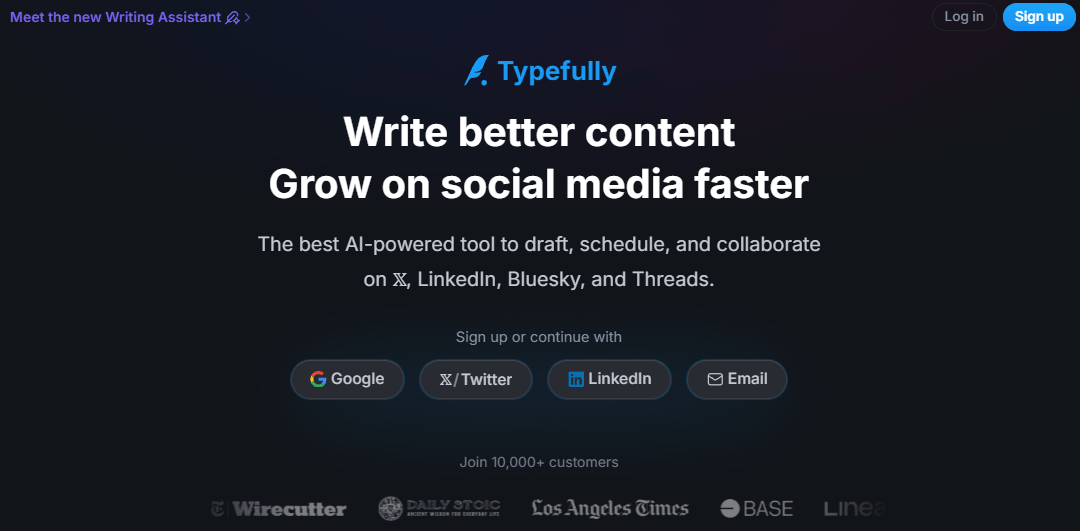
Typefully centers the product around drafting and polishing posts in a cleaner editor with realistic previews before publishing.
It supports publishing across X, LinkedIn, Bluesky, Threads, and Mastodon, including multi-platform posts through social sets.
The Writing Assistant is designed to learn from past posts, adapt between platforms, and edit directly inside the draft.
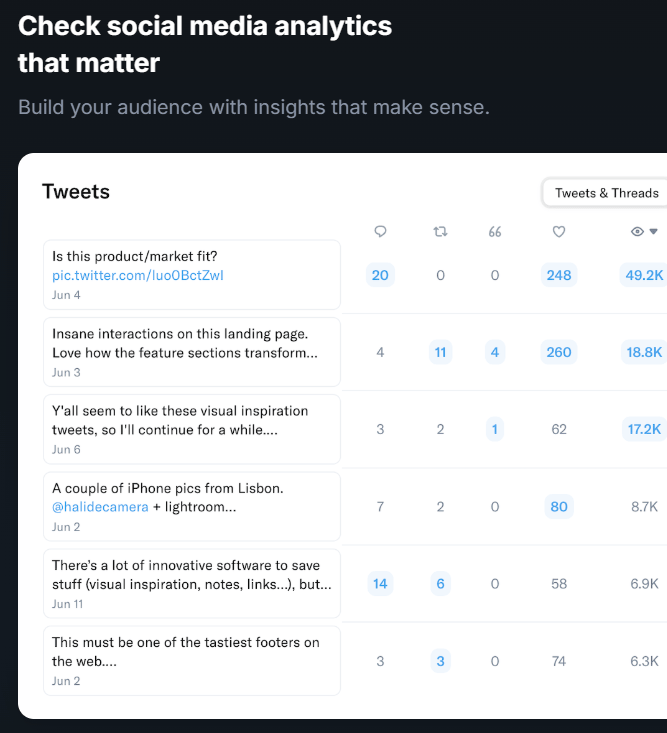
Typefully tracks followers, impressions, engagement, profile clicks, conversion rate, best-performing posts, and posting consistency.
Shared drafts, comments, role-based permissions, and team-owned social sets make it usable beyond solo scheduling.
Public API, Zapier integration, and MCP support let it plug into agent and workflow systems instead of staying a closed scheduling app.
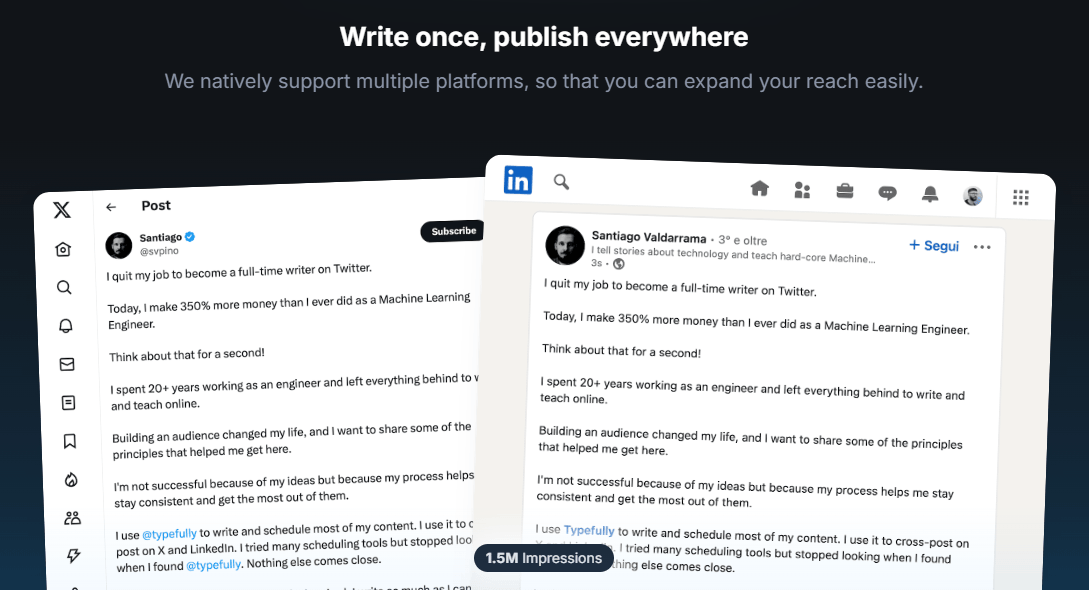
Typefully looks strongest when the main bottleneck is writing and publishing consistently on text-led platforms. Its public product story is very clear on that point: write better content, schedule it cleanly, cross-post where relevant, and use analytics to improve over time. That makes it especially appealing for people whose content lives mostly in threads, short posts, thought-leadership posts, announcements, and founder-style social writing rather than image-heavy campaign management.
That focus is also what separates Typefully from broader schedulers. It is not trying to compete with the Buffer or Hootsuite model by supporting every possible network and workflow equally. Even its own comparison pages position it as the cleaner, more minimal, more writing-oriented alternative. In practice, that means it will make more sense for X and LinkedIn-heavy users than for brands whose entire calendar revolves around Instagram, Facebook, YouTube, and community management.
The workflow seems intentionally simple. You draft in the editor, preview the post exactly as it should appear, then either publish immediately, schedule for a fixed time, or add the post to a queue. Typefully’s own scheduling page distinguishes between direct scheduling and queueing, and says its calendar lets you view past posts, currently scheduled posts, and even reuse older content. That is the kind of practical clarity a good scheduling tool should have.
The “social set” concept is one of the more useful structural ideas in the product. A social set groups accounts for one person or brand, gives that set its own drafts, schedule, analytics, and settings, and makes it easier to write once and cross-post across platforms. For people managing a personal brand, a company profile, or multiple clients, that is more meaningful than just “connect more accounts.” It creates a workable container for each content operation.
The writing environment itself appears to be a major part of the product’s appeal. Typefully keeps emphasizing accurate previews, a distraction-free feel, and direct in-editor editing rather than forcing users to bounce between modal windows and platform-native UIs. That sounds small until you compare it with tools that technically schedule posts but make writing inside them feel awkward. Typefully seems to understand that for this category of user, the editor is the product.
Typefully’s AI story is more restrained than a lot of AI social tools, which is a good thing. The newer Writing Assistant is described as learning from your past posts so suggestions sound like you, adapting between X and LinkedIn, remembering preferences, and editing directly inside the draft. Just as important, Typefully explicitly says this is not built around no-effort auto-posting, mass-reply automation, or one-click content generation.
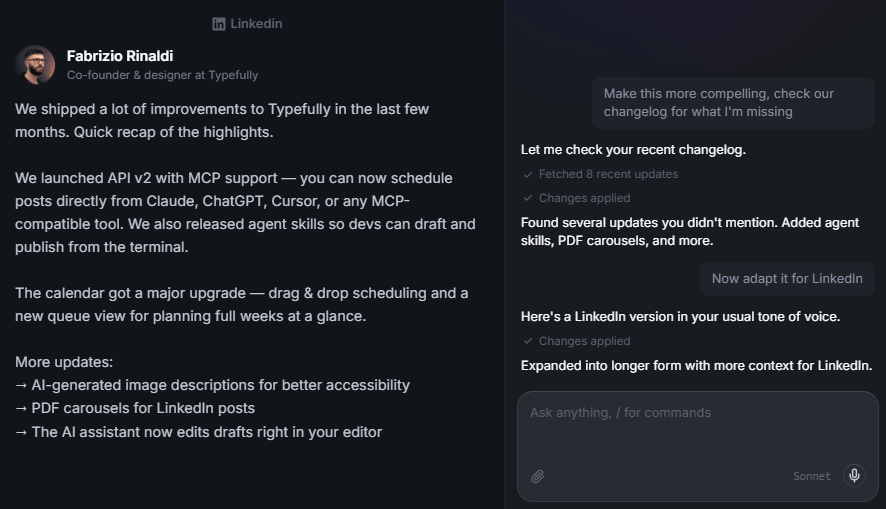
That makes the AI more editor-like than autopilot-like. If you want a tool that spits out industrial volumes of generic social content, Typefully is not really presenting itself that way. If you want help tightening hooks, reworking phrasing, generating ideas, or shifting tone between platforms without losing your voice, the AI positioning looks much stronger. Its content-ideas page also says the product can generate ideas based on your past content and help you discover new angles, which fits this “assistant, not replacement” framing.
Typefully’s analytics look solid for the kind of tool it is. The public analytics page says it tracks followers, impressions, engagement, profile clicks, conversion rate, best-performing posts, and posting streaks, and it emphasizes understanding what works rather than building a giant reporting warehouse. That feels right for creators and small teams who want sharper feedback loops without enterprise reporting overhead.
Collaboration looks stronger than many people might expect from a creator-first tool. Typefully supports shared drafts, inline comments, public draft links for review, and team permissions. The support docs also show role-based access levels and say business users can invite collaborators, move social sets into teams, and separate personal, business, or client work cleanly. That makes it more viable for ghostwriting and agency-style workflows than a solo-only scheduler.
One small but nice touch is that draft sharing is not fully locked behind high tiers. Typefully says you can share drafts for free and let anyone with a free account leave comments, while deeper teammate collaboration sits on higher plans. That is a practical split: basic review is easy, but real shared operational ownership is paid.
Typefully is more operational than it first appears. Its public API is intended to let users manage drafts, schedule posts, and publish content programmatically across multiple platforms, and the changelog shows that analytics access via API has also been expanding. That matters if you want Typefully to sit inside a larger workflow rather than behave like a standalone posting tool.
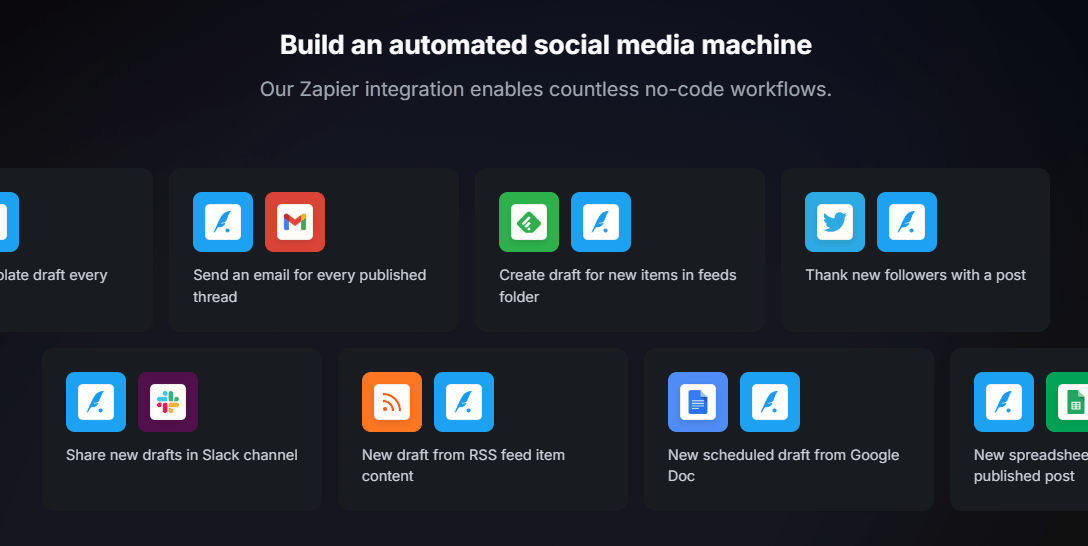
The Zapier integration reinforces that. Typefully’s help docs show triggers for draft creation, scheduling, publication, status changes, and tag changes, plus actions for creating simple or advanced drafts, publishing immediately, scheduling later, or sending a draft into the next queue slot. The documented use cases cover Slack approvals, Notion content calendars, RSS-to-social flows, WordPress-to-thread workflows, and client routing for agencies. That is a meaningful step up from “just a scheduler.”
The newest layer is MCP support. Typefully’s MCP server docs say Claude, ChatGPT, Cursor, Notion, and other compatible assistants can connect directly to a Typefully account to create, edit, schedule, and manage drafts across supported platforms. That is one of the more interesting current differentiators in the product because it opens Typefully to agent-driven workflows without forcing users to build everything from scratch via API.
Typefully is a strong fit for solo creators, founders, operators, ghostwriters, and consultants who publish mostly text-led content on X, LinkedIn, Threads, Bluesky, or Mastodon. It also makes sense for small teams that care about review, comments, and cross-posting, but do not need a giant enterprise social suite.
It is especially well suited to people who publish often enough that writing quality and workflow friction matter. If you are drafting threads, company updates, product launches, educational posts, or opinion-led content several times a week, the editor quality, queueing, analytics, and AI polishing are likely to matter more than in a generic scheduler.
It is less convincing for brands that need broad visual campaign management, inbox-heavy social support, or strong coverage of platforms beyond its core set. Typefully does offer collaboration and some automation, but its center of gravity is still writing and publishing for text-centric social channels.
- Use social sets early if you manage more than one identity. That is one of the clearest ways to keep analytics, queues, drafts, and settings from becoming messy.
- Treat the Writing Assistant like an editor, not a content factory. Typefully’s own AI positioning is strongest when it helps refine your voice and weakest when users expect instant, fully formed posts with no thought involved.
- If you work with a team, lean on shared drafts and comments before you lean on publishing permissions. Typefully’s collaboration model seems built around review and polish first, then controlled publishing.
- If automation matters, check Zapier or MCP before building custom workarounds. Typefully already exposes a lot of useful draft and scheduling actions there.
The biggest limitation is platform scope. Typefully supports the platforms it cares about well, but it is not trying to be the universal dashboard for every major social network. That makes it better focused and easier to use, but also less suitable for teams that need broad channel coverage.
The second limitation is that some of its more interesting automation features are X-specific. Auto-retweets, auto-DMs, and auto-plugs are documented under X/Twitter engagement tools, so users should not assume those features translate cleanly across every supported platform.
The third limitation is public pricing clarity. The product itself looks coherent, but the plan names on public pages are not perfectly aligned right now. Free and Pro are clearly present, paid plans clearly start low, and collaboration is clearly on higher tiers, but the naming across pricing, support, and older comparison pages is inconsistent enough that it is worth flagging.
Typefully looks best as a writing-first social publishing tool for people who care more about drafting better posts and posting consistently than about managing every social workflow under one roof.
Its strongest appeal is the combination of clean editor, realistic previews, AI-assisted rewriting, cross-posting, useful analytics, and increasingly capable automation through API, Zapier, and MCP. The main caveat is that it is intentionally narrower than full social suites, and a little messier than it should be in how its public pricing and plan naming are presented.
TAGS: Social Media Tools Content Creation
Related Tools:

Creates and edit videos with pre-made templates

Automates Instagram engagement growth

Enhances creativity and language skills

Helps you write polished, and effective content

Simplifies the creation of high-quality blog content

Enhances writing process