

Share this tool:
 |
Description:
Social Comments GPT is a small, focused Chrome extension that generates social media comments with OpenAI’s ChatGPT rather than a full social media growth platform. Its official site is extremely lightweight, the Chrome Web Store listing is where most of the concrete product details live, and the open-source GitHub repo shows that the tool is built around a simple idea: help users leave comments faster on supported social platforms.
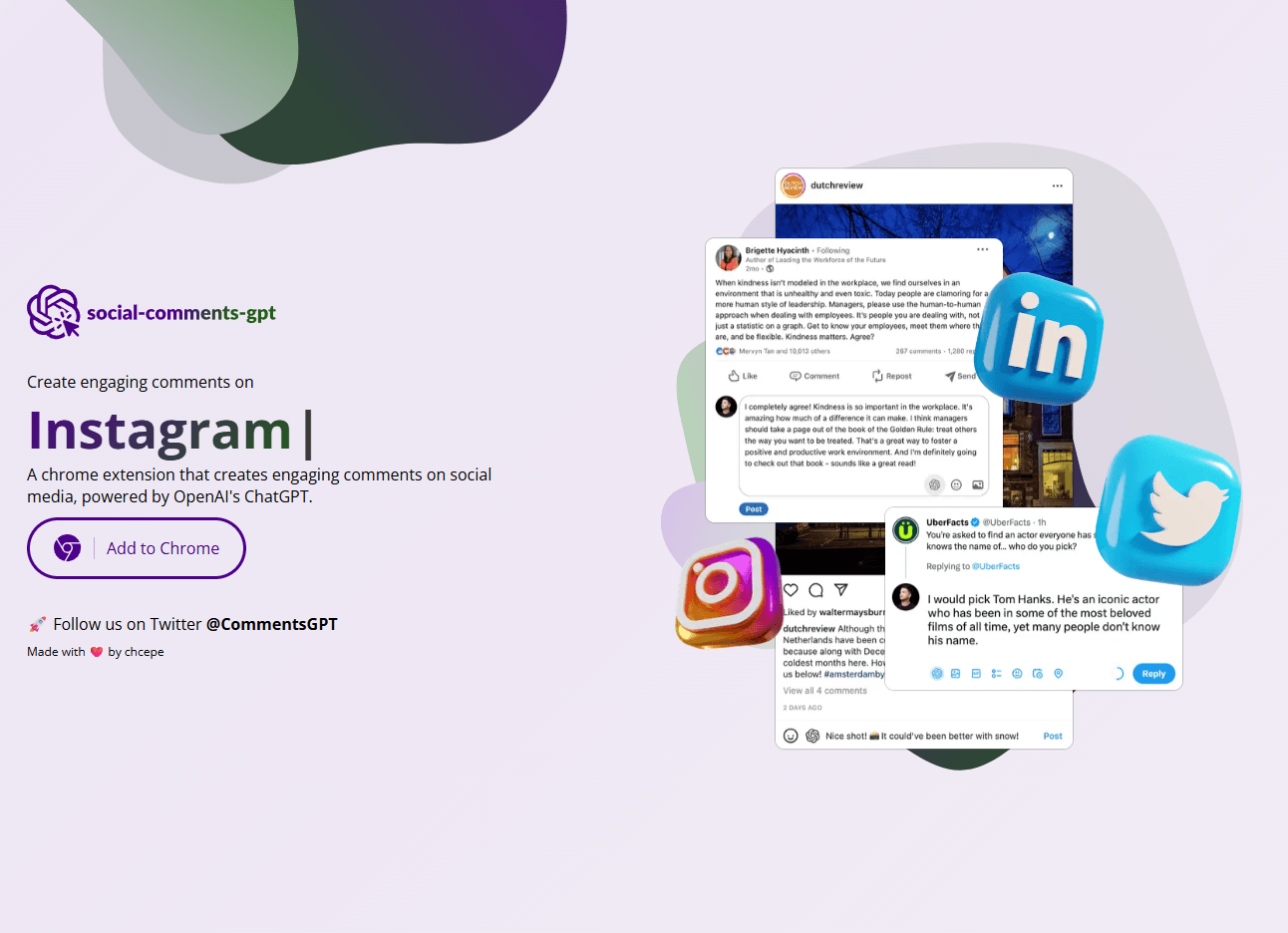
Social Comments GPT works as a Chrome extension, so the tool sits close to the comment box instead of forcing you into a separate dashboard.
The core use case is writing engaging social comments faster for reach, engagement, and lead generation.
The project is public on GitHub under an MIT license, which gives the tool more transparency than many small AI extensions.
The GitHub setup instructions show that users must set their own OpenAI API key in the extension options.
The Chrome Web Store listing says it currently supports LinkedIn, Instagram, and Twitter.
The Chrome Web Store says it handles website content, while also stating that the developer does not sell that data to third parties or use it outside core functionality.
The clearest way to think about Social Comments GPT is as a comment-writing helper for social media, not a full creator stack. The official website says only that it creates engaging comments on social media, powered by ChatGPT, and the Product Hunt page describes it as an open-source Chrome extension that can save time for professionals or influencers trying to increase engagement, reach, and leads. That narrow scope is important, because it keeps expectations realistic. This is not a scheduler, an analytics suite, or a broader LinkedIn growth system.
That narrowness is also the product’s main strength. Plenty of AI tools try to do too much. Social Comments GPT does one thing: it helps users respond faster in social contexts where commenting is part of the growth tactic. The public materials do not really sell a bigger story than that, and they should not. This is a lightweight utility.
The workflow looks very simple. The website has a single pitch and an “Add to Chrome” button, while the GitHub repo shows a straightforward install-and-configure setup: build or load the extension, generate an OpenAI API key, and paste that key into the extension options. That suggests the real usage model is low-friction once you are set up, but slightly more technical than a fully hosted SaaS tool because the user has to handle the API credential step.
That bring-your-own-key model matters more than it first appears. On one hand, it likely keeps the product simple and cheap. On the other, it means Social Comments GPT is not really a plug-and-play mainstream extension in the same way a fully bundled subscription app would be. People comfortable with Chrome extensions and API keys will likely find that acceptable. Less technical users may see it as friction immediately. That is an inference from the setup flow published in the GitHub repo.
Social Comments GPT looks strongest for users who already believe in comment-driven growth. If your workflow includes thoughtful commenting on LinkedIn, Instagram, or X as part of networking, lead generation, or brand-building, the tool’s value is easy to understand: it helps you respond faster and with more polish than writing every comment from scratch. That is exactly how the Chrome Web Store listing and Product Hunt page position it.
It is also strongest when the job is repetitive but still context-sensitive. Generic comment templates are usually weak because they sound robotic. Social Comments GPT’s whole reason to exist is to bridge that gap: faster than manual writing, but more post-specific than canned one-liners. The public positioning strongly implies that kind of use, even if the official site does not document the output controls in much depth.
A quieter strength is transparency. Because the project is open source, users can at least inspect the repo, see that it is MIT-licensed, and understand that it is not a black-box social automation company with no visible code footprint. For a small AI extension, that is a real trust advantage.
The first thing that matters is platform support. The Chrome Web Store says the current version supports LinkedIn, Instagram, and Twitter, and the official site visually points to Instagram, LinkedIn, and Twitter as well. That is a useful set of surfaces because those are exactly the kinds of networks where comment quality can affect visibility and relationship-building.
The second thing that matters is public-product maturity. The Chrome Web Store listing currently shows version 1.6.3, 3,000 users, 24 ratings, and a 2.8 out of 5 rating, with the listing updated on January 12, 2024. Those numbers do not automatically make the tool bad, but they do tell you this is a fairly small product with mixed user sentiment, not a dominant creator utility with obvious mainstream traction.
The third thing that matters is documentation consistency. Here the public footprint is a little messy. The Chrome Web Store says the current version supports LinkedIn, Instagram, and Twitter, but the GitHub README still says it currently supports LinkedIn and Instagram. That suggests either the repo documentation lagged behind the store listing or the support story changed over time and the public materials were not kept perfectly synchronized. Either way, it is a small but meaningful sign that the product is lightweight and not heavily maintained from a documentation standpoint.
The privacy story is mixed but not alarming. The Chrome Web Store privacy page says the extension handles website content, including things like text, images, sounds, videos, or hyperlinks, and also states that the developer says the data is not sold to third parties, not used outside approved use cases, and not used for creditworthiness or lending purposes. That is a decent baseline, but it still means the extension touches page content, which is exactly the kind of permission users should take seriously in social and professional contexts.
The open-source repo helps a bit on the trust side, but it does not remove the need for judgment. If you are using the extension in high-stakes professional outreach, you still need to be comfortable with the extension reading enough context to generate relevant comments. That is the whole feature, but it is also the main privacy trade-off. This is an inference supported by the Chrome Web Store’s privacy disclosure.
- LinkedIn-heavy operators: Social Comments GPT is a strong fit for professionals who use thoughtful commenting as part of networking, audience-building, or lead generation.
- Creators and consultants: It helps users who want to engage more consistently without drafting every comment from zero.
- Agency owners and growth-minded professionals: The tool fits lightweight social engagement workflows where comments are part of the relationship-building process.
- Technically comfortable solo users: The open-source nature and bring-your-own-API-key setup make it more appealing to people who do not mind a slightly more hands-on setup.
- Not ideal for team workflows: It is a weaker fit for teams that need approvals, analytics, campaign governance, multi-user billing, or deep social workflow infrastructure.
- Use Social Comments GPT where comment quality actually matters. LinkedIn is probably the clearest example, because weak comments are obvious there and thoughtful comments can create real relationship lift.
- Treat the generated comments as first drafts, not autopilot output. The product promise is speed, not guaranteed judgment. You still need to decide whether a comment sounds specific, respectful, and appropriate for the post.
- Verify platform behavior yourself before committing to a workflow around X/Twitter. The Chrome Web Store says it is supported, while the repo README still mentions only LinkedIn and Instagram.
- The biggest limitation is scope. Social Comments GPT helps with one micro-task, and that is also its ceiling. It does not appear to handle broader social strategy, content creation, scheduling, analytics, or audience management. Buyers who need any of that will outgrow it quickly.
- The second limitation is product maturity. A 2.8 rating from 24 Chrome Web Store ratings, 3,000 users, and a very small public website do not point to a fully mature mainstream product. They point to a niche tool that may be useful, but that should be evaluated with realistic expectations.
- The third limitation is operational friction. Requiring users to bring their own OpenAI API key is perfectly workable for technical users, but it adds setup friction and shifts some cost and troubleshooting burden onto the user.
Social Comments GPT is a small, practical Chrome extension for people who want to comment more consistently on social media without writing every response from scratch.
Its best qualities are focus, open-source transparency, and a browser-native workflow for LinkedIn-, Instagram-, and X-style engagement.
The main caveat is that it is still a lightweight utility with mixed public ratings, thin product documentation, and a bring-your-own-API-key setup that makes it feel more like a hacker-friendly tool than a polished growth platform.
TAGS: Social Media Tools
Related Tools:
Generates engaging and personalized comments

Extracts and edits short highlight clips from longer videos

Quickly transforms YouTube videos into short, engaging clips

Analyzes YouTube channels to uncover insights

Manages social media contests

Automates content creation for social media