
Share this tool:
 |
Description:
- Introduction
- Strong Features and Capabilities
- What WhisperTranscribe Actually Is
- What WhisperTranscribe Does Best
- Workflow and Ease of Use
- Transcript Quality and Editing Reality
- Magic Chat, Custom Prompts, and Content Repurposing
- Translation, Languages, and Multilingual Work
- Privacy and Data Handling
- Best Use Cases
- Practical Tips
- Limitations and Trade-Offs
- Final Takeaway
WhisperTranscribe is an AI transcription and content repurposing tool built for creators, podcasters, researchers, interviewers, marketers, and teams that want more than a plain transcript. It uses OpenAI Whisper and AssemblyAI for transcription, then adds speaker recognition, Magic Chat, translation, exports, custom prompts, content generation, and AI clip-finding so one recording can become a transcript, article, newsletter, social post, subtitle file, or searchable knowledge source.
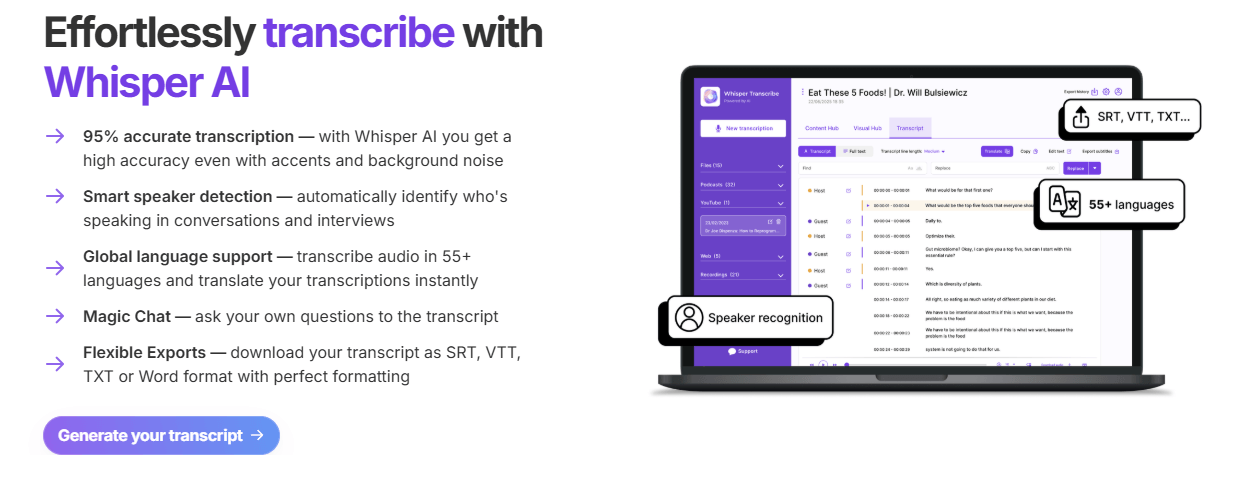
Converts audio and video into transcripts using OpenAI Whisper and AssemblyAI, with WhisperTranscribe claiming about 95% accuracy for most audio.
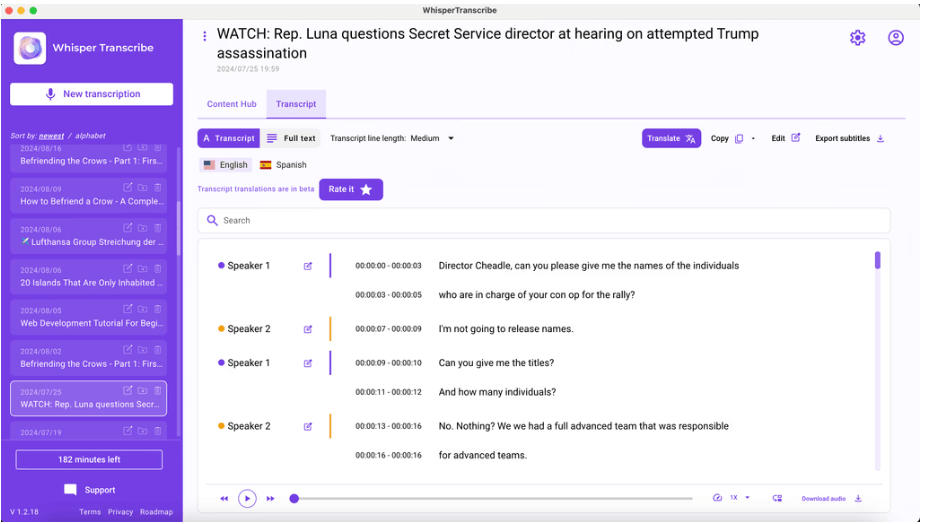
Automatically detects and labels different speakers, making interviews, podcasts, and meetings easier to read.
Supports local uploads, app recording, podcast search, YouTube/Vimeo links, podcast RSS feeds, and meeting capture workflows.
Lets users ask questions about transcripts, summarize sections, extract action items, and interact with recordings like a searchable knowledge base.
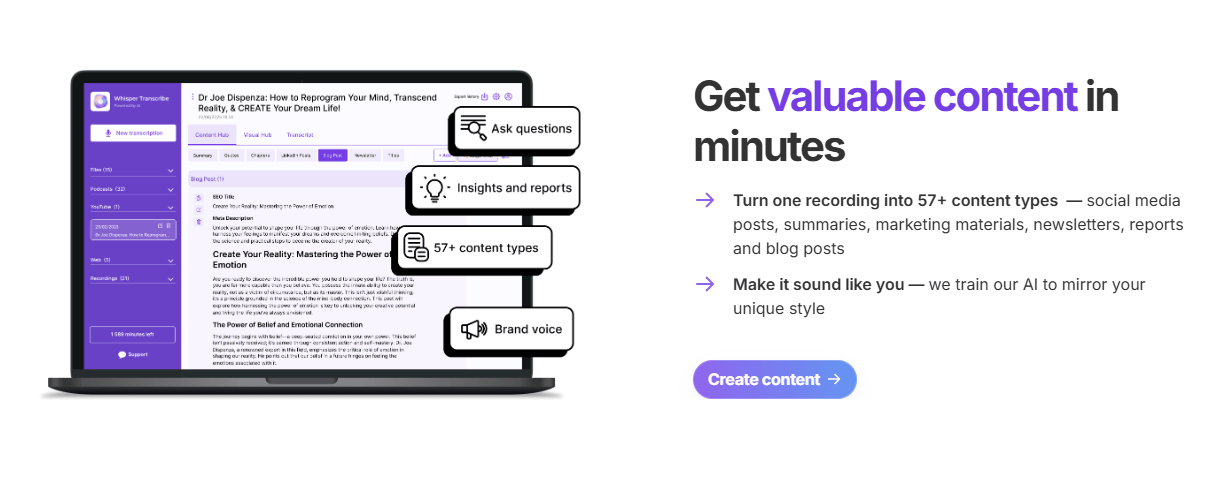
Turns transcripts into blog posts, newsletters, show notes, reports, summaries, quote lists, and social media content.
Exports transcripts in formats including SRT, VTT, TXT, and Word, which makes it useful for captions, documentation, and editing workflows.
At the simplest level, WhisperTranscribe converts audio and video into text. You can upload local files, paste links from sources like YouTube or Vimeo, use podcast RSS feeds, search a podcast library, record audio inside the app, or capture meetings from tools such as Google Meet, Zoom, Teams, and Slack. The podcast workflow page also says users can select up to 10 files at once, choose language settings, and enable speaker recognition for multi-speaker recordings.
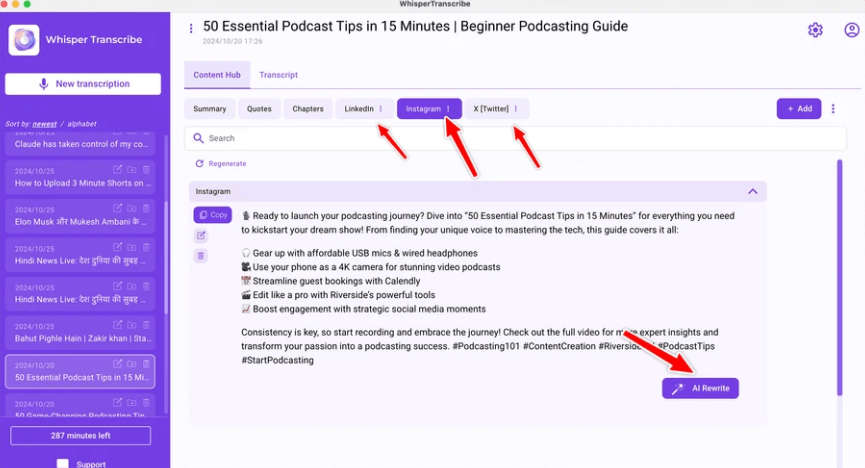
The more useful way to understand WhisperTranscribe is as an audio-to-content workspace. The transcript is the starting point, not the final product. After transcription, users can export subtitle files, ask questions through Magic Chat, generate show notes, create blog posts, produce newsletters, extract quotes, create social snippets, and find potential clips from the recording.
That makes it different from lightweight SRT tools. WhisperTranscribe is less about “give me a caption file” and more about “turn this episode, interview, meeting, or video into a content engine.”
WhisperTranscribe is strongest for creators who repeatedly work from long-form audio or video. A podcaster can transcribe an episode, generate show notes, pull quotes, create social posts, and draft a newsletter without moving through five separate tools. A journalist can transcribe an interview and use Magic Chat to find themes or quotes. A researcher can turn lectures or seminars into searchable text. The official podcast page directly names independent podcasters, podcast agencies, digital marketers, journalists, interviewers, educators, and researchers as target users.
Its second strength is flexible input. Many tools require a local upload only. WhisperTranscribe accepts common audio and video formats, YouTube URLs, Vimeo links, and podcast RSS feeds, with a stated 5GB direct upload limit. That makes it useful when the source file is not already sitting neatly on your desktop.
Its third strength is post-transcription AI. Magic Chat lets users ask questions about the transcript, extract action items, summarize specific sections, or turn the transcript into a queryable knowledge base. This is especially useful for long recordings where the problem is not only transcription, but finding the useful parts afterward.
The workflow is simple enough for non-technical users. You upload or record audio/video, set preferences such as language and speaker recognition, run transcription, then review the transcript and either export it or repurpose it into other content. WhisperTranscribe’s own podcast page presents this as a four-step process: upload or record, set preferences, let AI transcribe, then export or repurpose.
The desktop app angle is important. WhisperTranscribe is available as a native Mac app and a Windows app for Windows 10 and 11. That makes it feel less like a purely browser-based SaaS tool and more like a creator utility that can sit inside a regular production workflow.
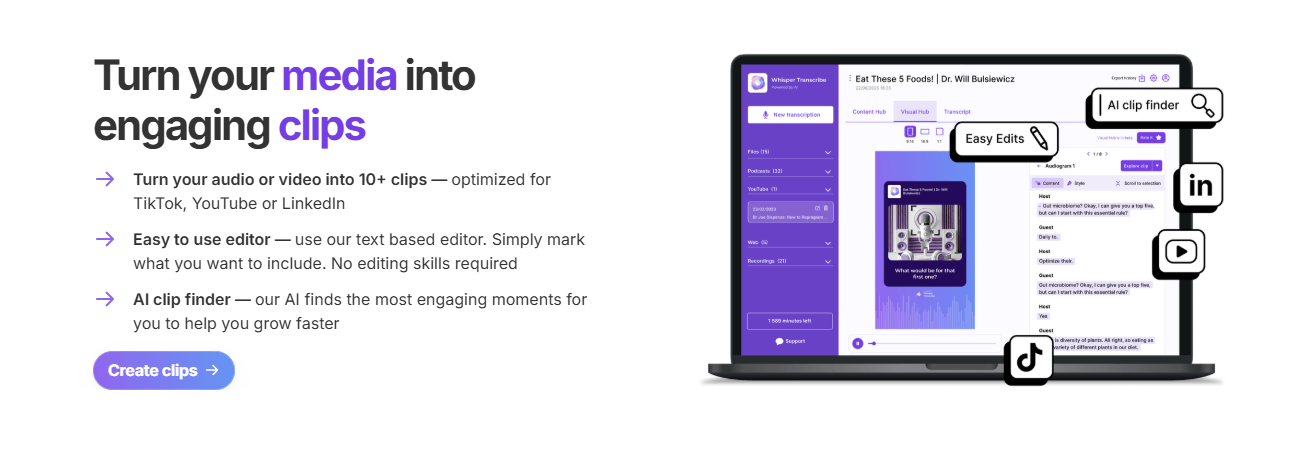
Where the workflow gets more interesting is after the transcript is created. Users can ask Magic Chat questions, generate content, train the system to mirror their writing style, and create clips from audio or video. The homepage says it can turn one recording into many content types and that its AI can learn from user-provided writing samples to produce assets in a more consistent voice.
WhisperTranscribe repeatedly claims around 95% transcription accuracy and says its implementation handles accents, background noise, multiple speakers, and difficult audio. It also says most transcriptions are completed in under five minutes, with a 60-minute audio file typically taking about three to four minutes to process.
That is a strong positioning, but it still needs the usual AI transcription caution. WhisperTranscribe’s own Terms of Service say AI-generated transcriptions may contain misheard words, incorrect speaker identification, punctuation errors, accent issues, and technical terminology mistakes, and that users are responsible for reviewing outputs before relying on them.
In practice, that means WhisperTranscribe is best treated as a fast first pass plus production workspace. Clean podcasts, interviews, voiceovers, webinars, meetings, and educational recordings should fit well. Noisy field recordings, overlapping speakers, heavy music beds, and specialized vocabulary still need review before publishing or quoting.
Magic Chat is one of the biggest reasons to choose WhisperTranscribe over a basic transcription tool. Instead of manually scanning a long transcript, you can ask questions like what the main points were, what was said about a topic, or what action items were mentioned. WhisperTranscribe describes this as turning passive transcripts into interactive knowledge bases.
The content generation layer is also central. WhisperTranscribe lists tools for chapter generation, show notes, summaries, social media posts, blog posts, subtitles, quote finding, episode titles, newsletters, and audio translation. This makes it especially useful for creators who need to squeeze more value from one recording.
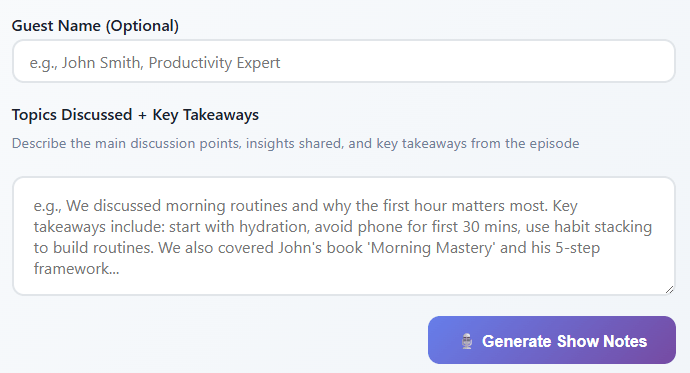
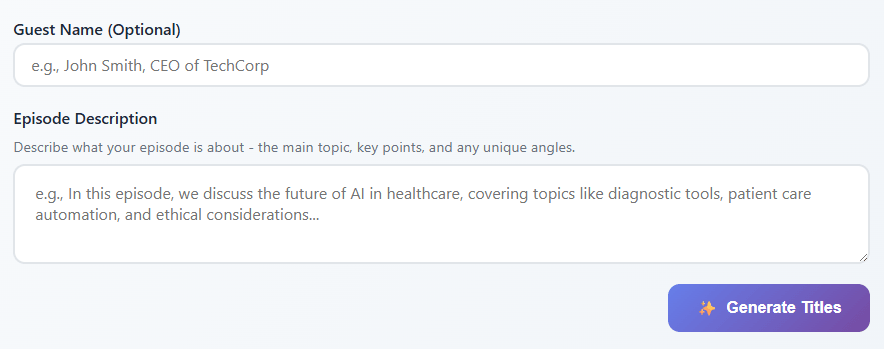
The custom prompt and style-matching features are worth noting. Starter includes custom prompts, and WhisperTranscribe says its AI can learn from samples of your content to generate blog posts, social posts, and other assets that sound more like you. That matters because generic AI content is often too bland; the closer the output stays to the creator’s voice, the more useful it becomes.
WhisperTranscribe supports transcription in 55+ languages and translation into 99+ languages, though some pricing language also says Starter translates to 50+ languages. The safest reading is that transcription, translation, and plan access do not use exactly the same language count, so users with specific language needs should verify support inside the app before buying.
The translation workflow is useful for creators who want multilingual subtitles, translated transcripts, or international content versions without moving to a full dubbing platform. WhisperTranscribe says translation maintains formatting and speaker labels, which is helpful when converting interviews, podcasts, or meeting transcripts into another language.
The limitation is that WhisperTranscribe is not a full localization suite. It can translate transcripts and create subtitle files, but it is not primarily positioned around dubbing, lip-sync, voice cloning, or human translation review.
WhisperTranscribe has a stronger privacy posture than many browser-first transcription tools, but it should be read carefully. The privacy policy says audio files are stored on servers for three to ten minutes during transcription and then automatically deleted, transcription data is held in memory during processing and not saved to disk, and transcriptions are stored only on the user’s local device.
The privacy policy also says WhisperTranscribe does not sell, trade, or rent personal information, does not share data with advertising networks, does not use tracking pixels or retargeting, and uses Plausible for cookieless website analytics. It lists OpenAI, AssemblyAI, and Google Gemini as AI service providers under enterprise agreements that prohibit model training.
This is a meaningful advantage for creators, researchers, and teams with sensitive recordings. Still, users should understand that audio is temporarily processed through infrastructure and third-party AI providers, not purely offline on-device. For legal, medical, HR, or highly confidential recordings, the policy and any enterprise DPA should be reviewed before use.
- Podcasters: WhisperTranscribe is a strong fit for turning episodes into transcripts, show notes, blog posts, newsletters, captions, quote banks, and clips. Its podcast page directly positions the tool around this workflow.
- Podcast agencies: Bulk-style workflows, team members, content templates, and higher-minute plans make it useful for teams managing multiple shows or clients.
- Journalists and interviewers: Long-form interviews can become searchable transcripts, and Magic Chat can help surface quotes, topics, and summaries faster than manual scanning.
- Educators and researchers: Lectures, seminars, and interviews can be converted into searchable text, summaries, and archived materials.
- Marketers and content teams: The ability to turn one recording into blogs, newsletters, social posts, reports, and clips makes WhisperTranscribe especially useful for repurposing long-form content into campaigns.
- Start with the free 60-minute trial and test the exact content type you use most: a podcast episode, meeting, interview, webinar, or YouTube video. That will tell you more than any accuracy claim.
- Review speaker labels before using the transcript for quotes or show notes. Speaker recognition is useful, but WhisperTranscribe’s own terms warn that speaker identification can be wrong.
- Use Magic Chat for extraction, not just summarization. Asking for action items, strongest quotes, objections, topic sections, or reusable social angles usually produces more useful outputs than asking for one generic summary.
- Choose the plan by minutes, not by feature excitement. Starter already includes custom prompts, content creation, link import, podcast search, and in-app recording, so Pro and above mainly matter when you need more minutes, larger file handling, unlimited translation, team members, priority support, or custom templates.
- Download or export important work. The terms say cancellation does not automatically delete previous transcriptions, but users should still keep local copies of important outputs and understand account deletion behavior before relying on the app as a permanent archive.
- The first limitation is that WhisperTranscribe is not a complete video editor. It can find clips and support text-based clip selection, but users who need advanced timeline editing, motion graphics, color correction, audio mixing, or branded video finishing will still need a dedicated editor.
- The second trade-off is pricing-page consistency. The official page repeats some plan details with conflicting minute counts, so users should verify the active checkout values before subscribing.
- The third limitation is that AI outputs still need review. WhisperTranscribe’s own Terms of Service clearly warn that AI transcripts and generated content can contain errors, hallucinations, bias, and missing or added words. This is especially important for legal, medical, financial, compliance, and public-facing content.
- The fourth trade-off is that the privacy story is strong but not purely offline. Transcripts are stored locally and audio is deleted after short processing, but transcription still involves temporary server processing and third-party providers. Sensitive teams should review the privacy policy and request a DPA if needed.
WhisperTranscribe is a strong transcription and content repurposing platform for anyone who regularly works from audio or video. Its best strengths are accurate transcription, speaker recognition, flexible imports, desktop apps, Magic Chat, subtitle exports, translation, custom prompts, content generation, and AI clip discovery. It is especially useful for podcasters, agencies, educators, researchers, journalists, marketers, and creators who want one recording to produce many useful assets.
The main caveat is that WhisperTranscribe is not just a “set it and forget it” tool. The transcript, speaker labels, translations, and AI-generated content still need review. For users who are willing to treat it as a fast first pass plus content engine, WhisperTranscribe can save a lot of time and turn long-form recordings into a much more useful content library.
TAGS: Speech to Text
Related Tools:
AI-driven translation across multiple languages
Transcribes and translates audio into text
Enables real-time video dubbing

Provides real-time transcription for meetings and conversations

Transcribes and summarizes voice notes
Convert audio and video into accurate and editable text