
Share this tool:
 |
Description:
- Introduction
- What Speech Studio Actually Is
- Strong Features and Capabilities
- What It Does Best
- Workflow and Ease of Use
- Speech-to-Text Quality and Customization
- Text-to-Speech, Voice Work, and Avatars
- Where Speech Studio Fits in Microsoft’s Current Speech Stack
- Best Use Cases
- Limitations and Trade-Offs
- Final Takeaway
Speech Studio is Microsoft’s UI layer for Azure Speech: a no-code workspace where you can test speech-to-text, text-to-speech, translation, pronunciation assessment, custom speech, custom voice, audio content creation, and custom keyword workflows, then hand those assets off to the Speech SDK, Speech CLI, or REST APIs for production use. That is the most important thing to understand upfront. Speech Studio is less “one-click generator” and more “speech workbench for real applications.”
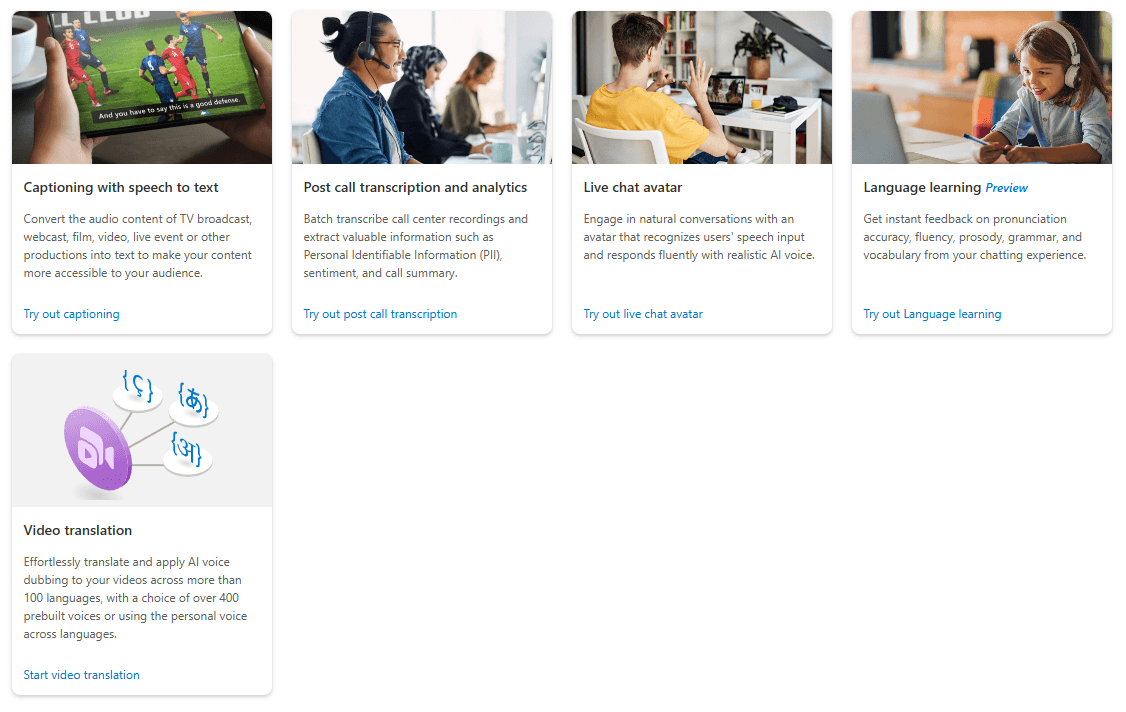
Microsoft describes Speech Studio as a set of UI-based tools for building and integrating Azure Speech features into applications. In practice, that means you can prototype and inspect results visually before committing to code. The portal includes project types for real-time speech to text, batch speech to text, custom speech, pronunciation assessment, speech translation, Voice Gallery, custom voice, audio content creation, and custom keyword. It also includes scenario demos such as captioning and call center analysis.
That positioning matters because Speech Studio solves a specific problem that raw APIs do not: it gives teams a place to test audio, inspect outputs, compare models, refine settings, and generate reusable assets before engineering locks anything into a product. That is why it feels more enterprise and developer-oriented than creator-first voice tools, even when the UI itself is approachable. This is an inference from how Microsoft frames the portal and from the way most features ultimately hand off to SDK, CLI, or REST integration.
Azure Speech supports instant live transcription, faster-than-real-time synchronous file transcription, and asynchronous batch jobs for larger prerecorded workloads.
You can train and compare recognition models for specific vocabulary, audio conditions, and use cases, then measure results with WER and deploy custom endpoints where needed.
Speech Studio offers a no-code text-to-speech environment with SSML control over voice, style, speed, pronunciation, and prosody.
Azure Speech supports real-time speech-to-text and speech-to-speech translation, including multilingual scenarios and multiple target languages.
Standard text-to-speech avatars are accessible through Speech Studio or API, with the same language support as text to speech.
Speech Studio can generate on-device keyword spotting models and .table files for wake-word and voice-activation scenarios.
Speech Studio is strongest at three things.
First, it is very good at fast no-code evaluation. Microsoft explicitly lets you drag audio into the portal to test speech-to-text, check batch transcription behavior, try pronunciation assessment, and experiment with speech translation before you write any code. That makes it useful for proof-of-concept work, internal demos, and early QA.
Second, it is good at tuning and inspection, especially on the speech-recognition side. Custom Speech lets you upload test data, inspect recognition quality, and evaluate models quantitatively with word error rate. That is much more valuable than just seeing whether a transcript “looks okay.” It gives teams a real framework for improving domain-specific recognition rather than guessing.
Third, it is good at turning exploratory work into production assets. Audio Content Creation lets you refine SSML and voice behavior visually, then carry that same SSML into SDK or CLI implementations. Custom keyword produces .table files for the Speech SDK. Custom voice models and other project outputs are meant to be referenced later from apps, not trapped in the portal.
For a Microsoft platform product, the core workflow is fairly sensible. You can start by testing with sample or uploaded audio, then move into deeper projects only if the early results are good enough. The docs even note that you can try speech-to-text and text-to-speech in the Microsoft Foundry portal without signing up or writing code, which lowers the barrier for initial exploration.
Once you go beyond demos, the experience becomes more Azure-like. Audio Content Creation requires an active Azure subscription, permission to create resources, and a Foundry project. Custom keyword requires an Azure subscription, a Speech resource, and access to keys and region details. Custom avatar training requires a supported resource and region, plus consent and training media. So while the UI is no-code, the platform is still built for people operating inside Azure’s account, resource, and region model.
That is the core trade-off in how Speech Studio feels. It is easier than building everything directly through API calls, but it is not “casual.” It assumes you are working toward a real deployment and are comfortable with Azure concepts. As an inference, that makes the product easier for technical teams, solution architects, and enterprise prototypers than for solo creators looking for instant media generation.
The speech-to-text side is one of the most practical parts of the platform. Microsoft now separates transcription into real-time, fast, and batch modes, which is more useful than forcing one workflow to cover everything. Real-time is aimed at live audio and immediate captions or dictation. Fast transcription is meant for synchronous file turnaround with predictable latency. Batch transcription is for large prerecorded workloads and asynchronous processing. That separation gives buyers a clearer mental model of which tool to use for which job.
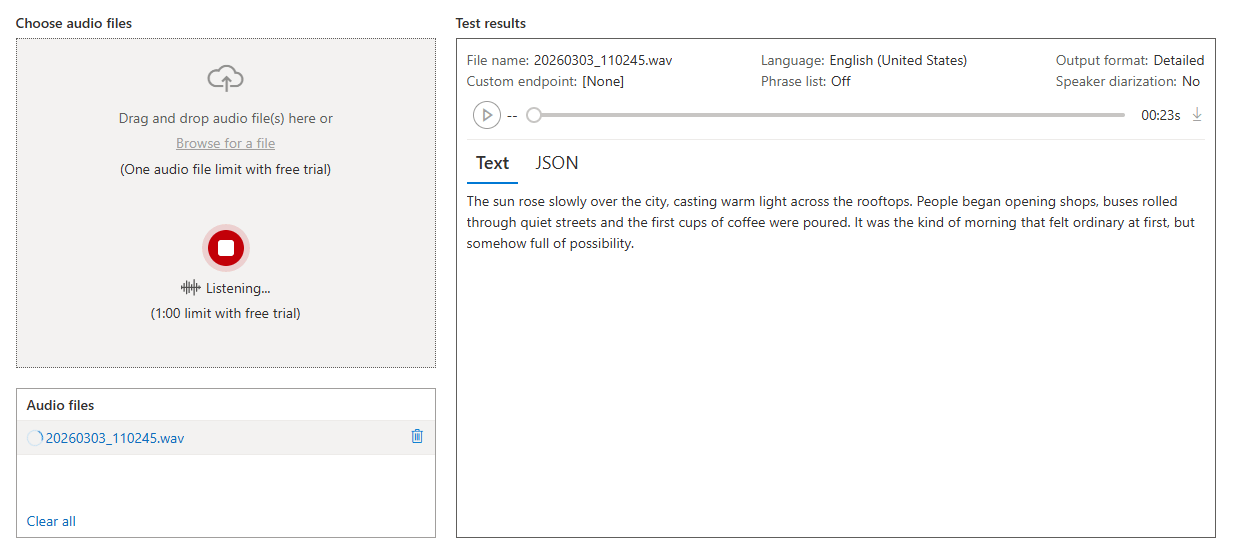
Custom Speech is where Speech Studio becomes more than a demo layer. Microsoft’s process explicitly includes uploading test data, playing back audio to inspect recognition quality, and evaluating models quantitatively with word error rate. You can also tailor models for domain-specific vocabulary or specific audio conditions. That is the kind of capability that matters when generic speech recognition is close but not good enough.
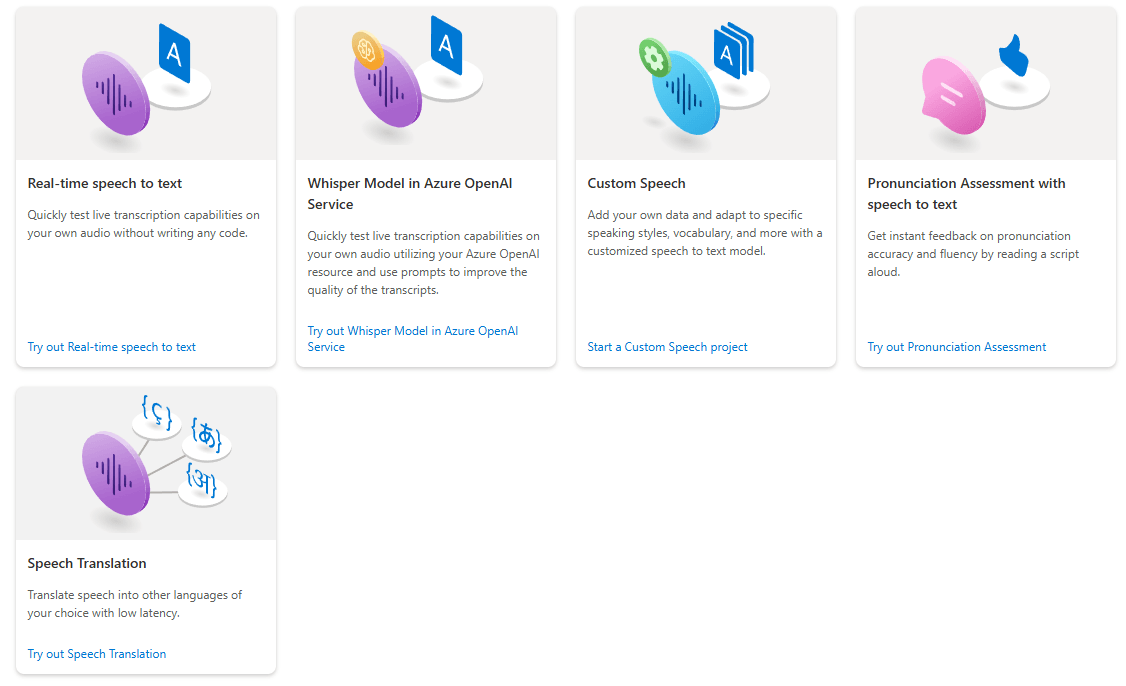
Pronunciation Assessment is another underrated strength. Speech Studio’s overview positions it as a sandbox for evaluating pronunciation accuracy and fluency without code, and Microsoft’s broader pronunciation-assessment tooling adds deeper scoring around accuracy, prosody, fluency, completeness, and, in some scenarios, vocabulary, grammar, and topic. That makes Azure Speech more relevant for education, language learning, and coached speaking workflows than a standard transcription service.
On the synthesis side, Speech Studio’s best feature is not just that it can generate audio. It is that Microsoft gives you a structured environment for refining it. Audio Content Creation is built around SSML and lets you adjust voice characters, styles, speaking speed, pronunciation, and prosody, then use that tuned SSML later in code. Microsoft explicitly frames it as both no-code and developer-friendly, which is exactly right. You can use the output as a final asset or as a polished starting point for integration.
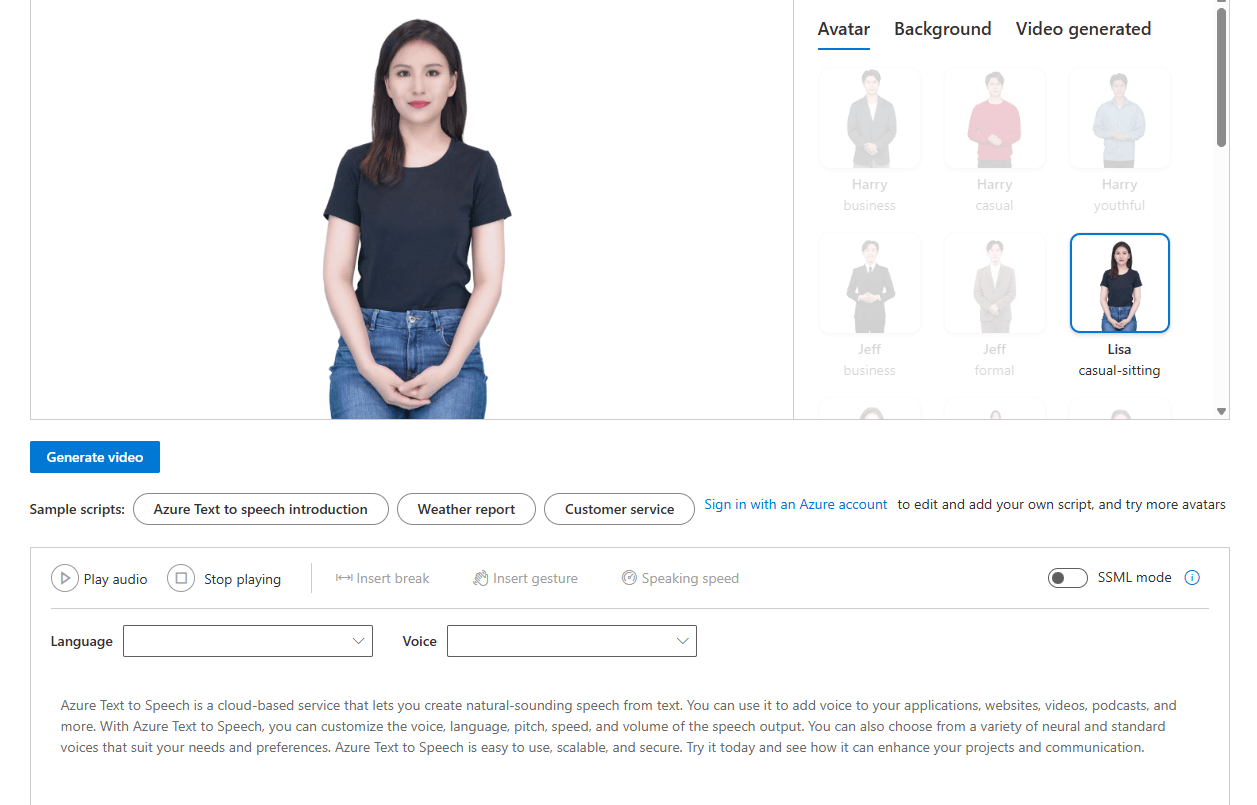
Voice Gallery is the easiest entry point here. It gives access to Microsoft’s standard neural voices and variants, while Custom Voice lets you build a brand or character voice from recorded speech samples. Standard text-to-speech avatars are also available through Speech Studio or API, using the same language support as regular text-to-speech. If your goal is narrator output, multilingual voice output, or a visual talking presenter without standing up your own avatar system, Speech Studio covers a surprising amount.
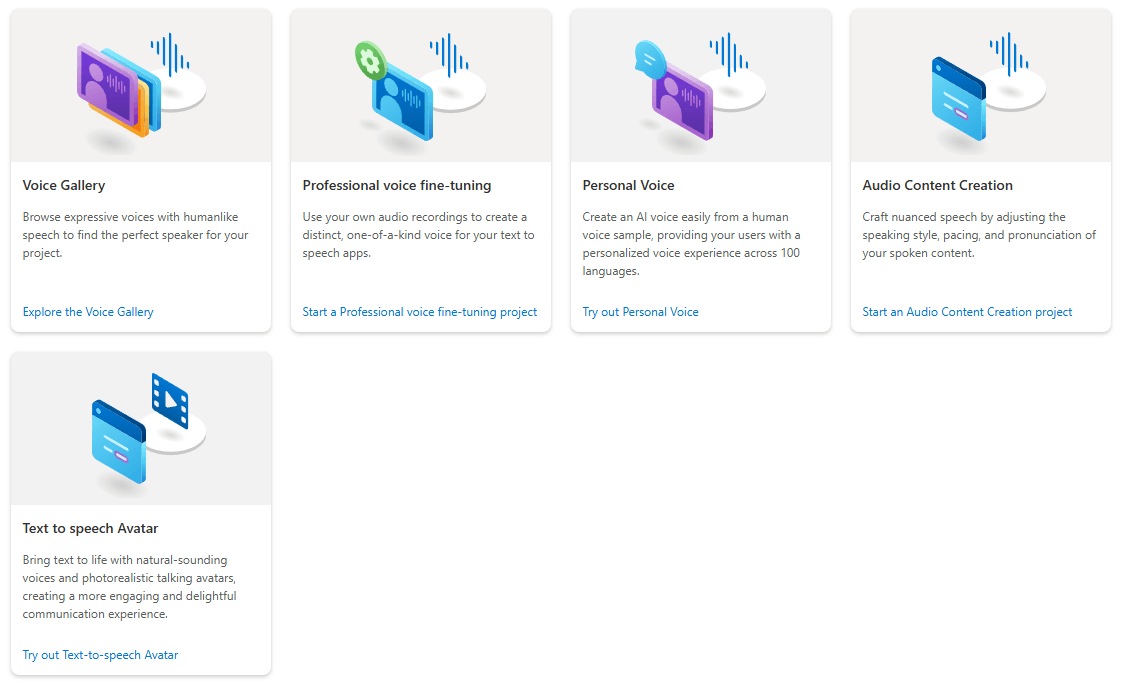
The big caution is access. Custom voice is not fully self-serve in the normal consumer-software sense. Microsoft says custom neural voice is a Limited Access feature that requires registration, and only customers managed by Microsoft are eligible. The same limited-access framework applies to custom text-to-speech avatar, and Microsoft also says personal voice, including the try-with-your-own-data demo experience in Speech Studio, requires registration and approval. That is a major practical limitation, not a footnote.
One of the most important current realities is that Speech Studio is no longer the only place to think about Azure speech workflows. Microsoft is increasingly positioning Azure Speech inside Foundry, and some features now have overlapping or adjacent homes in the Foundry portal. The docs explicitly say you can try speech-to-text and text-to-speech in Foundry, and Audio Content Creation exists in both Foundry and Speech Studio. Custom avatar deployment steps also point users into Foundry.
There is also a newer voice-agent layer above the classic portal flow. Microsoft’s Voice Live API combines speech recognition, generative AI, and text-to-speech into a single managed interface for low-latency speech-to-speech interactions, with support for audio output, avatars, tool calling, and several model tiers. That matters because it changes Speech Studio’s role: the portal is still excellent for prototyping, tuning, and asset creation, but if you are building modern real-time voice agents, the center of gravity is shifting toward Voice Live and broader Foundry workflows.
That does not make Speech Studio obsolete. It just means the product is best seen as one layer in Microsoft’s speech stack rather than the entire story. As an inference, Speech Studio remains the best UI workbench in the stack, while Voice Live and the APIs represent the newer application runtime layer.
Speech Studio is a strong fit for teams building captioning, transcription, dictation, call-center, accessibility, multilingual, or voice-enabled application workflows. Microsoft’s own examples span live meeting captions, customer-service transcription, video subtitling, education, healthcare documentation, and media archives.
It is also a strong fit for teams that need speech customization, not just speech output. Custom Speech, pronunciation assessment, custom voice, and custom keyword all point toward higher-control scenarios where the baseline model is not enough or where product differentiation matters.
It is less ideal for people who want the fastest possible content-generation app. Speech Studio can absolutely create usable speech assets, but its real strength is operational workflow inside Azure, not instant creator convenience. That is an inference from the required Azure setup, resource model, and production handoff baked into the docs.
- The first limitation is obvious: setup overhead. Even though the portal is no-code, serious use usually still means Azure subscriptions, resources, keys, regions, and project configuration. That makes Speech Studio easier than raw APIs, but not lightweight in the way many newer AI tools are.
- The second limitation is feature gating. Some of the most attractive capabilities, especially custom neural voice, personal voice, and custom avatar, are not wide-open self-serve features. They are subject to registration, approval, and in some cases Microsoft-managed-customer requirements.
- The third limitation is portal fragmentation. Microsoft now spreads speech workflows across Speech Studio, Foundry, and newer API-first layers like Voice Live. That gives the ecosystem more depth, but it also makes the product map less tidy than it used to be.
Speech Studio is one of the better no-code-to-production speech workbenches available right now. It is especially strong for teams that need to test speech features visually, tune recognition quality, refine text-to-speech with SSML, build reusable assets, and then push those decisions into real applications through Azure’s SDKs and APIs.
It is not the best choice for someone who just wants a fun consumer voice generator. But for Azure-native teams, enterprise speech projects, and developers who want a serious UI layer before coding, it is a very capable portal. The main caution is simple: the farther you move into custom voice, personal voice, avatars, and next-gen voice agents, the more you are really buying into Microsoft’s broader Foundry and Azure speech ecosystem, not just one portal.
TAGS: Speech to Text Text to Speech
Related Tools:
Transcribes and summarizes voice notes

Transforming audio and video recordings into polished, shareable content

Productivity software for document and spreadsheet editing

Generates audio content from spoken words
Offers speech-to-text and text-to-speech

Turns written content into natural-sounding audio