
Share this tool:
 |
Description:
Recallify sits in a narrower, more practical category than a normal AI note app. It is built to help you capture conversations, thoughts, lectures, notes, and uploads, then turn them into summaries, tasks, reminders, and quizzes. The official positioning is very clear: this is a cognitive-support and productivity app for students, professionals, and people dealing with ADHD, dyslexia, acquired brain injury, stroke, mild cognitive impairment, cognitive fatigue, or plain everyday overload.
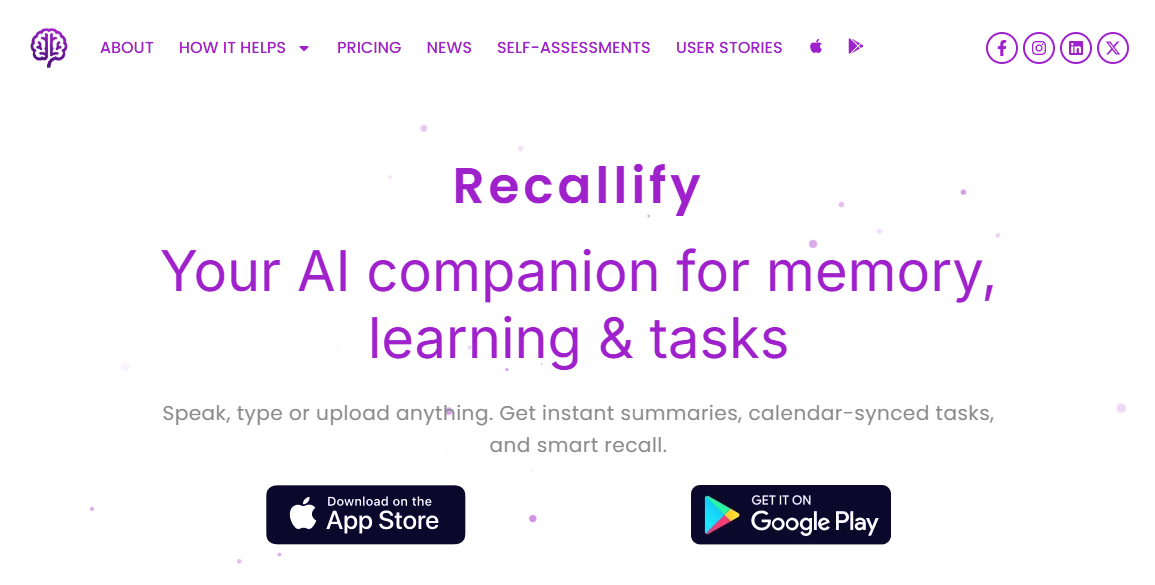
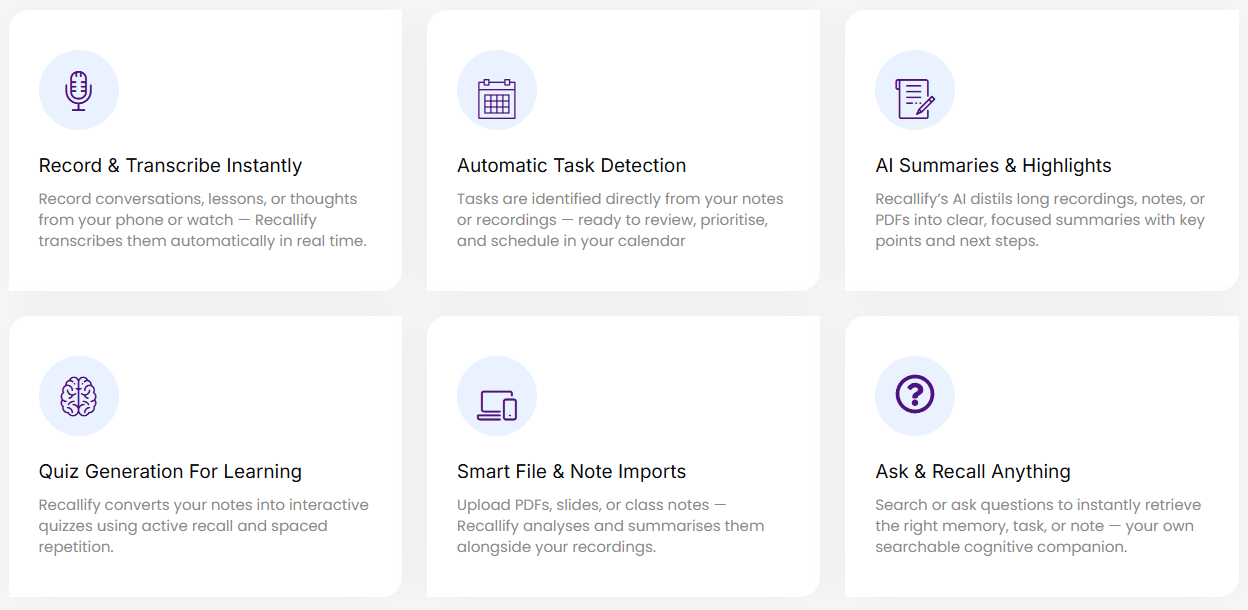
Recallify lets you record from your phone or watch and transcribes recordings in real time, which is a much better fit for low-friction capture than asking users to type everything out.
The app pulls tasks out of notes and recordings, then lets you review, prioritize, and send them into your calendar.
Long recordings, notes, and PDFs are condensed into shorter summaries with key points and next steps.
Recallify supports “recall” by letting you search or ask questions against saved content instead of manually digging through old notes.
Notes, recordings, and uploaded content can become quizzes built around active recall and spaced repetition.
It supports text, PDF, audio, and video uploads, which makes it more flexible than a voice-only capture app.
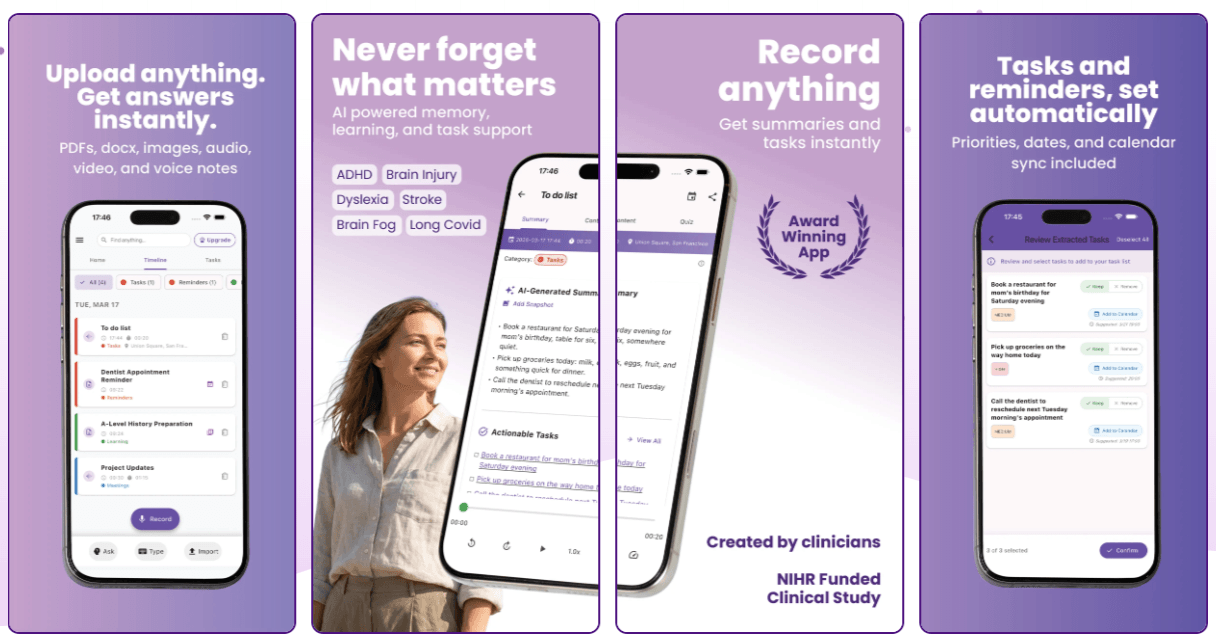
Recallify is strongest when the real problem is not writing notes, but holding onto information long enough to use it. That is the product’s real pitch. You capture something quickly, Recallify transcribes it, summarizes it, surfaces actions, turns time-sensitive items into reminders, and lets you search or ask questions later. It also adds a learning layer by converting saved material into quizzes using active recall and spaced repetition. That combination is what makes Recallify feel different from a generic recorder, a generic to-do list, or a generic study app.
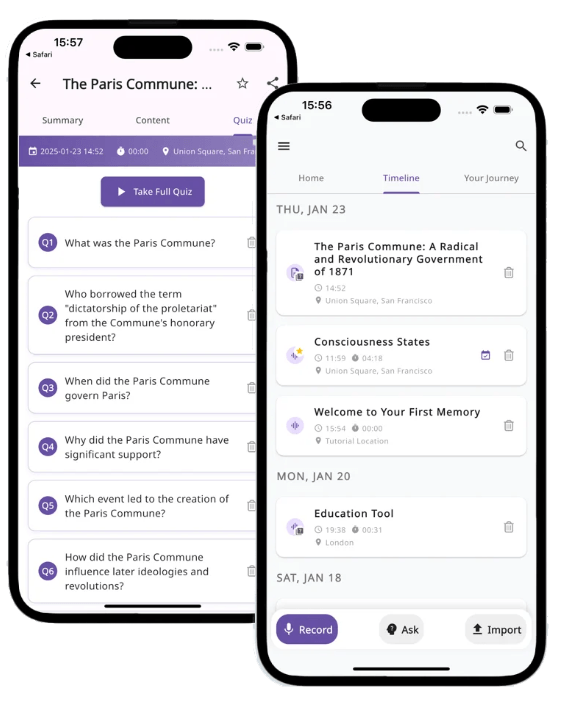
Just as important, the workflow is built around reducing cognitive load. Recallify’s own site repeatedly frames the product as external memory support rather than just storage. That is a smart distinction. Plenty of tools can hold information. Fewer tools are clearly trying to help you remember, retrieve, and act on it later without depending on perfect manual organization.
Recallify’s workflow is intentionally simple. You capture something while it is happening, or upload something you already have. The app transcribes it, summarizes it, identifies tasks, offers reminders, and keeps the result in a searchable history. If the content is study-related, it can also become quiz material. That is a very sensible flow for people who lose information in the gap between “I heard this” and “I acted on this.”
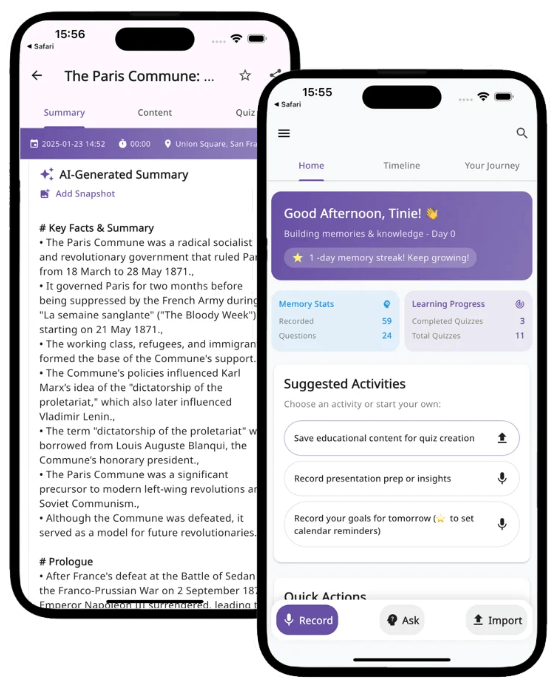
The recent Long Covid pilot write-up is useful here because it highlights the same pieces that matter in real use: participants valued voice-first capture, AI summarization, automatic task extraction, calendar integration, quizzes from uploaded content, and document handling. That lines up closely with Recallify’s public product pitch, which is usually a good sign.
For individual users, the product is clearly mobile-first. Official access is through iOS and Android, and subscription management happens through the App Store or Google Play. That makes sense for a capture-heavy tool, because memory support is most useful when it is available in the moment rather than only at a desk. But it also means Recallify feels less like a desktop knowledge workspace and more like an external memory companion you carry around.
The biggest difference is that Recallify is not really selling “better notes.” It is selling support for remembering, planning, and following through. The official language around ADHD, brain injury, stroke, dyslexia, and cognitive fatigue is not just marketing decoration; it shapes the product. Automatic organization, reminder suggestions, recall search, and quiz generation all make more sense once you view Recallify as a cognitive-support tool first and a productivity app second.
That makes it especially appealing for users who do not want to build a system from scratch. Some people love highly customizable productivity tools, but those tools often assume you have the executive bandwidth to maintain the system itself. Recallify’s appeal is that it tries to do more of the organizational work for you. That is one of its clearest strengths.
Recallify’s clinical framing is more serious than most consumer AI productivity apps. The company says the product was co-founded by Dr. Sarah Rudebeck, a senior clinical neuropsychologist with a PhD in memory disorders, and Dr. Berkan Sesen, an AI and clinical decision support specialist. It also says Recallify is grounded in evidence-based approaches from cognitive neuroscience and neuropsychology. That does not automatically prove superiority, but it does make the product’s niche and design intent more credible than average.
The company is also careful about the boundary of what the app is. Both app-store listings say Recallify is not a medical device and does not provide diagnosis or clinical decision support. That is the right framing. It is a support tool, not a substitute for clinicians, rehab programs, or professional judgment.
On privacy, Recallify’s story is better than average in one important way: its privacy policy says audio and video recordings are stored locally on your device unless you choose to export or share them. The pricing page also says all plans include end-to-end encryption, GDPR compliance, ICO registration, and Cyber Essentials certification. That said, the privacy policy also warns that sensitive information may be inadvertently received through imports, so this is still a tool that needs careful use if you are handling medical, educational, or personal material.
- ADHD and executive dysfunction: Recallify is well suited to users who need low-friction capture, automatic task extraction, reminder support, and less manual sorting.
- Students and lecture-heavy learning: The combination of recording, summarization, uploads, and quiz generation makes it a practical study companion.
- Cognitive fatigue, brain fog, or rehabilitation support: The product is explicitly positioned for acquired brain injury, stroke, MS, mild cognitive impairment, and fatigue-related memory strain.
- Professionals who forget action items: If your pain point is losing tasks from meetings, calls, or quick thoughts, Recallify’s summaries plus task extraction are a better fit than a passive recorder.
- People who think better out loud than by typing: Voice-first capture is one of the clearest advantages here.
- Use Recallify for things you would otherwise forget in transit: appointments, action items, lecture points, and instructions. That is where the voice-first workflow pays off most.
- Push time-sensitive items into your calendar early instead of leaving them as passive notes. Calendar-linked reminders are one of the more useful parts of the system.
- Upload source material you genuinely need to retain, such as PDFs, slides, reports, or recorded calls, then use the summary and quiz layers together.
- Use quizzes selectively. The value is highest for training, study, medical information, or recurring work knowledge, not every small note you capture.
- Watch your monthly minute allowance. The Professional plan is generous enough for regular users, but heavy recording habits can change the value equation.
- Recallify’s biggest strength is also a limitation: it is specialized. That is great if you want memory support and low-friction follow-through. It is less compelling if you want a full desktop-first workspace, a deeply collaborative team note system, or a highly customizable productivity stack. The public access story is still heavily centered on mobile apps and app-store subscriptions, with enterprise controls reserved for organizational licenses.
- There is also clear subscription friction. The official offer is a 7-day trial, not an ongoing free tier, and the product’s usefulness depends on whether you keep using transcription, reminders, and recall regularly enough to justify paying for them. Infrequent users may not get enough value from the paid loop.
- The privacy story is thoughtful, but not magically risk-free. Local storage for recordings is a good sign, yet the app still deals with potentially sensitive personal material, and the privacy policy explicitly notes that sensitive information can arrive through imports. Anyone using Recallify for health, rehab, or high-stakes personal information should treat it with the same caution they would use with any AI-assisted recording tool.
- Finally, Recallify still looks like a product that is being refined. In the recent Long Covid pilot post, the team said the functional value was clearly there, but the next design phase needs to improve how the platform feels during moments of fatigue. That is a smart and honest admission, but it also suggests that the usability layer is still evolving, not finished.
Recallify is one of the more interesting AI productivity tools because it is not trying to be everything. It is best for people who need an external memory system that starts with fast capture and ends with action or retention: students, ADHD users, professionals who lose action items, and people dealing with cognitive fatigue or rehabilitation-related memory strain.
Its biggest strength is the combination of transcription, summaries, task extraction, reminders, searchable recall, and quiz-based learning. That makes it more useful than a passive voice recorder and more focused than a general-purpose note app.
The main caveat is that Recallify should be treated as a support tool, not a medical device or clinical replacement. For users who need help capturing, remembering, and acting on information with less manual organization, Recallify is a practical tool to test.
TAGS: Speech to Text Productivity
Related Tools:

Travel planning tool that creates interactive maps
Assists in creating classroom content

AI-powered transcription tool for speech-to-text conversion
Specializes in dubbing videos into multiple languages

Enhances the process of online course creation
Analyzes your documents to help you understand information