

Share this tool:
 |
Description:
EasySub is an online AI subtitle generator built for creators, educators, students, subtitlers, and teams that need fast transcription, subtitle translation, timeline editing, and subtitle/video export without using a heavyweight editing suite. Its strongest value is simplicity: upload a video or audio file, generate subtitles, translate them, correct the result in-browser, then export subtitles or a subtitled video.
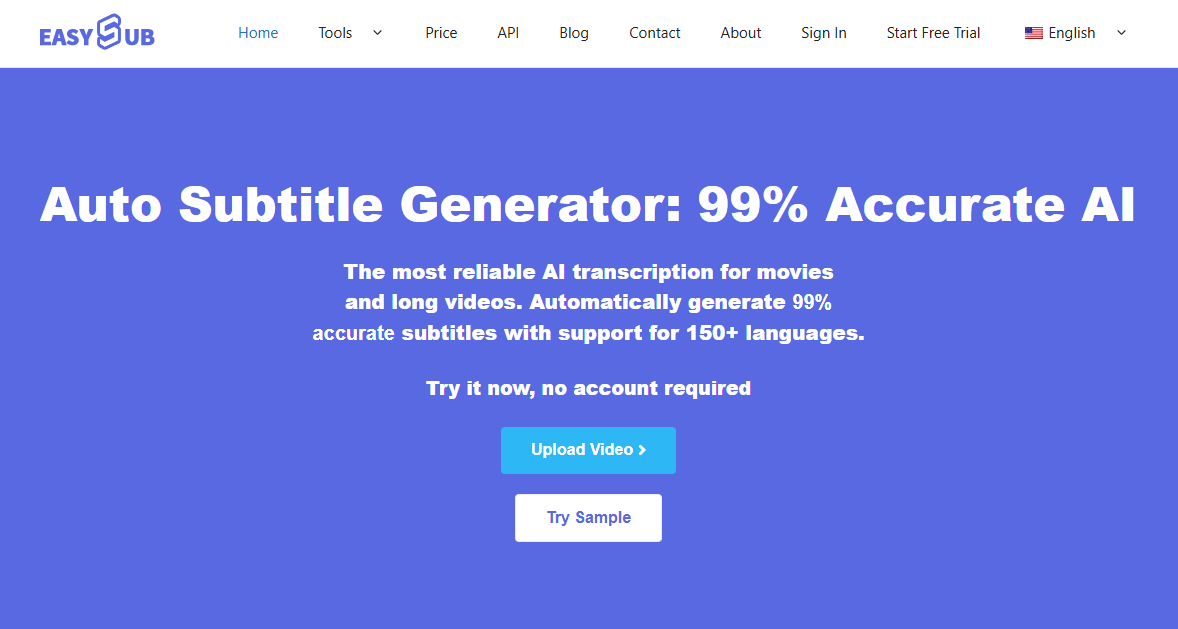
Generates subtitles from uploaded video/audio files or YouTube URLs, then places them into an editable subtitle workspace.
Transcribes video and audio online from the browser, with no separate software or plugins required.
Translates subtitles or video-derived transcripts into more than 150 languages, with direct video/URL and SRT-file workflows.
Lets users edit, rewrite, translate, style, and download subtitles in formats such as SRT, ASS, VTT, TXT, and others.
Supports multiple export resolutions for platforms such as Facebook, LinkedIn, Instagram, YouTube, and TikTok.
Offers free usage, pay-as-you-go pricing, Pro, and team plans, though the exact free allowance differs across EasySub’s own pages.
EasySub is mainly a subtitle and transcription workspace. The official site describes it around AI subtitles, AI transcription, subtitle downloading, video translation, audio-to-text, subtitle translation, subtitle editing, long-video text/subtitle generation, and an API option. That makes it broader than a basic SRT generator, but it is still clearly subtitle-first rather than a full AI dubbing or production platform.
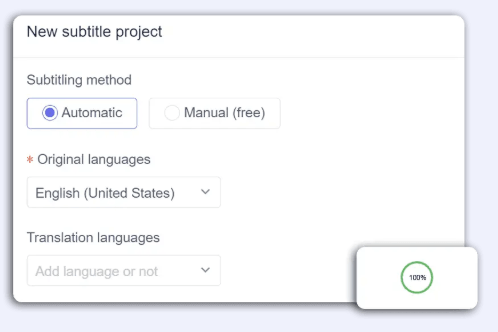
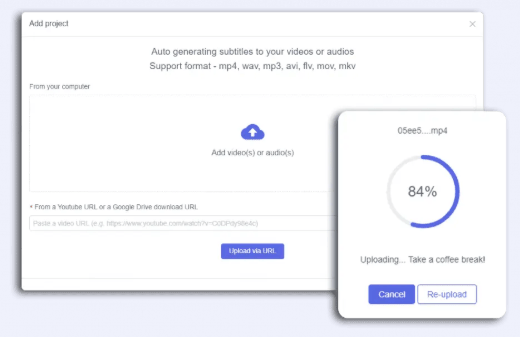
The standard workflow is simple. You upload a video or audio file from your device, or paste a YouTube URL. Then you configure the original language and target translation language. After processing, you can download subtitles or export a video with subtitles attached. EasySub’s own product page presents this as a three-step flow: upload, generate/translate, then download or export.
That simplicity is the real point. EasySub is not trying to be a deep localization suite with voice cloning, lip-sync, human review, and enterprise translation QA. It is better for people who need subtitles quickly, want a browser-based editor, and care about low cost more than advanced production controls.
EasySub is strongest at fast subtitle creation for existing videos. It supports local uploads and YouTube URL input, works directly in the browser, and focuses on getting from raw video/audio to editable subtitles as quickly as possible. The official pages repeatedly position the product for long video transcription, subtitle generation, translation, and export.
The second strength is multilingual subtitle translation. EasySub says it supports translation in more than 150 languages, and its video translator page specifically frames the product around automatically generating subtitles first and then translating videos into languages such as English, Spanish, French, Chinese, Arabic, Russian, German, Turkish, Korean, Japanese, Vietnamese, Hindi, Indonesian, Thai, Portuguese, and more.
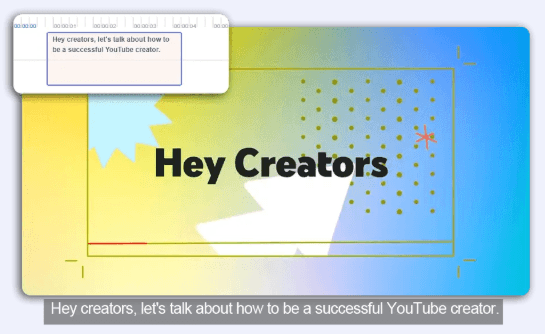
The third strength is basic but practical editing. Through the timeline, users can split clips, rearrange subtitles, modify subtitle text, drag subtitles for repositioning, and keep everything inside one editor surface. This is important because auto-subtitles are rarely perfect on the first pass, even when the first transcript is usable.
The workflow is beginner-friendly. EasySub’s AI subtitle generator page says users can upload a video file, drag and drop a file, or paste a YouTube URL, then click “Add Subtitle,” select the language and translation language, and export subtitles or video after generation. That is the entire core workflow, and it is easy enough for non-editors to understand.
The editor is where the product becomes more useful. You can change subtitle text, adjust style and font, download separate subtitle files, or hardcode subtitles into the final video. EasySub also says edits appear live on the video, which is useful when checking readability, timing, and visual placement.
This makes EasySub especially useful for people who do not want a full video editor. You are not opening Premiere Pro just to caption a lecture, YouTube upload, TikTok clip, or translated course segment. You are using a narrower tool that does the transcription, subtitle editing, translation, and export loop in one place.
The limitation is that this simplicity also defines the ceiling. EasySub is easy to start, but it does not appear to offer the deeper workflow controls found in more advanced localization platforms: speaker reassignment, glossary management, multi-review workflows, versioned translation QA, professional dubbing, voice cloning, or lip-sync. For subtitle-first work, that is fine. For full localization production, it may be too light.
EasySub’s public pages make several accuracy claims. The homepage headline says “99% accurate,” while other sections mention more than 95% accuracy or over 90% accuracy depending on the page and context. The safest reading is that EasySub positions itself as high-accuracy AI transcription, but users should still expect to review and correct subtitles before publishing.
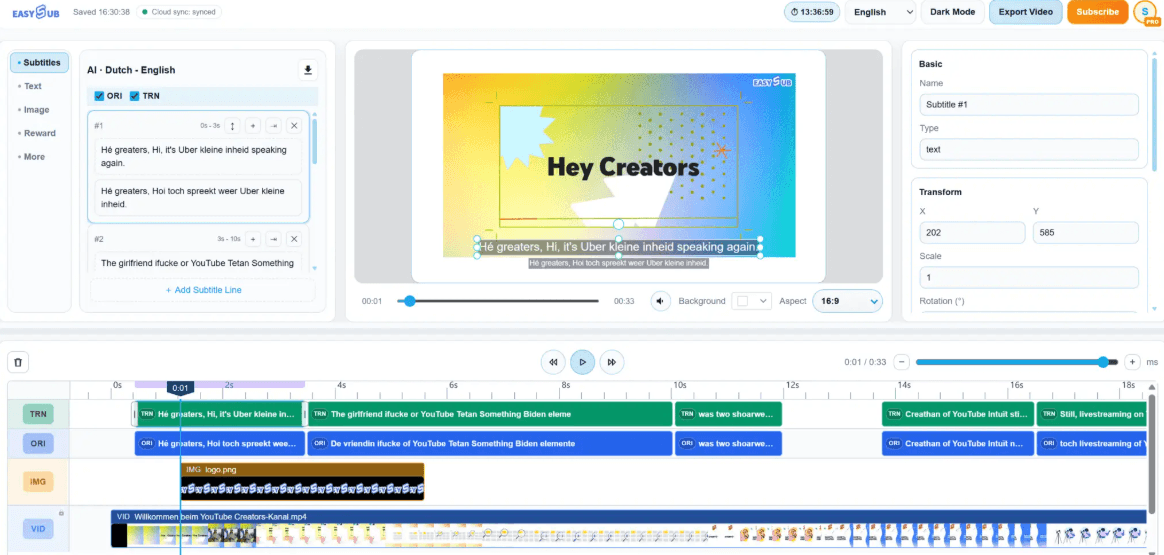
The product itself supports that correction loop. EasySub says users can split clips, rearrange subtitles, modify subtitles, drag them on the timeline, and quickly reposition them. The subtitle editor page also mentions rewriting, translating, changing letter spacing, styling, fonts, and downloading in multiple subtitle formats.
That is the right model for AI subtitles. The first pass saves time, but the editor is what turns the output into something usable. For clear audio, single-speaker videos, presentations, tutorials, lectures, and voiceover-style content, EasySub should be much easier than manual transcription. For noisy footage, overlapping speakers, heavy accents, music under speech, or specialized terminology, proofreading still matters.
EasySub’s video translator is not a full AI dubbing system. It is better understood as subtitle-based localization. You upload a video, generate subtitles, translate those subtitles, and then either add the translation as subtitles or download the translated text. The video translator page says the tool is online, does not require software download, and lets users edit text translations directly.
This is useful for creators who want international reach without producing separate dubbed versions. A YouTube creator can generate English subtitles, translate them into Spanish or Portuguese, and export subtitle files. A teacher can turn a lecture into translated captions. A small business can add bilingual subtitles to product demos. A film or fan-subtitle workflow can use the translator as a first pass, then manually polish the result.
The trade-off is that subtitle translation is not the same as professional localization. Machine translation can miss tone, idioms, technical terms, and cultural nuance. EasySub’s editing tools help, but users working on public brand campaigns, paid courses, legal/medical content, or high-stakes educational material should review translations carefully before publishing.
- YouTube and social creators: EasySub is a strong fit for creators who need captions for YouTube, TikTok, Instagram, LinkedIn, or Facebook and want quick export resolutions and subtitle downloads.
- Teachers and students: The site specifically calls out teachers and students transcribing lectures, presentations, and learning audio/video. That is one of the clearest practical uses because the workflow is simple and cost-sensitive.
- Subtitle editors and fan-subtitle workflows: EasySub is useful for first-pass transcription and translation, then manual correction inside the editor. The site directly mentions professional subtitle groups editing and proofreading auto-generated results.
- Small businesses and course creators: Product demos, tutorials, lessons, internal training, and explainers can benefit from quick captions and translated subtitle tracks without hiring a full localization team.
- Long video transcription: EasySub repeatedly positions itself around long video text and subtitles, which makes it useful for lectures, interviews, webinars, movies, and educational videos where manual transcription would take too long.
- Use EasySub for subtitles first, not full localization. It is strongest when the deliverable is an SRT/VTT/ASS/TXT file or a subtitled video, not when you need dubbed voices, lip-sync, or branded localization QA.
- Always review the source transcript before translating. If the original subtitles contain mistakes, every translation will inherit those mistakes. EasySub’s editor exists for a reason: correct the base transcript first, then translate.
- Use Pay As You Go for irregular projects. At $0.20 per minute, it is useful for occasional long videos where a subscription does not make sense. Move to Pro only when publishing and exporting becomes regular.
- Use SRT export when uploading to YouTube, Vimeo, or LMS platforms. Hardcoded subtitles are useful for social clips, but separate subtitle files are cleaner when the platform supports selectable captions.
- Check the export cost before building a workflow around the Free plan. EasySub’s Free plan includes subtitle generation and editing, but the pricing page lists $1 per export, so frequent exporting may push users toward Pro quickly.
- The biggest limitation is that EasySub is subtitle-first. It is useful for captions, transcript editing, subtitle translation, and export, but it is not positioned as a deep dubbing, voice cloning, lip-sync, or enterprise localization platform.
- The second limitation is that AI subtitle accuracy still depends on source quality. Clear speech and clean audio will perform better than noisy footage, overlapping speakers, heavy accents, music under speech, or specialized terminology.
- The third limitation is that translation still needs review. EasySub can create translated subtitle drafts quickly, but machine translation can miss tone, idioms, cultural nuance, and technical wording.
- The fourth limitation is that pricing and free allowance details can differ across EasySub’s own pages. Users should check the exact plan and export costs before building a recurring workflow around the tool.
EasySub is a practical subtitle-first AI tool for creators, students, educators, subtitlers, and small teams that need fast transcription, caption editing, subtitle translation, and export-ready files without a heavy video-editing setup.
Its strongest qualities are browser-based uploading, automatic subtitles, multilingual translation, an editable subtitle workspace, multiple subtitle export formats, and simple social/video export workflows.
The main caveat is that EasySub is not a full localization suite. It works best when the goal is subtitles, translated captions, or a subtitled video, not when the project requires professional dubbing, voice cloning, lip-sync, advanced review workflows, or brand-safe localization QA.
TAGS: Translation Speech to Text Video Editing
Related Tools:

Transforms images and text into animated paper-style visuals

Automates captioning and video translations

Generates subtitles and dubbing in multiple languages
Offers speech-to-text and text-to-speech
Transcribes and translates audio into text

Transcribe virtual meetings, providing clear summaries