

Share this tool:
 |
Description:
TacoTranslate is an AI-assisted localization tool built specifically for React applications, with a strong emphasis on Next.js. Instead of making developers extract strings into separate translation files, manage JSON dictionaries, and manually keep every language updated, TacoTranslate lets teams place translatable strings directly inside application code, automatically collects those strings, translates them, and keeps the app ready for multilingual users as the product changes.
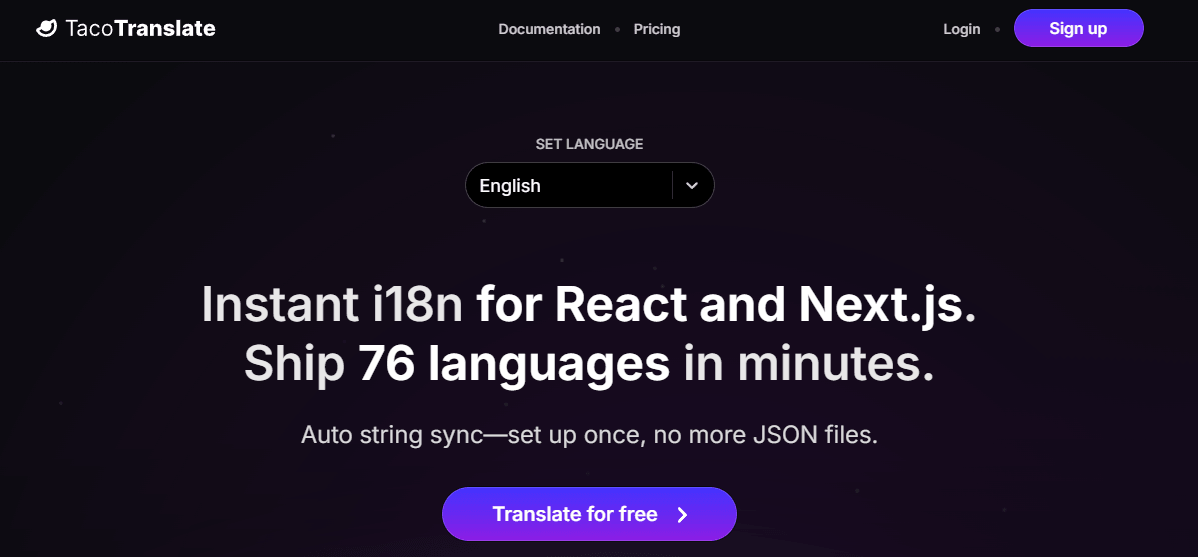
TacoTranslate is not a general translation app like DeepL, Google Translate, or a document localization tool. It is a developer-focused i18n system for web applications. The product is designed around one painful workflow: keeping product UI text translated while a React or Next.js app keeps changing.
The normal localization process often looks like this: write interface text, extract strings, create translation keys, update JSON files, send strings to translators, wait, import translations, test, then repeat when new product text appears. TacoTranslate tries to simplify that by making translatable strings live directly in the application code through components, hooks, and utilities. New strings can be collected automatically and sent to TacoTranslate as the application evolves.
| Layer | What it does | Why it matters |
|---|---|---|
| React integration | Uses components, hooks, and utilities inside the app. | Developers can localize UI text without a separate translation-file workflow. |
| Automatic string collection | Sends new strings to TacoTranslate when they appear. | New features can become translatable faster. |
| AI translation layer | Starts with immediate machine translation, then replaces it with higher-quality AI translation when ready. | Users get fast initial output and improved translation quality over time. |
| Manual override layer | Human-edited translations take priority over generated translations. | Teams can correct important wording without fighting the system. |
| Origins and IDs | Groups strings by origin and distinguishes identical strings with different meanings. | Helps keep context-sensitive UI translations accurate. |
| Advanced controls | Supports variables, HTML handling, RTL language detection, pluralization patterns, and server-side translation utilities. | Makes it more practical for real application interfaces. |
That structure makes TacoTranslate especially interesting for small teams and product engineers who want localization to become part of the development workflow rather than a separate project.
TacoTranslate collects and translates strings from inside a React application, reducing the need to maintain separate translation JSON files manually.
The documentation is built around React, with specific guidance for Next.js App Router, Pages Router, and other framework setups.
Developers can use the Translate component, useTranslation hook, or translateEntries utility depending on where the translated text needs to appear.
TacoTranslate immediately returns a machine translation, then runs an asynchronous AI translation job and replaces the initial version once the higher-quality translation is ready.
If a team manually edits a translation, TacoTranslate returns that human-edited version instead of the generated one.
Origins, translation IDs, variables, RTL helpers, and multiple providers help teams keep translations more accurate across different app sections.
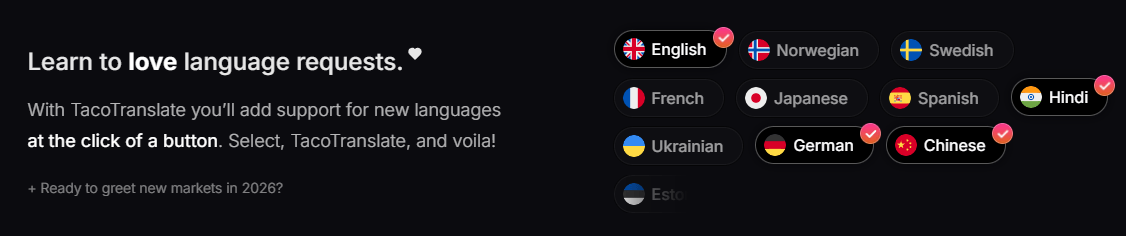
TacoTranslate is strongest for teams building React or Next.js products that want internationalization without turning every UI update into a localization chore. The product is clearly designed for active software products where strings change often: dashboards, SaaS apps, documentation portals, onboarding flows, account settings, feature announcements, and marketing pages tied closely to the app.
The biggest practical strength is how close localization sits to the code. Instead of requiring developers to create translation keys in one place and write UI text somewhere else, TacoTranslate lets strings appear directly where the UI needs them. The Translate component outputs translated text, the useTranslation hook returns translated strings for cases like metadata, and translateEntries supports server-side use cases.
The second strength is continuous localization. TacoTranslate is built for the reality that software changes constantly. Its homepage explicitly frames new product features as something that should not delay language support, and the documentation explains that strings are validated, saved, translated quickly, and later improved through AI translation.
The third strength is incremental adoption. TacoTranslate’s homepage says teams can integrate it at their own pace without overhauling the entire codebase in one go. That matters because localization often fails when teams try to refactor everything at once. TacoTranslate is more attractive when a team can start with one app section, one page, or one product surface and expand from there.
The basic developer workflow is straightforward. Install the package, create a TacoTranslate client with an API key, wrap the app or page with the TacoTranslate provider, set the locale, then use the Translate component or hook wherever translated strings are needed. TacoTranslate’s own getting-started example shows this flow with npm install tacotranslate, a client setup, and a provider wrapping a translated page.
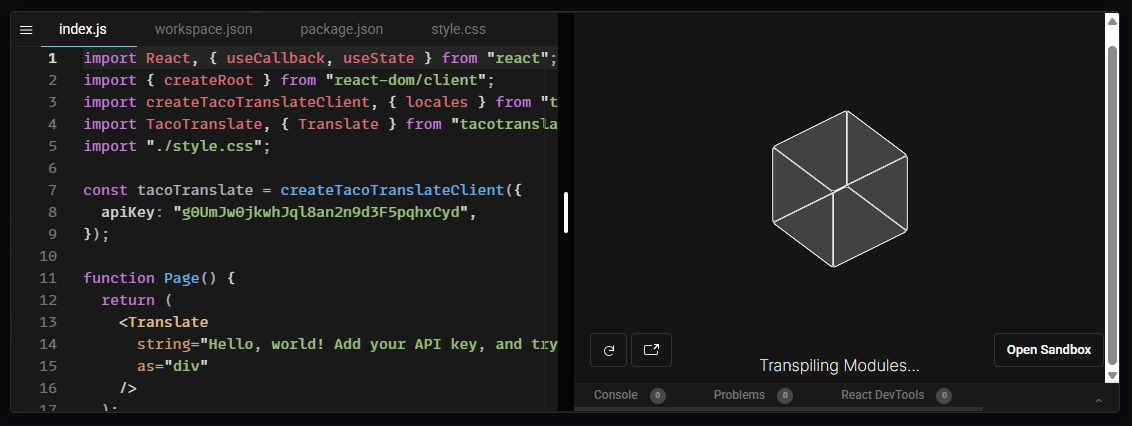
That makes the onboarding feel more like adding a React library than adopting a traditional translation management system. Developers are not forced into a heavy external localization dashboard before they can see translated output. They can add the component, set the locale, and get a working translation path quickly.
The workflow becomes more powerful once origins are used properly. TacoTranslate projects contain “origins,” which act like entry points, folders, or groups for strings and translations. The docs suggest using origins for meaningful app sections such as documentation, marketing pages, application menus, headers, or other UI areas. The same string can receive different translations in different origins, which is important when identical English text has different meanings depending on context.
There is also a useful balance between automation and control. TacoTranslate can generate and improve translations automatically, but human translators or internal teams can still manually improve translations through the interface. The homepage explicitly welcomes translators and says translations can be improved manually when precision matters.
TacoTranslate’s quality model has two stages. First, it returns a machine translation quickly so the app can respond immediately. Then it runs an asynchronous AI translation job to generate a higher-quality translation, and that improved version replaces the initial translation once ready. This is a sensible design because localization in an application has both speed and quality demands.
Manual overrides are the most important quality-control feature. The documentation says manually translated strings take precedence over generated ones. That means product teams can let TacoTranslate handle broad coverage while still manually correcting important labels, onboarding copy, legal-adjacent wording, pricing-page language, support text, or brand-sensitive phrases.
Context controls also matter. Origins let teams separate strings into meaningful containers. Translation IDs let developers distinguish cases where the same source text needs different translations. The docs use “Login” as an example: a header login and footer login may require different Spanish translations depending on context.
Variables are handled with double brackets, which is the right pattern for dynamic UI content like user names, dates, email addresses, counts, and links. TacoTranslate also recommends putting URLs into variables rather than embedding raw URLs directly inside translation strings. That is a small detail, but it matters for cleaner localization and safer templates.
TacoTranslate’s developer experience is its main selling point. The product is built around familiar React patterns: components, hooks, providers, server-side utilities, and configurable locales. That makes it easier for frontend teams to adopt than systems that require a separate build pipeline or large translation extraction process before anything works.
The Translate component is the simplest path. It renders translated text and supports changing the output element type. The useTranslation hook is better when the translation needs to be returned as a string, such as in metadata or logic. The translateEntries utility handles server-side translation use cases, including examples like metadata and OpenGraph content.
TacoTranslate also includes advanced tools that show it is designed for real apps, not just demo text. It supports right-to-left language checks for languages like Arabic and Hebrew, translation disabling for terms that should remain unchanged, loading-state handling when switching languages, multiple providers, locale and origin overrides, pluralization patterns, multiple simultaneous languages, and translation IDs.
The HTML handling is worth noting. By default, the Translate component supports and renders HTML content, but developers can opt out by setting useDangerouslySetInnerHTML to false. The docs strongly recommend disabling HTML rendering for untrusted content such as user-generated content, and they state that output is sanitized with sanitize-html before rendering.
- React and Next.js SaaS apps: TacoTranslate is a strong fit for product dashboards, onboarding flows, account settings, admin panels, user-facing workflows, and feature-heavy apps that change frequently.
- Startups expanding into new languages: The tool is useful when a small team wants to support more markets without hiring a full localization operation before testing demand.
- Documentation and app-adjacent content: Origins make it practical to separate documentation, marketing pages, product UI, and other content groups while keeping everything inside one localization system.
- Products with frequent UI changes: TacoTranslate’s automatic string collection and AI translation workflow are especially useful when product teams ship new features often.
- Teams that want translators in the loop: TacoTranslate does not remove manual review. It gives translators or internal reviewers a way to improve generated translations where nuance matters.
- Apps with multilingual SEO or metadata needs: The server-side translateEntries utility and useTranslation hook make it more useful for metadata, titles, OpenGraph content, and other non-visible UI strings than a component-only solution.
- Start with one origin per meaningful app area. Use separate origins for sections like marketing pages, documentation, header, footer, app dashboard, and onboarding. TacoTranslate’s docs note that origins help organize strings and that the same source string may translate differently across origins.
- Use variables for dynamic content every time. Names, dates, counts, emails, URLs, and user-specific values should not be baked directly into strings. TacoTranslate’s variable syntax exists for exactly this reason.
- Add translation IDs when the same English text has different meanings. This is especially important for short UI labels like “Open,” “Close,” “Post,” “Draft,” “Save,” and “Login.” TacoTranslate’s docs explicitly support IDs for context-specific translations.
- Be careful with HTML translation. Rendering HTML in translated strings can be useful, but untrusted content should not be treated the same way as controlled UI copy. TacoTranslate recommends disabling HTML rendering for untrusted content and says all output is sanitized before rendering.
- Plan for RTL languages early. TacoTranslate provides helpers for right-to-left locales, but the broader app layout still needs design and CSS decisions that support RTL properly.
- Keep humans involved for high-visibility text. AI can cover a lot of UI quickly, but onboarding copy, conversion flows, legal notices, billing language, and product positioning should still be reviewed by native speakers or professional translators.
The biggest limitation is scope. TacoTranslate is built for React applications, with particular attention to Next.js. That focus is a strength for React teams, but it also means it is not the right tool for every localization job. Non-React apps, mobile apps, backend-only systems, marketing teams translating documents, and companies needing a full translation management platform may need a different solution.
The second trade-off is runtime and service dependency. TacoTranslate’s workflow sends strings to its servers, returns initial translations, and later replaces them with AI-generated versions. That is convenient, but teams need to be comfortable with a third-party localization service sitting in the translation path for product UI strings.
The third limitation is that automatic translation still needs review. TacoTranslate’s AI can learn about the product and improve translations, but product-specific language, legal wording, industry terms, jokes, idioms, and brand voice can still require manual correction. The platform supports manual improvement, but teams still need a review process for important languages and pages.
The fourth trade-off is that in-code string management changes how teams think about localization. Some developers will love avoiding external JSON files. Others may prefer traditional key-based translation files, especially in mature localization pipelines with established translation memory, QA, and vendor workflows. TacoTranslate’s approach is cleaner for developer speed, but it may not match every localization team’s process.
The fifth limitation is performance planning. The docs note that origins help organize strings, but also warn that having many strings within one origin may increase loading times. Teams should structure origins thoughtfully instead of placing every application string into one large bucket.
TacoTranslate is best for React and Next.js teams that want internationalization to feel like part of the development workflow instead of a separate translation-file project.
Its strongest advantages are automatic string collection, in-code translation components, context-aware AI translation, manual override support, origins, IDs, variables, RTL helpers, server-side utilities, and incremental adoption.
The main caveat is that it is a focused developer tool, not a universal localization platform. For teams building fast-moving React products, though, TacoTranslate offers a practical way to support many languages without turning every new UI string into a manual i18n task.
TAGS: Translation
Related Tools:

Streamlines localization and translation processes

Provides natural-sounding dubbing and translation
Enables multilingual support for ChatGPT
Creates realistic multilingual avatar videos

Streamlines the translation and management of multilingual content

Writing assistant that improves text clarity and translations