
Share this tool:
 |
Description:
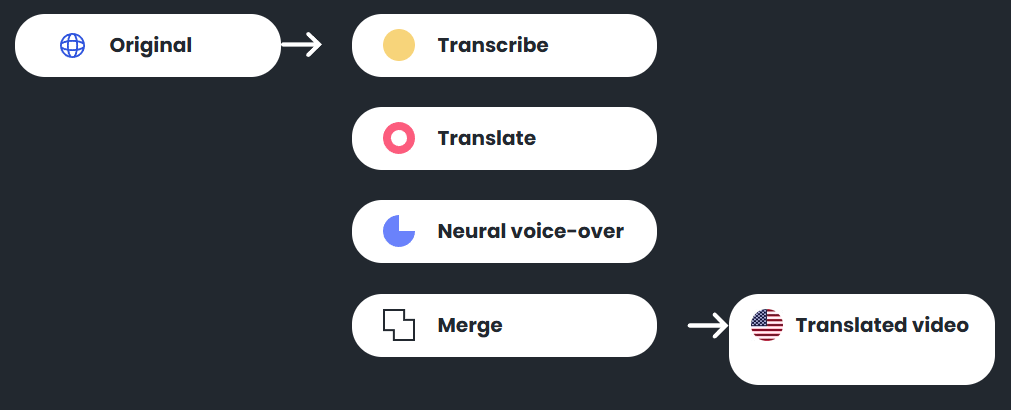
Voxqube is a video-localization tool rather than a general voice app. Its public site consistently frames the product around taking existing video or audio, transcribing it, translating it, generating a neural voice-over, syncing the localized sound back to the source, and delivering a finished dubbed asset. The platform also presents two ways to use it: self-service for faster turnaround, or a more guided, expert-supported route for teams that want extra help.
Voxqube describes itself as a one-stop localization workflow that takes media through transcription, translation, neural voice-over, and final merge into localized media.
The homepage explicitly says users can either use self-service for instant translations or consult Voxqube’s experts for a more tailored experience.
On its YouTube-focused page, Voxqube says dedicated language professionals check the quality of every word after the AI handles transcription, translation, dubbing, and sync.
Voxqube says it can translate video content from any source language, not just English, which is a meaningful advantage for global creator and business workflows.
Official FAQ and translation pages say users can specify details like language, accent, and gender, and some pages also mention customization of voice speed, tone, and punctuation-style choices.
Voxqube repeatedly markets the product around YouTube localization, webinars, product videos, and corporate content rather than around casual one-off voice generation.
Voxqube looks strongest when the job is straightforward localization of existing content, especially videos that are already finished and just need to be made useful in more markets. The official site repeatedly talks about vlogs, product feature videos, documentaries, webinar intros, CRM demos, and YouTube workflows. That matters because it shows the product is not trying to be a broad TTS playground. It is trying to help users take a completed source asset and turn it into a localized version quickly.
The other thing Voxqube appears to do well is reduce operational friction. Its YouTube page describes a simple flow where you send a link, specify the language, let the AI transcribe, translate, dub, and sync the video, then receive a localized soundtrack. Its broader localization page says the company provides an end-to-end service where you send a video, specify translation details such as language, accent, and gender, and get the localized video back. That is a much simpler pitch than tools that expect users to manage multiple export stages or complex editor timelines themselves.
The public workflow is fairly clear, and that clarity is one of Voxqube’s biggest strengths. On the YouTube page, the sequence is simple: send the video link, specify the target language, let the AI process the video, then receive the localized soundtrack. On the broader localization page, the workflow is framed as sending a video, choosing language, accent, and gender, and receiving the localized result after translation, voice-over, and fitting. That makes Voxqube feel less like a production suite and more like a guided localization service with a self-serve layer.
That product shape is useful for creators and small teams because it reduces the number of decisions they have to make. If your goal is “make this webinar intro usable in Spanish” or “localize my YouTube video for a Japanese-speaking audience,” Voxqube’s public workflow is easy to grasp. There is no strong sign on the public site that the tool expects you to be an audio engineer or localization manager. That simplicity looks intentional.
At the same time, Voxqube seems to sit somewhere between a pure SaaS app and a managed service. The homepage says “utilize self-service for instant translations or consult our experts,” while the YouTube page adds that language professionals check the quality of every word. That combination is important because it suggests Voxqube is not betting entirely on one-click automation. It is also trying to sell reassurance. For users who care about localization quality but do not want to build a larger workflow themselves, that hybrid model may be the product’s clearest practical advantage.
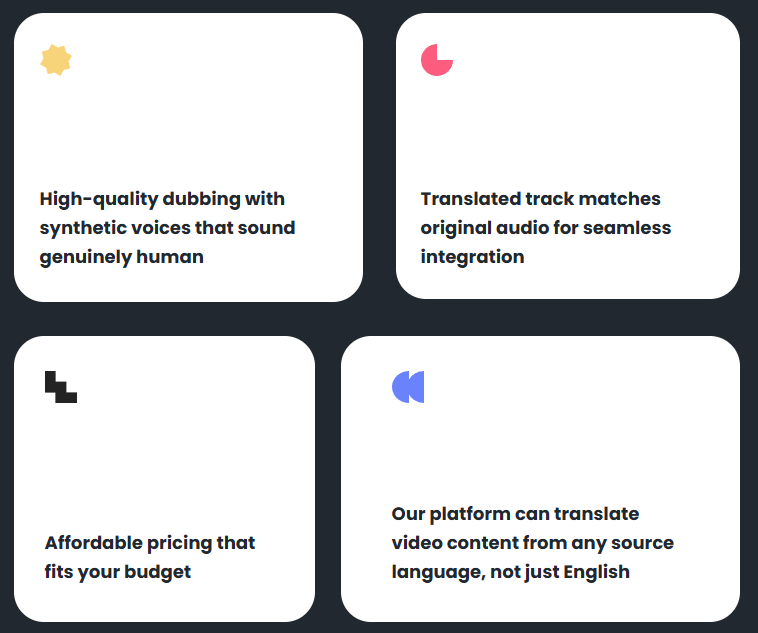
Voxqube’s public quality pitch is simple but consistent. The homepage and YouTube pages both say the voices sound genuinely human and that the translated track matches the original audio for seamless integration. Those two claims tell you what the product thinks matters most: not voice artistry in isolation, but a dubbed result that does not feel obviously detached from the source content.
The available control layer appears practical rather than deep. On official FAQ and language pages, Voxqube says users can choose parameters such as language, accent, and gender. Some language-specific pages also describe adjusting voice speed, tone, and accent, and even reviewing and editing the transcript before translation. That is enough to make the product more flexible than a single-click voice swap, but the public materials still do not suggest a very elaborate editor or a highly exposed set of creative controls.
That makes Voxqube feel strongest for localization where usability matters more than fine-grained performance directing. If you want to adapt a webinar, course intro, explainer, or marketing video for another audience, the available controls probably go far enough. If you want detailed multi-speaker casting, timeline-level dialogue editing, or publicly documented lip-sync and scene-handling systems, the current public site does not explain that kind of workflow in much depth.
Voxqube clearly positions language breadth as a major selling point, but the exact number is not presented consistently across the official site. The homepage and older product surfaces mention 30+ languages for the core dubbing workflow. The dedicated offers page says the company offers localization in up to 100 languages. Several language-specific FAQ pages then say Voxqube supports over 120 languages, while others say it can translate into 125+ languages.
That inconsistency does not mean the platform lacks broad coverage. It does mean buyers should not anchor too hard on any one headline number. The safer reading is that Voxqube supports a fairly wide range of languages and accents, but the exact coverage may depend on the workflow, page, or service tier being referenced. In practice, this makes Voxqube a tool you should validate around your actual source-target pair, accent requirements, and content type rather than around its biggest language claim.
Voxqube is a strong fit for YouTube creators. The site has a dedicated YouTube dubbing page, explicitly discusses adding localized versions of videos to expand viewership, and ties the workflow to audience growth, ad value, and global brand opportunities. It is one of the clearest creator-focused use cases on the site.
It also looks useful for webinars, product demos, and marketing explainers. The sample content on the site includes webinar intros, CRM demos, and branded examples, which fits the platform’s main strength: taking already-finished content and making it usable in more languages without building a full localization operation internally.
It is less obviously a fit for users who want a deep editing suite, custom voice lab, or general-purpose synthetic voice playground. Voxqube’s public story is much narrower and more operational: localize existing content, make it sound natural, and deliver a dubbed result.
- Use Voxqube when you already have finished video content and want localized versions, not when you need a general-purpose voice generator.
- Be specific about target language, accent, and gender when submitting a localization job because those are the most visible control points in the public workflow.
- Validate your exact language pair before planning a larger rollout, since the public language-count messaging is not fully consistent across Voxqube pages.
- Use the expert-supported path when the content is brand-critical, culturally sensitive, or high-volume enough that human review matters more than pure speed.
- The biggest limitation is public workflow depth. Voxqube explains the localization pipeline clearly at a high level, but the public site does not expose a detailed editor walkthrough or timeline-level control model in the same way some heavier dubbing platforms do.
- The second limitation is language-count consistency. Different pages describe different language totals, so buyers should verify exact source and target support rather than rely on the largest number shown anywhere on the site.
- The third limitation is category focus. Voxqube appears purpose-built for video localization, especially YouTube and business content, which is useful if that is your goal but less useful if you need broader audio creation, voice cloning, or synthetic media tools.
- The fourth limitation is that the hybrid service model may be a strength or a drawback depending on the user. Some teams will like the expert-supported layer. Others may prefer a fully self-serve product with more visible controls and fewer handoffs.
Voxqube is best understood as an AI video-localization service for creators and businesses that want to turn existing videos into dubbed versions for new audiences. Its strongest qualities are the clear end-to-end workflow, self-service plus expert-supported delivery model, human review layer, source-language flexibility, and straightforward positioning around YouTube and business video localization.
The main caveat is that Voxqube looks more like a guided dubbing service with automation than a deeply exposed production suite. That makes it especially useful for users who want results without managing a complex localization pipeline, but less ideal for teams that want extensive timeline-level control inside the tool.
TAGS: Translation Text to Speech
Related Tools:

Creates, edits, and optimizes videos with professional effects
Translates voice and video calls

Word processing tool for creating and editing documents

Offers advanced document automation tools
AI-driven translation across multiple languages

Streamlines localization and translation processes