
Share this tool:
 |
Description:
D-ID Video Translate is an AI video localization tool that translates the spoken script in an existing video, clones the speaker’s voice in the target language, and adapts lip movements so the translated audio looks more natural on screen. It is built for teams and creators who already have video content and want localized versions without reshooting, manually dubbing, or relying only on subtitles.
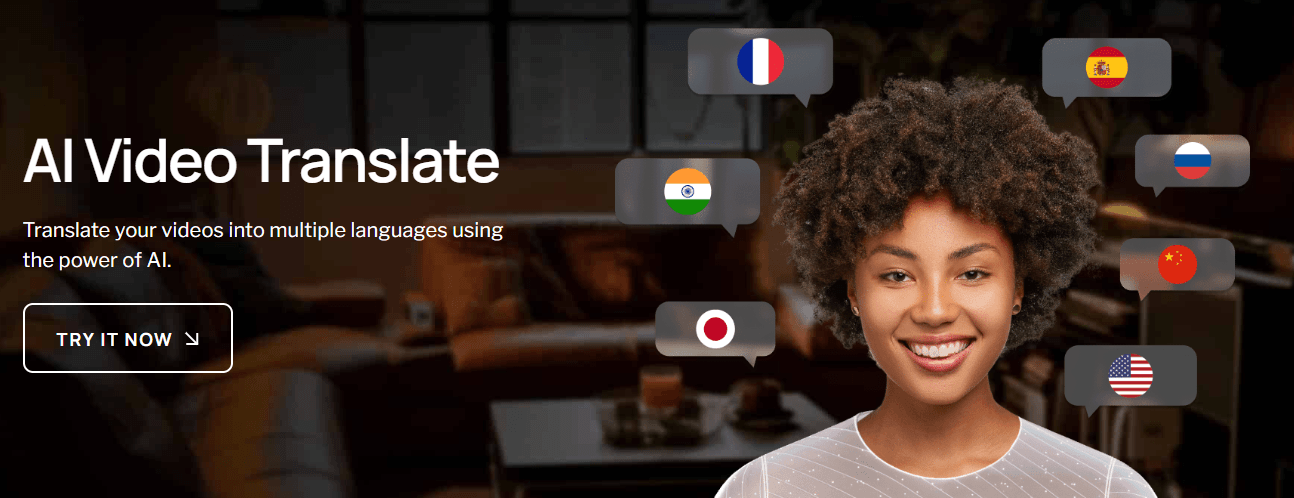
D-ID Video Translate is a focused video translation workflow inside D-ID’s broader Creative Reality platform. It does not start from a blank avatar prompt. It starts from a real source video, transcribes the speech, translates the script, generates target-language audio in a cloned version of the speaker’s voice, then adjusts the mouth movements to better match the new language.
The easiest way to understand it is through the production chain.
| Layer | What it does | Why it matters |
|---|---|---|
| Upload layer | Takes an existing video as the source. | Best for repurposing finished content. |
| Speech translation | Transcribes and translates the spoken script. | Removes the need to provide a separate transcript first. |
| Voice cloning | Recreates the speaker’s voice in the target language. | Keeps the localized version closer to the original identity. |
| Lip-sync adaptation | Adjusts mouth movement to match the translated speech. | Makes the output feel more natural than voiceover alone. |
| Bulk rendering | Creates localized versions across multiple languages. | Useful for campaigns, training, and global content libraries. |
| API access | Lets developers automate translation jobs from external systems. | Better for teams with repeatable localization pipelines. |
That makes D-ID Video Translate more specialized than a general dubbing tool and more visual than a subtitle generator. Subtitles help viewers understand a video, but D-ID creates a full spoken version where the speaker appears to speak the target language.
D-ID translates the spoken script in an uploaded video and turns it into a target-language version.
The system clones the speaker’s voice so the dubbed version keeps a closer connection to the original speaker.
D-ID adapts the speaker’s lip movements to match the translated audio, which makes the result feel more like a localized video than a simple dub.
The product page says users can translate videos into as many as 29 languages, and the help center lists supported languages including Arabic, Chinese, English, French, German, Hindi, Japanese, Korean, Portuguese, Russian, Spanish, Tamil, Turkish, Ukrainian, and more.
Users can work through D-ID’s Studio, while developers can use the Video Translate endpoint to submit source URLs, target languages, check status, and retrieve generated videos.
D-ID’s public page says translated text can be proofread and edited before generation, while the help center describes a Proofread workflow that shows the original transcription and translated text before final rendering. Availability may depend on account setup, so teams should verify access inside their workspace.
D-ID Video Translate is strongest when the speaker is central to the video. That includes founder videos, sales explainers, internal updates, onboarding messages, educational content, product explainers, short training clips, and marketing videos where the person on screen matters as much as the words. D-ID’s own help center lists marketing and sales teams, educators, trainers, and content creators as top use cases.
The biggest advantage is that D-ID combines translation, voice cloning, and lip-sync in one workflow. A normal translation tool can create subtitles. A normal dubbing tool can generate audio. D-ID’s stronger value is visual localization: the voice and face are both adapted, so the translated video feels more complete.
The second strength is speed. D-ID’s API documentation says translation typically takes one to five minutes depending on video length, while the help center says short videos are usually ready in a few minutes and longer videos can take up to an hour. That makes it practical for teams that need localized drafts quickly, even if final review is still required.
The third strength is workflow simplicity. D-ID says users do not need to provide a separate script or transcript. The system can upload the video as-is, transcribe it, translate it, and then allow review before generating the final output. That lowers the barrier for teams that already have a library of video assets but do not have localization files prepared.
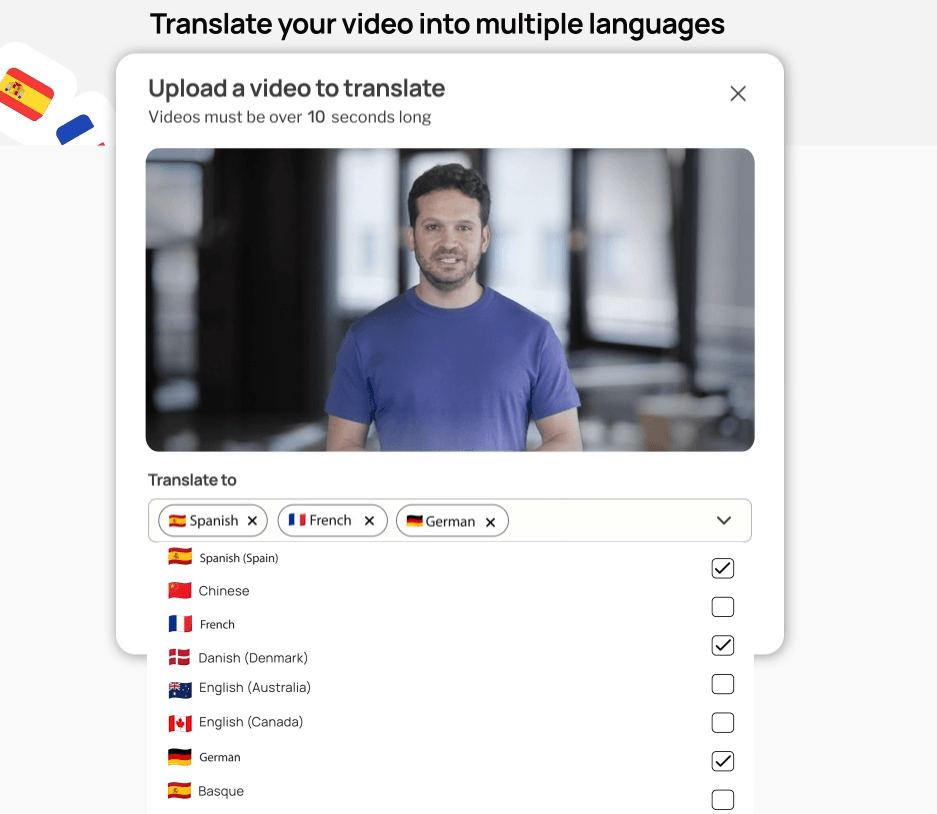
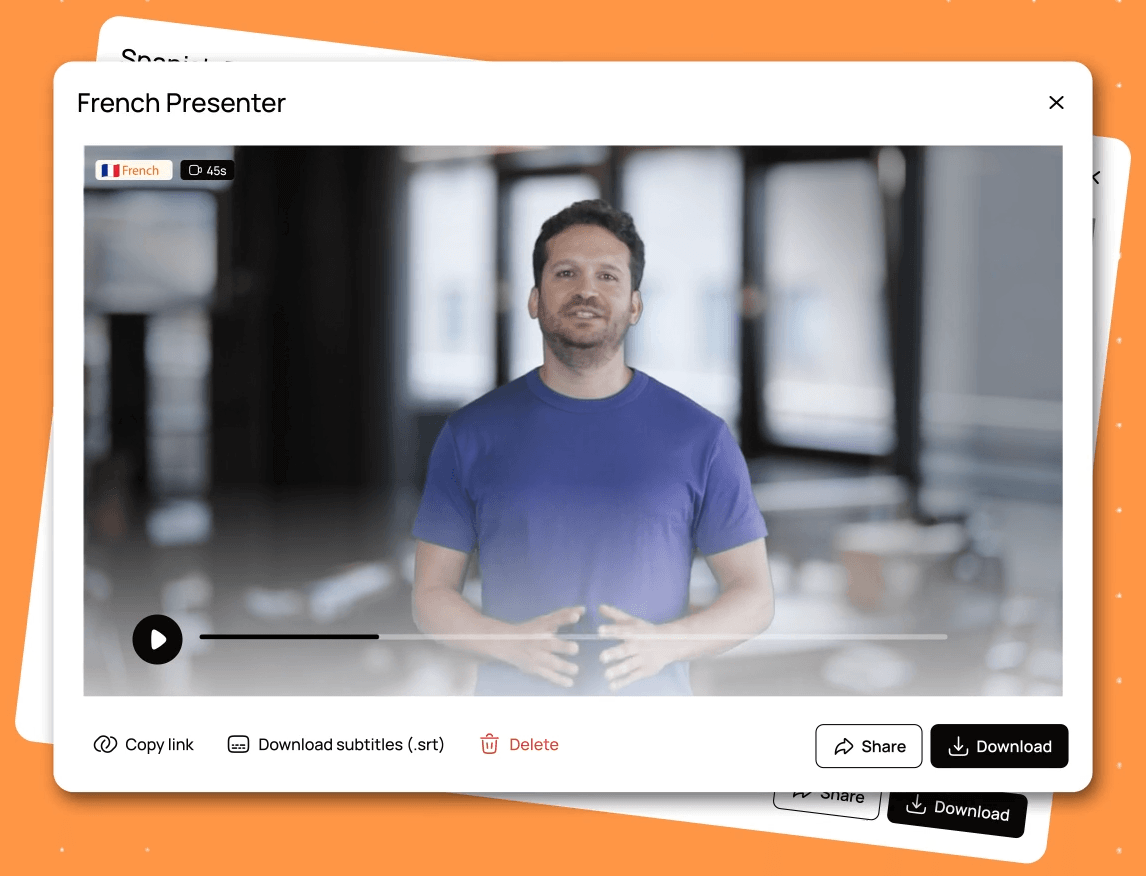
The Studio workflow is designed for non-technical users. The product page emphasizes drag-and-drop use, bulk rendering, voice cloning, and lip-sync adaptation. For a marketing or training team, that means the workflow can stay relatively simple: upload the video, choose target languages, review the translated script where available, generate localized versions, and download the results.
The API workflow is better for teams that need scale or automation. D-ID’s docs show a POST request to /translations with a source video URL and target languages, then a GET request to check the translation status and retrieve the final result URL once the job is done. That is useful for LMS platforms, internal content systems, marketing automation tools, and teams that want video localization to become part of a repeatable pipeline.
There is also an important review step. The product page says users can proofread translated text and edit it before pressing Generate, which is especially useful for names, product terms, technical vocabulary, tone, and wording that a machine translation might miss. The help center describes the Proofread page as showing both original transcription and translated text, with options to switch languages and change narrator voice.
The main workflow limitation is post-generation editing. D-ID’s help center says that once a translated video has been generated, further edits need to be made in external video editing software such as Adobe Premiere, Final Cut, or CapCut. It also says there is currently no option to post-edit translated videos inside D-ID Studio itself.
D-ID Video Translate works best with clean, simple talking-head footage. The help center recommends one person in the video, a front-facing speaker, clear audio, minimal background noise or music, and at least 30 seconds of spoken footage. It also lists a maximum video length of 5 minutes and a maximum file size of 2GB.
Those requirements are not minor details. They directly affect output quality. Lip-sync is easiest when the face is clearly visible, the mouth is not blocked, the speaker is not turning away, and the audio is easy to transcribe. D-ID’s FAQ says the feature can still work when the speaker turns or covers their mouth, but lip-sync is most accurate with a mostly front-facing speaker and minimal mouth obstruction.
This makes D-ID especially well suited to presenter-led clips, internal communications, training modules, product demos, and short educational videos. It is less ideal for panel discussions, podcast clips with multiple speakers, noisy event footage, cinematic scenes with side profiles, music-heavy videos, or content where the speaker’s mouth is frequently hidden.
There is also a timing reality with translated speech. D-ID explains that translated videos may become longer or shorter because languages vary in speech speed and script length, and the system automatically adjusts timing to keep lip-sync and visuals smooth. That is normal for dubbing, but it matters when the original video has tight edits, music cues, on-screen text timing, or slide transitions.
For Video Translate specifically, D-ID’s product page says users can translate into as many as 29 languages, and the help center lists languages such as Arabic, Bulgarian, Chinese, Croatian, Czech, Danish, Dutch, English, Filipino, Finnish, French, German, Greek, Hindi, Indonesian, Italian, Japanese, Korean, Malay, Polish, Portuguese, Romanian, Russian, Slovak, Spanish, Swedish, Tamil, Turkish, and Ukrainian.
D-ID’s broader Creative Reality Studio page mentions translating videos with your own voice into 40+ languages, but the dedicated Video Translate help center currently lists 29 languages. For a review of the specific Video Translate feature, the help-center list is the safer operational reference.
The translation layer is useful, but localization still needs judgment. A direct translated script may be accurate but not market-ready. Product names, technical terms, humor, idioms, legal phrasing, cultural references, and regional variants can still need human review. That is why the pre-generation script review step matters so much.
- Marketing and sales videos: D-ID is a strong fit for short founder messages, product explainers, launch videos, outreach clips, customer education, and campaign assets that need to reach multiple language audiences. D-ID’s product page specifically calls out marketing and sales teams as a target use case.
- Training and education: It works well for instructor-led lessons, onboarding modules, HR videos, compliance explainers, and corporate training where the same message needs to be understandable across regions. D-ID’s help center includes educators and trainers among the top use cases.
- Creator localization: YouTubers, course creators, and video educators can use D-ID to localize short talking-head content, especially when the creator’s face and voice are part of the brand.
- Internal communications: Company updates, leadership messages, process explainers, and employee training clips are good candidates because they are usually presenter-led and benefit from language accessibility.
- Developer-led localization workflows: The API is useful when video translation needs to be triggered from a platform, CMS, LMS, or internal tool rather than handled manually in Studio.
- Use front-facing speaker footage whenever possible. D-ID’s best-practice guidance repeatedly points to one speaker, clear face visibility, and direct camera orientation as the strongest setup for accurate lip-sync.
- Clean up audio before uploading. Background noise, music, echo, and overlapping speech can hurt transcription and translation quality. D-ID specifically recommends quiet recordings and minimal background noise or music.
- Keep source videos short and focused. D-ID’s help center lists a 10-second minimum, 5-minute maximum, and 2GB file-size limit for uploads. That makes the tool best for concise clips rather than long lectures or full webinars.
- Review translations before rendering when the option is available. This is the best place to correct terminology, names, brand voice, cultural phrasing, and timing-heavy sentences before D-ID generates the final lip-synced output.
- Avoid multi-speaker videos unless you are comfortable with limitations. D-ID’s help center says that if a video has multiple speakers, the AI clones only one voice and applies it to the entire video. That makes single-speaker content the safer choice.
- Plan external editing for final polish. D-ID’s Studio does not currently support post-editing generated translated videos, so any final trimming, overlays, brand graphics, or repairs need to happen in a separate editor.
The biggest limitation is source-video sensitivity. D-ID Video Translate is not equally strong for every type of video. It is clearly optimized for one visible, front-facing speaker with clean audio. Videos with multiple speakers, side angles, obstructed mouths, background music, noisy audio, or fast cuts are less reliable.
The second limitation is length. The upload limits make D-ID Video Translate better for shorter business, education, and creator clips than for long-form podcasts, full classes, or multi-hour webinars. The help center currently lists videos between 10 seconds and 5 minutes, with a 2GB maximum file size.
The third trade-off is limited post-generation editing inside D-ID. If a generated video needs fixing after rendering, D-ID directs users to external video editors and states there is no in-Studio post-editing option for translated videos. That means teams should do as much script review as possible before generation.
The fourth limitation is multi-speaker handling. The help center says that when multiple speakers appear, D-ID clones only one voice and applies it to the entire video. That makes the tool much less suitable for interviews, group discussions, podcasts, panels, or customer testimonial compilations with several speakers.
The fifth trade-off is ethical and legal responsibility. Voice cloning and lip-sync translation can be powerful, but teams should only translate and clone voices they have the right to use. D-ID’s Trust Center highlights security and compliance commitments, including ISO certifications and SOC 2 certification, but responsible use still depends on consent, disclosure, and internal review policies.
D-ID Video Translate is best for short, single-speaker videos where the face and voice are central to the message.
Its strongest advantages are automatic transcription and translation, voice cloning, lip-sync adaptation, bulk multilingual output, Studio access, and API support. It is especially useful for marketing, sales, training, education, internal communications, and creator localization.
The main caveat is that quality depends heavily on the source footage, and the workflow is much stronger before generation than after generation. Use clean talking-head videos, review the translated script carefully, and keep external editing available for final polish.
TAGS: Translation
Related Tools:
Translates voice and video calls
AI-powered mobile keyboard app that enhances typing efficiency
Offers voice cloning and translation
Transcribes and translates audio into text

Provides automated dubbing and translation

Translates text and speech between languages