
.png)
Share this tool:
 |
Description:
- Introduction
- What SocialRails Actually Is
- Strong Features and Capabilities
- Where SocialRails Is Strongest
- Workflow and Ease of Use
- AI Content Creation and Creative Tools
- Platform Support and Publishing Control
- Analytics, API, and Automation
- Best Use Cases
- Practical Tips
- Limitations and Trade-Offs
- Final Takeaway
SocialRails is a social media management and scheduling platform with AI built into the content workflow. It helps users create captions, generate visuals, build 30-day content plans, schedule posts, manage multiple workspaces, resize media, create short-form videos, review analytics, and publish across nine social platforms. The clearest value is not that it writes a caption. It is that it combines content creation, scheduling, basic creative tools, and multi-platform publishing in one lightweight system.

SocialRails sits between a simple scheduler and a larger social media management suite. It is not as enterprise-heavy as Sprout Social or Hootsuite, and it is not just a thin AI caption generator either. The product is built around a practical publishing flow: connect social accounts, generate or upload content, optimize it for each platform, place it on a calendar, and track performance afterward.
The platform currently supports Instagram, Facebook, Twitter/X, LinkedIn, TikTok, YouTube, Pinterest, Bluesky, and Threads. That platform mix is one of its biggest strengths because it covers the major creator, business, and short-form channels without making users switch tools for newer networks like Bluesky or Threads.
The product also has a developer layer. SocialRails offers a public API for creating posts, querying scheduled and published posts, pulling analytics, listing connected accounts, discovering platform settings, generating AI content, and receiving webhooks when posts are published, fail, or get scheduled. That makes it more flexible than a normal dashboard-only scheduler.
SocialRails supports Instagram, Facebook, Twitter/X, LinkedIn, TikTok, YouTube, Pinterest, Bluesky, and Threads from one dashboard.
It can generate content ideas, match a brand’s voice and style, and create a full 30-day content plan.
SocialRails includes AI-powered post generation, image generation with Nano Banana, and 350+ customizable video templates for TikToks and Reels.
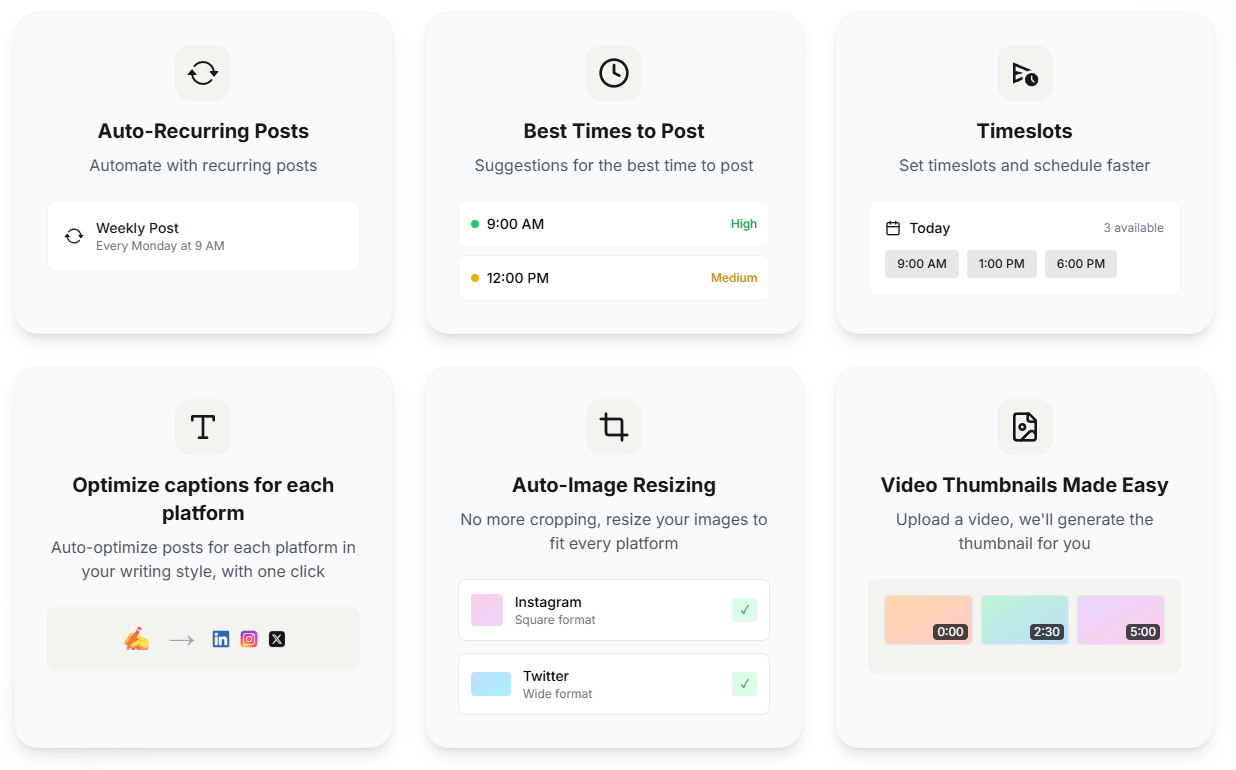
Drag-and-drop planning, auto-recurring posts, best-time suggestions, timeslots, and advance scheduling are built into the workflow.
The tool can optimize captions for each platform, resize images automatically, and generate video thumbnails.
Paid plans include API access, with endpoints for posts, analytics, accounts, AI generation, workspace usage, and webhooks.
SocialRails is strongest for users who need to publish consistently across many channels without building a complicated social operations stack. A solo creator can use it to batch a week of posts. A small business can use it to keep Facebook, Instagram, LinkedIn, TikTok, and Google-adjacent content moving. An agency can use workspaces to separate clients and schedule content across many connected profiles.
The product’s most practical strength is reducing repetitive platform switching. SocialRails’ homepage frames the workflow as “create once, post to 9 platforms,” and the API documentation supports that same idea with batch post creation across up to nine platforms and optional per-platform content overrides. That is important because cross-posting only works well when the tool still lets you adapt the post for the destination.
The second strength is creative throughput. SocialRails does not only help with captions. It can generate content ideas, create a month of content, generate images, create Pinterest pins, and build short-form videos with templates. That makes it better suited for users who need content volume than for users who only want a calendar.
The third strength is simplicity. SocialRails looks designed for people who want a direct posting workflow rather than an enterprise command center. The setup flow in the FAQ is simple: connect accounts, create and schedule content, set up a posting schedule, and manage everything from one dashboard.
The core workflow is straightforward. You connect your accounts through secure OAuth, create content with AI or upload your own media, use the calendar to plan posts, then schedule across the platforms you need. SocialRails emphasizes drag-and-drop planning, weekly scheduling sessions, and a mobile-friendly dashboard, which makes it feel more like a productivity tool for recurring posting than a heavy analytics suite.
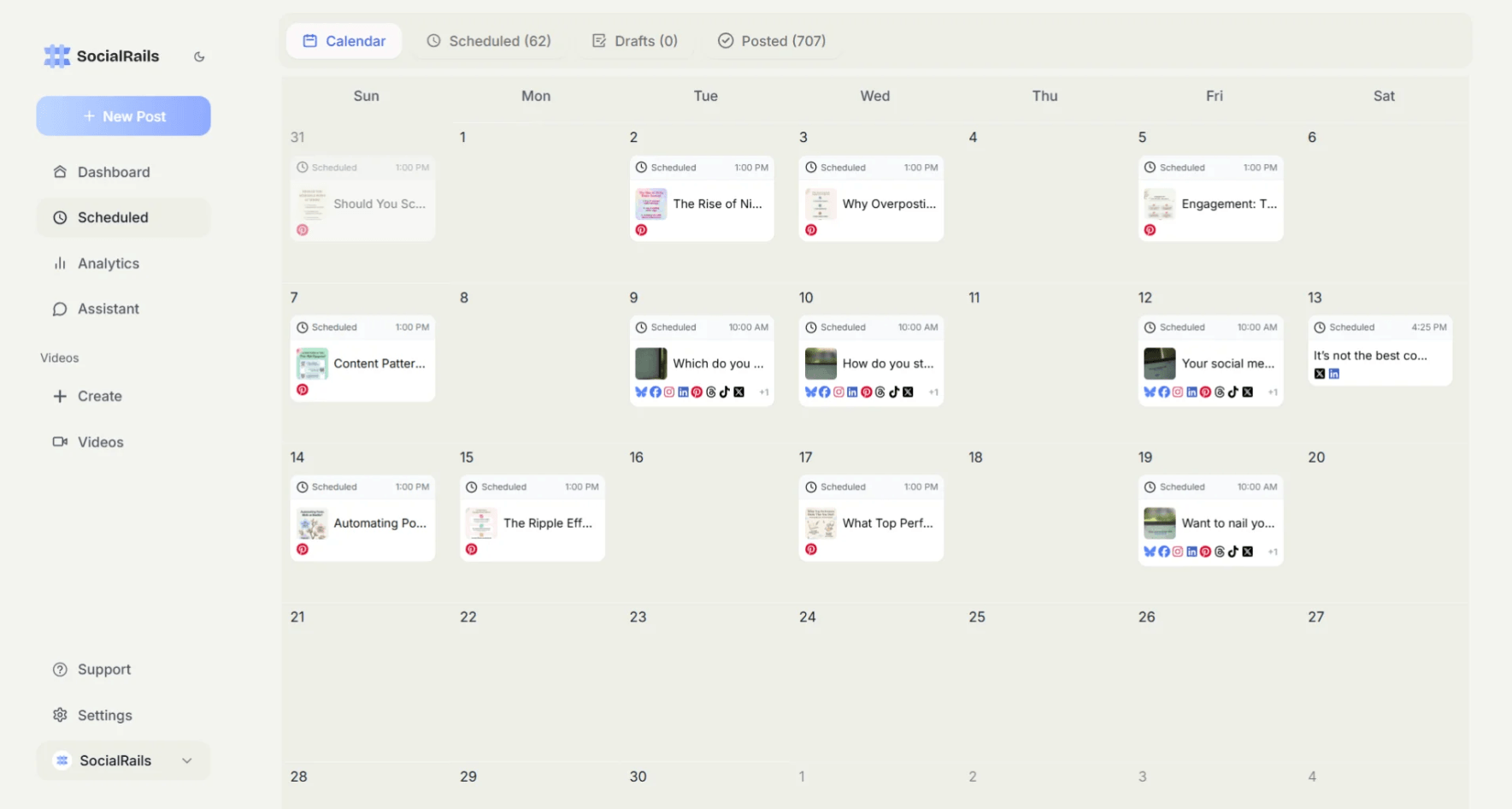
The AI layer fits naturally into that workflow. Instead of making you open a separate AI chat tool, SocialRails puts idea generation, caption optimization, image generation, Pinterest pin creation, and video template creation close to the publishing flow. The best use case is not asking it for one random post. It is using AI to build batches: a week of posts, a month of ideas, a group of Pinterest pins, or a set of variations for different networks.
The scheduling tools also matter. Auto-recurring posts are useful for evergreen reminders, weekly tips, recurring offers, podcast episodes, newsletter promos, and repeat community posts. Timeslots and best-time suggestions help users schedule faster without manually thinking through every publish time.
Media handling is another quiet strength. SocialRails includes auto-image resizing, video thumbnail generation, image editing with crop, filters, stickers, draw, and redact tools, plus video templates. Those features do not replace a professional design stack, but they reduce the common last-mile friction that slows social scheduling down.
SocialRails’ AI is most useful when treated as a content production assistant. It can brainstorm posts, generate captions, help maintain a brand voice, produce images, and create social video content. The platform says its AI analyzes brand, industry, and writing style to generate relevant content, including posts, captions, images, and video content.
The image generation layer is specifically described as powered by Nano Banana. That is useful for quick social visuals, campaign placeholders, quote-style graphics, announcement images, and simple branded content. It is not necessarily a replacement for a dedicated image generator or designer, but it is valuable because it sits inside the scheduler.
Pinterest pin generation is a notable addition. SocialRails says users can generate Pinterest pins from templates, create pins by chatting with the AI assistant, bulk-generate pins, then download or schedule them. That makes the tool more useful for bloggers, ecommerce brands, recipe creators, educators, affiliate marketers, and anyone who still gets meaningful traffic from Pinterest.
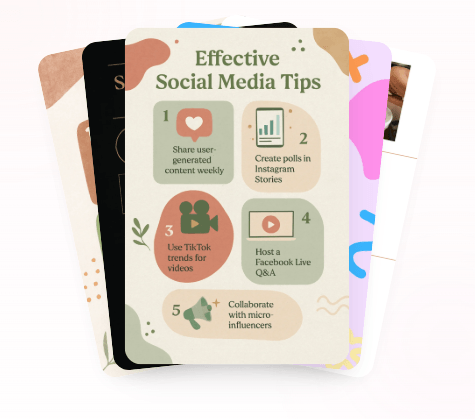
The short-form video layer is also important. SocialRails claims 350+ customizable video templates for TikToks and Reels. This is one of the features that separates it from basic schedulers. Many social tools help you queue a video, but fewer include a built-in short-form video creation layer.
SocialRails covers the platforms most small teams care about: Instagram, Facebook, Twitter/X, LinkedIn, TikTok, YouTube, Pinterest, Bluesky, and Threads. The API documentation confirms platform-specific handling for things like character limits, threading support, media limits, and required settings.
This is important because social platforms are not interchangeable. Twitter/X and Threads support threads through the API, while LinkedIn, Facebook, Instagram, TikTok, Pinterest, Bluesky, and YouTube have their own limits and settings. SocialRails’ platform settings documentation lists character limits and media support across the nine platforms, including 3,000 characters for LinkedIn, 2,200 for Instagram and TikTok, 500 for Threads and Pinterest, and 5,000 for YouTube.
The API also supports first comments on several platforms. It can auto-post a first comment or reply after publishing on Twitter/X, LinkedIn, Facebook, and Bluesky, while thread posts have their own separate handling. That is practical for hashtag placement, link placement, comment prompts, and platform-specific engagement tactics.
There are platform-specific caveats. Instagram requires media for all posts through the API, and Pinterest requires a selected board. TikTok has settings for privacy status, interactions, commercial content, title, and direct posting or upload-to-inbox mode. These are not weaknesses, but they show why teams should test each connected platform before relying on full automation.
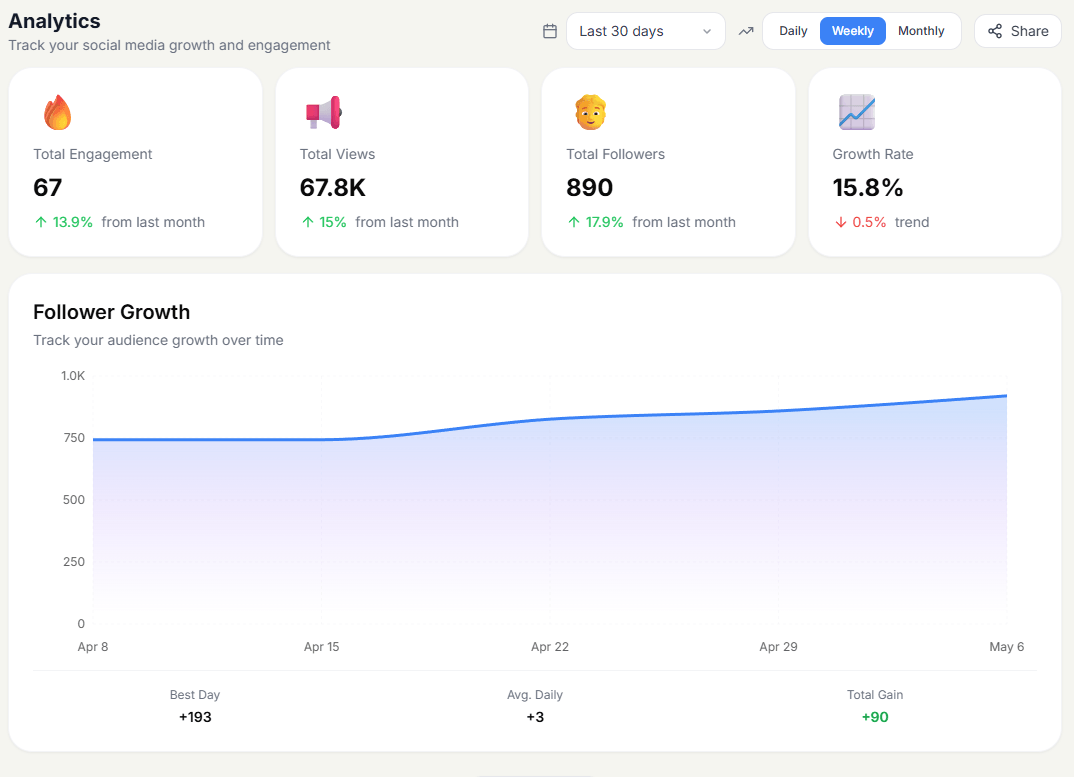
SocialRails includes analytics for all connected social media accounts, with tracking for engagement, reach, clicks, and other performance metrics. The public API can return post counts and engagement metrics such as impressions, reach, followers, and growth values from connected platforms.
The API is a meaningful differentiator for a tool in this price range. It allows teams to create and manage posts programmatically, list connected accounts, retrieve workspace limits, generate AI content, and use webhooks. For technical marketers, that means SocialRails can connect to internal tools, content pipelines, AI agents, spreadsheets, or custom dashboards.
Webhooks are especially useful for operational workflows. SocialRails can send notifications when a post is published, fails, or gets scheduled. The webhook documentation also includes HMAC-SHA256 signature verification, HTTPS requirements, and a maximum of 10 webhooks per workspace.
API limits vary by plan. The documentation lists 60 requests per hour on Creator, 300 on Business, and 1,000 on Agency, and says free and trial plans do not have API access. That is enough for lightweight automations, but heavier programmatic workflows should check usage carefully.
- Solo creators and solopreneurs: Creator is a good fit when one person needs to keep several social platforms active without spending hours copying and reformatting posts.
- Small businesses: SocialRails works well for restaurants, coaches, photographers, real estate agents, local services, and ecommerce brands that need recurring promotional, educational, and visual content.
- Agencies managing many clients: The Agency plan’s 25 workspaces, 225 social media connections, and 15 team members make it the clearest fit for agencies that need separation between client brands.
- Pinterest-heavy creators: The AI Pinterest pin generator, templates, bulk pin creation, and scheduling flow make SocialRails unusually relevant for users who treat Pinterest as a traffic channel.
- Technical marketers: API access, webhooks, SDKs, n8n, OpenClaw, and CLI support make SocialRails more flexible than many basic social schedulers.
- Set up workspaces by brand or client before building a content calendar. SocialRails’ workspace limits are central to the plan structure, so a clean workspace setup makes the platform easier to manage as you scale.
- Use the 30-day content plan feature for draft volume, not final copy. Let AI create the starting structure, then edit posts for current campaigns, product details, and brand-specific examples.
- Use platform optimization before publishing. The same caption rarely works equally well on LinkedIn, TikTok, Instagram, Threads, and Pinterest. SocialRails’ one-click caption optimization is most useful when you treat cross-posting as adaptation, not duplication.
- Check platform requirements before automating media-heavy posts. Instagram requires media, Pinterest requires board selection, and TikTok has privacy and interaction settings that matter for publishing behavior.
- For API workflows, monitor rate limits early. Creator gets 60 requests per hour, Business gets 300, and Agency gets 1,000, so automations should batch actions and avoid unnecessary polling.
- The first limitation is that SocialRails is more content-and-scheduling focused than community-management focused. It covers publishing, AI creation, analytics, and workspaces, but it does not appear to be positioned as a deep social inbox, listening, review management, or customer support platform. Teams that need high-volume inbox routing or reputation management should compare it against tools like Vista Social, Sprout Social, or Agorapulse.
- The second trade-off is plan communication. The homepage pricing cards show discounted-looking prices, while the API documentation lists higher monthly prices for Creator, Business, and Agency. The difference likely comes from annual versus monthly billing, but it is still something users should verify before buying.
- The third limitation is creative depth. Built-in image generation, editing tools, Pinterest templates, and video templates are useful, but they are designed for speed and social production. They will not replace a full design workflow for polished campaigns, complex brand systems, or high-end creative direction.
- The fourth limitation is platform variability. SocialRails supports nine platforms, but each platform has different character limits, media rules, thread support, and settings. Cross-posting still needs review, especially for Instagram, TikTok, Pinterest, and YouTube.
- Privacy is also worth noting. SocialRails’ privacy policy says it collects email, personal information, and social media account access tokens when users connect accounts, plus uploaded content such as images, videos, and audio. It says access tokens and sensitive data are encrypted before being stored in Supabase, and that data is hosted in the United States.
SocialRails is best for creators, small businesses, and agencies that want a practical way to create content, schedule posts, and manage multiple social channels without paying for a heavy enterprise social suite.
Its strongest advantages are nine-platform publishing, AI-assisted content planning, Nano Banana image generation, Pinterest pin creation, short-form video templates, workspaces, analytics, and API access.
The main caveat is that it is strongest as a publishing and content production system, not as a full social listening, inbox, or customer-care platform.
TAGS: Social Media Tools
Related Tools:
Automates Instagram engagement growth

Social media analysis tool that extracts actionable insights

Create, schedule, and optimize social media content
Transforms YouTube videos into engaging, social media-friendly shorts

Transforms texts into short-form videos

Creates digital ads for social media