

Share this tool:
 |
Description:
- Introduction
- Strong Features and Capabilities
- What Repurpose.io Actually Is
- The Main Workflow Layers
- Workflow and Ease of Use
- Video Repurposing and Distribution Quality
- AI Features and What They Actually Add
- Platform Support and Content Types
- Best Use Cases
- Practical Tips
- Limitations and Trade-Offs
- Final Takeaway
Repurpose.io is built for creators, podcasters, business owners, and agencies who already make content but do not want to manually repost it everywhere. Its main value is automation: take videos, podcasts, livestreams, Reels, Shorts, TikToks, Zoom recordings, or cloud files, then turn them into platform-ready posts that can be resized, captioned, scheduled, backed up, and published across many destinations. It is not a full creative AI studio. It is a content distribution system with some AI-assisted captioning layered into the workflow.
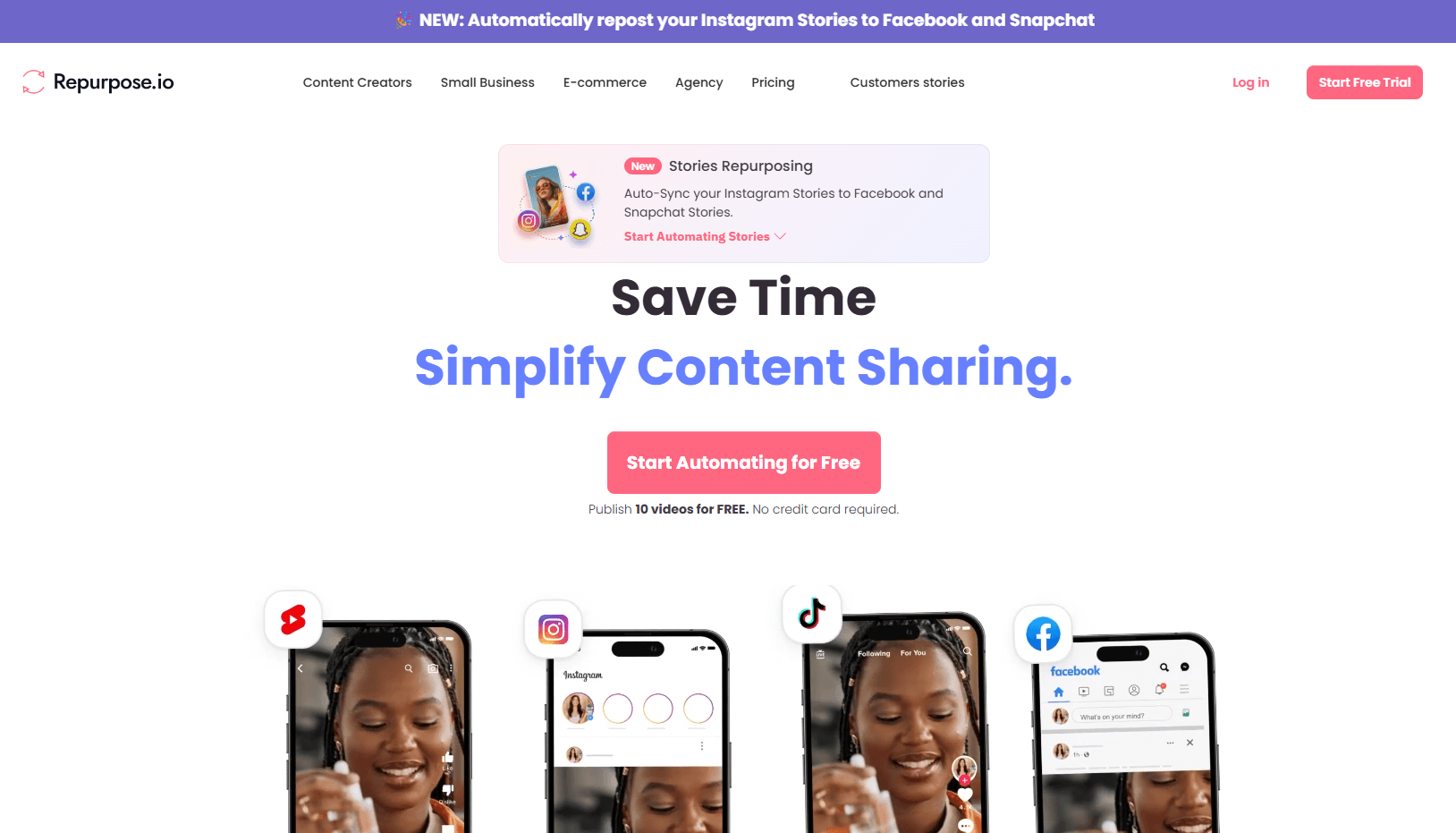
Set up rules that move content from one source platform to multiple destinations without repeated manual uploading.
Repurpose.io connects with major social and cloud platforms including YouTube, TikTok, Instagram, Facebook, Snapchat, Pinterest, LinkedIn, X, Amazon, Bluesky, Twitch, Google Drive, Dropbox, and more.
Automatically convert videos into vertical or square formats so one source video can fit different platform requirements.
Repurpose.io can download TikTok videos without the watermark before publishing them to other platforms.
Add burned-in captions, headlines, progress bars, and reusable templates across videos.
Repurpose.io has AI-powered workflow captions and AI autocompletion, with release notes stating that AI autocompletion tasks use ChatGPT-4o.
Repurpose.io is a workflow tool for content distribution. The easiest way to understand it is this:
- You choose a source.
- You choose a destination.
- You create a workflow.
- You decide whether publishing should be manual, scheduled, or automatic.
- Repurpose.io handles the transfer, formatting, and publishing steps.
That sounds simple, but it solves a real problem. A creator might upload a TikTok and want it sent to YouTube Shorts, Instagram Reels, Facebook Reels, Pinterest, LinkedIn, X, Snapchat Spotlight, Google Drive, and Dropbox. A podcaster might want a new episode sent to YouTube, LinkedIn, Facebook, X, and cloud storage. A livestreamer might want long videos trimmed into shorter clips and pushed to multiple channels. Repurpose.io is designed around that repeated distribution work.
The product is especially useful because it does not ask creators to rebuild the same post again and again. Repurpose.io says its workflows can pull content directly from the source, resize it, remove watermarks where supported, and publish it to selected destinations once workflows are configured.
| Layer | What It Does | Why It Matters |
|---|---|---|
| Source connections | Pulls content from platforms like TikTok, YouTube, Instagram, Facebook, podcasts, Zoom, Google Drive, Dropbox, Webex, and more | This is where the original content comes from. |
| Workflow rules | Defines where content goes and whether it is manual, scheduled, or automatic | This is the main automation engine. |
| Formatting tools | Resizes, clips, adds captions, applies templates, and removes watermarks where supported | Helps content feel more native on each destination. |
| Publishing destinations | Sends content to social platforms, cloud storage, and newer destinations like Amazon or Bluesky | Turns one piece of content into broad distribution. |
| AI caption layer | Generates or autocompletes social captions inside publishing workflows | Saves time on post copy, but it is not the whole product. |

This structure matters because Repurpose.io is not mainly about creating new content from scratch. It is about extending the life of content you already made.
Repurpose.io is easiest when you use it for a repeatable content pattern. For example, “Every new TikTok should go to YouTube Shorts, Instagram Reels, Facebook Reels, LinkedIn, Pinterest, and Google Drive.” Once that workflow is set up, the tool becomes much more valuable because you are not making decisions from scratch every time.
The setup usually follows a simple pattern: connect accounts, create a workflow, choose the source, choose the destination, pick publishing settings, then decide whether to publish selected videos manually or enable auto-publish. Repurpose.io describes similar workflows for TikTok and YouTube, where users connect accounts, create workflows, choose videos, and optionally turn on auto-publish.
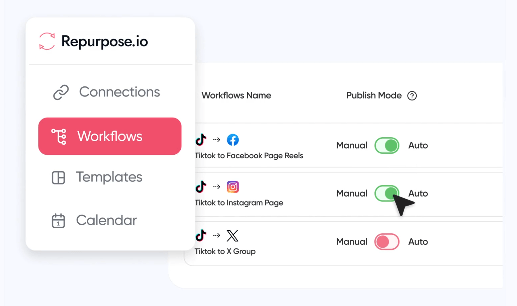
The best part is that the workflow is practical rather than overly creative. There is no need to learn a timeline editor just to repost content. Repurpose.io’s own positioning emphasizes removing complex editing tools, manual downloads, and repeated uploads to multiple platforms.
The trade-off is that the system rewards planning. If your content strategy is messy, your automation will also be messy. Repurpose.io works best when you already know where your content should go, what formats you need, which captions matter, and whether each destination should receive every post or only selected posts.
Repurpose.io is strongest with short-form and repeated distribution workflows. The platform says one video can become 20+ pieces of content, with source support including TikTok, Instagram, YouTube, Facebook, Zoom, Google Drive, Dropbox, and Webex. It also supports clips, resizing, burned-in captions, headlines, and templates.
For creators, that is the real value. A vertical TikTok can become a YouTube Short, Instagram Reel, Facebook Reel, Pinterest video, LinkedIn post, Snapchat Spotlight, and backup file. A YouTube Short can be sent outward. A podcast can become a YouTube video or social post. A Facebook Live can be redistributed after the broadcast.
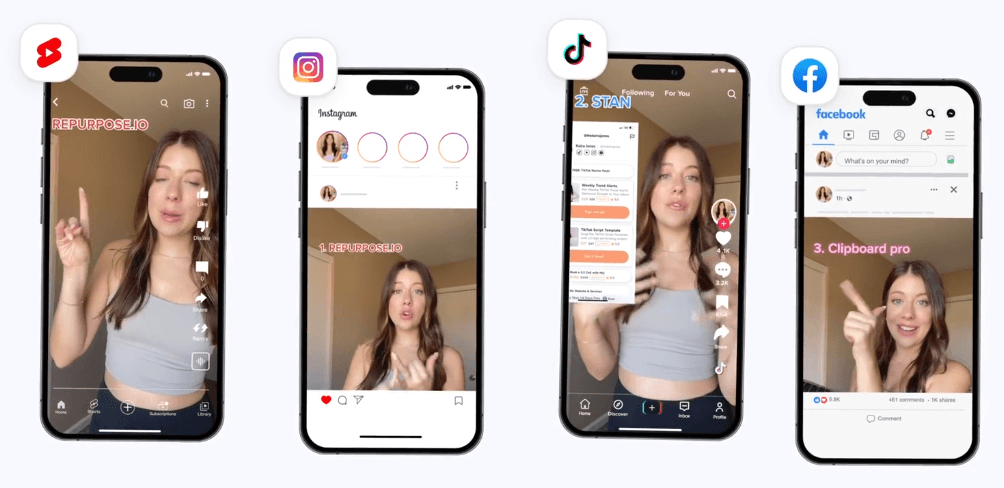
The quality is mostly about consistency and platform fit. Repurpose.io is not trying to make cinematic edits or detect the most viral moments the way an AI clipping tool might. It is trying to make distribution repeatable. The more consistent your source content is, the better the result.
The AI layer is useful, but it should be understood clearly. Repurpose.io is not an AI video generator. It will not write your entire content strategy, film your clips, generate a synthetic presenter, or create highly edited Shorts from a long video by itself.
Its AI value is mostly around captions and post text. Repurpose.io introduced AI-generated social media captions in 2023, describing a workflow where users could generate captions and hashtags from custom publish settings, edit the result, undo it, and then publish or schedule the post.
More recently, Repurpose.io release notes list AI-Powered Auto Workflow Post Captions, which means AI can now automatically write social media post captions from workflow settings. The same release notes also say AI autocompletion tasks use ChatGPT-4o.
That is helpful for creators who publish across many platforms and do not want to rewrite every caption manually. Still, the AI layer should be treated as a speed tool, not a strategy tool. The best results still need human review, especially for brand voice, compliance, sensitive topics, product claims, and platform-specific tone.
Repurpose.io covers more than just TikTok-to-Reels workflows. The current public site lists support for social and cloud platforms including YouTube, TikTok, Instagram, Facebook, Snapchat, Pinterest, LinkedIn, X, Amazon, Bluesky, Twitch, Google Drive, Dropbox, and more. It also supports videos, Stories, and audio across multiple destinations.
That breadth is important because repurposing is not one workflow. Different creators need different routes.
| Source Content | Practical Repurpose.io Workflow |
|---|---|
| TikTok videos | Send to YouTube Shorts, Instagram Reels, Facebook Reels, LinkedIn, Pinterest, X, Snapchat, Drive, Dropbox, and more. |
| YouTube videos / Shorts / Lives | Send to Instagram Reels, Facebook, LinkedIn, TikTok, Pinterest, X, Drive, Dropbox, and other destinations. |
| Podcast audio | Publish to YouTube, X, LinkedIn, Facebook, Google Drive, Dropbox, Pinterest, and Instagram-style outputs. |
| Zoom / Webex recordings | Turn meetings, webinars, or calls into social-ready clips and posts. |
| Google Drive / Dropbox files | Use cloud storage as a source for content that needs distribution or backup. |
| Stories | Repurpose Instagram, Facebook, and Snapchat Stories, with TikTok Stories listed as coming soon. |

This is why Repurpose.io is more of an operations tool than a content ideation tool. It becomes valuable when you have enough content volume that manual reposting starts to waste real time.
- Short-form video creators: Repurpose.io is a strong fit for creators who post TikToks, Reels, Shorts, and Spotlight-style content regularly. It is especially useful when the same short video should appear across several platforms.
- Podcasters: Audio creators can use Repurpose.io to turn podcast episodes into YouTube videos, social posts, and cloud backups. The podcast workflow is one of the clearer use cases because many podcasters already create long-form content but struggle with distribution.
- Livestreamers and webinar hosts: Facebook Lives, YouTube Lives, Zoom recordings, and Webex recordings can be repurposed into clips and social content instead of disappearing after the event.
- Small businesses: Local businesses and service brands can use Repurpose.io to keep Instagram, Facebook, YouTube, LinkedIn, Pinterest, and other channels active without manually posting the same video everywhere.
- Ecommerce creators and Amazon influencers: Repurpose.io added Amazon as a destination in March 2025, letting users push content like product demos, livestream highlights, and branded videos to Amazon listings or creator profiles as drafts.
- Agencies: The Agency plan is built for teams handling multiple clients and platforms, with up to 25 accounts per social network and unlimited published videos per month.
- Start with one clean workflow. Do not connect every platform and automate everything on day one. Pick your highest-value route, such as TikTok to YouTube Shorts and Instagram Reels, then expand once the settings work.
- Use cloud backup as part of your workflow. Sending content to Google Drive or Dropbox gives you a clean archive of videos that can be reused later. Repurpose.io supports cloud destinations and backup-style workflows.
- Review captions before publishing brand-sensitive content. AI captions save time, but they can still miss tone, context, or compliance details.
- Use templates for consistency. If your clips need headlines, captions, or progress bars, build a reusable format instead of styling each video manually. Repurpose.io supports custom templates and captions.
- Be selective with auto-publish. Auto-publishing is powerful, but not every post belongs everywhere. Use manual publishing for important launches, sponsored content, or videos that need platform-specific review.
- Repurpose.io is not a full video editor. You can clip, resize, caption, trim, and template videos, but it is not meant to replace Premiere Pro, CapCut, Descript, or a dedicated editing workflow.
- It is also not primarily an AI clip discovery tool. If your main need is “find the best viral moments from a two-hour podcast,” you may still need a separate AI clipping or editing tool before sending finished clips into Repurpose.io.
- Automation can create sameness. If every platform gets the same video, same caption, and same timing, your content may feel less native. Repurpose.io saves time, but the best creators still customize important posts.
- Platform rules can affect workflows. Social APIs change often, and publishing behavior can differ by platform, account type, content type, or region. Repurpose.io uses official connections and says users connect through APIs rather than sharing passwords, but creators should still test their most important workflows before relying on full automation.
- Pricing is best for frequent publishers. Casual creators may not need it. The tool becomes more valuable when you publish enough content that manual distribution has become a real bottleneck.
Repurpose.io is one of the clearest tools for creators who already make content and want that content distributed everywhere with less manual work. Its real strength is not flashy AI generation. It is workflow automation: source connections, destinations, resizing, watermark removal, captions, templates, cloud backup, scheduling, and auto-publishing.
It is best for short-form video creators, podcasters, livestreamers, small businesses, ecommerce creators, and agencies that publish frequently across multiple platforms. The main caveat is that Repurpose.io does not replace content strategy or deep editing. It works best after you already have good content and need a reliable system to multiply its reach.
TAGS: Social Media Tools
Related Tools:

Mange social media presence by providing real-time analytics

Creates content and automatically manages engagement

Transforms texts into short-form videos

Generates engaging and personalized comments

Simplifies social media content creation

Quickly transforms YouTube videos into short, engaging clips