

Share this tool:
 |
Description:
- Introduction
- What ContentStudio Actually Is
- Strong Features and Capabilities
- Where ContentStudio Is Strongest
- AI Studio and Brand-Aware Content Creation
- Publishing, Scheduling, and Planner Workflow
- Engagement and Social Inbox
- Analytics, Branded Reports, and Competitor Tracking
- Discover, Curation, and Automation
- Best Use Cases
- Practical Tips
- Limitations and Trade-Offs
- Final Takeaway
ContentStudio is an AI-backed social media management platform for agencies, brands, creators, and marketing teams that need one place to plan, create, schedule, approve, publish, monitor, and report on content. Its strongest value is not just the AI caption generator. The product is more useful as a full operating system for social media work, with AI Studio, a multi-view planner, approval workflows, a unified inbox, analytics, competitor reporting, content discovery, evergreen automation, API access, and client-ready reporting in one platform.
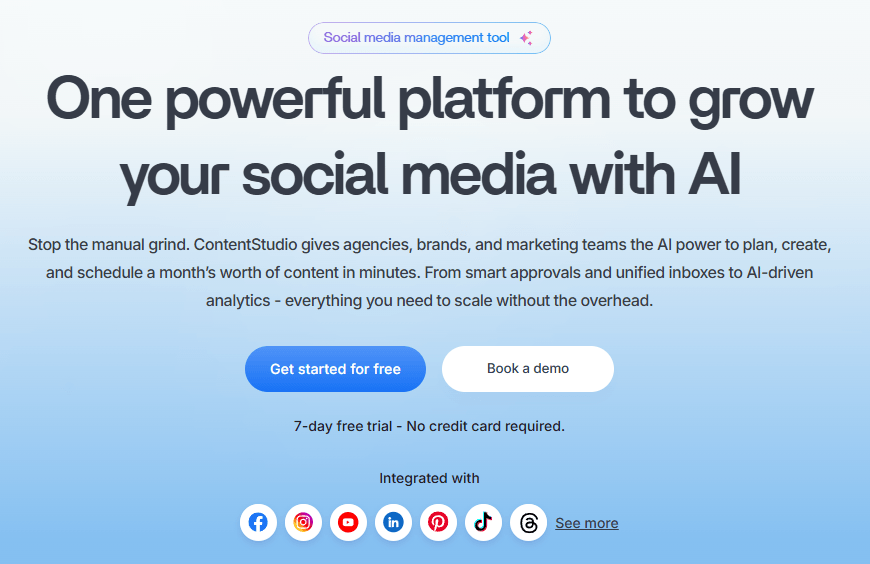
The easiest way to understand ContentStudio is to break it into five layers.
| Layer | What It Does | Why It Matters |
|---|---|---|
| AI Studio | Generates captions, hashtags, images, videos, variations, summaries, and brand-aligned content. | Helps teams go from idea to post faster without leaving the platform. |
| Publisher and Planner | Schedules posts, previews content, organizes calendars, handles approvals, and supports recurring/evergreen workflows. | This is the daily content operations layer. |
| Engage | Centralizes comments, DMs, mentions, reviews, assignments, notes, and saved replies. | Useful for teams managing social media as a customer-facing channel. |
| Analyze | Tracks performance, demographics, reports, competitor benchmarks, and network-specific KPIs. | Helps teams prove what is working and improve campaigns. |
| Discover and API | Pulls content from RSS feeds, organizes sources, and supports programmatic publishing through API integrations. | Useful for curation, automation, and larger workflows. |
That structure is why ContentStudio feels broader than a basic scheduler. You can use it simply to queue posts, but the product is clearly built for teams that need content creation, approvals, publishing, engagement, reporting, and automation in one connected workflow.
Generates captions, images, videos, hashtags, rewrites, summaries, and brand-aware content from one AI workspace.
Lets users generate, refine, attach media, and schedule posts through AI, including bulk planning across multiple accounts.
Supports calendar, list, feed, grid, Instagram grid, TikTok grid, notes, labels, and approval workflows.
Brings messages, comments, mentions, reviews, assignments, saved replies, notes, and filters into one place.
Provides channel analytics, automated reports, white-label reports, group reports, competitor benchmarking, and network-specific performance views.
Lets teams build RSS-based feeds, find trending content, bookmark articles, auto-distribute content, recycle evergreen posts, and automate publishing through API workflows.
ContentStudio is strongest when a team needs a real social media workflow, not just a place to write captions. The platform connects the whole chain: content ideas, AI creation, media storage, post customization, scheduling, approvals, publishing, inbox management, analytics, and reports. That matters most for agencies and teams managing multiple brands, because the messy part of social media is usually coordination, not just writing.
The second major strength is how much AI is now embedded across the product. AI Studio can write posts, refine drafts, use quick prompts, preserve chat history, save custom prompts, generate images, create captions, produce hashtags, and generate videos. ContentStudio’s docs also show Brand Knowledge and Brand Voice inside AI Studio, which helps keep outputs aligned with a brand’s tone and style.
The third strength is agency workflow. ContentStudio has workspaces, approval links, client/team invites, approver dashboards, white-labeled reports, branded reports, EasyConnect for client social accounts on Agency Unlimited, and Enterprise options with SSO, API access, priority support, migration, and onboarding help. That makes it more practical for agencies than narrow creator-focused schedulers.
AI Studio is one of the most important parts of modern ContentStudio. It is not only a caption box. It includes AI writing, quick prompts, predefined prompts, custom prompts, chat history, web-powered search, link analysis, image generation, image-to-image, text-to-video, remove background, hashtag generation, and caption generation.
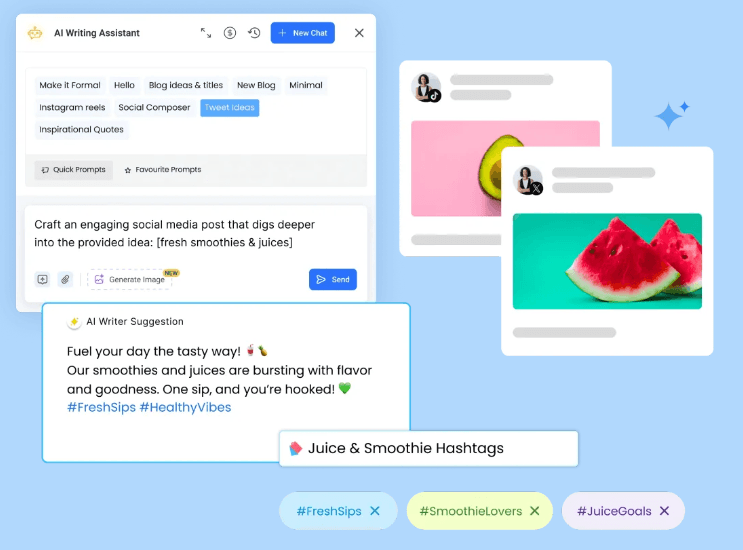
The Brand Knowledge layer is the part serious teams should care about most. ContentStudio’s help docs say Brand Knowledge lets users define brand voice, tone, and style so AI Studio can generate content that matches the brand identity. In Bulk Schedule via AI, Brand Knowledge is required before generation, and ContentStudio recommends using a website URL so the AI can learn the brand’s tone and voice.
That matters because generic AI social posts usually fail in the same way: they sound polished but interchangeable. ContentStudio’s better workflow is to define the brand first, then use AI for batches, captions, hashtags, and platform-ready drafts. The best results will still need review, but the system gives teams a better starting point than a blank prompt in a separate chatbot.
The AI video layer is also notable. ContentStudio’s AI tools page says its text/image-to-video workflow supports multiple model providers, including Wan, Minimax, Google, OpenAI, Seedance, and Kling, with providers varying by style, rendering time, and credit use. That gives the platform more creative range than basic post-writing tools, though video generation should still be treated as a draft-and-review workflow rather than guaranteed polished production.

ContentStudio’s publishing workflow is built for multi-channel execution. The Composer lets teams create posts tailored for each social network, preview how posts will look, use best-time-to-post recommendations, add approval workflows, include auto first comments, and build content pipelines using RSS feeds, bulk upload, and automation.
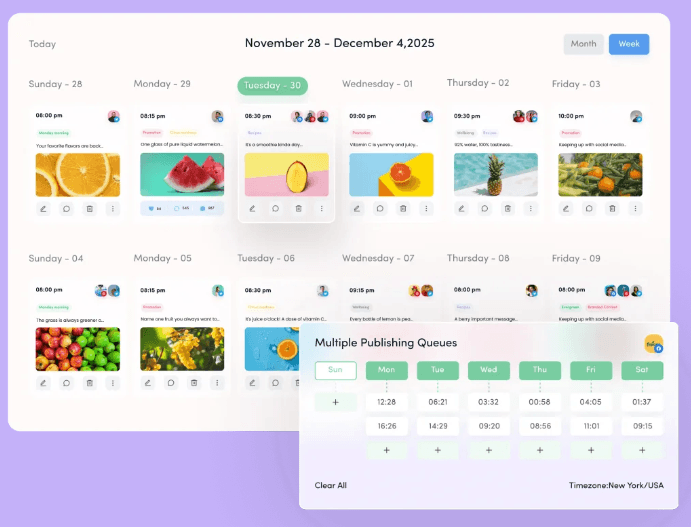
The Planner is where the product becomes more useful for teams. ContentStudio supports calendar view, list view, feed view, Instagram grid view, TikTok grid view, planner notes, approval workflows, client/team invites, and approver dashboards depending on plan level. This gives content managers different ways to inspect the schedule: campaign calendar, social feed, grid aesthetics, draft queue, pending approvals, and client review.
Smart Scheduling adds a more AI-native layer. ContentStudio’s docs describe it as an AI-powered assistant that can generate content, refine captions, attach media, and schedule posts. It can also distribute multiple posts evenly across a date range, which is useful for campaign planning or filling a monthly calendar without manually assigning every slot.
Bulk Schedule via AI is one of the most practical newer workflows. It can generate multiple posts with AI-generated images and captions, then let users schedule selected posts, open them in Composer for editing, save them as drafts, or generate more. The important limitation is that posts are generated for one platform at a time so captions, aspect ratios, and styles are optimized per platform. That is a good design choice, but it means multi-platform campaign creation still takes some repeated setup.
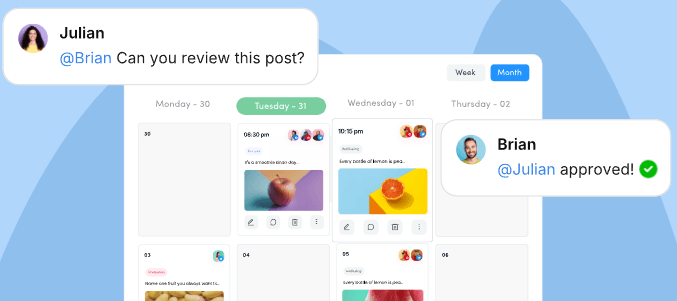
ContentStudio’s Social Inbox is useful for teams that treat social media as an active customer channel. It centralizes incoming social messages, comments, and interactions so teams do not need to log into every platform separately. The inbox includes assignment, collision detection, saved replies, notes, filtering, and organization tools like assigned, done, and archived states.
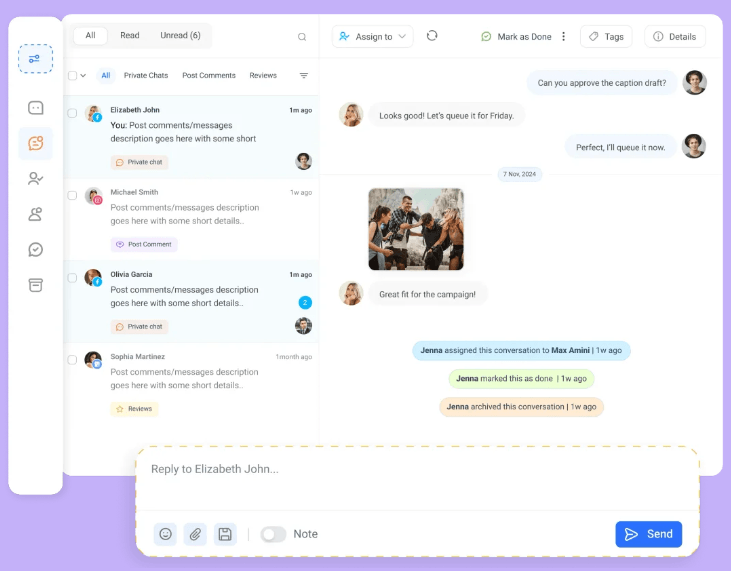
Supported inbox items vary by network. That is normal for social media management tools because every platform exposes different API permissions. The practical point is that ContentStudio gives teams a central place to handle engagement, but buyers should still verify the exact inbox behavior for the networks they rely on most.
ContentStudio’s analytics layer is built for teams that need to explain performance, not just glance at a post count. Analyze includes profile performance summaries, channel-level analytics, group reports, competitor analytics, scheduled reports, PDF exports, branded reporting, and white-label reporting depending on plan.
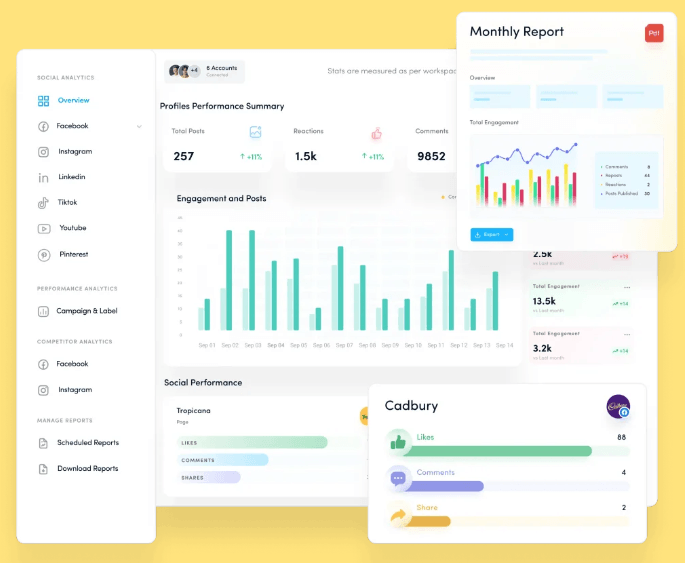
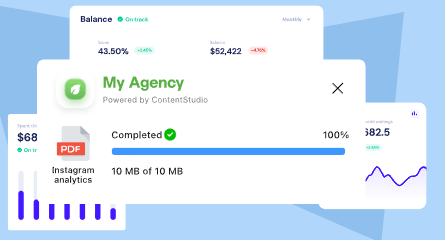
This matters especially for agencies. A creator may only need to know whether a post did well. An agency needs recurring reports, client-ready exports, campaign summaries, and sometimes white-labeled dashboards. ContentStudio’s branded report layer is designed for that exact workflow.
Competitor benchmark analytics are also useful for clients and internal teams because raw follower growth or engagement numbers are not always meaningful without context. Benchmarking helps teams understand whether a campaign is improving relative to the surrounding market, not only relative to last month.
Discover is ContentStudio’s curation and content-source layer. It lets teams build feeds, monitor topics, find trending content, bookmark articles, manage sources, and use curated inputs for publishing workflows. This is useful for brands that mix original posts with commentary, industry news, thought leadership, and curated content.
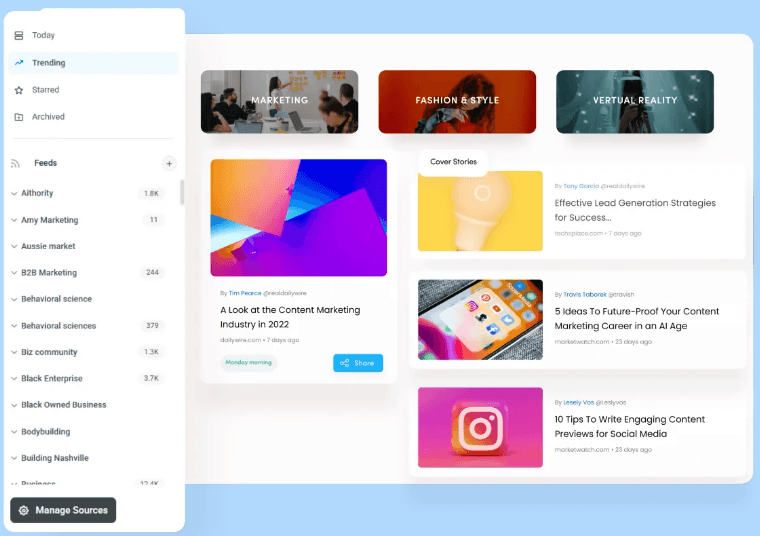
The automation layer is also important. ContentStudio supports RSS-based posting, evergreen campaigns, content recycling, CSV bulk upload, and API-based workflows depending on plan. These features make the platform more useful for high-volume teams, publishers, agencies, and brands that have recurring content sources.
Automation is useful, but it needs governance. RSS posting and evergreen recycling can keep feeds active, but they can also create repetitive or low-context posting if the sources, rules, and approval steps are weak. ContentStudio gives teams the systems; teams still need editorial standards.
- Agencies managing multiple clients: ContentStudio is especially strong for agencies because it combines workspaces, approvals, branded reports, white-label reporting, client invites, EasyConnect, and multi-account publishing.
- Marketing teams with approval workflows: The Planner, approvals, notes, client review, and team collaboration features make it useful when social content needs structured review before publishing.
- High-volume social media operators: Bulk AI scheduling, RSS feeds, evergreen campaigns, content recycling, and API access help teams publish at scale.
- Brands that need social engagement management: Engage is useful when comments, DMs, reviews, mentions, assignments, and internal notes need to be handled in one place.
- Teams that need reporting: Analyze, competitor reports, branded reports, scheduled reports, and PDF exports make ContentStudio a better fit than lightweight schedulers.
- Set up Brand Knowledge before relying heavily on AI Studio. ContentStudio’s AI tools become more useful when the system understands the brand’s voice, tone, website, and style.
- Use Planner views intentionally. Calendar view is good for campaign planning, feed view is useful for visual review, and grid views help with Instagram or TikTok presentation.
- Use Bulk Schedule via AI for batches, then review manually. It can generate content quickly, but every post still needs a human check before going live.
- Separate curation and automation rules carefully. RSS and evergreen posting are powerful, but they need topic filters, quality control, and approval steps.
- Watch credits, not just subscription price. AI text, image, video, clipping, and API requests all have plan limits or add-on pricing. Heavy AI video or API users should check usage closely.
- The first trade-off is complexity. ContentStudio has a lot of moving parts: AI Studio, Planner, Publisher, Discover, Engage, Analyze, media library, approvals, API, integrations, RSS, evergreen campaigns, client workflows, and reporting. That breadth is great for teams, but it may feel heavy for a solo creator who only wants a simple queue.
- The second limitation is plan gating. Some of the more operationally important features, including evergreen campaigns, RSS auto-posting, CSV bulk upload, approval workflows, client dashboards, competitor benchmark analytics, PDF exports, scheduled reports, and white-label reporting, are not equally available across all tiers. Buyers should compare by workflow, not by headline monthly price.
- The third limitation is that AI output still needs editorial judgment. Brand Knowledge helps, but AI-generated captions, hashtags, images, and videos can still miss context, overuse generic language, or produce visuals that need review before publishing. The AI tools are strongest as a production accelerator, not as a replacement for strategy.
- The fourth trade-off is platform variability. ContentStudio supports many networks, but inbox support, analytics depth, publishing rules, comments, reviews, first comments, and media behavior vary by platform. For example, the Social Inbox page lists different supported items for Facebook, Twitter/X, Instagram, LinkedIn, and Google Business Profile.
- Finally, automation needs careful governance. RSS posting and evergreen recycling can keep feeds active, but they can also create repetitive or low-context posting if the sources, rules, and approval steps are weak. ContentStudio gives teams the systems; teams still need editorial standards.
ContentStudio is best for agencies, marketing teams, and high-volume social media operators who want AI creation, scheduling, approvals, inbox management, analytics, content discovery, and reporting in one place.
Its strongest advantage is the full workflow: AI Studio helps generate and refine content, Planner and Publisher handle scheduling and approvals, Engage supports social conversations, Analyze turns activity into reports, and Discover/API layers add curation and automation.
The main caveat is complexity and plan selection. ContentStudio is most valuable when you use the whole system, not when you only need a basic scheduler or a simple AI caption tool.
TAGS: Social Media Tools
Related Tools:

Transforms long videos into engaging clips

Creates digital ads for social media

Helps you create, schedule, and publish social media content
Transforms YouTube videos into short clips
Quickly transforms YouTube videos into short, engaging clips
Enhances live streaming experience