

Share this tool:
 |
Description:
VidStats is an AI-powered YouTube analytics and growth platform built for creators who want more than the native YouTube Studio dashboard. It combines channel analytics, audience insights, content recommendations, trend research, optimization tools, competitor benchmarking, comment sentiment analysis, and a large set of free YouTube utilities into one creator-focused product. Its clearest value is not replacing YouTube Studio entirely. It is helping creators turn raw performance data into better video ideas, stronger metadata, smarter upload timing, and more repeatable channel decisions.
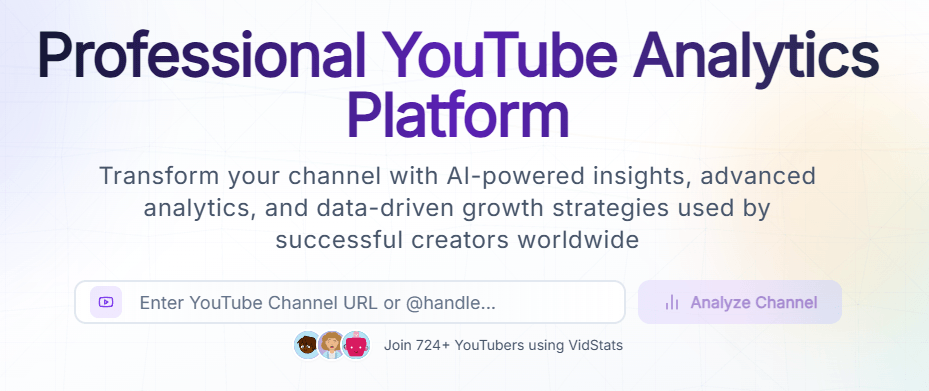
VidStats gives creators a channel performance view with charts for key metrics such as views, watch time, subscribers, and engagement rates.
The platform suggests video ideas based on audience preferences and current trends.
VidStats includes AI-powered trend and tag discovery, with Google and YouTube autocomplete-style insights for research.
The tool helps improve video titles, descriptions, tags, and metadata, with performance prediction included in the optimization workflow.
VidStats analyzes comments for sentiment, emotion, aspects, and possible content opportunities.
VidStats offers 28+ free tools for content creation, analytics, SEO, thumbnails, subtitles, community tasks, copyright checks, and performance prediction.
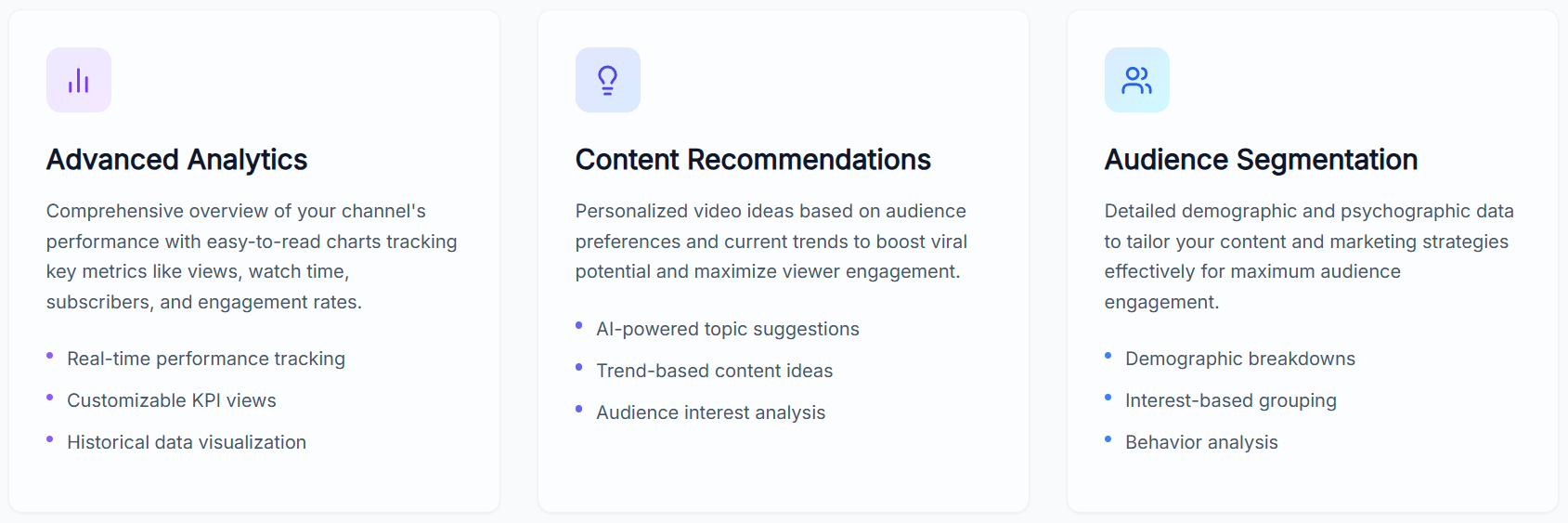
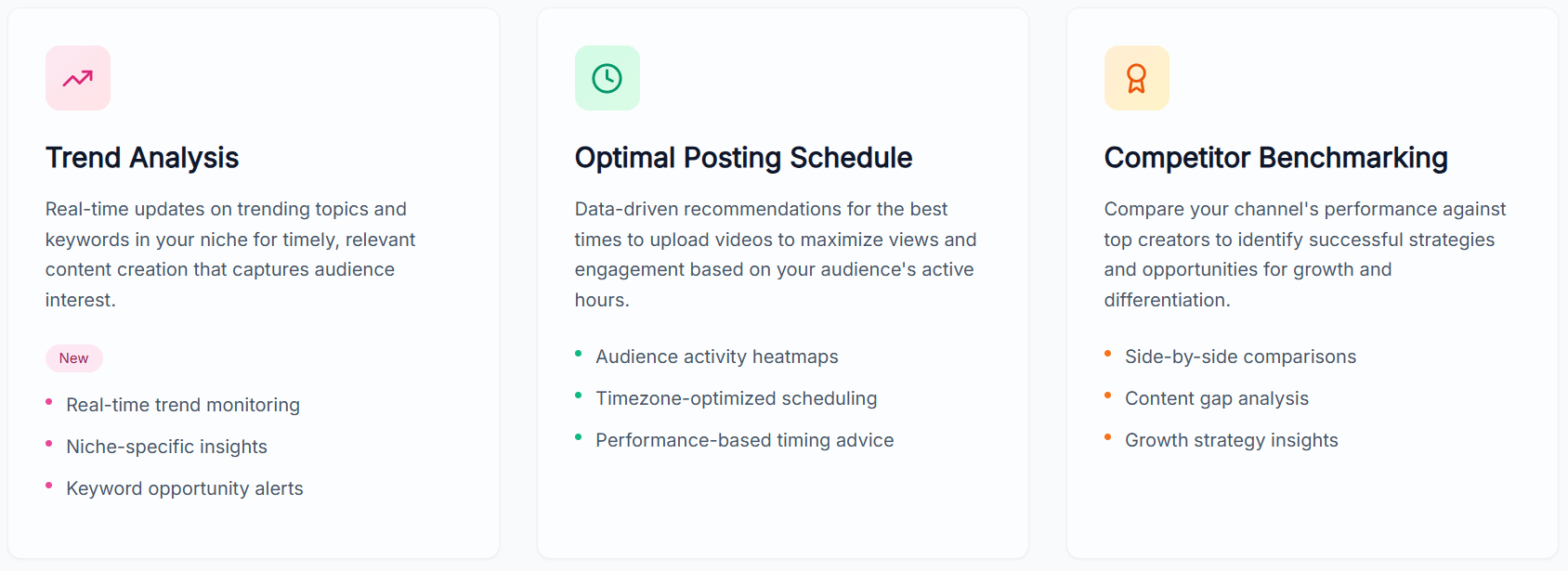
VidStats is best understood as a YouTube growth layer with several connected parts.
| Layer | What it does | Why it matters |
|---|---|---|
| Analytics dashboard | Tracks views, watch time, subscribers, engagement rates, performance trends, and historical data. | Helps creators understand what is actually happening on the channel. |
| AI growth layer | Produces content recommendations, trend-based ideas, topic suggestions, and optimization insights. | Turns data into next-video decisions instead of just charts. |
| Optimization layer | Helps improve titles, descriptions, tags, posting times, and metadata. | Useful before publishing and while improving older videos. |
| Research layer | Includes competitor benchmarking, trend analysis, keyword research, and audience segmentation. | Helps creators see what works in their niche. |
| Free tools layer | Offers 28+ YouTube utilities such as title generation, metadata finding, thumbnail extraction, subtitle downloading, SEO optimization, and engagement calculators. | Gives creators practical tools without needing to subscribe first. |
That structure matters because VidStats is not just a calculator site and not just a dashboard. It is trying to sit in the middle of the YouTube workflow: research the opportunity, create the idea, optimize the video, publish at a better time, then analyze what happened.
VidStats is strongest for creators who want a practical YouTube-only growth system without paying for a heavy enterprise analytics suite. The platform focuses on the actual tasks creators repeat: checking performance, finding video ideas, improving metadata, studying trends, understanding audience behavior, checking competitors, and using small utility tools that save time.
The second strength is accessibility. The Free Tools section is genuinely useful because it covers more than basic title generation. It includes title generation, thumbnail generation, description writing, hashtag generation, tag generation, engagement-rate calculation, video analytics calculation, metadata finding, subtitle downloading, thumbnail extraction, trend analysis, copyright music checking, royalty-free music discovery, influencer value comparison, and video performance prediction.
The third strength is how much of the product is built around turning data into action. Native YouTube Studio is good at showing what happened. VidStats’ strongest angle is adding deeper insights, competitive analysis, trend forecasting, AI recommendations, and specialized growth tools. The best users will not just look at charts; they will use the tool to decide what to make next, what to optimize, and where their channel has weak spots.
The core workflow is straightforward. A creator can start with free tools without creating an account, then move into the connected analytics experience when they want deeper channel-specific insights. This makes VidStats easy to test before committing to a larger analytics workflow.
A typical workflow looks like this: use free tools to check metadata, tags, thumbnails, subtitles, or engagement metrics; analyze a channel or video; review trend and keyword opportunities; improve titles, descriptions, and tags; check competitor patterns; then use performance data to shape the next content plan.
That makes VidStats especially useful for creators who want lightweight structure. It does not force every user into a full analytics platform immediately, but it gives serious creators enough connected tools to build a repeatable growth workflow.
The analytics layer is useful because it focuses on creator-relevant signals: views, watch time, subscribers, engagement rates, historical performance, audience segmentation, and competitive context. For many creators, these are the numbers that shape future content decisions.
The recommendation layer is where VidStats becomes more actionable. Instead of only showing charts, it can suggest video ideas based on trends, audience preferences, and content opportunities. That matters because YouTube growth is not only about understanding old performance. It is also about deciding what to publish next.
The optimizer layer supports metadata improvement, including titles, descriptions, tags, and timing suggestions. This is useful for both new uploads and older videos that may still have search or recommendation potential.
Competitor benchmarking also helps creators avoid working in isolation. Comparing performance, strategy, and content gaps against other creators in the same niche can reveal missed formats, weak positioning, or opportunities for differentiation.
VidStats’ free tool library is one of its clearest practical strengths. The visible tool grid includes utilities for subtitles, hashtags, metadata, thumbnails, descriptions, subscriber ratios, engagement calculations, and keyword discovery.
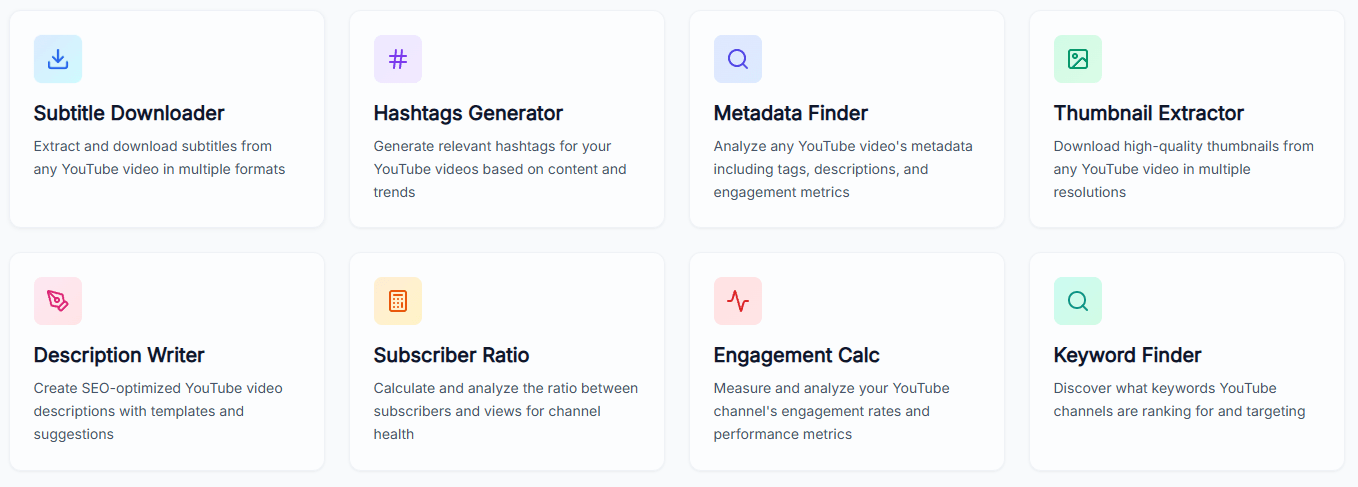
This makes VidStats useful even before a creator connects a full channel workflow. A user can quickly extract a thumbnail, inspect metadata, generate hashtags, calculate engagement, or write a description without opening several separate tools.
The free tools are also good for experimentation. A creator can use them to test whether VidStats fits their workflow, then decide later whether the deeper analytics and AI recommendation layers are worth using more seriously.
- YouTube creators improving channel strategy: VidStats is useful for creators who want better insight into performance, audience behavior, topic opportunities, and competitor patterns.
- Small channels trying to grow: The free tools and AI recommendations can help smaller creators improve titles, descriptions, tags, and video ideas without needing a large analytics budget.
- Content teams managing YouTube workflows: The combination of analytics, optimization, sentiment analysis, and research tools can help teams plan and refine uploads more systematically.
- SEO-focused video creators: Metadata, keyword, tag, and trend tools make VidStats relevant for creators who want stronger search visibility.
- Creators auditing older videos: VidStats can help identify older uploads that may benefit from metadata improvements, better tags, stronger descriptions, or refreshed positioning.
- Use the free tools first. They are the fastest way to understand whether VidStats fits your YouTube workflow.
- Do not treat AI recommendations as automatic content strategy. Use them as a starting point, then filter ideas through your audience, niche, and production capacity.
- Check metadata on older videos. Titles, descriptions, tags, and thumbnails often become outdated as a channel grows.
- Use competitor benchmarking for patterns, not copying. Look for format gaps, packaging ideas, publishing rhythms, and topic clusters.
- Combine sentiment analysis with content planning. Viewer comments can reveal unanswered questions, repeated objections, and future video ideas.
- The biggest limitation is channel focus. VidStats is clearly YouTube-centered. That focus is useful for YouTube creators, but it will not replace a broader social media analytics suite for teams that also need TikTok, Instagram, LinkedIn, or cross-platform reporting.
- The second limitation is that analytics still require interpretation. VidStats can surface charts, recommendations, and benchmarks, but creators still need judgment to decide what matters and what is noise.
- The third trade-off is that AI recommendations can only guide the process. They can suggest topics, trends, and optimizations, but they cannot guarantee audience interest, retention, or channel growth.
- The fourth limitation is that creators still need strong content. Better metadata, posting times, and keyword choices can help, but they cannot rescue weak videos, unclear positioning, or poor audience fit.
VidStats is best for YouTube creators who want a more actionable growth workspace than native analytics alone.
Its strongest qualities are advanced analytics, AI content recommendations, trend and tag research, metadata optimization, competitor benchmarking, comment sentiment analysis, and a genuinely useful free YouTube tool suite.
The main caveat is that VidStats is most useful when creators turn its insights into consistent action. It can show opportunities and suggest improvements, but channel growth still depends on strong ideas, good packaging, useful videos, and repeatable publishing discipline.
TAGS: Social Media Tools
Related Tools:

Helps you create, schedule, and publish social media content

Transforms long videos into engaging social media clips

Creates YouTube thumbnails
Streamlines content creation and scheduling

Creates content and automatically manages engagement
Mange social media presence by providing real-time analytics