

Share this tool:
 |
Description:
- Introduction
- What FeedHive Actually Is
- Strong Features and Capabilities
- Where FeedHive Is Strongest
- AI Content Creation and Brand Workflow
- Scheduling, Posting Plans, and Content Recycling
- Automation, Workflows, and Integrations
- Collaboration and Social Inbox
- Best Use Cases
- Where FeedHive Is Weaker
- Practical Tips
- Final Takeaway
FeedHive is a social media management platform built around AI and automation. It helps teams generate on-brand posts, schedule content across multiple platforms, recycle older content, predict engagement, manage a social inbox, collaborate on drafts, and build automation workflows. The current product is not just a caption generator. It is closer to a publishing command center for creators, founders, agencies, and marketing teams that want to keep social channels active without manually rebuilding every post, schedule, and follow-up from scratch.
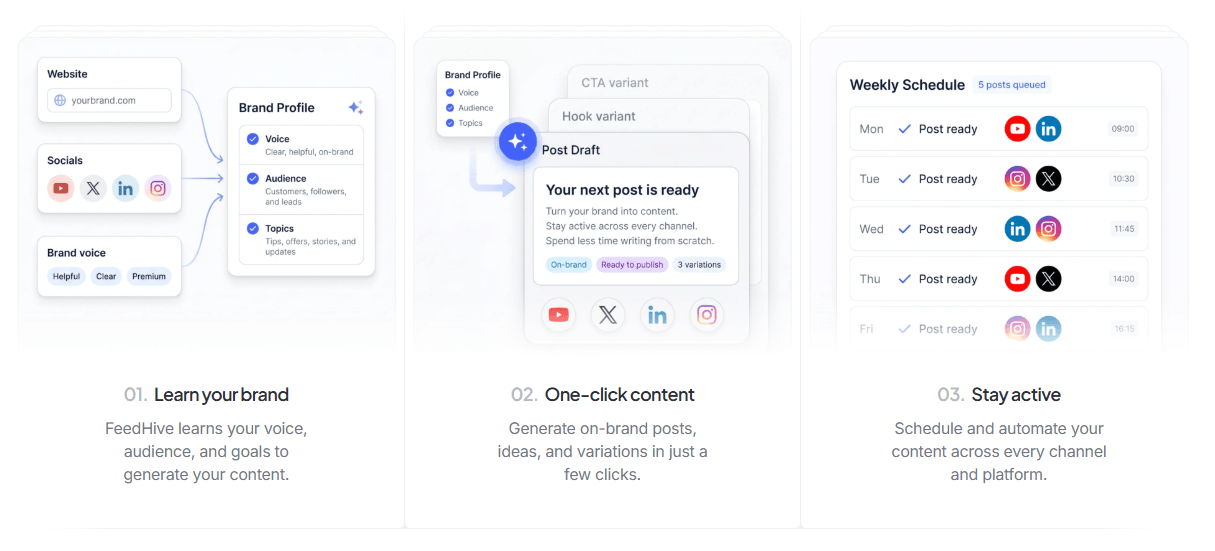
The easiest way to understand FeedHive is to split it into five layers.
| Layer | What it does | Why it matters |
|---|---|---|
| AI creation layer | Generates captions, ideas, post variations, hashtags, and visuals. | Helps you get from rough idea to publish-ready content faster. |
| Scheduling layer | Uses content calendars, posting plans, smart scheduling, labels, and queues. | Keeps content moving without picking every time manually. |
| Automation layer | Adds workflows, post conditions, webhooks, and API access. | Turns repeated publishing steps into reusable systems. |
| Collaboration layer | Supports workspaces, comments, approvals, previews, and team roles. | Useful for teams, clients, and agencies. |
| Engagement layer | Centralizes replies, mentions, messages, and AI-assisted responses. | Helps teams manage social conversations from one place. |
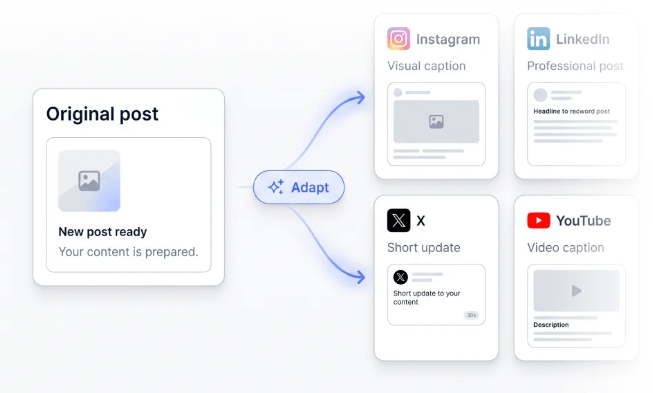
That mix is FeedHive’s main value. It is not trying to be the deepest enterprise social suite in every category. It is strongest when the problem is content throughput: creating more good posts, adapting them for channels, scheduling them intelligently, recycling winners, and keeping the publishing machine moving.
Turns rough ideas, campaign angles, product updates, and weak drafts into polished social copy, hooks, and variations.
FeedHive’s AI page says it can generate visuals inside the platform using Flux Pro and Nano Banana 2.
Lets users build recurring posting plans and automatically place posts into the right calendar slots.
Uses AI-backed suggestions to surface older posts that may be worth reworking and reposting.
Scores posts based on predicted engagement-rate potential before publishing.
Lets teams create visual automations for drafting, labeling, routing, and publishing content.
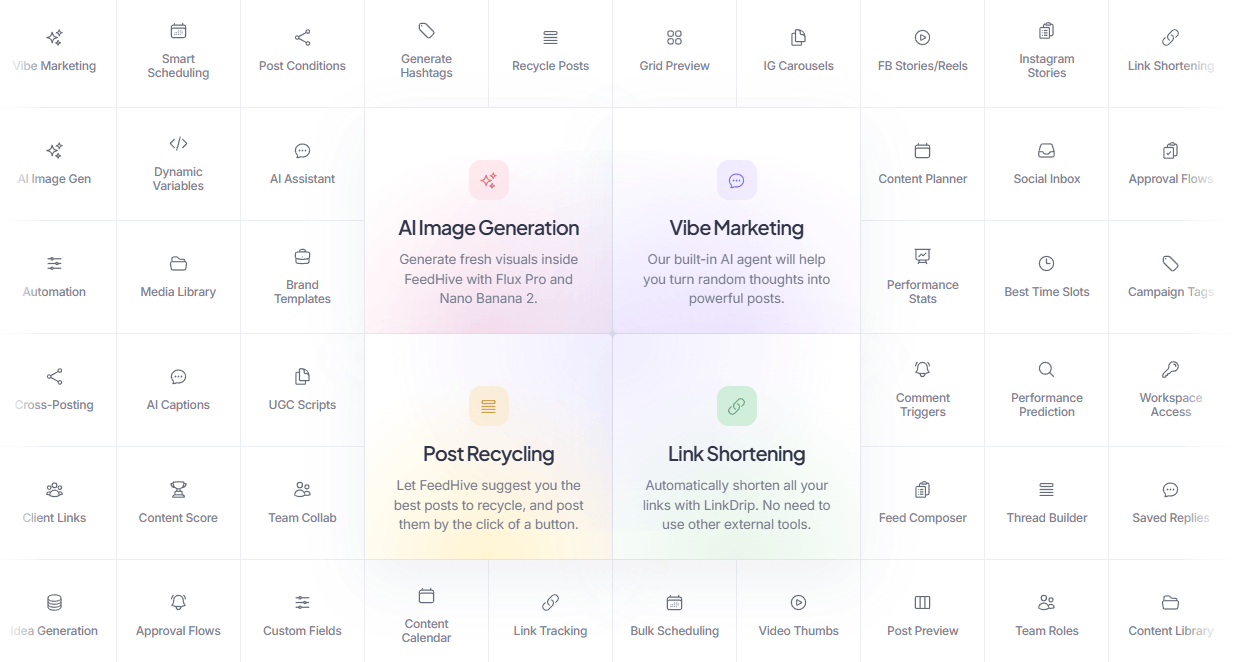
FeedHive is strongest for people who already know they need to publish consistently but struggle with the operational load. The product is built around recurring content habits: weekly posting plans, smart queues, reusable templates, labels, performance signals, recycled posts, and AI-generated variations. That makes it especially useful for founders, creators, agencies, and small marketing teams that need output volume without turning social media into a full-time manual process.
The AI layer is practical because it sits inside the publishing workflow. You can generate posts, improve hooks, create variations, generate hashtags, and add visuals without moving between a chatbot, a design tool, and a scheduler. FeedHive’s own AI page frames the workspace around drafting faster, keeping brand voice, and shipping complete posts with copy, hashtags, and visuals together.
The second strength is automation depth. FeedHive supports normal scheduling, but it also goes further with posting plans, post conditions, workflow triggers, webhooks, Zapier, Make, REST API access, OpenClaw, and MCP. That is a meaningful difference from simpler social schedulers. FeedHive can be used as a regular content calendar, but it can also sit inside a larger marketing system where ideas, drafts, approvals, and publishing actions move between tools.
The third strength is content reuse. FeedHive’s approach to recycling is more thoughtful than simply reposting the same evergreen content forever. Its docs explicitly recommend recycling variants rather than clones, and the system can suggest past posts that performed well or may have underperformed due to external factors. That is a useful workflow for creators with a strong back catalog.
FeedHive’s AI tools are designed for social-specific content, not general writing. The assistant can take rough ideas and turn them into captions, hooks, and post variations. It can also improve weak drafts and help generate fresh messaging angles. That makes it best for users who already have topics, product updates, newsletters, blog posts, launch notes, or content pillars and want to turn them into channel-ready posts.
The “brand voice” positioning is important. FeedHive says it learns voice, audience, and goals to generate content, and its AI tools are described as helping users refine messaging while staying aligned with their existing tone and positioning. In real use, that means the best results will come from treating FeedHive as a system you train through repeated use and clear brand inputs, not as a one-off caption machine.
The image layer is useful, but it should be understood as social creative support rather than a replacement for a full design workflow. Generating images inside FeedHive is valuable because it removes the last-mile friction between caption creation and publishing. It is especially useful for quick visual concepts, campaign placeholders, simple post graphics, and social-ready assets. For polished brand campaigns, a designer may still need to refine the final creative.
FeedHive also supports bringing your own model accounts for some AI functions. Its docs say adding your own OpenAI API key lets FeedHive use that instead of internal AI and bypass the platform’s AI credit limit, while adding a Replicate API key lets AI image generation run through your own Replicate account. That is a strong option for power users who want more control over billing and usage.
FeedHive’s scheduling system is one of its clearest strengths. The platform supports a visual calendar, smart scheduling, cross-posting, post previews, bulk scheduling, labels, best time slots, and content planning. The main idea is that users should not have to manually pick a date and time for every post.
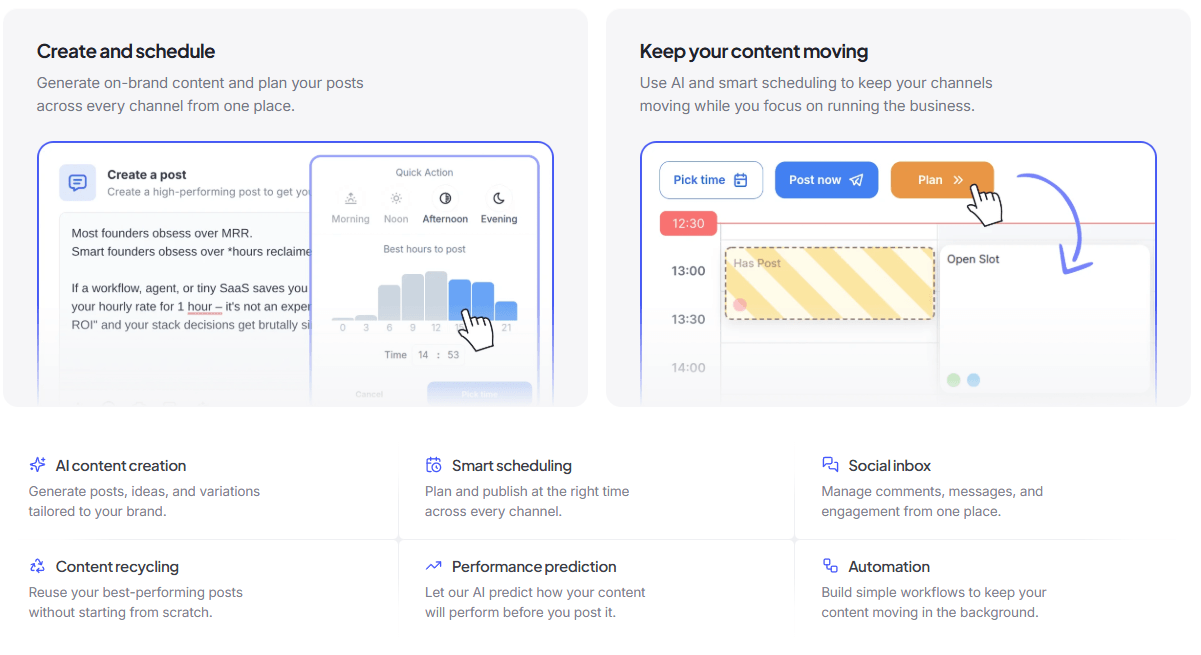
Posting plans are especially practical. You can create recurring slots by day, time, and label, then use the Plan button to assign posts to the next available slot. FeedHive can also line up many posts at once into the right slots through Smart Scheduling. This is useful for teams that publish categories of content on repeat, such as promotions, tips, product updates, educational posts, community highlights, or founder commentary.
Recycling is another practical advantage. FeedHive looks through historical posts and suggests posts that may be good candidates for reuse. The docs mention “Top Performers” and “Underdogs” as useful categories: previous winners, or posts that may have deserved more attention but did not get it the first time. That is a smart way to keep a calendar full without forcing every post to start from a blank page.
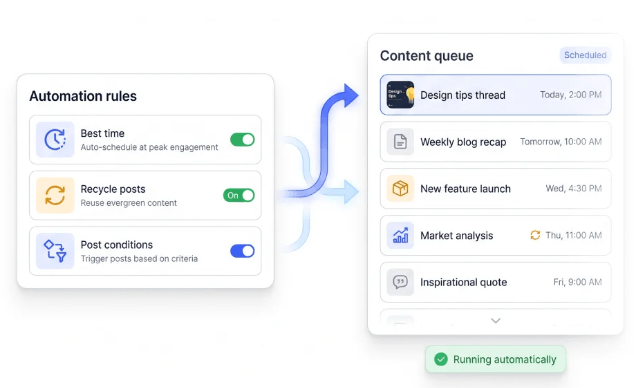
The caveat is that recycling still needs editorial judgment. FeedHive itself warns against recycling exact clones because repeated content can look lazy. The best workflow is to use recycling as a starting point, then rewrite the angle, add new context, update the hook, or adapt the post for a different platform.
FeedHive’s automation layer is deeper than many lightweight schedulers. The visual Workflow Builder lets teams connect steps together, starting from a Trigger URL and moving through actions like creating a draft, adding socials, adding labels, or publishing. This is useful when content originates outside FeedHive, such as from a form, spreadsheet, backend system, n8n workflow, Make scenario, Zapier automation, or internal content pipeline.
Post Conditions are another useful automation feature. They let users trigger follow-up comments or subtweets based on conditions such as delay, likes, comments, impressions, engagement rate, or above-average performance. FeedHive’s docs position this around use cases like plugging products in strong posts, announcing flash sales, creating reminders, and making scheduled posting behavior feel more dynamic. One important limitation: the docs currently say Post Conditions are supported for Twitter, Facebook, and Instagram.
The integration story is strong for a social publishing product. FeedHive supports Zapier, Make, webhooks, REST API access, OpenClaw, and MCP. Zapier connects FeedHive with more than 8,000 tools, Make with more than 2,000 tools, and the MCP server lets external AI assistants and automation tools interact with FeedHive triggers through a JSON-RPC interface.
That makes FeedHive especially interesting for technical marketers. A simple user can stay inside the dashboard. A more advanced team can route content from Airtable, forms, internal tools, product update feeds, or AI agents into FeedHive as drafts or scheduled posts.
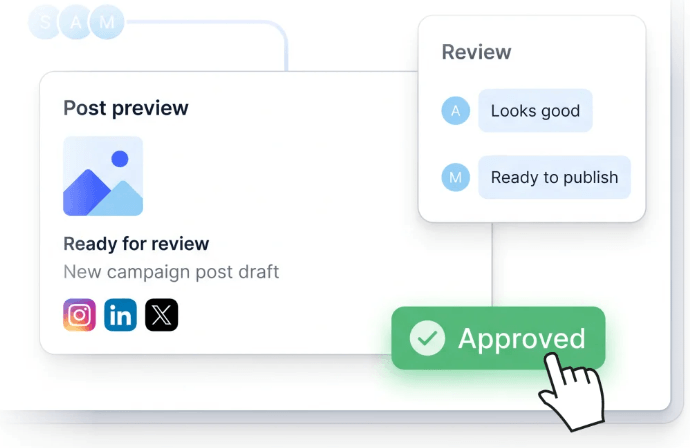
FeedHive is not just for solo posting. The collaboration page describes shared drafts, comments, approvals, public previews, and team workflows. Approval workflows can be enabled at the workspace level, and posts can require approval before going live. This matters for agencies, client-facing teams, and companies where social posts need review before publishing.
The social inbox adds another layer. FeedHive can bring replies, mentions, and messages into one place, give teams visual context, and support AI-written replies in the user’s tone of voice. That makes it more useful than a pure scheduler because social growth is not only about publishing; it is also about responding.
That said, FeedHive’s inbox looks more like an engagement management tool than a heavy customer-service platform. It is useful for managing conversations around posts, but teams that need enterprise-grade support routing, review management, ticketing, SLA tracking, or deep social listening should verify those needs carefully before choosing it.
- Founders and creators who publish often: FeedHive is useful when social is a growth channel and you need consistent posts, variations, scheduling, and recycling.
- Agencies and multi-brand teams: The 100 social account limit, 50 workspaces, team members, approval workflows, client previews, and collaboration controls make it a strong agency-style option.
- Content teams with repeatable pillars: Posting plans, labels, templates, and smart scheduling work well for recurring content categories.
- Technical marketers: Workflows, webhooks, Zapier, Make, API, OpenClaw, and MCP make FeedHive more automation-friendly than many standard schedulers.
- Teams with a strong content archive: Recycle Suggestions are valuable when you already have old posts worth refreshing.
- The biggest trade-off is that FeedHive is now priced more like a serious team tool than an entry-level personal scheduler. At $99/month, it needs to save real time or replace multiple tools to justify itself for smaller users.
- The second limitation is that some AI features are directional rather than definitive. Engagement prediction is useful, but FeedHive’s docs are careful about what it predicts: it measures the likelihood of high engagement rate, not exact likes, views, or virality. The same page also says the prediction currently only takes text content into account, not images, threads, or time of day.
- The third limitation is platform-specific behavior. FeedHive supports many social channels, including Facebook, Instagram, YouTube, X, TikTok, LinkedIn, Pinterest, Google Business, Threads, Zapier, Discord, and Make, but not every advanced feature appears equal across every platform. Post Conditions, for example, are documented as supported for Twitter, Facebook, and Instagram.
- Finally, the deeper automation stack may be more than casual users need. Workflows, API keys, MCP, Replicate keys, OpenAI keys, and trigger URLs are powerful, but they are not necessary for someone who only wants a simple calendar and occasional AI captions.
- Set up posting plans before using Smart Scheduling heavily. FeedHive becomes much more useful once your recurring slots and content labels are clear.
- Use recycling for variants, not duplicates. Refresh the hook, update the example, change the CTA, or adapt the angle before reposting.
- Treat performance prediction as a quality signal, not a promise. It can help compare drafts, but it does not predict exact likes or views.
- Use workflows to stop at drafts when review matters. FeedHive’s workflow docs specifically distinguish between creating drafts for later review and publishing immediately.
- Bring your own OpenAI or Replicate key only if you understand the billing trade-off. It can bypass FeedHive AI credit limits or route image generation through your own account, but your external provider usage will be billed separately.
FeedHive is best understood as an AI-powered social publishing and automation system, not just a social scheduler. Its strongest value comes from combining AI writing, smart scheduling, content recycling, performance prediction, workflow automation, team approvals, social inbox features, and developer-friendly integrations in one workspace.
It is best for creators, founders, agencies, and marketing teams that publish often and want a more automated content engine. The main caveat is price and complexity: casual users may not need the full stack, but teams that use the AI, scheduling, recycling, collaboration, and automation layers together can get a lot of value from it.
TAGS: Social Media Tools
Related Tools:

Analyzes YouTube channels to uncover insights

Extracts and edits short highlight clips from longer videos

Helps plan, create, and manage social media content

Content publishing platform that simplifies video sharing

Assists creators with social media data analysis

Helps to expand LinkedIn connections