

Share this tool:
 |
Description:
- Introduction
- What MinutesLink Actually Is
- What MinutesLink Does Best
- Strong Features and Capabilities
- Workflow and Ease of Use
- Summaries, Transcripts, and Meeting Intelligence
- Integrations and Platform Coverage
- Pricing and Plan Differences
- Privacy, Security, and Data Ownership
- Best Use Cases
- Practical Tips
- Limitations and Trade-Offs
- Final Takeaway
MinutesLink is an AI meeting assistant that records online meetings, transcribes the conversation, summarizes the key points, extracts action items, and stores everything in a searchable workspace. Its strongest fit is remote teams, managers, sales teams, students, and busy professionals who spend too much time writing notes or catching up on calls they missed.
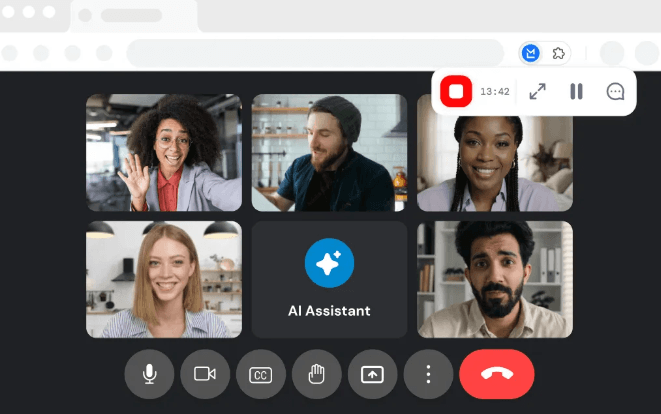
MinutesLink is a meeting notetaker for online calls. It can record meetings using either an extension or a bot, generate speaker-labeled transcripts, create summaries with key topics, decisions, and action items, and keep meeting recordings, transcripts, and notes organized in one place. That makes it more than a plain transcription app. The real value is the structured meeting record it creates after the call.
The platform is built mainly around Zoom and Google Meet today. Its video conferencing page says it records, transcribes, and summarizes Zoom and Google Meet calls, with Microsoft Teams support coming soon. That “coming soon” point matters because some MinutesLink pages mention Teams in broader integration language, but the clearest current product messaging still centers on Zoom and Google Meet.
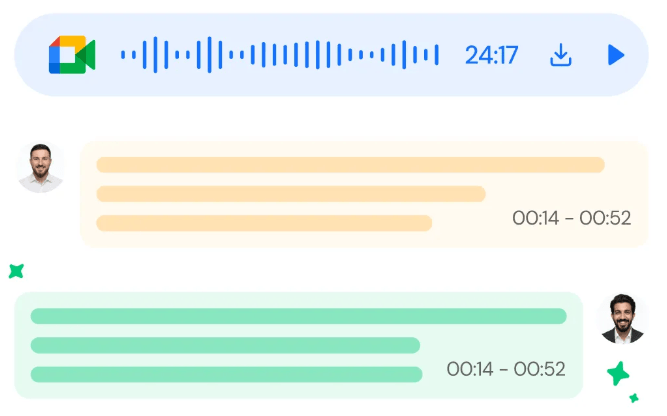
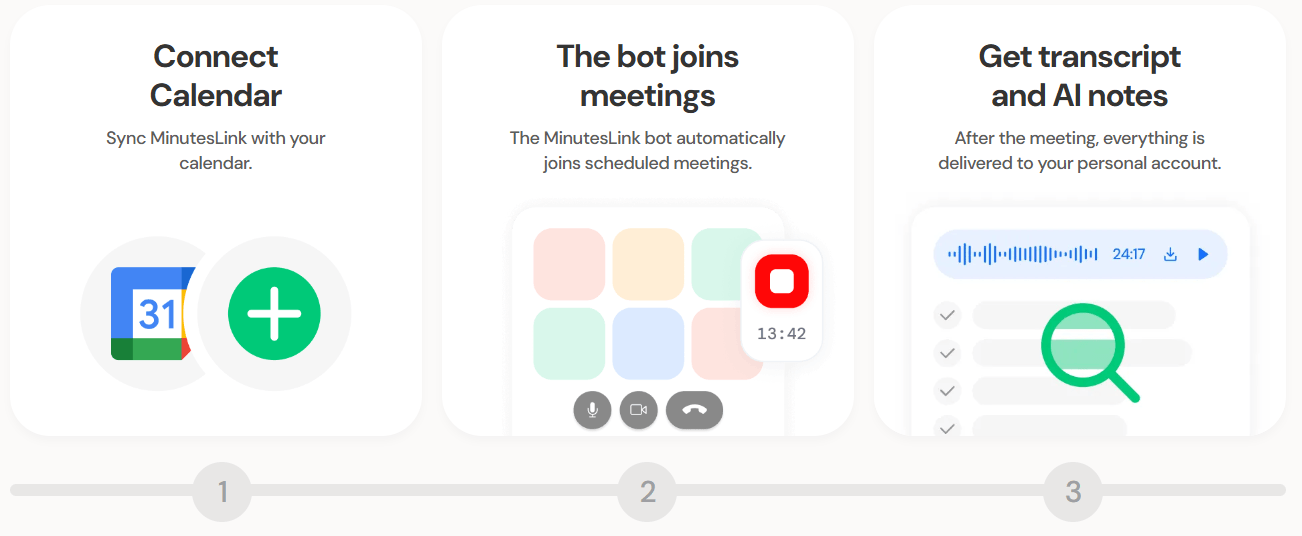
The workflow is simple: connect your calendar or paste a meeting link, let the assistant join or capture the call, then review the transcript, summary, and follow-up tasks afterward. For Zoom, MinutesLink says users can automatically record calls or paste a Zoom link for instant AI transcription and notes. For Google Meet, it integrates with Google Workspace and can join scheduled Google Meet sessions through Google Calendar.
MinutesLink is strongest at turning meetings into follow-up assets. A raw recording is useful, but most teams do not want to rewatch an hour-long call. MinutesLink turns the meeting into a transcript, summary, decisions, and action items, which is much easier to review, share, and act on.
Its second strength is meeting automation. You can use the assistant for scheduled meetings, and the site says users can add a bot to an unscheduled call by entering a Google Meet link. This makes MinutesLink practical for recurring team calls as well as ad-hoc discussions.
Its third strength is team context. MinutesLink has pages for remote managers, multi-meeting insights, integrations, enterprise governance, HR, students, and sales. The broader direction is clear: it wants to become a meeting knowledge system, not just a transcript generator.
Records online meetings using an extension or bot, depending on the workflow.
Converts meetings into clear, speaker-labeled dialogue for review.
Creates meeting recap reports that highlight key topics, decisions, and follow-up points.
Extracts tasks and follow-ups so teams can move from conversation to accountability.
Works with scheduled calls and pasted meeting links for Zoom or Google Meet workflows.
Analyzes conversations across meetings to highlight recurring topics, patterns, and team alignment themes.
MinutesLink’s workflow is built to stay close to the tools teams already use. For Google Meet, the assistant can work through Google Calendar and scheduled Google Meet sessions. For Zoom, users can sync events or paste a meeting link. The output then appears as transcripts, summaries, and action-oriented notes after the meeting.
The Chrome extension-style workflow is useful for people who want direct capture inside the meeting. MinutesLink says it can run directly inside Google Meet and Zoom, giving users access to recording and transcripts without leaving the meeting. After the call, users can view the transcript, summary, and action items in the MinutesLink dashboard.
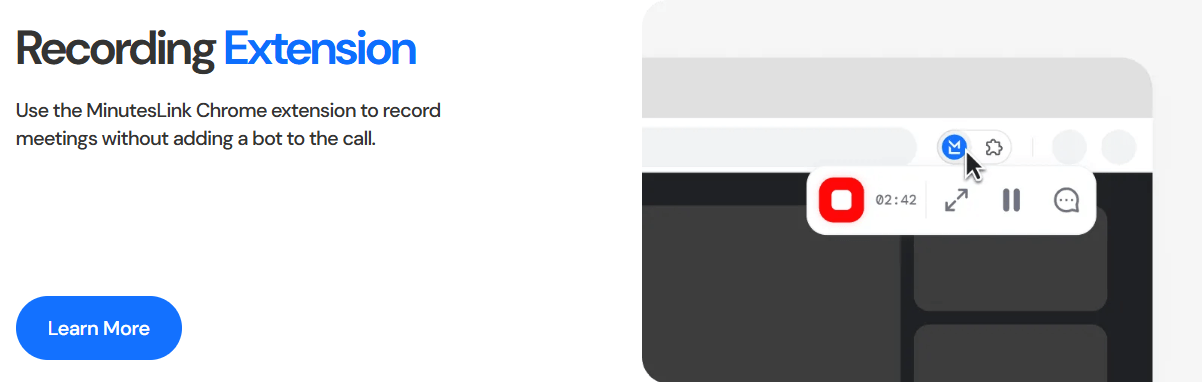
The best part of the workflow is that it reduces meeting admin. A manager can focus on the discussion rather than typing notes. A teammate who missed the meeting can read the recap. A sales rep can review the decisions and next steps. A student can revisit a class discussion. That makes MinutesLink most useful when meetings create follow-up work.
MinutesLink’s core output is a structured meeting record. That usually means a recording, transcript, summary, and action items. The Google Meet page specifically frames the output around key insights, decisions, and action items, while the main product page describes summaries that highlight key topics, decisions, and action items.
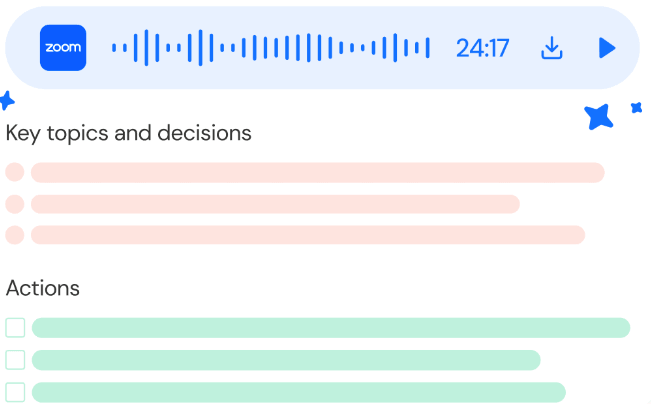
The more interesting layer is multi-meeting analysis. MinutesLink’s multi-meeting insights page says the AI can analyze conversations across multiple meetings to highlight recurring topics and patterns. That matters because the value of meetings compounds over time. One meeting summary is helpful. A pattern across ten customer calls, team syncs, or hiring interviews is much more valuable.
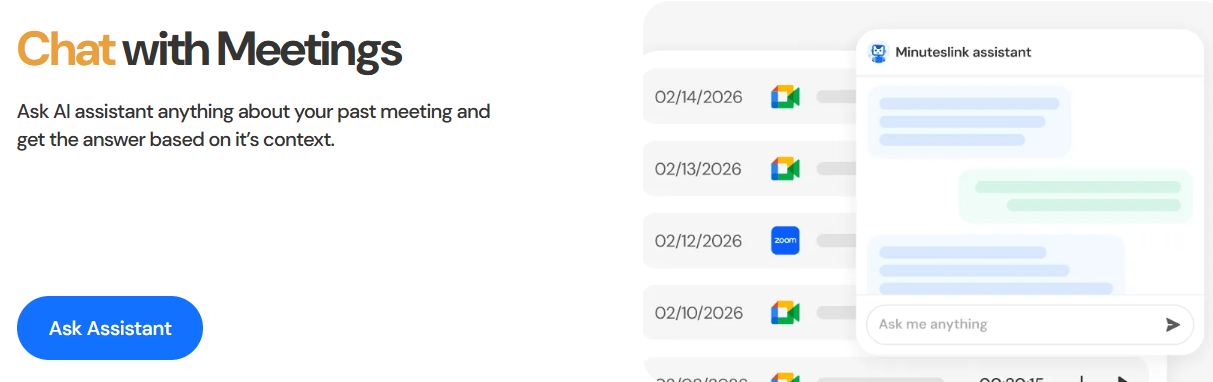
MinutesLink also promotes “deep research for meetings,” positioning meeting transcripts as a database of insights that can be analyzed for recurring themes, decisions, and useful context. This is an ambitious direction, and it is one of the more interesting parts of the product. The practical takeaway is that MinutesLink is not only trying to summarize individual calls; it is trying to help teams reason across meeting history.
MinutesLink integrates with Slack, HubSpot, Google, and Zoom, and its integrations page says Microsoft Teams support is coming soon. The idea is straightforward: meeting notes should not sit in a separate silo. They should show up where teams already collaborate, sell, and manage work.
The Google and Zoom support is the most important part right now. Google Meet support is tied to Google Workspace and calendar-based meeting capture, while Zoom support includes automatic recording or pasted-link capture. For teams that run most meetings in those two platforms, the coverage is practical. For teams that rely heavily on Microsoft Teams today, the “coming soon” status is a real limitation.
MinutesLink has a free Basic plan plus Pro and Business tiers. Basic is listed at $0 forever and includes 10 AI-powered call processings per month, AI-powered transcriptions in 50+ languages, meeting recap reports, meeting auto-capturing, unlimited meeting notes, and a 30-minute recording limit per call.
Pro is listed at $9/month when billed annually, or $16.99/month on monthly billing. It includes 360 AI-powered call processings per year on annual billing, or 30 per month on monthly billing, plus unlimited meeting recordings, unlimited meeting notes, personalized action items, concurrent meeting capture, and advanced sharing/commenting.
Business is listed at $24/month when billed annually, or $29.99/month on monthly billing. It includes 1,200 AI-powered call processings per year on annual billing, or 100 per month on monthly billing, plus priority support and the Pro-level features.
| Plan | Best For | What Matters Most |
|---|---|---|
| Basic | Testing the workflow and light meeting use | Free, 10 monthly call processings, meeting notes, recap reports, and a 30-minute recording limit. |
| Pro | Individual professionals and active meeting users | More call processing, unlimited recordings, personalized action items, concurrent meetings, and sharing/commenting. |
| Business | Teams with heavier meeting volume | 100 monthly call processings on monthly billing, priority support, and team-friendly usage scale. |
The most important pricing detail is that MinutesLink sells around AI-powered call processings, not a simple unlimited-minute model. That means buyers should estimate how many meetings they need processed each month, not just how many people are on the team.
MinutesLink makes several security claims. Its Google Meet extension page says data is protected with encryption at rest and in transit and that the product follows GDPR and CCPA requirements. Its security page also talks about end-to-end encryption, data control, and the ability to modify or delete encrypted meeting notes.
The terms add an important ownership detail. MinutesLink says data uploaded or entered into the service remains your property, but you grant MinutesLink rights to collect, process, transmit, store, use, and disclose it to provide the service and as described in its policies. It also says data may be owned by the workspace or organization when you join a workspace or business/enterprise organization.
The privacy policy also distinguishes normal users from enterprise contexts. Where MinutesLink has a business or enterprise agreement, it may process personal information on behalf of the enterprise customer, and that customer’s privacy policies may apply. This is worth understanding before using it for HR, legal, finance, healthcare, or sensitive internal meetings.
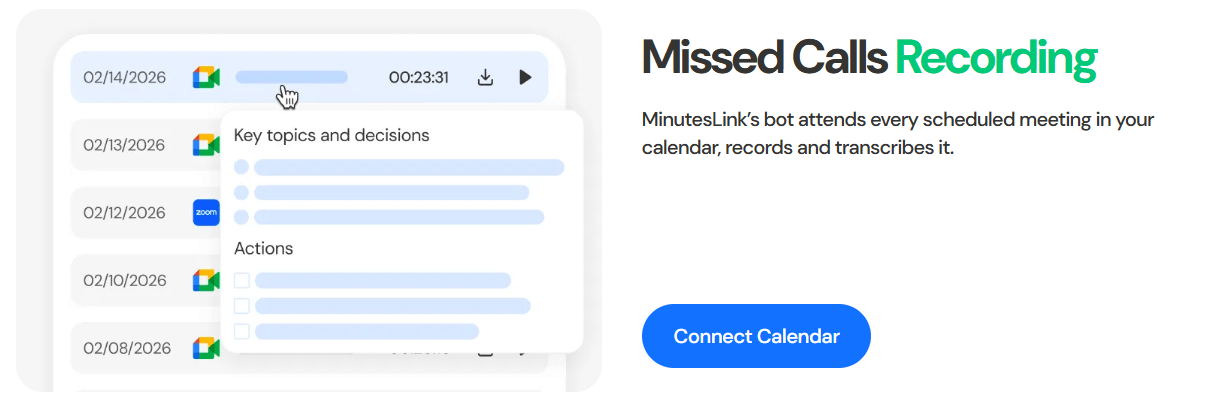
- Remote managers: MinutesLink is a strong fit for managers who want meeting summaries, action items, and follow-up clarity without manual note-taking.
- Sales calls: Sales teams can use it to capture customer conversations, follow-ups, objections, next steps, and recurring questions. The HubSpot integration angle also makes this more relevant for revenue workflows.
- HR and recruiting: HR teams can benefit from structured records, decisions, and action points, especially when interviews or employee conversations need clear documentation.
- Students and online learning: Students can use transcripts and summaries to revisit lectures, review missed calls, and organize class discussions more easily.
- Project teams: Teams can use the transcript, summary, and action item flow to preserve decisions and make recurring check-ins easier to follow.
- Busy professionals: Anyone who misses meetings, joins many calls, or needs fast catch-up notes can use MinutesLink as a searchable meeting memory layer.
- Start with recurring team calls before using MinutesLink for every meeting. Weekly syncs, sales calls, and project reviews make it easier to judge summary quality and action item accuracy.
- Review action items before sending or assigning them. AI-generated tasks are useful, but owners, deadlines, and wording should be checked.
- Use the meeting chat/search layer for catch-up. The strongest long-term value comes from asking questions across past meetings, not only reading one summary at a time.
- Check platform coverage before committing. MinutesLink is strongest for Zoom and Google Meet today, while Microsoft Teams support should be treated as upcoming unless confirmed in your account.
- Estimate call processings carefully. The plans are built around processed calls, so heavy meeting users should calculate expected monthly volume before choosing a tier.
- Set consent expectations. Any meeting recorder should be used with clear team norms, especially for client calls, HR conversations, and sensitive internal meetings.
- The first limitation is platform maturity. MinutesLink is most clearly built around Zoom and Google Meet, while Microsoft Teams support is described as coming soon. Teams that rely heavily on Teams should verify current availability before committing.
- The second limitation is call-processing economics. The plans are not framed as unlimited transcription for every meeting. Users need to understand monthly or annual AI-powered call processing limits.
- The third limitation is summary trust. Meeting summaries and action items are useful, but they can miss nuance, misidentify decisions, or assign unclear follow-ups. Important outputs should still be reviewed.
- The fourth limitation is privacy sensitivity. MinutesLink records meetings and processes potentially confidential conversations, so teams should review security, ownership, retention, workspace policies, and consent practices before using it broadly.
- The fifth limitation is category competition. MinutesLink competes with Otter.ai, Fireflies.ai, Fathom, tl;dv, Read AI, and other AI meeting assistants, so its value depends on whether its Zoom/Meet workflow, summaries, and meeting knowledge features fit your team better than more established tools.
MinutesLink is a practical AI meeting assistant for teams and individuals who want meetings turned into structured records instead of forgotten conversations.
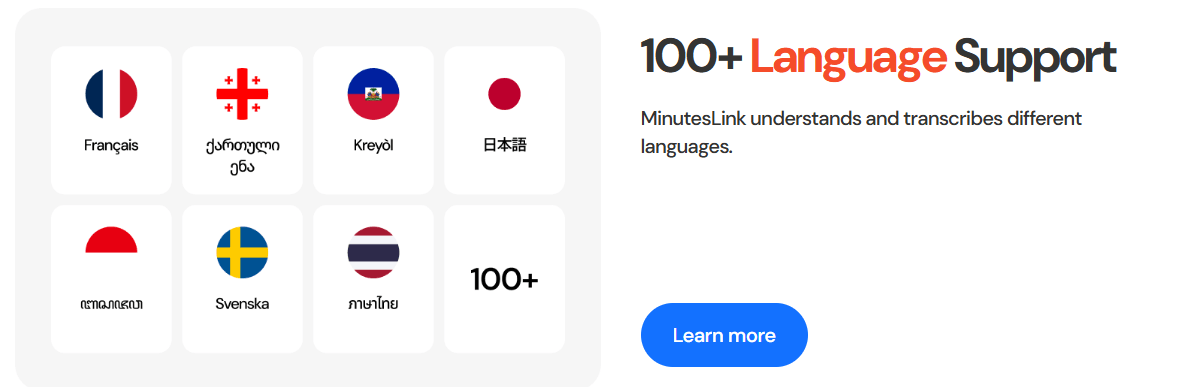
Its strongest qualities are Zoom and Google Meet recording, speaker-labeled transcripts, AI summaries, action items, missed-call catch-up, extension-style recording, multilingual transcription, and searchable meeting knowledge.
The main caveat is that it should be evaluated around meeting volume, platform coverage, and review discipline. It is most useful when teams run many Zoom or Google Meet calls and want summaries, decisions, action items, and searchable context without manually writing every recap.
TAGS: Speech to Text
Related Tools:
Capture, organize, and retrieve thoughts and discoveries

Transcribes audio and video content into accurate subtitles
Converts speech into text and organizes ideas
Captures, summarizes, and organizes your notes and recordings

Transforming audio and video recordings into polished, shareable content

Simplifies video captioning by automatically generating accurate subtitles