

Share this tool:
 |
Description:
BlipCut is an AI media localization platform built for creators, educators, marketers, podcasters, and businesses that want to turn existing video or audio into multilingual content. Its strongest product is the AI Video Translator, but the wider BlipCut suite also includes AI voice generation, text-to-speech, voice cloning, AI dubbing, subtitle generation, transcription, lip-sync, and clipping tools.
BlipCut is best understood as a video localization suite, not just a subtitle translator. The core workflow is simple: upload a video or audio file, choose a target language, let BlipCut transcribe and translate the speech, generate dubbed audio, optionally clone the speaker’s voice, sync mouth movement where lip-sync is used, then preview and edit the transcription or translation before downloading the finished output.
| Layer | What it does | Why it matters |
|---|---|---|
| Video translation | Transcribes and translates spoken video content. | Turns one source video into multilingual versions. |
| AI dubbing | Replaces the original speech with target-language audio. | Makes videos usable for audiences who prefer listening over subtitles. |
| Voice cloning | Preserves a speaker-like voice across languages. | Helps localized content feel connected to the original creator. |
| Lip-sync | Adjusts mouth movement to match translated speech. | Makes dubbed videos feel more natural on screen. |
| Subtitle tools | Generates, translates, edits, and exports subtitles. | Useful for accessibility, YouTube, social clips, and review workflows. |
| Batch localization | Supports translating multiple videos or language versions at once. | Helps creators and teams scale localization instead of processing one file at a time. |
That combination is the real reason to look at BlipCut. Many tools can translate subtitles. BlipCut is trying to handle the whole localization chain: transcript, translation, voice, dubbing, subtitles, and lip-sync inside one workflow.
Translates videos into 140+ languages with transcription, translated subtitles, AI dubbing, voice cloning, and lip-sync support.
BlipCut’s main site says it can clone voices in 29 languages, while its dedicated lip-sync page says voice cloning and lip-sync can work across 70 languages, so buyers should verify the exact feature-language match inside the current app.
The wider BlipCut suite includes 600+ AI voices across 40+ languages for voiceover and text-to-speech workflows.
Automatically generates and translates subtitles, with support for standard subtitle formats such as SRT and VTT.
BlipCut can sync dubbed speech with mouth movement so translated videos feel less like a detached voiceover.
BlipCut’s business page groups video/voice translation, subtitle generation, AI voiceover, and AI clipping as a broader workflow for multilingual content production.
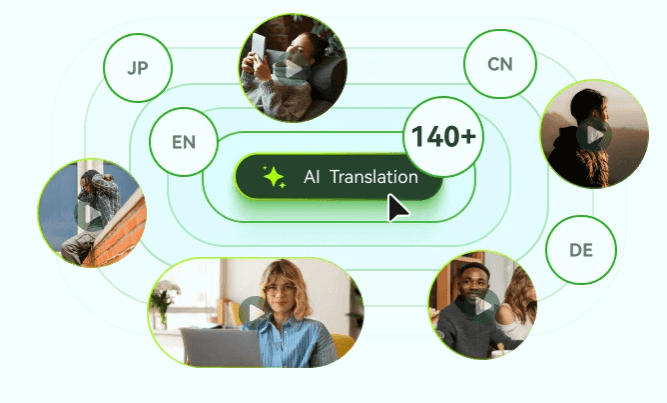
BlipCut is strongest when the goal is fast localization of existing content. A YouTube creator can turn one video into multiple language versions. A course creator can translate training material. A marketer can adapt product explainers for different regions. A podcaster can create translated audio or video versions without manually hiring separate translators, voice actors, subtitle editors, and video editors for every language.
The second major strength is how many pieces of the workflow are connected. BlipCut does not stop at transcription or subtitles. It combines translation, dubbing, voice cloning, subtitle editing, and lip-sync, which makes it more useful than a narrow captioning tool when the final output needs to feel watchable in another language.
The third strength is scale. BlipCut positions itself around batch translation and global content production, not just one-off video translation. This is important for teams with libraries of tutorials, interviews, training videos, webinars, social clips, podcasts, or product content that need to be localized repeatedly.
The main BlipCut workflow is approachable for non-editors. The public product page describes a browser-based process where users upload, translate, preview, edit transcription or translation, and download the result. The FAQ also says the video translator works online through browsers such as Chrome, Safari, and Edge across PC, phone, and tablet.
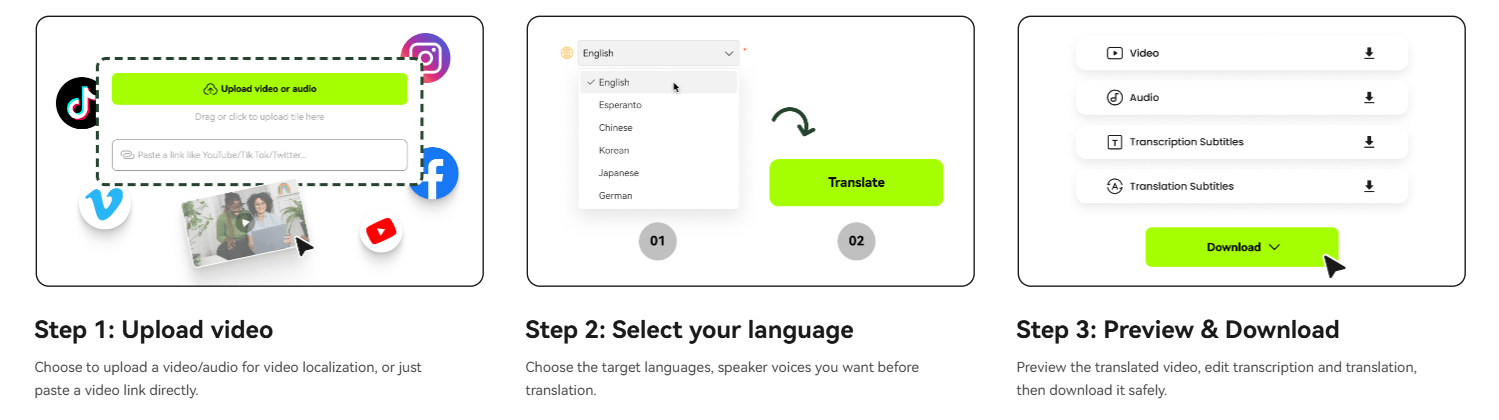
The editing step matters. AI translation is useful, but localization often needs correction. BlipCut lets users preview translated videos and edit transcription or translation before downloading. Its sales-focused page also says users can edit transcription or translation, use AI Rewrite to modify translation, adjust speech speed, and edit timestamps for better results.
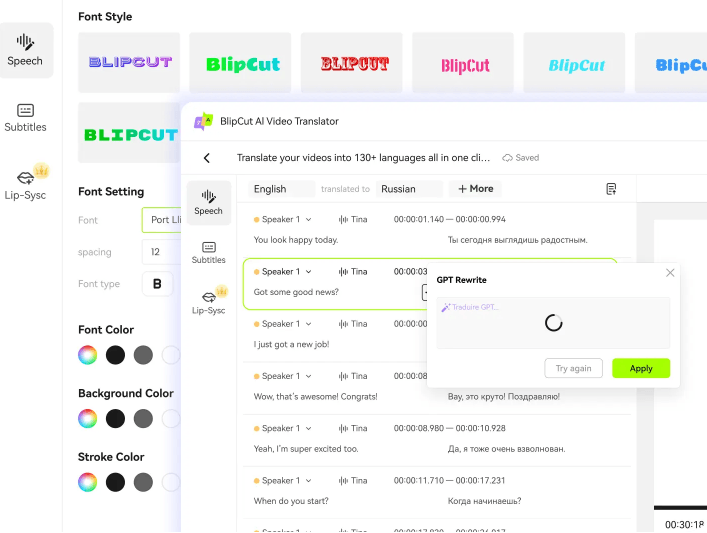
That makes BlipCut more practical than tools that give you one generated output and no correction loop. The strongest workflow is not “upload and blindly publish.” It is “upload, generate, review the transcript, refine the translation, check timing, then export.”
BlipCut’s output quality depends heavily on source quality. Clear speech, clean audio, minimal background noise, and a visible speaker will usually produce better transcription, translation, voice cloning, and lip-sync. This is true for almost every AI dubbing tool, but it matters even more when the workflow includes lip movement and cloned voices.
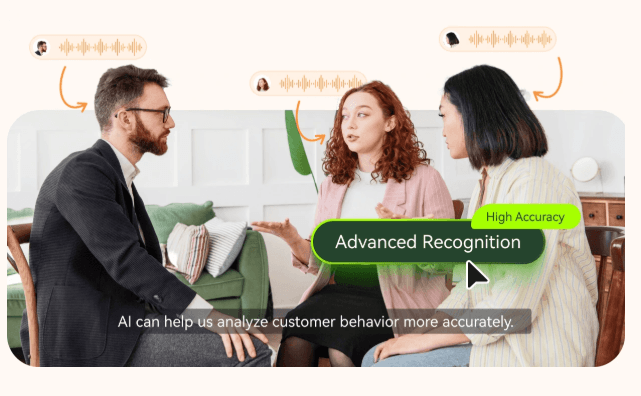
Voice cloning is one of BlipCut’s biggest selling points because it helps localized videos feel like they still belong to the original creator. The wider BlipCut site says the platform can generate voices with 600+ AI voices across 40+ languages and clone voices in 29 languages. The dedicated lip-sync page expands the claim around voice cloning and lip-sync into 70 languages, which is useful but also creates some public feature-count ambiguity.
The subtitle layer is also important for quality control. BlipCut supports subtitle generation, subtitle translation, editing, and export formats such as SRT and VTT. This gives teams a practical review surface before trusting the dubbed output. If names, product terms, technical phrases, or cultural references are wrong, the subtitle/transcript layer is usually the easiest place to catch them.
BlipCut’s public pages repeatedly emphasize broad language coverage. The video translator page says 140 languages are supported and lists examples including English, Chinese variants, Spanish, Portuguese, French, Russian, Italian, German, Japanese, Korean, Turkish, Hindi, Indonesian, Filipino, Polish, Dutch, Swedish, Catalan, Ukrainian, Malay, Norwegian, Finnish, Vietnamese, Thai, Slovak, Greek, Czech, Danish, Bulgarian, Galician, Hungarian, and Tamil.
The subtitle generator also supports multilingual subtitle creation and translation, while the subtitle translator page mentions standard subtitle formats such as SRT and VTT. The business page adds that transcription/subtitle outputs can be downloaded in formats such as SRT, VTT, DOCX, TXT, or PDF.
The practical takeaway is that BlipCut is strong for common global localization needs. The caveat is that language count does not always equal equal quality. Major languages with more training data will usually feel stronger than lower-resource languages, especially for idioms, technical language, emotional tone, and lip-sync timing.
- YouTube creators: BlipCut is a strong fit for creators who want to localize tutorials, commentary, interviews, reviews, educational videos, and Shorts into multiple languages.
- Podcasters and interview channels: The voice translator and dubbing workflow make it useful for turning audio or video podcasts into translated versions.
- Online educators and course creators: BlipCut is well suited to lectures, training videos, explainer modules, onboarding videos, and internal education content that needs multilingual access.
- Marketing and sales teams: Product demos, sales videos, campaign explainers, customer education clips, and social ads can be translated and dubbed for regional audiences.
- Subtitle-heavy workflows: Teams that mainly need captions, transcripts, translated subtitles, or SRT/VTT exports can use BlipCut even without relying heavily on dubbing.
- Small teams without localization staff: BlipCut is especially useful when a creator or company wants to test multilingual content without building a full localization pipeline.
- Start with clean source audio. If the original video has background noise, overlapping speakers, loud music, or low-quality recording, transcription and dubbing quality will usually suffer.
- Review the transcript before trusting the dub. BlipCut’s editing workflow is useful because translation errors are easier to fix before final export than after the video is already published.
- Use subtitles as a quality-control layer. Exported SRT or VTT files are useful for checking timing, terminology, and sentence meaning before uploading to YouTube, course platforms, or social channels.
- Use lip-sync selectively. It is powerful when a speaker’s face is central to the video, but it may be unnecessary for screen recordings, podcasts, slides, animated explainers, or videos where the speaker is not visible.
- Test short clips before processing large batches. A short sample helps you judge translation quality, voice feel, lip-sync behavior, subtitle timing, and export settings before committing a whole content library.
- Keep a human reviewer involved for serious content. Medical, legal, financial, educational, technical, or public brand content should still be reviewed by someone who understands the target language and context.
The first limitation is output variability. AI dubbing quality depends on source audio, speaker clarity, language pair, background sound, pacing, and how complex the original speech is. A clean talking-head video will usually work better than a noisy panel discussion or music-heavy clip.
The second trade-off is public feature-count inconsistency. BlipCut’s main site says voice cloning works in 29 languages, the video translator emphasizes 140+ language translation, and the lip-sync page says voice cloning and lip-sync can work in 70 languages. These claims can all be true for different feature layers, but users should verify the exact supported combinations for translation, voice cloning, and lip-sync before relying on a specific language workflow.
The third limitation is that AI translation is not the same as localization. BlipCut can translate and dub quickly, but humor, idioms, product claims, cultural references, and technical terminology may still need human adjustment.
The fourth trade-off is editing depth. BlipCut clearly supports previewing and editing transcription or translation, timestamps, speech speed, and subtitles, but it should not automatically be treated as a full professional dubbing studio with every possible timeline, speaker, pronunciation, review, and approval control. Teams with broadcast-level localization needs should test the workflow carefully.
The fifth limitation is privacy and consent. BlipCut’s privacy policy says personal information may be collected, processed, stored, shared with affiliates and third-party service providers, and used to provide product features. That is normal for cloud media tools, but users uploading sensitive videos or cloning voices should review policies and obtain proper consent before using voice or likeness in translated outputs.
BlipCut is best for creators, educators, marketers, podcasters, and businesses that need a practical way to localize video and audio content at scale.
Its strongest advantages are 140+ language video translation, AI dubbing, voice cloning, lip-sync, subtitle generation, transcript editing, subtitle export, and batch-oriented localization workflows.
The main caveat is that AI video localization still needs review: language quality, voice cloning, lip-sync, subtitles, and consent all matter before publishing serious multilingual content.
TAGS: Translation
Related Tools:

Translates text and media into over 130 languages

Translates text and speech between languages

Automates translations of React applications
Translates video speech into multiple languages

Combines AI and human expertise for multilingual content marketing
Writing assistant that improves text clarity and translations