

Share this tool:
 |
Description:
Zeemo AI started as an AI captioning and subtitle tool, but the current product is broader: it now combines auto-captions, bilingual subtitles, video translation, caption templates, short-form editing utilities, AI text-to-video, AI story/video generation, and an AI film maker workflow for character-based narrative videos. The result is a creator-focused platform that sits somewhere between subtitle generator, social video editor, and lightweight AI video maker.
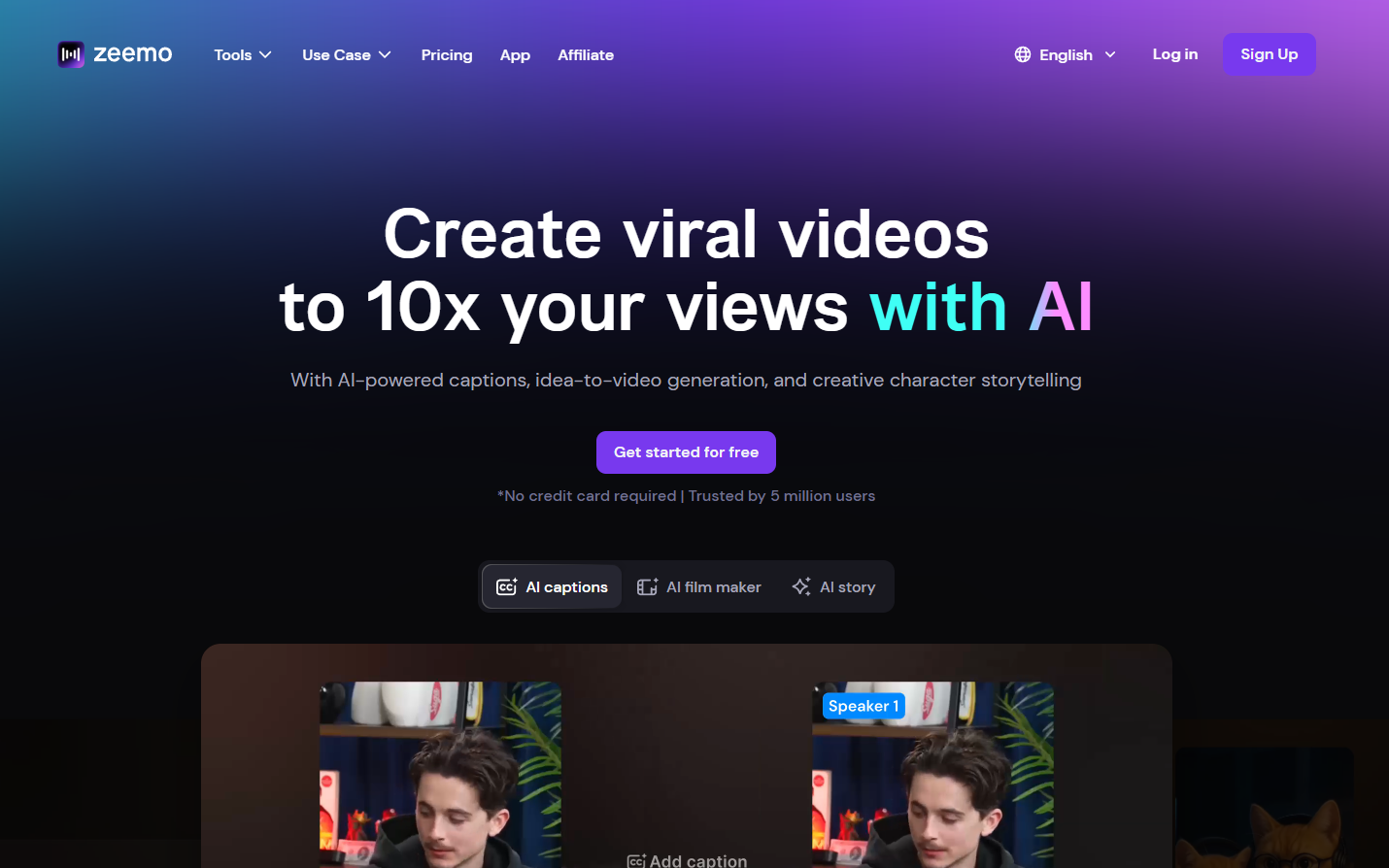
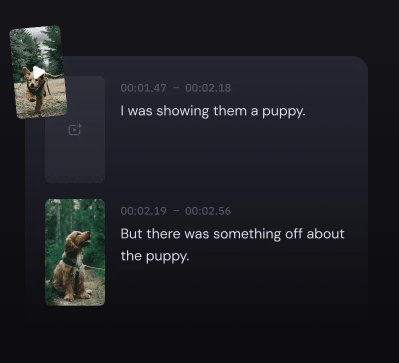
Generates captions from uploaded videos or video links, with editable text, timing, style, fonts, highlights, and colors.
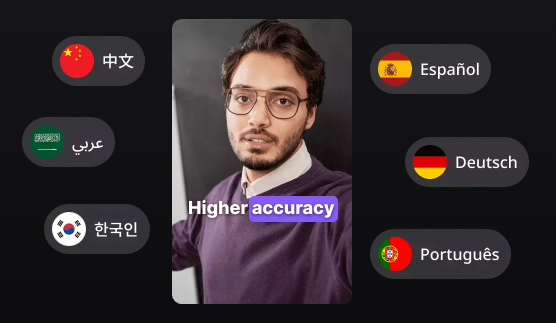
Creates source-language captions and translates them for multilingual reach, with Zeemo listing caption support in 95 languages and translation in 124+ languages.
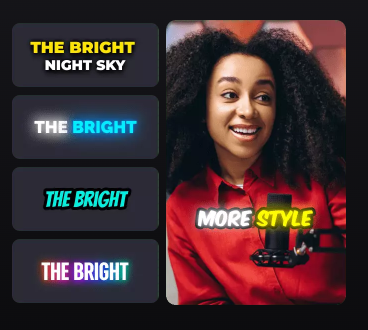
Offers 500+ pre-made caption templates, dynamic caption styles, custom fonts, highlight effects, and visual caption customization.
Turns ideas into scripts and videos, with options to preview results, regenerate weak segments, and add music, subtitles, emojis, and visual effects.
Creates story-based videos with consistent characters, storyboard generation, animation, prompt-based adjustments, music, and sound effects.
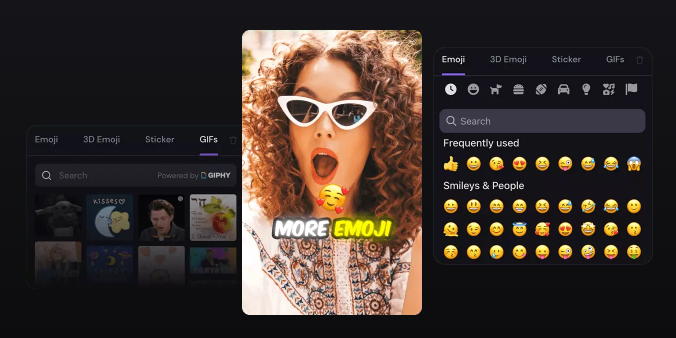
Includes tools for resizing, trimming, cropping, reversing, adding emojis, adding stickers, adding GIFs, extracting captions, converting formats, and preparing content for social channels.
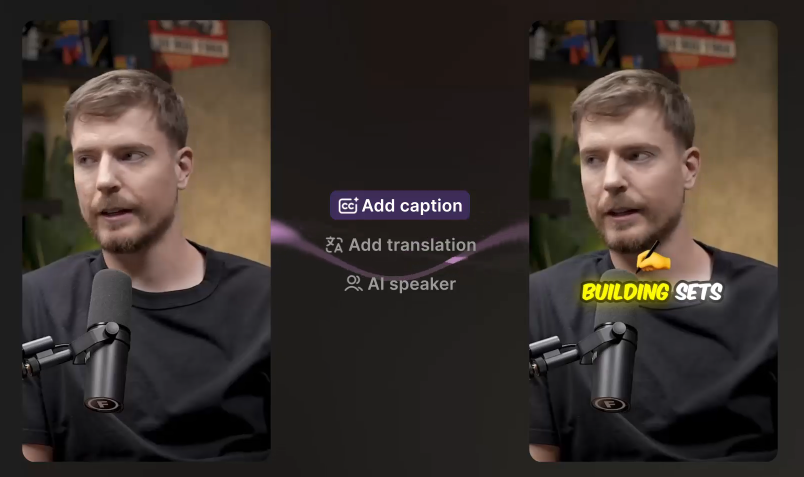
At its core, Zeemo AI is still strongest as a captioning platform. You upload a video from your computer or phone, or paste a video link, then Zeemo generates captions that you can edit, style, translate, and export. The AI Caption Generator page says users can customize text, styles, fonts, highlights, colors, and more after generation, which is exactly the kind of control creators need before publishing to TikTok, Instagram Reels, YouTube Shorts, or LinkedIn.
The second layer is localization. Zeemo supports captions in 95 languages and translation in 124+ languages on its pricing page, while its video translator page frames the workflow around generating captions in the source language first, then translating those captions into target languages. That makes Zeemo more of a subtitle-based translation tool than a full dubbing or voice-cloning localization platform.
The third layer is AI video creation. Zeemo’s current homepage promotes AI-powered captions, idea-to-video generation, and creative character storytelling, while its AI Video Generator and AI Text-to-Video pages describe turning ideas or text into scripts, videos, subtitles, music, emojis, b-roll, and other enhancements.
That broader product direction matters. Zeemo is no longer just “upload video, get captions.” It is trying to become a fast social video production tool where captions, templates, subtitles, light editing, and AI-generated clips all live in the same workflow.
Zeemo is strongest when the goal is to make short-form video easier to publish. Its captioning layer is built around speed, templates, visual styling, and export flexibility rather than heavy post-production. The AI caption tool highlights 500+ pre-made templates, caption customization, SRT downloads, and support for common import and export formats including MP4, SRT, Final Cut, TXT, and ASS.
The platform is also useful for bilingual and translated subtitles. Zeemo’s video translator page says the tool first analyzes the video audio, generates original-language captions, then lets users translate and customize subtitles, including font style, size, color, positioning, and template choices. That is a practical workflow for creators who want international reach without producing dubbed versions.
The newer AI video tools are more experimental but still relevant. Zeemo can turn text into scripts, generate video from those scripts, and let users regenerate unsatisfactory segments. For faceless channels, storytelling clips, explainers, and social video experiments, that adds another layer beyond captioning.
Zeemo’s caption workflow is simple. Upload a video, let the AI generate subtitles, customize the result, then export the video or subtitle file. That is the right flow for creators who do not want to open a full video editor just to caption a reel or clip.
The editing layer is the important part. Zeemo lets users modify generated captions, adjust caption length and timing, and apply visual styles after the first pass. That matters because auto-captions are rarely perfect, especially with noisy audio, fast speech, slang, names, or mixed-language content.
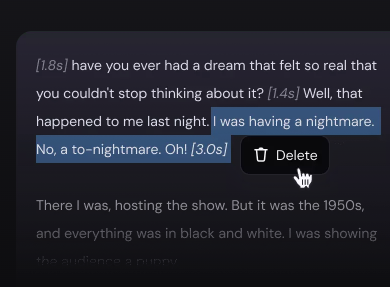
The video translation workflow is also clear. Zeemo generates captions in the original language, translates them into selected target languages, then lets users review and adjust the translated subtitles before export. This is better than treating translation as a one-click final output because subtitles often need tightening for readability, timing, and tone.
The AI video creation workflow has more moving parts. For the AI Video Generator, users enter an idea, review the generated script, preview the AI-generated video, regenerate weak sections, and then edit or export. For AI Text-to-Video, Zeemo follows a similar path: input text, review script, preview generated video, then enhance with subtitles, music, emojis, and other edits.
Zeemo’s public pages repeatedly position the caption engine around speed and accuracy, including a 98% accuracy claim on its AI Caption Generator and Video Translator pages. As with any AI transcription tool, that should be treated as a best-case marketing claim rather than a guarantee for every recording. Clean single-speaker audio, voiceover content, tutorials, and studio-style clips will usually be easier than noisy interviews, overlapping speakers, music-heavy footage, or strong accents.
Where Zeemo is more convincing is in the visual layer. Many subtitle tools can generate an SRT file. Zeemo’s advantage is that it gives creators templates, dynamic styles, custom fonts, highlights, color control, and positioning tools that make captions feel native to short-form content. That is useful because captions on TikTok, Shorts, and Reels are not just accessibility text. They are part of the video’s pacing, hook, retention, and visual identity.
The export side is also practical. Zeemo says it supports importing common video/audio formats such as MP4, MOV, 3GP, MP3, WAV, M4A, and AVI, and exporting in MP4, SRT, Final Cut, TXT, and ASS. That means it can serve both casual creators who want a finished video and editors who need subtitle files for another workflow.
Zeemo’s newer AI video tools make the product more ambitious. The AI Video Generator is designed to take an idea, analyze it, create a script, generate a video, and enhance it with subtitles, music, emojis, and effects. The Text-to-Video tool follows the same general path but starts from text rather than a raw idea.
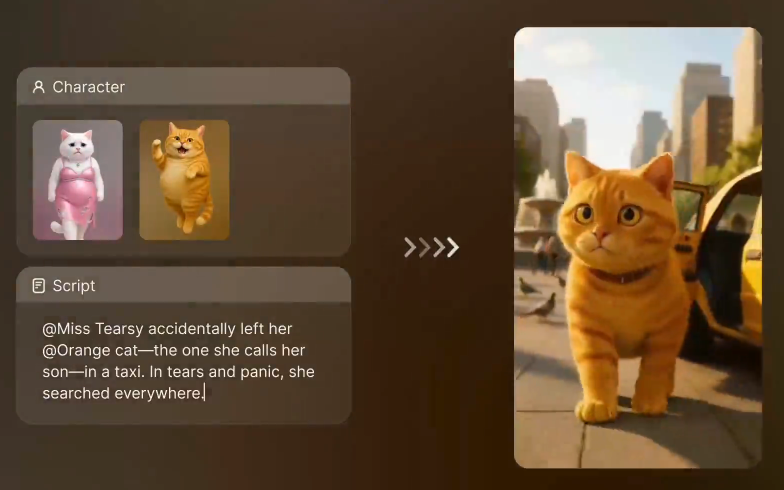
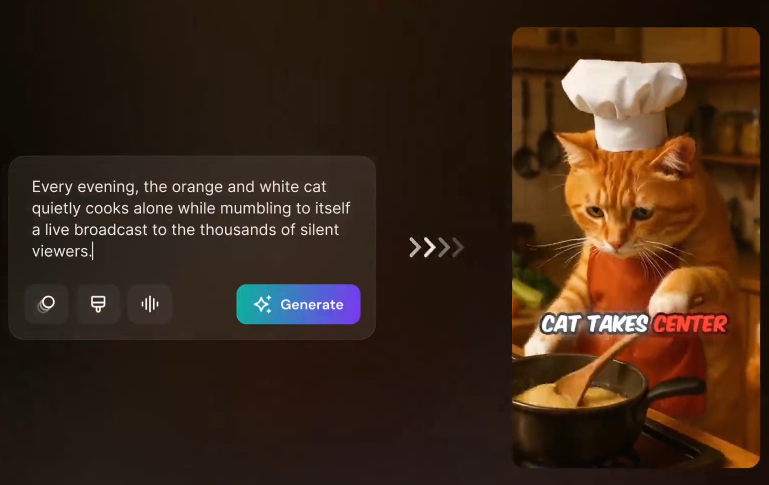
The AI Film Maker is the most distinct of the newer tools. It focuses on story-based videos with consistent characters, script generation, storyboard images, animation, prompt-based adjustment, music, and sound effects. Zeemo also says users can paste a link, reuse the story logic of a trending video, swap characters, and quickly create a short film for publishing.
Zeemo also includes lighter social effects and visual add-ons, including emojis, stickers, GIF-style assets, and creative overlays that make the platform feel more like a social video editor than a plain subtitle tool.
This is useful for creators who want fast narrative content, faceless channels, short fictional clips, motivational videos, simple explainers, and social-first storytelling. It is less likely to replace a real video editor or a high-end generative video stack for polished campaigns. The strength is speed and convenience; the trade-off is creative precision.
- Short-form content creators: Zeemo is a strong fit for TikTok, Reels, Shorts, and vertical content because it focuses on captions, templates, emojis, stickers, GIFs, resizing, and fast export.
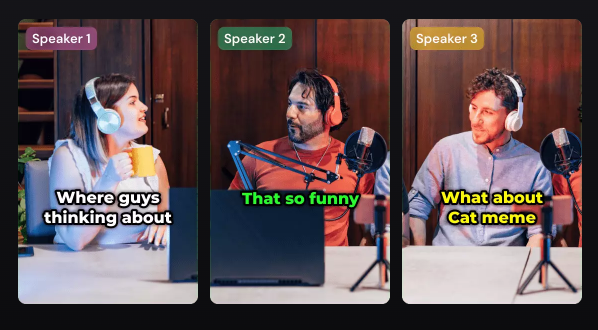
- YouTube and podcast clipping workflows: Creators can transcribe clips, add styled captions, translate subtitles, and export files or captioned videos for distribution.
- Educators and course creators: Lecture clips, tutorials, webinars, and lesson videos can benefit from captions and translated subtitles, especially when the goal is accessibility and wider language reach.
- Social media managers: The ability to manage social accounts on paid plans, schedule posts on higher tiers, batch upload on Business, and prepare multiple formats makes Zeemo more useful for recurring social production than one-off captioning.
- Faceless video creators: The AI Text-to-Video, AI Video Generator, and AI Film Maker tools are useful for fast story-driven clips, list videos, motivational content, fictional shorts, and experimental social formats.
- Start with the caption tool before using the AI video generator. Zeemo’s strongest and clearest product value is still captioning, translation, and styling, so that is the best way to test whether the platform fits your workflow.
- Always review the transcript before translation. Zeemo’s video translator depends on source-language captions as the foundation for translation, so any original transcript mistake can carry into every translated subtitle track.
- Use templates carefully. Dynamic caption templates can make videos feel more native to social platforms, but over-styled captions can distract from educational, corporate, or serious content. Zeemo gives you visual control, but the best style still depends on the audience.
- Choose Expert rather than Pro if long videos matter. The pricing page shows Pro with a 3-minute / 500 MB video limit, while Expert and Business support 5-hour / 5 GB caption videos and 4K export.
- Treat AI Film Maker as a fast ideation tool, not a final studio. It is useful for quick story videos, consistent character experiments, and social-first concepts, but polished brand films will still need review, editing, and creative direction.
- The first limitation is that Zeemo is not a full professional localization suite. It supports subtitle translation and bilingual subtitles, but it does not present itself as a deep dubbing platform with voice cloning, lip-sync, human translation review, glossary enforcement, or enterprise localization QA in the same way tools like Rask, Dubverse, or Checksub do. Based on Zeemo’s own pages, its localization strength is primarily captions and translated subtitles.
- The second trade-off is plan limits. Free and Pro are useful, but Free is heavily limited, and Pro’s listed video length / size limit is much smaller than Expert and Business. Users working with long podcasts, webinars, lectures, or course modules should look closely at the Expert or Business tiers.
- The third limitation is feature maturity. Zeemo’s pricing page marks some items as “Coming soon,” including Pro voices, Brand Kit, and API access. That means buyers should not assume every listed future workflow is already available.
- The fourth limitation is that Zeemo’s AI video generation is convenience-first. It can turn ideas or text into scripts and videos, and the AI Film Maker can generate storyboards and animate them, but users who need exact camera control, scene continuity, premium realism, or brand-perfect output may need more specialized AI video tools.
- One more thing to note is data and terms. Zeemo’s terms say the service may collect and analyze usage-related data and use machine learning to improve algorithms while processing user content and usage data. Teams working with sensitive, confidential, or client-owned media should review those terms before uploading private material.
Zeemo AI is a practical tool for creators who want fast captions, stylish subtitles, subtitle translation, and social-ready video exports without spending hours in a full editing suite. Its strongest layer is still captioning: 95-language caption support, 124+ translation support, SRT/ASS/transcript exports, dynamic caption templates, custom styling, and creator-friendly editing.
The newer AI video and AI Film Maker features make Zeemo more interesting, especially for faceless creators and social storytellers, but they should be viewed as fast content-generation tools rather than high-control production systems.
For short-form creators, educators, social media managers, and teams that mainly need captions plus lightweight video creation, Zeemo is a useful and affordable option. For professional dubbing, lip-sync, translation QA, or enterprise localization, a deeper localization platform will still be the better fit.
TAGS: Translation Speech to Text
Related Tools:
AI-driven translation across multiple languages
Translates voice and video calls

Streamlines the translation and management of multilingual content
Translates video speech into multiple languages
AI-powered mobile keyboard app that enhances typing efficiency

Generates and translates subtitles for videos