
Share this tool:
 |
Description:
DeepL Translate is one of the strongest AI translation tools for people who need fast, natural multilingual output without building a localization workflow from scratch. It handles everyday text translation, document translation, DeepL Write editing, glossaries, tone controls, desktop and browser workflows, enterprise security, and API access. The real value is not just that it translates words. It helps individuals, teams, and businesses turn language work into a repeatable, controlled workflow.
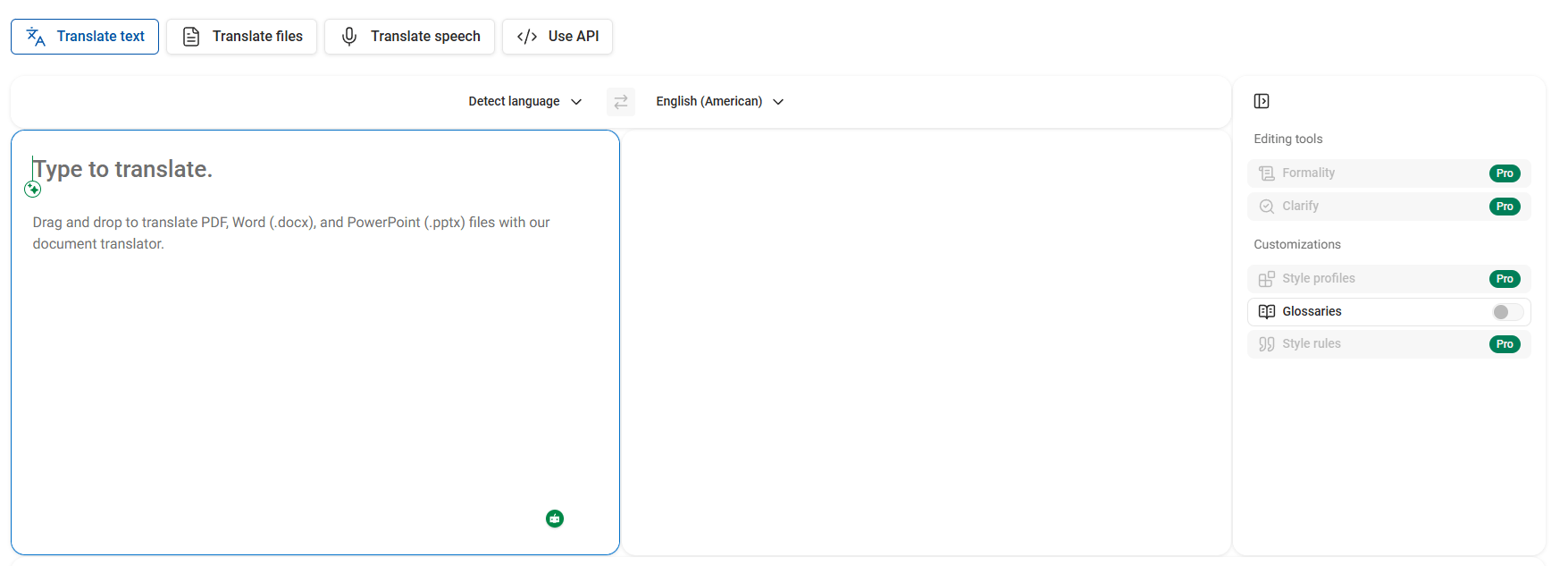
DeepL Translate is best understood as a language AI platform with several connected layers.
| Layer | What it does | Why it matters |
|---|---|---|
| Text translation | Translates typed or pasted text across 100+ languages. | Best for everyday messages, research, support replies, and quick comprehension. |
| Document translation | Translates files such as PDFs, Word documents, PowerPoint files, Excel spreadsheets, HTML, SRT, TXT, and more while preserving layout. | Useful when translation work involves real business files, not just short snippets. |
| DeepL Write | Improves grammar, punctuation, tone, style, fluency, and wording. | Helps polish writing after translation or improve original writing before translation. |
| Glossary and customization | Controls terminology, phrases, tone, style rules, and consistency. | Important for brands, legal teams, product teams, and technical translators. |
| Apps and integrations | Works through web, desktop, mobile, browser extensions, Microsoft Word, PowerPoint, Outlook, Google Workspace, and more. | Reduces copy-paste friction in daily work. |
| API and enterprise layer | Adds translation, writing improvement, voice, file translation, security controls, usage limits, and admin management. | Useful for developers and companies building language workflows into products or internal systems. |
That layered structure is why DeepL is more than a simple online translator. You can use it casually in a browser, but the deeper product is clearly built for recurring professional translation, document workflows, and business communication.
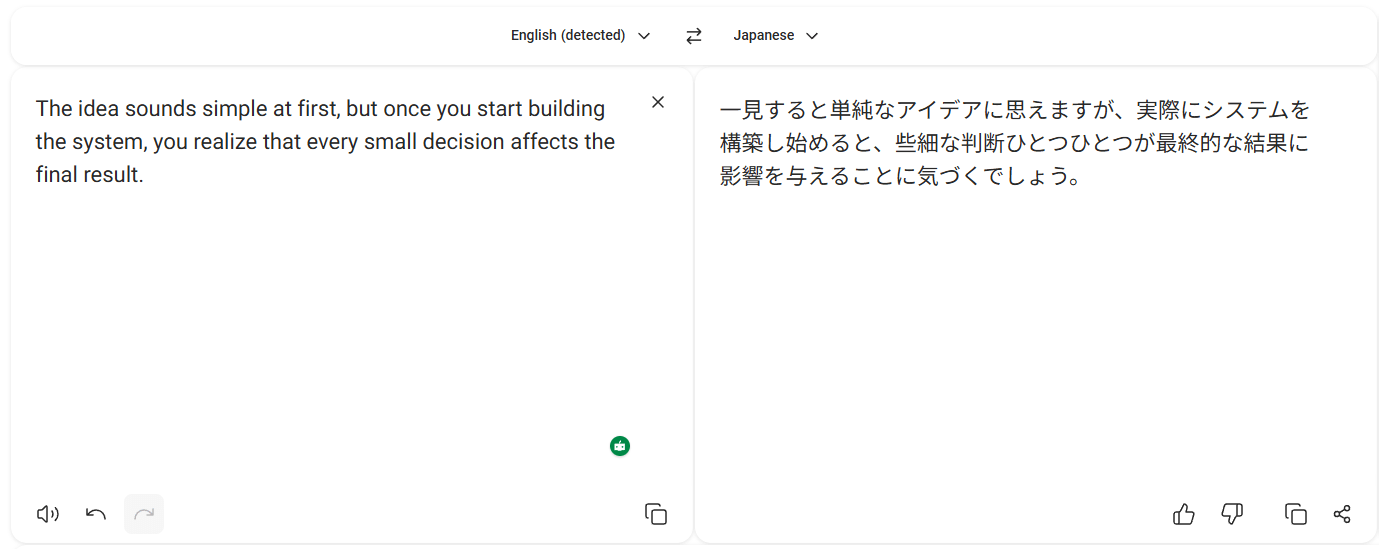
DeepL translates typed or pasted text across 100+ languages, with automatic language detection and common language variants such as English American and English British.
It translates major file types including PDFs, Word documents, PowerPoint slides, Excel spreadsheets, HTML, SRT, TXT, and more while preserving formatting and layout.
DeepL glossaries help keep product names, technical terminology, brand phrases, and company-specific wording consistent across translations.
The writing assistant improves spelling, grammar, punctuation, fluency, tone, style, word choice, and sentence phrasing.
DeepL API supports translation, writing improvement, file translation, and newer voice-related workflows for developers and technical teams.
DeepL highlights GDPR alignment, SOC 2 Type II certification, penetration testing, BYOK support, SSO, MFA, audit logs, and role-based permissions for business use.
DeepL is strongest when translation quality and natural phrasing matter. It is especially useful for emails, customer support replies, research material, internal documentation, legal-adjacent drafts, product copy, marketing text, academic communication, and business documents. The tool is fast enough for casual use, but its stronger value appears when teams need translations that sound less mechanical and more like usable human communication.
The second major strength is document translation. Many translation tools work well with short text but become awkward when the real task is a formatted PDF, slide deck, spreadsheet, subtitle file, or Word document. DeepL’s document translation page emphasizes layout preservation, bulk uploads, OneDrive import, scanned and digital PDFs, and translation into multiple languages at scale. That makes it much more practical for business workflows than a text box alone.
The third strength is terminology control. Glossaries are one of the most important features for professional use because the “right” translation is often not just linguistically correct. It must use the approved product term, legal phrase, industry wording, or brand vocabulary. DeepL says its glossary feature adapts terminology grammatically and contextually rather than working like a simple find-and-replace system.
The fourth strength is workflow coverage. DeepL is available through the web translator, desktop apps, mobile apps, browser extensions, Microsoft Outlook, Word, PowerPoint, Google Workspace, Firefox, Edge, Chrome, and API integrations. That means the tool can sit closer to where people already write and translate, which reduces manual copying between tabs and documents.
DeepL’s core advantage is the feeling of the output. The translations often read more naturally than raw literal machine translation, especially in everyday business writing, European language pairs, and polished professional text. That does not mean every translation is final, but it does mean DeepL is often a strong first pass for people who care about tone and readability.
Control matters just as much as raw output quality. DeepL gives users multiple ways to steer results: glossaries, formal/informal tone where supported, alternatives, writing style choices through DeepL Write, and enterprise customization features such as style rules and translation memory in the broader Customization Hub. DeepL’s document translation page specifically mentions glossaries, translation memory, and style rules as ways to keep translated files consistent, compliant, and on-brand.
This is the difference between casual translation and operational translation. A student may only need to understand an article. A company needs “contract,” “subscription,” “refund,” “patient,” “claim,” or “tenant” translated the same way across documents, support replies, and product interfaces. DeepL is strongest when that consistency layer is used deliberately.
DeepL Write also helps close the loop. If the translation is accurate but stiff, Write can improve tone, grammar, punctuation, fluency, and wording. DeepL describes Write as an AI-powered writing companion that can suggest alternatives, rephrase sentences, and adjust style or tone for the audience.
- Business communication: DeepL is excellent for emails, customer support replies, internal updates, partner communication, and cross-border team collaboration.
- Document-heavy teams: Legal, finance, HR, operations, education, and marketing teams can save time translating PDFs, Word files, PowerPoint decks, Excel files, subtitles, HTML, and TXT files while preserving formatting.
- Professional translators and localization teams: Glossaries, terminology consistency, file translation, CAT-tool/API workflows, and customization controls make DeepL useful as part of a professional translation process.
- Marketing and brand teams: Glossaries, tone controls, DeepL Write, and style rules help keep messaging more consistent across markets.
- Developers and product teams: The API is useful for websites, apps, internal tools, e-commerce platforms, customer support systems, and multilingual product workflows.
- Students and researchers: The free translator is still very useful for understanding articles, messages, and references quickly, though important academic or professional work should still be checked carefully.
- Set up glossaries before translating important business material. DeepL’s glossary system is one of the best ways to keep terminology consistent across departments, markets, and document types.
- Use document translation for first-pass formatted files, but review important outputs manually. Layout preservation saves time, but legal, medical, financial, or technical documents still need human review.
- Use DeepL Write after translation when tone matters. Translation can get the meaning across, but Write can help refine grammar, punctuation, style, and word choice for a more natural final result.
- Do not buy a Translator plan expecting API access. DeepL’s support docs are clear that Translator plans and API plans are separate.
- Check feature support by language pair. DeepL’s help center notes that glossary, formal/informal tone, and alternatives are not supported for every language in the same way.
- For API work, use cost controls early. DeepL’s API docs describe monthly maximum cost controls and API key-based usage limits, which are important for avoiding surprise usage spikes.
- The first limitation is language and feature unevenness. DeepL supports 100+ languages, but not every feature is available for every language or language pair. The help center specifically notes limits around glossary, formal/informal tone, and alternatives support.
- The second trade-off is that DeepL is not a full translation management system by itself. It is strong for translation, document handling, writing improvement, and API workflows, but large localization operations may still need project management, review queues, human translator assignment, versioning, QA checks, translation memory strategy, and approval workflows outside DeepL.
- The third limitation is plan complexity. DeepL has Translator, Write, Voice, API, Enterprise, and older plan references in support articles. The support center itself warns that some plan offerings changed and that older plans may still be referenced. Buyers should use the live pricing page as the source of truth before subscribing.
- The fourth trade-off is that high-quality machine translation is still not perfect. DeepL can produce fluent text, but fluent does not always mean correct. It can miss nuance, mistranslate specialized terms without a glossary, or sound too polished while hiding an error. That is especially risky in contracts, medical content, compliance documents, and high-stakes customer communication.
- The fifth limitation is that document translation still has file and plan limits. DeepL’s support docs show different file-size and character limits depending on account and subscription type, and some formats are not available on all account levels.
DeepL Translate is one of the strongest AI translation tools for people and teams that need natural multilingual communication, fast document translation, terminology control, writing polish, and secure business workflows.
It is best for professionals, companies, translators, marketers, support teams, and developers who need translation to become part of daily work rather than a one-off text box.
The main caveat is that DeepL works best when users understand the plan split, set up glossaries and controls, and still review high-stakes translations carefully.
TAGS: Translation
Related Tools:

Enhances communication by providing multilingual support
Generates and translates accurate subtitles
Translates, dubs, and add subtitles to videos
Transcribes and translates audio into text
Provides natural-sounding dubbing and translation
AI-powered mobile keyboard app that enhances typing efficiency