
Share this tool:
 |
Description:
Aqua Voice is not just another speech-to-text app. Its current product story is closer to “AI dictation that understands where your text is going.” The official guide describes it as dictation that works in any text box and adapts output to the destination, while the homepage positions it around faster writing across code editors, Slack, email, documents, and general text input. That makes Aqua feel less like a passive transcriber and more like a writing layer that sits on top of your normal apps.
Aqua is designed to work in any text box, including email, docs, code editors, terminals, messaging apps, and spreadsheets.
Pro plans include the Avalon model, and Aqua also offers a separate Avalon API for streaming and batch transcription.
You can define tone, formatting rules, region-specific spelling, and structural preferences, with Aqua recommending examples for better reliability.
Dictionary helps with names, acronyms, and domain-specific words, while Replacements expand repeated phrases into longer text like prompts, links, or email boilerplate.
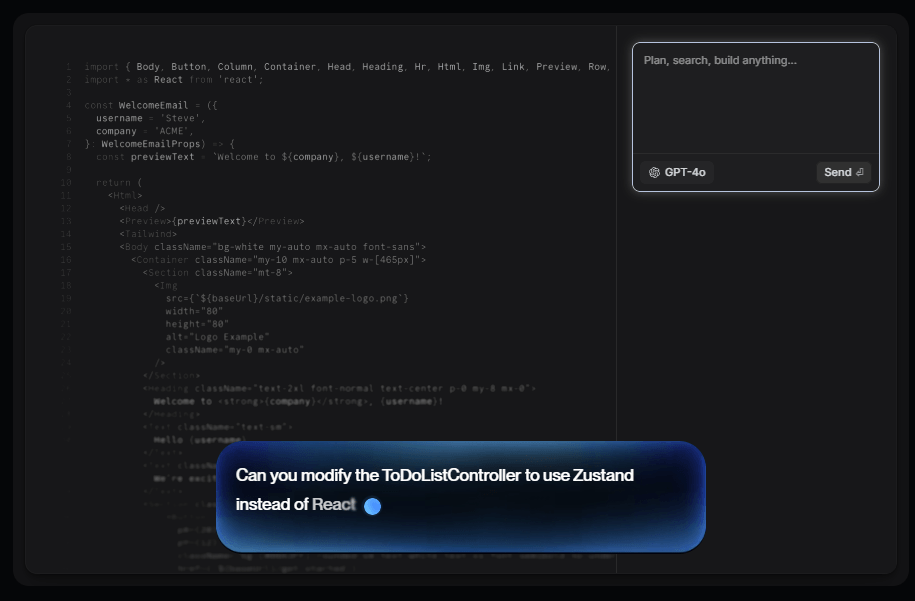
In Cursor and Windsurf, Aqua can turn spoken file references into formatted tags such as @main.ts.
Aqua says transcript history is not stored on its servers, keeps local session history on device, and offers team-wide privacy controls on the Team plan.
The easiest way to understand Aqua is as a voice-first input system with three layers. The first layer is everyday dictation into almost any text field. The second is AI shaping: grammar cleanup, formatting, tone adjustments, and app-aware normalization. The third is control: custom instructions, dictionary entries, replacements, history, file tagging in supported editors, and model choice on paid plans. Aqua’s own guide and feature pages consistently frame the product this way, even if the homepage presents it more as a broad productivity tool.
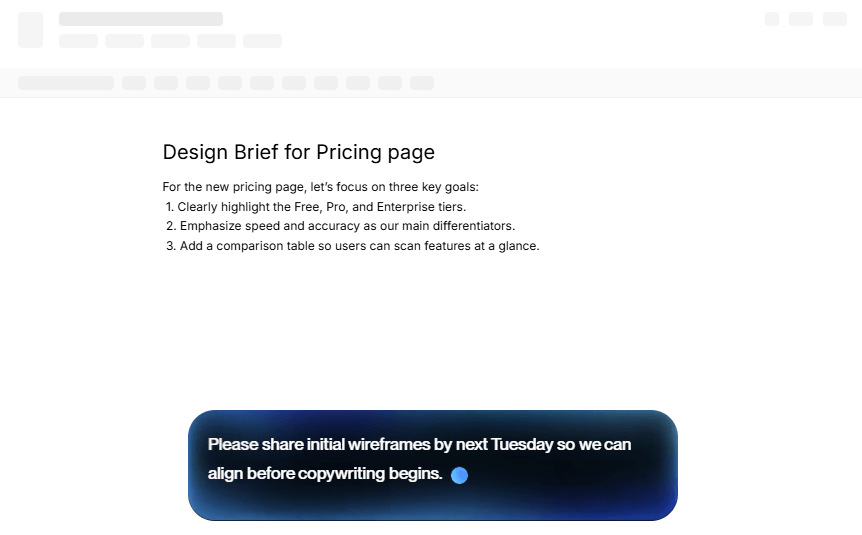
That layered design is the real reason Aqua is interesting. Plenty of tools can transcribe audio reasonably well. Fewer tools try to solve the bigger workflow problem: getting dictated text to come out in the right tone, casing, spacing, structure, and app-specific format without constant cleanup. Aqua’s homepage leans heavily into this with examples for Slack, email, documents, and coding, and the guide explicitly says it adapts output to where your cursor is.
Aqua is also broader than it first looks. The current public product includes desktop apps, an iOS app launched on April 8, 2026, and a separate Avalon API for developers who want Aqua’s speech model in their own products. That does not mean every buyer needs every layer, but it does mean Aqua is no longer just a small dictation utility. It is turning into a voice-input platform.
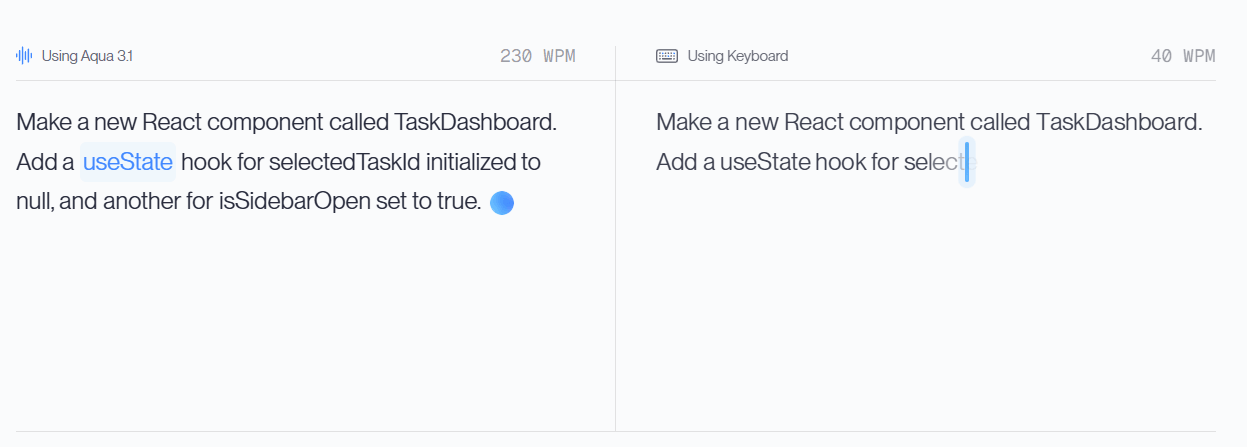
Aqua looks strongest when speed matters, but raw speech recognition is not enough. Its homepage claims “5x faster than typing,” shows 230 WPM versus 40 WPM, and repeatedly emphasizes faster writing across work messages, documents, and coding workflows. Marketing numbers always deserve caution, but the more believable part of the pitch is not the exact multiplier. It is the product philosophy: speak naturally, let the system clean up structure and phrasing, and keep moving.
Its second major strength is technical dictation. Aqua has put unusual emphasis on coding terms, AI jargon, model names, CLI commands, and product names. The Avalon guide says the model is built for coding terms, AI jargon, company names, and noisy environments, while the Avalon API page pushes hard on technical-speech accuracy and OpenAI-compatible integration. That makes Aqua more compelling for developers than a generic dictation tool that only performs well on ordinary prose.
Its third strength is medium-aware writing. Aqua does not just promise transcription. It promises text that lands differently in Slack, email, docs, and casual messaging. The homepage examples and changelog support that: there is specific handling for Slack-style messaging, lowercase casual messages, better text normalization in apps like Notion and Microsoft Teams, and the ability to tune output with custom instructions. That is one of the clearest reasons to use Aqua over built-in operating-system dictation.
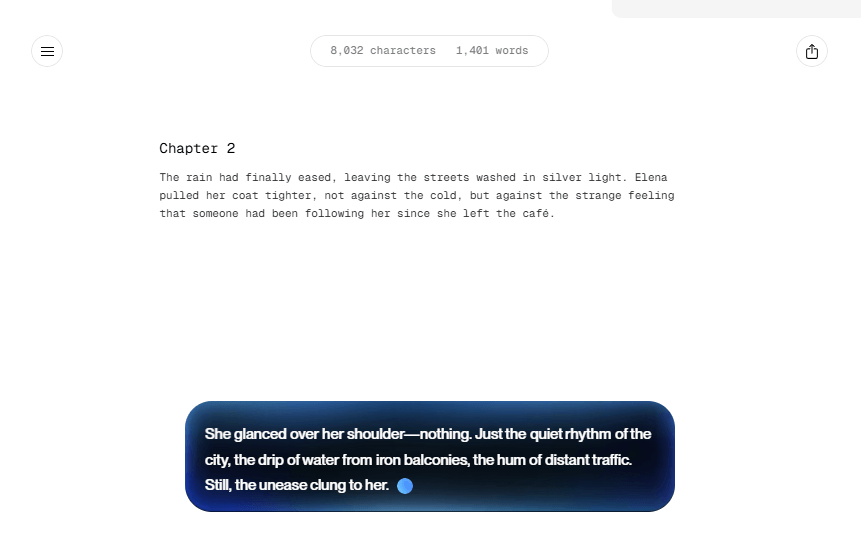
At the basic level, Aqua’s workflow is easy to understand. Put your cursor in a text field, hold the activation key or use the mic, speak naturally, and let Aqua commit cleaned-up text when you finish. The Avalon guide makes this very explicit, and the product seems built around minimizing setup friction rather than forcing users into a separate editor or note-taking environment first.
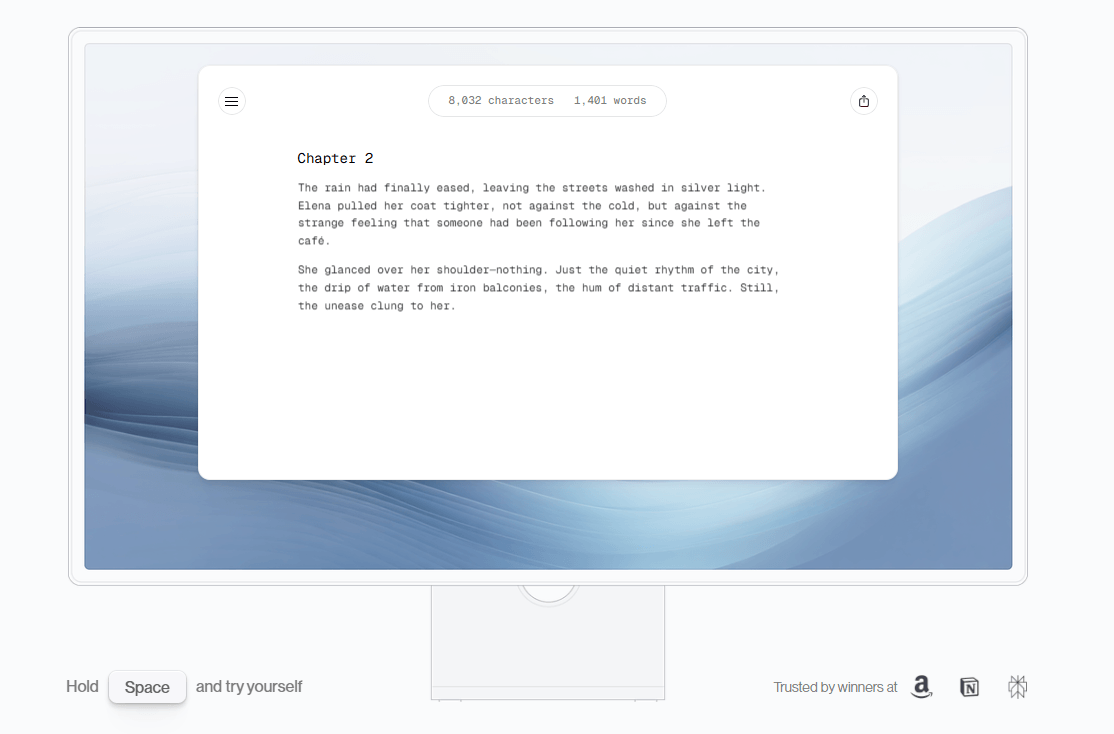
The more interesting part is what happens after the first pass. Aqua offers streaming mode for real-time refinement, history for replay and reruns, undo access to the base transcript, custom instructions for tone and format, and replacements for repeated phrases. In other words, it tries to reduce both kinds of voice-input pain: transcription mistakes and post-dictation cleanup. That is a better workflow than the classic “dictate, paste, fix everything manually” loop.
The iOS app pushes this further in an interesting way. Aqua’s April 2026 iOS launch adds Voice Edit Mode, which lets you edit your last transcript or current selection by voice using commands like removing filler words, changing case, translating text, or reformatting numbers and paragraphs. That is a stronger mobile story than simple dictation because it treats editing as part of the voice workflow rather than an afterthought.
There is also a real cross-device angle now. Aqua says custom dictionary, custom instructions, replacements, and profile settings sync between desktop and iPhone, and the changelog says dictionary, custom instructions, language, and streaming mode sync across devices. That makes the system more cohesive than a one-device dictation app, especially for people switching between desk work and phone-based capture.
This is where Aqua’s product story gets strongest. The company clearly believes that dictation quality is not just word accuracy. It is also whether the output is shaped correctly for the destination. That is why so much of the product is built around text normalization, custom instructions, casual messaging rules, replacements, and file tagging rather than just ASR benchmarks. In practice, that makes Aqua feel like an “input plus cleanup” tool, not merely an engine that converts audio to text.
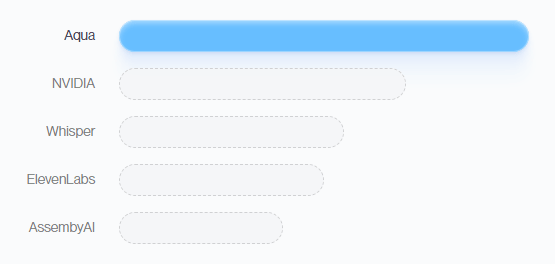
On raw model quality, Aqua’s own materials are ambitious. The Avalon API page says Avalon gets 97.3% accuracy on Aqua’s AISpeak benchmark for developer language, beats Whisper Large v3 and ElevenLabs Scribe on several benchmark slices, and is available through OpenAI-compatible endpoints. The iOS launch post says Avalon 1.5 improves over Avalon 1, reaches a 5.55 WER average on OpenASR, wins 76% of blind head-to-head tests versus ElevenLabs Scribe V2, and is more than twice as fast.
Those are company-supplied figures, not independent review lab results, but they are more specific than the vague “best in class” claims many AI products make.
Control is also better than it first appears. Custom instructions let you define style rules with examples. Dictionary helps with hard names and domain terms. Replacements handle repeated boilerplate. History lets you replay audio, rerun transcription, and copy or restore more literal output. That combination matters because the best voice tools are not the ones that never make mistakes. They are the ones that make mistakes recoverable without destroying your flow.
For most buyers, the current split is fairly simple. Starter is free and includes 1,000 words, the Aqua Engine, and five custom dictionary values. Pro is listed at $8 per month billed annually and adds unlimited words, Avalon, 800 custom dictionary values, and custom instructions. Team is listed at $12 per month billed annually and adds centralized billing, team-wide settings, and org-wide privacy mode. Aqua’s changelog also says users can switch between monthly and annual billing in the app, even though the public homepage highlights annual pricing.
There is also a separate developer lane. The Avalon API is positioned as OpenAI-compatible, supports streaming and batch transcription, and is priced at $0.39 per hour of audio with speaker labels and timestamps included. That is important because Aqua is not only selling an end-user dictation app anymore. It is also selling its speech model as infrastructure.
The tricky part is naming clarity. Aqua Engine, Avalon, Avalon 1.5, and Avalon API are all live parts of the public story, but they are not presented in one especially clean model ladder. The desktop Avalon guide still describes Avalon as English-only, while the iOS launch post says Avalon 1.5 adds multilingual support. That does not make the product unusable, but it does mean buyers should pay attention to which platform and model layer a feature claim applies to.
Aqua is a very good fit for people who live in text boxes all day: founders, operators, managers, researchers, consultants, writers, and anyone sending large volumes of Slack messages, emails, notes, and lightweight documents. The product is especially appealing if your main problem is not generating ideas, but getting them out of your head fast enough without sacrificing polish.
It is also one of the more interesting dictation tools for developers. File Tagging in Cursor and Windsurf, Avalon’s emphasis on technical terms, and the company’s own focus on vibe-coding workflows make Aqua more specialized than ordinary voice typing. If you dictate prompts, terminal commands, filenames, or AI model names regularly, Aqua seems built with that use case in mind.
It is less obviously the right tool for long meeting transcription, formal multilingual localization, or collaborative editorial workflows. Aqua does have history, languages, and a Team plan, but the product’s center of gravity is still live dictation into active work rather than deep post-production, project management, or transcript-heavy analysis. That is a scope choice, not a flaw, but it is worth understanding before you subscribe.
- Invest in custom instructions early. Aqua’s own guide recommends listing rules clearly and providing examples of good and bad outputs, which is a strong sign that the quality ceiling depends partly on setup discipline, not just raw model performance.
- Use Dictionary for names and acronyms, and Replacements for repeated prompts, links, and canned phrases. Those two features are among the easiest ways to reduce correction work immediately.
- If you code, turn on File Tagging in supported editors. It is one of Aqua’s clearest differentiators and one of the few voice-input features here that feels meaningfully tailored to development work.
- On iPhone, treat Voice Edit Mode as part of the core workflow, not a bonus. Aqua’s own examples make it clear that the mobile app is strongest when you iteratively refine dictated text rather than dumping a huge ramble and hoping it comes out publish-ready.
- The biggest trade-off is that Aqua is no longer one simple product. It is desktop dictation, iOS dictation, messaging polish, coding-oriented voice input, team controls, and a developer API. That is powerful, but it also means the product story can feel a bit scattered compared with narrower tools that only try to do one job.
- The second limitation is that Aqua sometimes feels like a product moving faster than its documentation. The clearest example is the FAQ page, which still says “Not yet. Mac and Windows are supported” for iPhone, while Aqua’s homepage, download page, and April 8, 2026 blog post all show that iOS is live. That does not undermine the app itself, but it does make some public documentation harder to trust at first glance.
- The third limitation is pricing ladder friction. The free plan is real, but it is intentionally small at 1,000 words, and several of the most interesting controls sit higher up: Avalon on Pro, more dictionary capacity, custom instructions, and team controls. That is reasonable for a serious productivity product, but it means the best version of Aqua is not really the free version.
- And finally, Aqua’s shaping behavior will not be ideal for everyone. Because the product is designed to normalize, reformat, and adapt text for its destination, users who want raw literal transcripts may need to lean on history, replay, and undo-to-base-transcript features more than they expect. Aqua has built those escape hatches, which is good, but the product is clearly optimized for polished output over verbatim capture.
Aqua Voice is one of the more convincing voice-input tools available right now because it does more than transcribe. It tries to solve the whole “speak, clean, format, and send” workflow across normal work apps, and it adds unusually practical controls for technical dictation, repeated text, and coding-heavy use. Its strongest users are people who type all day, think faster than they can keyboard, and want their dictated text to come out closer to finished.
It is best for knowledge workers and developers who want dictation that feels like part of the operating system rather than a separate transcription toy. The main caveat is that Aqua’s product layers and documentation are a little messier than the core experience deserves, so you get the most value when you are willing to spend a bit of setup time and pay for the stronger plan tiers.
TAGS: Speech to Text
Related Tools:

Converts your speech into clean, formatted text

Transcribe virtual meetings, providing clear summaries
Captures, summarizes, and organizes your notes and recordings
Transcribes audio and video content into accurate subtitles
Transforms spoken words into organized text
Specializes in dubbing videos into multiple languages