

Share this tool:
 |
Description:
Auri.AI is an Apple-focused AI productivity app built around a multilingual keyboard, AI writing tools, chat, voice recording, transcription, and Smart Notes. Its best use is not long-form AI generation in a separate workspace. The real value is that Auri brings writing help directly into everyday apps, so users can correct, rewrite, translate, dictate, respond, and turn voice recordings into structured notes without constantly switching tools.
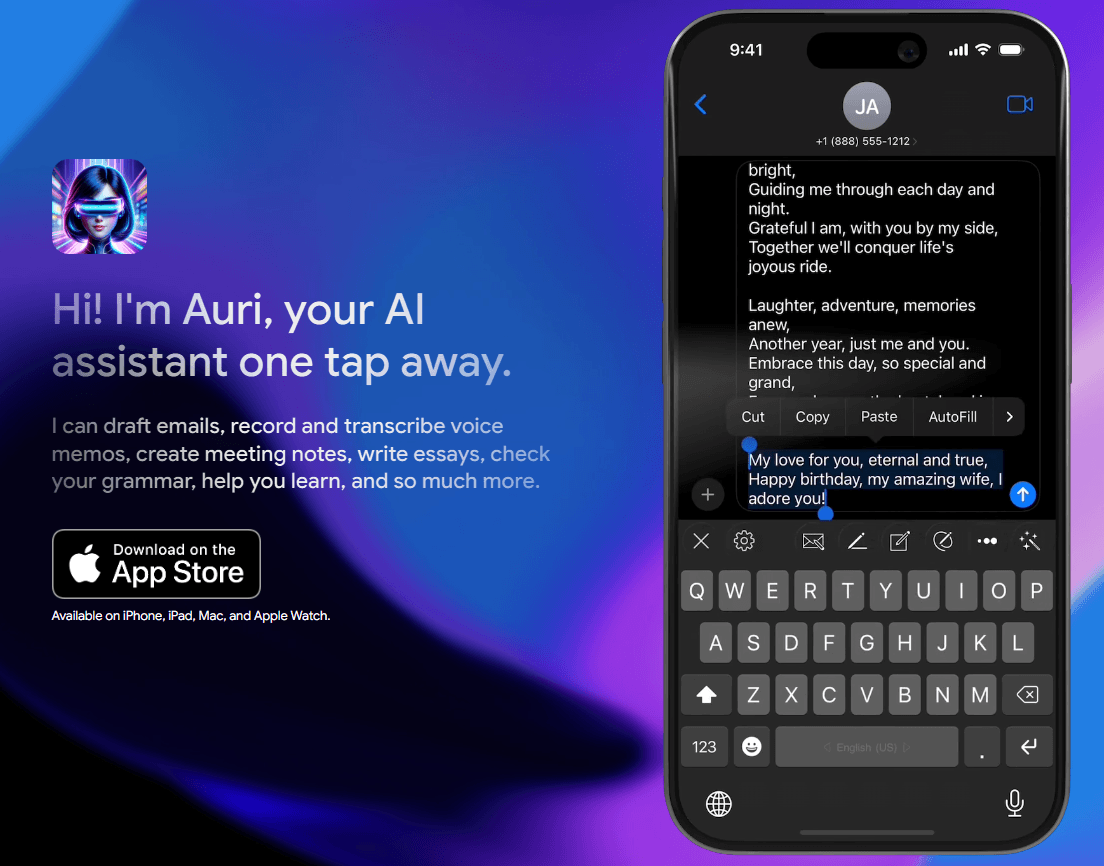
Write, translate, paraphrase, reply to emails, and check grammar directly in other apps.
Fixes grammar, spelling, and punctuation with one tap from the keyboard.
Rewrites text in multiple styles, with the App Store listing describing professional, funny, sarcastic, creative, and many other style options.
Supports voice typing from the keyboard and can record voice memos, transcribe them, and transform them into summaries, notes, to-do lists, and other formats.
Supports general chat, brainstorming, learning, saved chats, shared messages, voice input, different chat types, and multiple engines.
Lets users write, translate, summarize, paraphrase, continue writing, and clean up notes with AI writing tools.
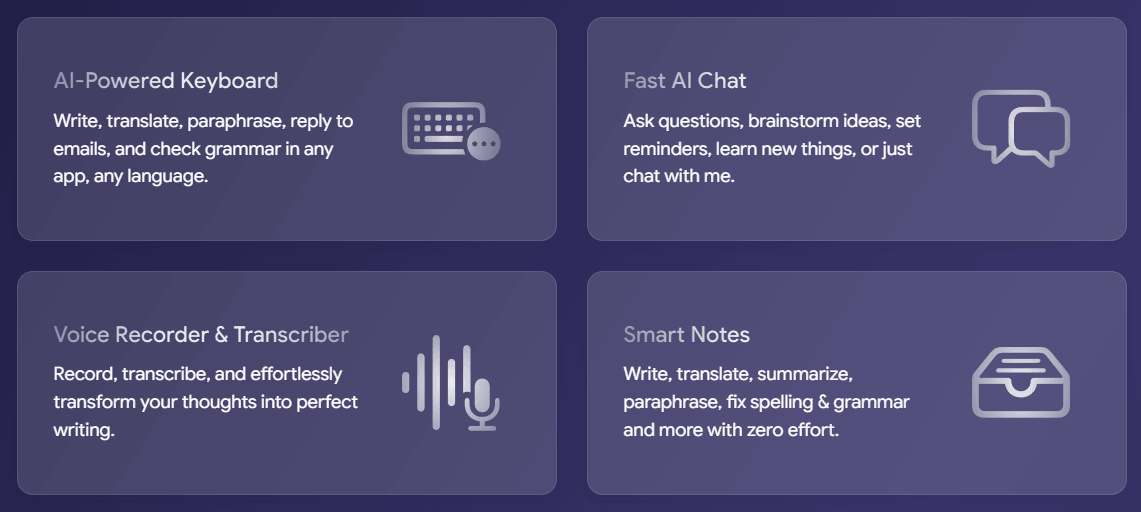
Auri.AI is best understood as a mobile-first writing assistant with four connected layers.
| Layer | What it does | Why it matters |
|---|---|---|
| AI Keyboard | Works inside everyday apps for writing, grammar correction, paraphrasing, translation, email replies, and voice typing. | This is the core feature because it brings AI into wherever you already type. |
| AI Chat | Lets users ask questions, brainstorm, learn, save chats, share messages, and use different chat types and engines. | Useful for broader assistant-style work beyond the keyboard. |
| Voice Recorder and Transcriber | Records voice memos and turns them into summaries, meeting notes, podcast notes, brain dumps, to-do lists, or essays. | Makes Auri useful for spoken capture, not just typed text. |
| Smart Notes | Adds AI writing tools for notes, including grammar checks, translation, summarization, paraphrasing, and writing continuation. | Helps turn rough notes into cleaner written output. |
| Privacy and access layer | Requires keyboard setup and Full Access for AI features, while claiming not to track what users type. | Important because keyboards are sensitive tools. |
That structure is why Auri is more than an AI keyboard. The keyboard is the entry point, but the broader app is closer to a lightweight mobile productivity suite for writing, chatting, dictating, and note transformation. Auri’s official homepage describes the product as a multilingual AI keyboard, fast AI chat, Smart Notes, and transcription system available on iPhone, iPad, Mac, and Apple Watch.
Auri is strongest when you need AI help inside normal communication apps. That is the key difference from a regular chatbot. Instead of opening a separate AI app, writing a request, copying the result, and pasting it back into iMessage, Gmail, WhatsApp, Instagram, Discord, or another app, Auri puts writing tools at the keyboard level. Its FAQ says the AI keyboard works in favorite apps and browsers, including X/Twitter, Facebook, iMessage, Messenger, WhatsApp, Gmail, Telegram, Apple Mail, Instagram, TikTok, Discord, Snapchat, and many others.
The second strength is multilingual communication. Auri’s keyboard page says it supports writing in 80+ keyboard languages, translation into 27 languages, and paraphrasing in 10 different ways. The App Store listing also says the keyboard supports 80+ languages and that AI features work in over 20 languages. The exact language counts vary slightly across the official pages, but the broad point is clear: Auri is built for users who write, translate, and communicate across languages.
The third strength is voice-to-writing workflow. Auri is not only for typing. Its homepage and App Store listing both emphasize voice recording, transcription, and transforming recordings into structured written formats. That is useful for students, meeting-heavy professionals, creators, podcast listeners, interviewers, and anyone who thinks faster by speaking than typing.
The fourth strength is convenience. Auri bundles several small but common writing tasks into one mobile flow: fix this sentence, make it sound more professional, continue this reply, translate this message, draft this email, summarize this recording, turn this thought into a note, or ask the assistant a question. That is exactly where a keyboard-based assistant makes sense.
The keyboard setup is straightforward, but it does require normal iOS keyboard configuration. Auri’s support page says users can switch to Auri by tapping and holding the keyboard key, selecting Auri AI, and enabling the keyboard in Settings if it does not appear. For AI features, users also need to enable Full Access, because the keyboard needs an internet connection to send selected text or prompts to the AI service.
That Full Access requirement is one of the most important workflow details. Without it, Auri can still work as a keyboard, but AI features such as grammar correction, email replies, writing, paraphrasing, and translation will not be available. This is normal for AI keyboard tools, but users should understand the trade-off before enabling it.
Once enabled, the workflow is simple. Type normally, then use Auri’s keyboard actions to improve the selected or entered text. The official keyboard FAQ says paraphrasing, translation, and grammar correction can work on full text or selected text, though iOS limitations can cause parts of longer selected text to be omitted. Auri recommends applying keyboard features to selected text only when the selection is short.
That detail matters in real use. Auri is strongest for short-to-medium communication: messages, emails, captions, replies, notes, social posts, and quick rewrites. It can help with longer writing, but the keyboard surface is not always the best place to edit long essays, reports, or complex documents.
Auri’s AI Chat gives the app a broader assistant layer. The official homepage says users can ask questions, brainstorm ideas, set reminders, learn new things, upload and ask about images, charts, and graphs, share messages, and choose between different characters and engines. The App Store listing describes 18 chat types, two engines, saved chats, shared messages, and voice input.
That makes the chat layer useful for tasks that do not fit neatly inside the keyboard. A user might ask for a study explanation, brainstorm a caption, draft a message, analyze a screenshot, or turn a rough idea into a structured response before sending it elsewhere.
Smart Notes are the other major layer. Auri describes them as a place to write, translate, summarize, paraphrase, fix spelling and grammar, continue writing, and work with voice-to-text notes. The App Store listing says users can record audio, transcribe it, and convert it into short or detailed summaries, podcast notes, meeting notes, structured brain dumps, to-do lists, and even essay-style outputs.
This is one of the most practical parts of the product. Many users do not need another blank AI chat window. They need a way to capture messy thoughts, recordings, lectures, meetings, or voice memos and turn them into something useful. Auri’s transcription support is broad too: its homepage FAQ lists many supported transcription languages, including English, Spanish, French, German, Japanese, Korean, Hindi, Arabic, Chinese, Ukrainian, Urdu, Vietnamese, and many others.
Auri’s privacy positioning is one of its major selling points, but it needs to be read carefully. The keyboard page says Auri does not track, store, or collect what users type or say, does not train language models on user data, and does not rent or sell account data.
The privacy policy gives the more detailed version. It says Auri does not track what users type, does not sell data, and when AI features are used, the message text or prompt submitted by the user is sent to third-party AI providers solely to generate a response, without personal identifiers such as name, email, IP address, or device ID. The policy lists OpenAI, Anthropic, Microsoft Azure OpenAI Service, and xAI as current third-party AI providers, and says data is encrypted in transit.
That is a reasonable model for an AI keyboard, but users should understand what it means. Auri is not saying no text ever leaves the device when AI features are used. It is saying the text or prompt submitted for AI processing is sent without personal identifiers and is not authorized for provider training. The company also says notes and in-app chats are encrypted and stored so they are inaccessible by anyone but the user.
For everyday messages, that privacy model may be enough. For legal, medical, financial, confidential business, or highly sensitive personal content, users should still be careful. Any AI keyboard that sends text to external AI systems deserves extra scrutiny.
- Everyday mobile writing: Auri is a strong fit for people who want cleaner texts, emails, captions, replies, and social posts without switching apps.
- Non-native English speakers and multilingual users: The grammar, paraphrase, translation, and tone tools are especially useful for users who want messages to sound more natural in another language. Auri’s own keyboard page highlights translation, paraphrasing, and multilingual writing as core use cases.
- Students: Voice recording, transcription, summaries, Smart Notes, and essay-style transformation can help with lectures, study notes, brainstorming, and written assignments. The App Store listing specifically mentions recording a lecture and turning it into a college essay.
- Professionals: Auri is useful for email replies, meeting notes, summaries, quick corrections, tone cleanup, and drafting polished messages from rough thoughts.
- Creators and social media users: The keyboard can help rewrite captions, improve comments, translate posts, and generate quick replies directly in social apps.
- People who prefer speaking to typing: Voice typing and voice memo transformation make Auri a good fit for users who capture ideas verbally and want cleaner written output afterward.
- Enable Full Access only after reviewing the privacy policy. Auri needs it for AI features, but it is still a sensitive permission because it allows the keyboard to connect to the internet.
- Use keyboard AI features on short selections. Auri’s own FAQ warns that iOS limitations can cause longer selected text to be omitted, so selected-text editing works best on short passages.
- Use Smart Notes for longer content. If you are cleaning up a lecture, meeting, essay draft, or long brain dump, the Notes and transcription workflow is likely better than trying to handle everything inside the keyboard.
- Use paraphrasing for tone, not just grammar. The App Store listing describes many rewrite styles, so Auri is useful when you know the meaning is right but the tone feels too blunt, casual, stiff, or unclear.
- Check sensitive outputs before sending. AI-generated email replies, translations, and paraphrases can sound polished while still missing nuance. This is especially important for work, school, or relationship messages.
- Use the clipboard for repeated text. Auri’s App Store listing mentions a keyboard clipboard for frequently typed text such as emails, phrases, messages, and URLs, which is useful for recurring replies and small templates.
The biggest limitation is platform scope. Auri’s official site currently presents it as available on iPhone, iPad, Mac, and Apple Watch. The public product experience is clearly Apple-first. Users looking for the same official keyboard workflow on Android should verify availability carefully rather than assuming feature parity from third-party pages or similarly named apps.
The second limitation is Full Access dependency. Auri needs internet access for AI features, and iOS requires Full Access for that. Users who are uncomfortable granting a third-party keyboard that permission may prefer a standalone AI writing app instead.
The third trade-off is text length. A keyboard is convenient for short communication, but it is not always the best editing surface for long documents. Auri can help generate and refine longer writing, but serious long-form work may still be easier in a dedicated document editor or full AI workspace.
The fourth limitation is feature-count inconsistency across public pages. The keyboard page says translation into 27 languages, the homepage says 26 languages in one section, and the App Store listing says translation to and from over 20 languages while also saying the keyboard supports 80+ languages. These are not necessarily contradictions because keyboard languages and AI translation languages are different categories, but the public messaging could be clearer.
The fifth trade-off is privacy nuance. Auri’s marketing says it does not track or store what users type, but the privacy policy correctly explains that AI feature use sends submitted message text or prompts to third-party AI providers. That is normal for this category, but it means users should avoid sending highly sensitive text through AI features unless they are comfortable with that processing model.
Auri.AI is best for Apple users who want AI writing help directly inside the apps where they already type.
Its strongest advantages are the AI keyboard, grammar correction, paraphrasing, translation, email replies, voice typing, AI chat, Smart Notes, and voice transcription.
The main caveat is that its best features require keyboard Full Access and external AI processing, so users should balance convenience with privacy expectations. For everyday messages, emails, notes, social posts, and voice-to-text workflows, Auri is a practical, well-focused mobile AI assistant.
TAGS: Translation Copywriting
Related Tools:

Writing tool that generates, customizes, and refines content

Provides natural-sounding dubbing and translation
Writing assistant that improves text clarity and translations

AI-driven scriptwriting software

Writes, and summarizes content in your personal style

Generates subtitles and dubbing in multiple languages