

Share this tool:
 |
Description:
Olly is a Chrome-centered social media AI tool built around one practical idea: do the work where the social activity already is. Instead of pushing you into a separate writing app first, it plugs comment generation, reply writing, summarization, virality scoring, custom actions, and newer dashboard features like goals, scheduling, and auto-commenting into a browser-first workflow. That matters because Olly is not really competing as a general AI writer. It is trying to be a lightweight engagement copilot for people who spend real time inside LinkedIn, X, Instagram, Facebook, Reddit, YouTube, and similar platforms.
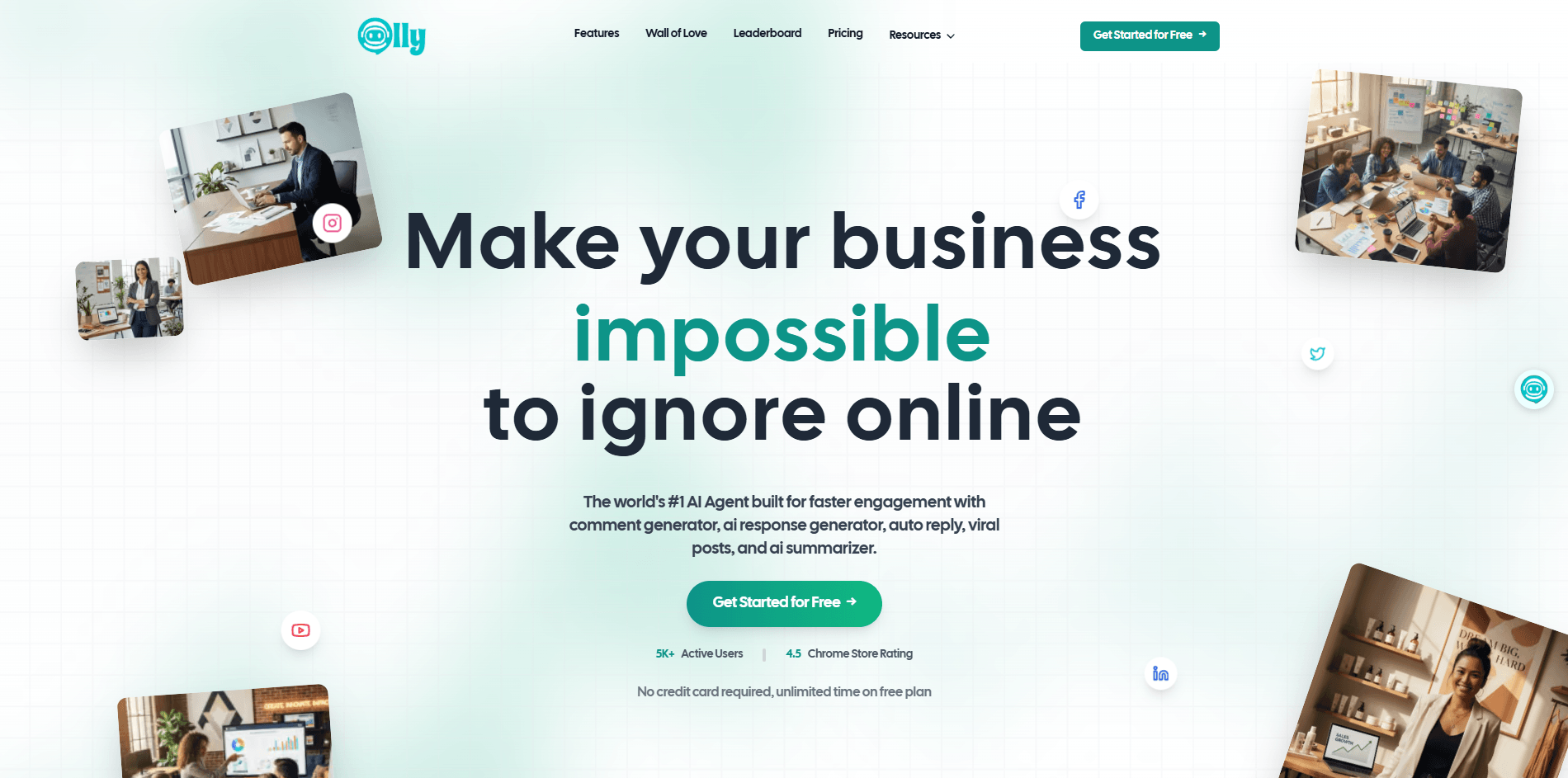
Olly analyzes the context of a post and generates comments meant to feel relevant rather than generic.
It can draft context-aware replies for comments on your own posts while keeping a more consistent tone.
You can build a reusable voice profile so generated interactions match your brand or personal style more closely.
Olly lets you create your own repeatable actions for analysis, rewrites, summaries, and other niche workflows.
The Post Summarizer, Similar Post Generator, and Virality Checker make it more useful than a one-button comment helper.
Auto Commenter, Goals, and the Social Media Calendar add LinkedIn-focused automation, tracking, and scheduling on top of the extension workflow.
Olly is strongest when your social workflow is engagement-heavy. If your day involves reading posts, leaving thoughtful comments, replying to responses, checking whether an idea is likely to perform, or quickly spinning one post into a related one, the product makes sense quickly. The comment generator and reply tool are the center of gravity here, and the surrounding tools are mostly designed to make those interactions faster and more consistent.
That makes Olly more compelling for active operators than for passive planners. A classic scheduler helps you queue content. Olly does have a calendar now, but its clearest value is still in day-to-day participation: summarize what you are reading, generate a better comment, rewrite it in your voice, and move on without breaking your browsing flow. The product description on the homepage, the Chrome Web Store listing, and the docs all point back to that same practical pattern.
A second real strength is voice consistency. Brand Voice is not a flashy feature, but it is one of the most important ones. Olly’s docs describe it as a profile-based system that uses inputs like brand name, industry, personality, audience, products, and mission to keep generated interactions more aligned with your identity. That matters because social AI tools stop being useful very quickly when every comment sounds like a generic assistant.
The third strength is flexibility. Olly is not locked into one model path for every use case. For normal browsing workflows, it supports multiple LLM vendors or Olly’s own API. That gives more technical users room to optimize for cost or preference, while non-technical users can stay inside the default Olly path. In practice, that makes the product feel more adaptable than many lightweight social extensions.
The basic onboarding is easy. You install the Chrome extension, sign up, then either connect your preferred LLM provider or use Olly’s own API. After that, the extension becomes the main working surface. You trigger actions from the browser while reading or responding to content, rather than copying posts into a separate chatbox. For a social engagement tool, that is the right design choice because lower friction matters more here than having a huge standalone interface.
The workflow gets more layered once you go deeper. Brand Voice setup lives in the extension settings. Custom Actions let you define your own mini-workflows with titles, prompts, and action types. The docs show examples like a post analyst, quiz generator, and professional rewriter, which is a good sign that Olly is trying to be broader than just “write me a comment.” It can also become a lightweight analysis surface if you take the time to configure it.
Then there is the dashboard layer. The Social Media Calendar is positioned as a centralized place to connect accounts, schedule posts, generate viral ideas, and track drafts through published content. Goals adds engagement targets, progress tracking, and team assignment features on higher tiers. Those additions push Olly closer to a mini social workflow suite, even though the browser extension still feels like the main product identity.
The Auto Commenter is where Olly becomes more opinionated. The docs describe it as LinkedIn automation with controls for engagement limits, keyword targeting, brand voice use, and product promotion. The setup is more structured than a raw “auto-comment everywhere” tool, which is good. You can cap actions, choose target keywords, and shape how the automation behaves rather than treating it as pure autopilot.
There are really three Olly layers that matter.
| Layer | What It Does | Why It Matters |
|---|---|---|
| Browser Assistant Layer | Extension-based comments, summaries, posts, virality checks, and browsing-side help. | This is the broadest part of the product and the part marketed across many networks. |
| Dashboard Layer | Calendar, goals, keys/access, and automation setup. | This matters for planning, team tracking, and higher-control workflows. |
| Model Layer | BYOK with outside providers such as OpenAI, Anthropic, Google, and other vendor routes, plus Olly’s own API. | This gives users more flexibility over cost, quality, routing, and preferred AI provider. |
The docs’ connection guide explicitly says you can use your own API key or Olly’s API, and the privacy policy lists integrations with OpenAI, Anthropic, Google, Straico, and OpenRouter.
Olly is a good fit for LinkedIn-first founders, consultants, and operators who grow through visible engagement rather than only through scheduled publishing. The LinkedIn agent page, Auto Commenter docs, and Goals docs all point in that direction.
It is also a good fit for agencies and social media managers who need voice consistency, faster reply handling, and reusable workflows. Brand Voice, Custom Actions, and the Calendar are the features that make that case, not just the raw comment generator.
Another strong use case is multilingual engagement. Olly’s language support docs say it supports 20+ languages and can automatically detect a post’s language so replies can match it natively. That is genuinely useful for creators, brands, or communities that work across markets.
It also suits budget-conscious tinkerers more than many polished social AI tools do, because it supports local models via Ollama and multiple external providers. If you care about cost control or want to experiment with your own model routing, that flexibility is a real plus.
- Set up Brand Voice before you judge comment quality. Olly’s own docs make clear that the product gets more consistent once it has a structured identity profile to work from. Without that, you are mostly evaluating its default generic behavior.
- Use Custom Actions for thinking tasks, not just writing tasks. The example actions in the docs are a good clue here: analysis, quiz generation, and professional rewriting are often more useful than “make another comment.”
- Treat Olly Pro as the premium mode for higher-stakes interactions. The credit cost doubles, but the docs position it clearly for better quality and more human-like output, which makes it better suited to executive, brand-facing, or client-sensitive engagement.
- Treat the autonomous layer as LinkedIn-first unless you verify otherwise. Olly’s public messaging is mixed here: the AI agent page says LinkedIn is available now while Instagram and X are coming soon, but the Chrome Web Store listing references broader auto-commenter support. Buyers should verify which workflow they mean: the general extension, or the more dedicated agent flow.
- Watch permissions and privacy settings if you are using BYOK or heavy extension workflows. Olly’s privacy policy says BYOK API keys are stored locally in the extension, which is good, but the extension also collects website data, social profile information, and post content for comment generation and analysis.
- The biggest limitation is product clarity. Olly’s headline messaging suggests a broad social media AI agent, but the most autonomous and well-documented workflows are still much more clearly LinkedIn-centered. That does not mean the tool lacks cross-platform usefulness. It does mean the cross-platform story is stronger for the assistant layer than for the autonomous agent layer.
- The second limitation is communication consistency. The public pages do not line up perfectly on plan limits, free usage, or even the exact shape of automation coverage. That makes the product feel a bit more like a fast-moving startup tool than a highly polished enterprise platform.
- The third limitation is browser dependence. Olly’s strength is that it works in Chrome while you browse, but that is also a constraint. If you do not live in Chrome, or you prefer a heavier standalone workflow with fewer extension permissions, the product becomes less attractive. Its privacy policy also makes clear that meaningful browser access is part of how it works.
- There is also a maintenance trade-off. Browser-based social tools live and die by platform UI stability. Olly does appear actively maintained: the Chrome Web Store listing shows version 2.6.5.0 updated on May 5, 2026, and both the store description and release notes mention repeated fixes and new platform support. That is encouraging, but it also tells you the product has to keep chasing interface changes and breakages.
- Finally, the broader product may be more than some users need. If all you want is a simple AI comment helper, Olly’s calendar, goals, vendor setup, credits, and multiple model paths can feel like extra overhead. Its depth is a strength for serious users, but it does make the product less clean than a narrow single-purpose extension.
Olly is most compelling as a browser-native engagement copilot for people who grow through participation, especially on LinkedIn.
Its strongest advantages are contextual comment generation, reply handling, Brand Voice, flexible model routing, and an expanding layer of automation and planning features around the core Chrome workflow.
The main caveat is that the product is still a little uneven in how clearly it communicates plan limits, platform depth, and the split between its broad assistant layer and its narrower autonomous layer. For active creators, founders, consultants, and agencies who spend real time engaging online, though, it looks genuinely useful.
TAGS: Social Media Tools
Related Tools:

Social media management tool

Helps you create, schedule, and publish social media content

Distributes content across social media
Enhances live streaming experience

Generates engaging and personalized comments

Mange social media presence by providing real-time analytics