

Share this tool:
 |
Description:
CroPilot is an AI-powered conversion rate optimization platform for ecommerce stores, SaaS websites, agencies, and growth teams. Its core job is to watch how visitors behave, detect friction, suggest improvements, create test variants, and help teams approve the version that performs better.
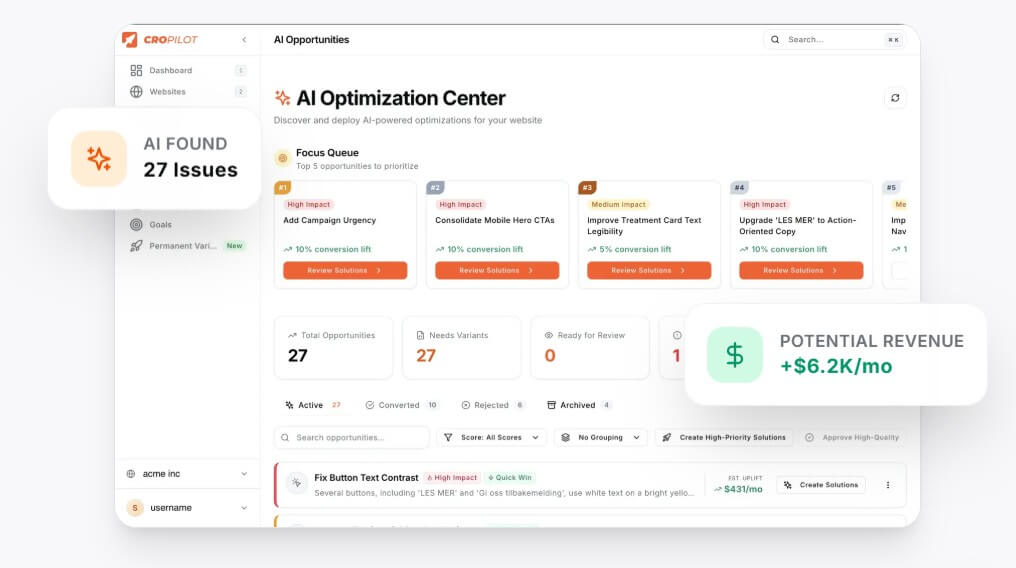
Most websites have conversion problems that are easy to feel but hard to diagnose. Visitors leave before buying. Signup pages get views but not enough completions. Product pages attract traffic, then lose momentum. Teams may know something is wrong, but they don’t always know whether the issue is the headline, button, checkout flow, layout, form length, page speed perception, trust signals, or mobile design.
CroPilot tries to turn that messy process into a guided CRO workflow. Its website describes a four-step model: install the tool, let the AI find what is broken, let it design the fix, then test both versions and approve the winner. That makes it different from a plain analytics dashboard. The platform is not only showing data. It is trying to move users from diagnosis to action.


| Area | What It Does | Why It Matters |
|---|---|---|
| Visitor tracking | Records behavior through a JavaScript tracking script. | Gives the AI real site behavior to analyze. |
| Heatmaps and analytics | Shows where users click, scroll, hesitate, or drop off. | Helps teams see friction visually. |
| AI recommendations | Suggests optimization opportunities based on visitor behavior. | Reduces guesswork when deciding what to test. |
| A/B testing | Runs experiments with different page variants. | Lets teams compare ideas against the original page. |
| DOM modification | Injects JavaScript, CSS, or HTML to display variants. | Enables tests without rebuilding the whole site. |
| Approval workflow | Requires users to approve changes before they go live. | Adds a needed layer of human control. |
CroPilot’s terms describe the service as including visitor tracking, A/B testing, heatmaps, analytics, AI recommendations, and DOM modification for experimental variants.
CroPilot looks designed for teams that want faster CRO without building every test from scratch. The platform says users can install it through a Shopify app, WordPress plugin, or script placed in the site header. It also lists support for Shopify, WooCommerce, Webflow, Next.js, WordPress, Wix, and other websites, with broader FAQ language covering Framer, React, and custom HTML.
That wide setup support is important. CRO tools often fail when implementation becomes a developer bottleneck. CroPilot’s promise is that teams can add it once, collect behavior data, review suggested opportunities, and launch tests with less technical work.
The approval step is one of the more important parts of the workflow. CroPilot says the AI proposes changes, but nothing goes live until the user approves it. Users can also edit AI-generated copy or CSS before launch. That matters because AI-generated CRO ideas can be useful, but they still need brand, legal, UX, and accessibility review.
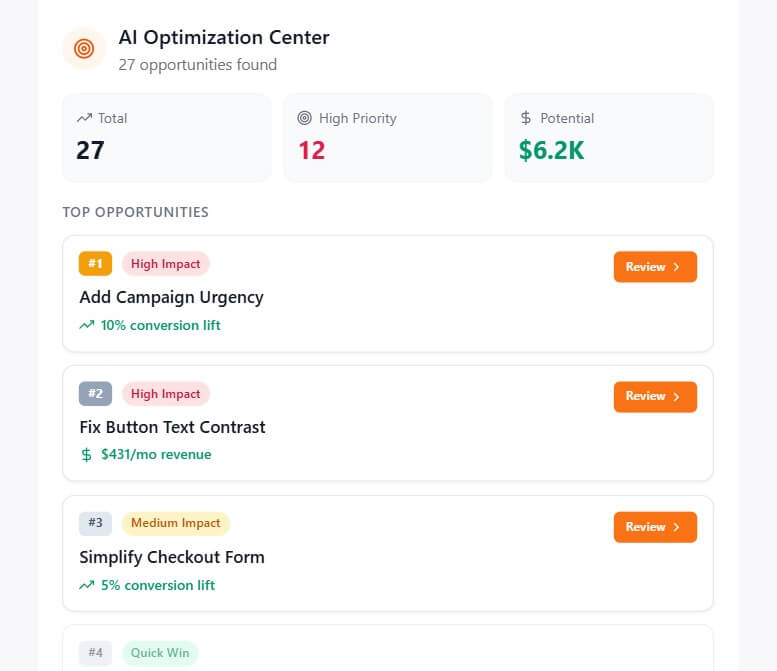
CroPilot is strongest when used on pages where small changes can have visible business impact. Product pages, signup pages, booking pages, demo request pages, checkout-adjacent pages, and landing pages are better targets than low-intent blog posts.
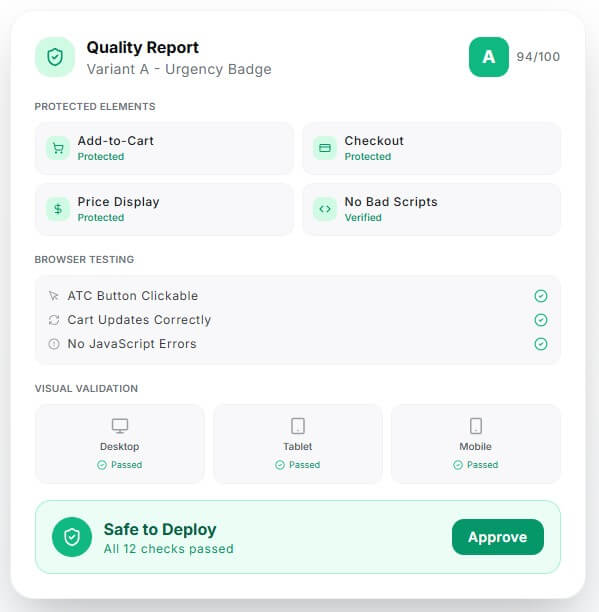
The platform also has a practical safety angle. CroPilot says generated changes are checked through real browser testing before they touch the store, with protected cart, checkout, and price elements, multi-device validation, and rollback support. This is useful because automated page modification can create risk if it touches sensitive purchase paths.
Another strength is that it combines diagnosis and experimentation. Heatmaps and recordings can tell you what users are doing, but they don’t always tell you what to change. A/B testing tools can run variants, but someone still has to create those variants. CroPilot’s AI-assisted approach tries to connect those steps.
Ecommerce stores can use CroPilot to improve product pages, call-to-action visibility, urgency messages, trust elements, mobile layouts, and conversion paths before checkout.
SaaS teams can use it to test signup pages, onboarding flows, plan pages, feature adoption paths, and messaging around trial-to-paid conversion. CroPilot’s SaaS page specifically positions the tool around signup optimization, onboarding, feature adoption, and churn-related behavior signals.
Agencies can use it to add CRO monitoring and testing across client sites without manually designing every experiment.
Small growth teams can use it as a practical CRO assistant when they do not have a dedicated analyst, designer, and developer available for every test.
- Start with high-intent pages. A button tweak on a checkout-related page may teach you more than a design change on a low-traffic article.
- Review every AI suggestion before launch. Check the copy, visual hierarchy, mobile layout, accessibility, claims, and brand tone.
- Keep tests narrow. If one variant changes the headline, CTA, layout, colors, offer, and form all at once, the result may be harder to interpret.
- Use heatmaps before approving major changes. Behavior data can help separate real friction from a guess that sounds plausible.
CroPilot modifies websites through injected code, so teams should test carefully before approving changes. Its own terms state that users are responsible for testing and that AI-generated recommendations may be inaccurate, with human review required before deployment.
Privacy and consent also matter. CroPilot’s privacy policy says its tracking script collects visitor behavior data such as clicks, scrolls, page views, form interactions, and device information, and that website owners are responsible for visitor consent where required by law.
The main product risk is over-automation. CroPilot can speed up CRO, but it cannot replace strategy, brand judgment, or careful analysis. It works best when humans approve the right tests, not when every suggestion goes live unchecked.
CroPilot is best for ecommerce, SaaS, agency, and growth teams that want faster conversion optimization without managing every step by hand.
Its strongest value is the combination of visitor behavior tracking, heatmaps, AI-generated optimization ideas, A/B testing, browser-based deployment, and human approval.
The main caveat is control: CroPilot can help find and test better page experiences, but teams still need to review changes carefully before putting them in front of real visitors.
TAGS: Marketing
Related Tools:
Generates realistic marketing videos using AI avatars

Streamlines the invoice processing workflow for businesses

Generates unique and brandable business names

Streamlines data analysis and visualization

Allows artists to create intricate graphics and simulations

Provides comprehensive business analysis