

Share this tool:
 |
Description:
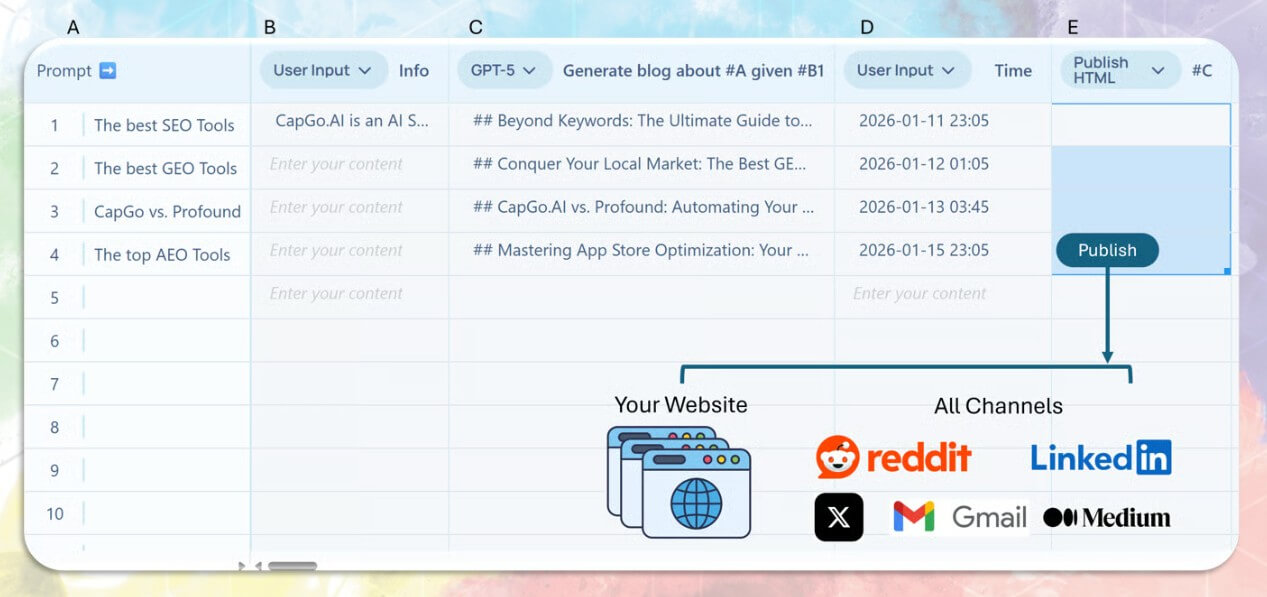
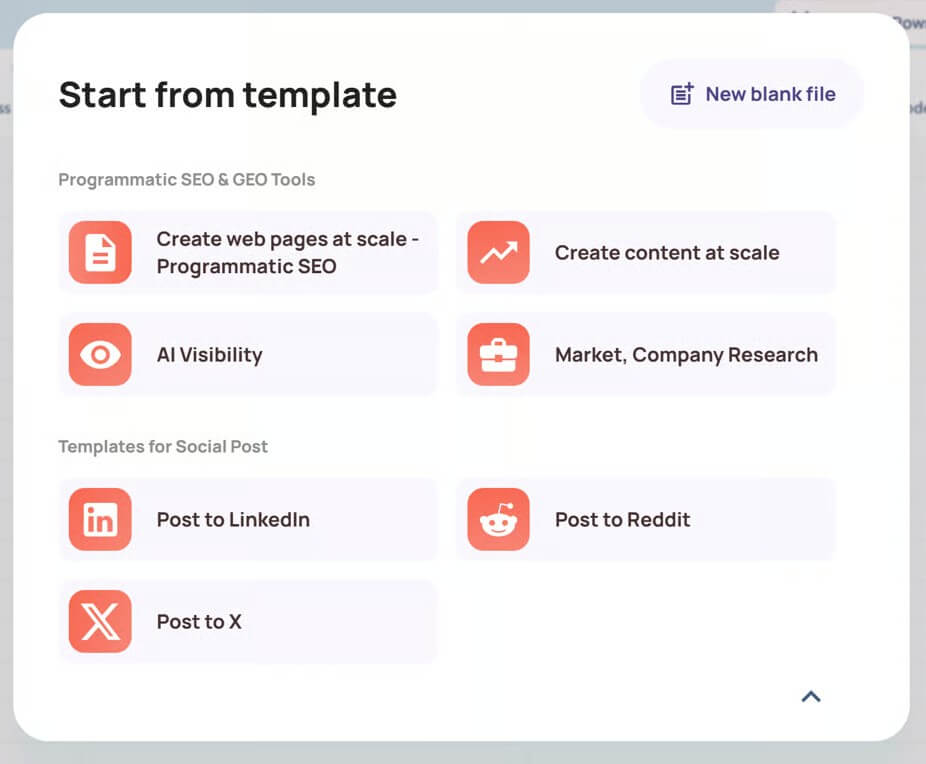
CapGo is an AI automation platform built around a simple idea: use spreadsheets as the control center for large-scale marketing work. Instead of asking users to manage every task in a chat window, CapGo lets rows, columns, formulas, and templates drive workflows such as programmatic SEO, GEO content, lead enrichment, market research, email discovery, and bulk publishing.
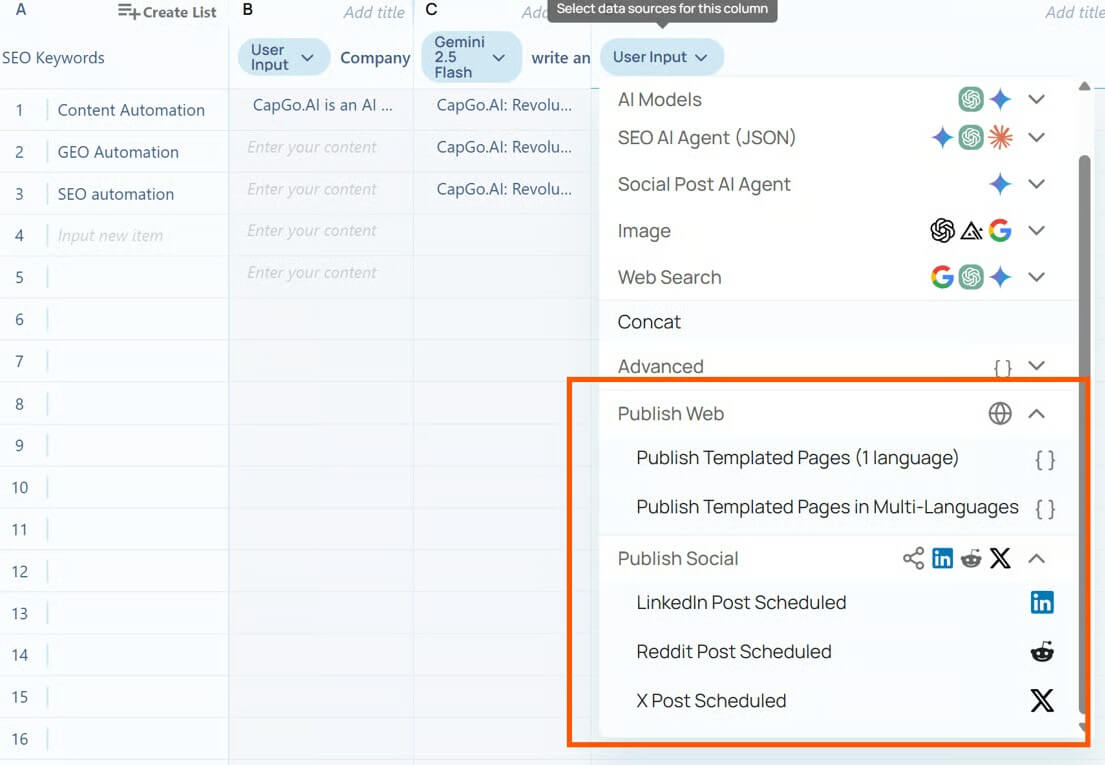
CapGo is strongest when a team needs repeatable output at scale. It is not built for one-off content drafts. It is built for workflows where the same process needs to run across hundreds or thousands of rows.
The platform’s main website describes CapGo AI Spreadsheets as a system for creating targeted SEO and GEO web pages at scale, using spreadsheet data to generate many unique pages for different search intents. It also highlights meta tags, internal linking, and content structure as part of the automation workflow.
That makes CapGo useful for teams working on long-tail search, location pages, product pages, comparison pages, directory-style pages, answer-engine content, and repeatable landing page formats. The value is not just “AI writes content.” The value is that CapGo brings structure to bulk content operations.
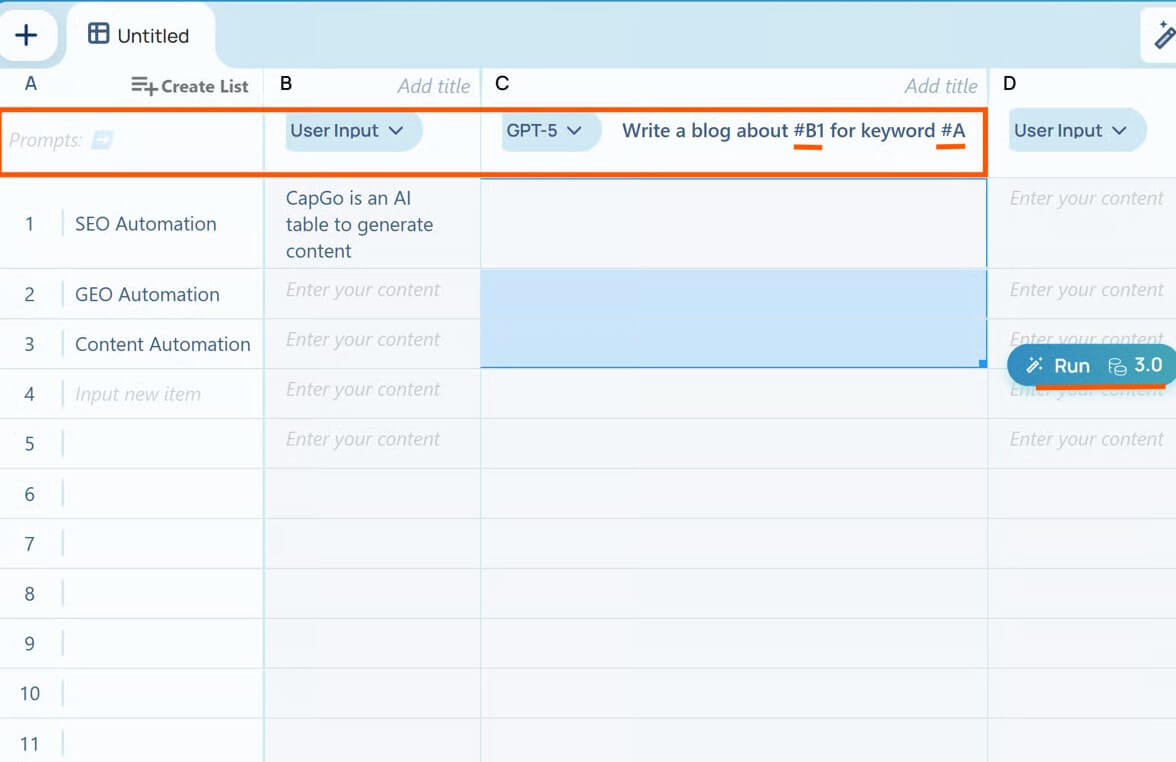
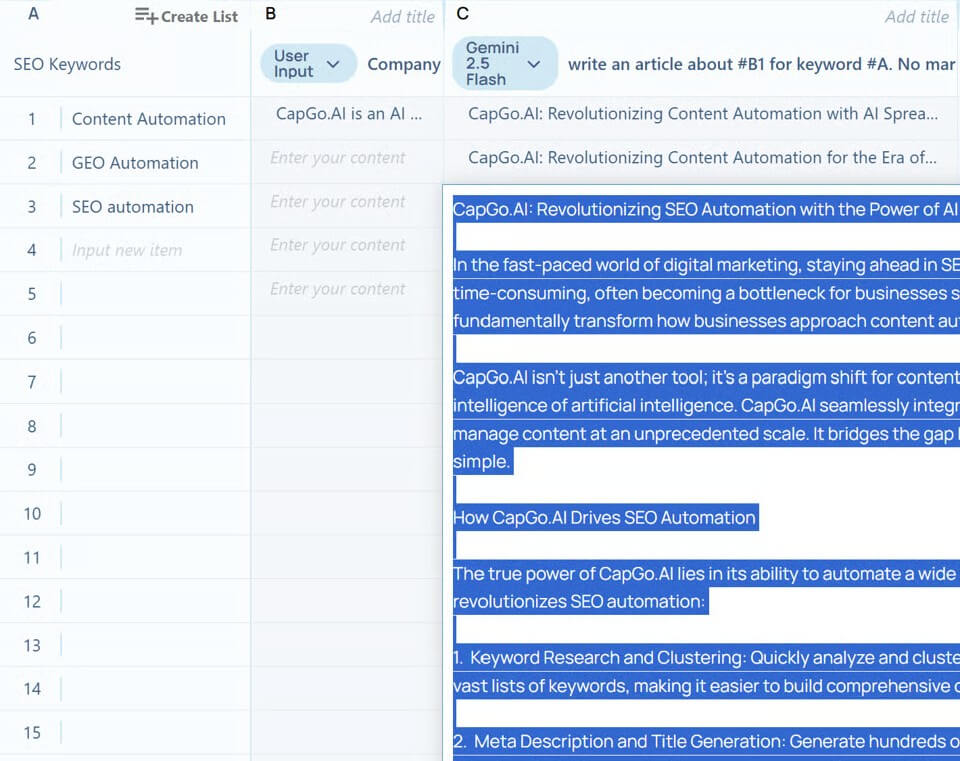
CapGo’s workflow will feel natural to people who already think in spreadsheets. You start with a table of inputs, such as keywords, products, cities, company names, prospects, or page topics. Then you use formulas or templates to generate research, enrich data, create content blocks, produce meta fields, or map content into page templates.
For content teams, the Sheet2Pages workflow is the cleanest use case. You define page variables in Google Sheets, connect those variables to an HTML or CMS template, then generate many search-optimized pages from structured rows. The Google Workspace listing explains that each row becomes a page and columns store the dynamic variables used to personalize the content.
For growth and sales teams, the Lead Enrichment AI Sheet is the more relevant layer. CapGo describes it as a Google Sheets add-on for AI web search, email finding, lead enrichment, LinkedIn data, CRM enrichment, ChatPDF, and email sending.
The main learning curve is not technical coding. It is workflow design. Users need to understand what belongs in each row, which columns should be generated, how to review outputs, and when human editing is needed before publishing or sending anything.
CapGo gives users more control than a blank chat interface because outputs are tied to rows, columns, fields, and templates. That structure helps with consistency. A team can define the same page format across many keywords, or the same outreach logic across many prospects.
Still, AI output at scale has a clear risk: weak inputs can create weak pages at high volume. CapGo can help generate content, but it cannot decide your brand strategy, original point of view, internal expertise, or final editorial judgment. That matters for SEO and GEO. Search engines and AI answer systems reward content that is useful, specific, and credible. A large set of thin pages can hurt more than help.
CapGo works best when the spreadsheet contains strong source data, clear search intent, useful page templates, and a review process. It is less useful when users expect the tool to replace strategy or produce publish-ready expertise from vague keywords alone.
CapGo sits between a few categories. It is part AI spreadsheet tool, part programmatic SEO builder, part GEO content platform, and part lead enrichment system.
Compared with a standard AI writing tool, CapGo is better for repeatable structured workflows. Compared with a full enterprise SEO platform, it is more focused on production and automation than deep keyword research, technical crawling, or backlink analysis. Compared with tools like Clay, CapGo’s Google Sheets positioning may appeal to teams that want AI enrichment and automation without moving into a separate database-style workspace.
That mixed identity is useful, but it can also make the product harder to explain. Some users will see it as a content automation tool. Others will see it as a sales research add-on. The best way to evaluate it is to start with one workflow, not the whole platform.
- Programmatic SEO campaigns: CapGo is a strong fit for businesses creating pages by location, product type, service category, comparison term, use case, or niche query.
- GEO and answer-engine content: Teams trying to show up in AI-generated answers can use CapGo to create pages that target specific questions and long-tail intent.
- Market research in spreadsheets: Researchers can use AI web search and table generation to collect structured information without copying data manually into rows.
- Lead enrichment and outreach prep: Sales teams can enrich company or person data, verify emails, and generate personalized outreach fields from spreadsheet inputs.
- No-code publishing workflows: Marketers who work with Webflow, WordPress, Shopify, Framer, or similar platforms can use spreadsheet variables and templates to scale landing page production.
- Start with a small batch before scaling. Generate 20 pages or 50 enriched leads, review the outputs, then adjust the structure.
- Separate research, drafting, editing, and publishing into different columns. This makes errors easier to spot.
- Use strong templates. A weak template will create repetitive pages no matter how good the AI is.
- Add human review for any public-facing content. CapGo can speed production, but editorial oversight still matters.
- Check permissions before installing add-ons. The Google Workspace listings show that CapGo add-ons request access to spreadsheets and external services, and the lead enrichment add-on can request email-related permissions.
- CapGo is not the best fit for teams that only need occasional AI writing. Its strength is scale, which means the user needs structured data and a repeatable process.
- The product can also encourage overproduction. Programmatic SEO works when pages are useful, distinct, and tied to real search intent. It fails when teams publish many similar pages with light edits.
- Another limitation is review burden. The faster a tool generates content, leads, or emails, the more important quality control becomes. Users should check factual accuracy, source quality, duplicate patterns, formatting, and compliance before publishing or sending at scale.
CapGo is best for marketers, SEO teams, founders, and growth operators who want to run AI workflows from spreadsheets.
Its strongest value is structured automation: programmatic SEO pages, GEO content, research tables, lead enrichment, and bulk publishing from Google Sheets.
The main caveat is discipline. CapGo can scale your workflow quickly, but the results depend on clean inputs, strong templates, and careful human review before anything goes live.
TAGS: Marketing
Related Tools:

Generates realistic marketing videos using AI avatars

Integrates design, engineering, and manufacturing tools

Assists creators with social media data analysis

Generates alt text, titles, captions, and descriptions for images

Provides customizable email templates

Provides comprehensive CRM functionality