

Share this tool:
 |
Description:
Clips AI is not really a creator-facing SaaS tool. It is an open-source Python library for developers that automatically converts long-form videos into shorter clips, then can resize those videos from formats like 16:9 into 9:16 by dynamically focusing on the current speaker. The docs position it specifically for audio-centric, narrative-based content such as podcasts, interviews, speeches, and sermons, which is the right way to think about it from the start.
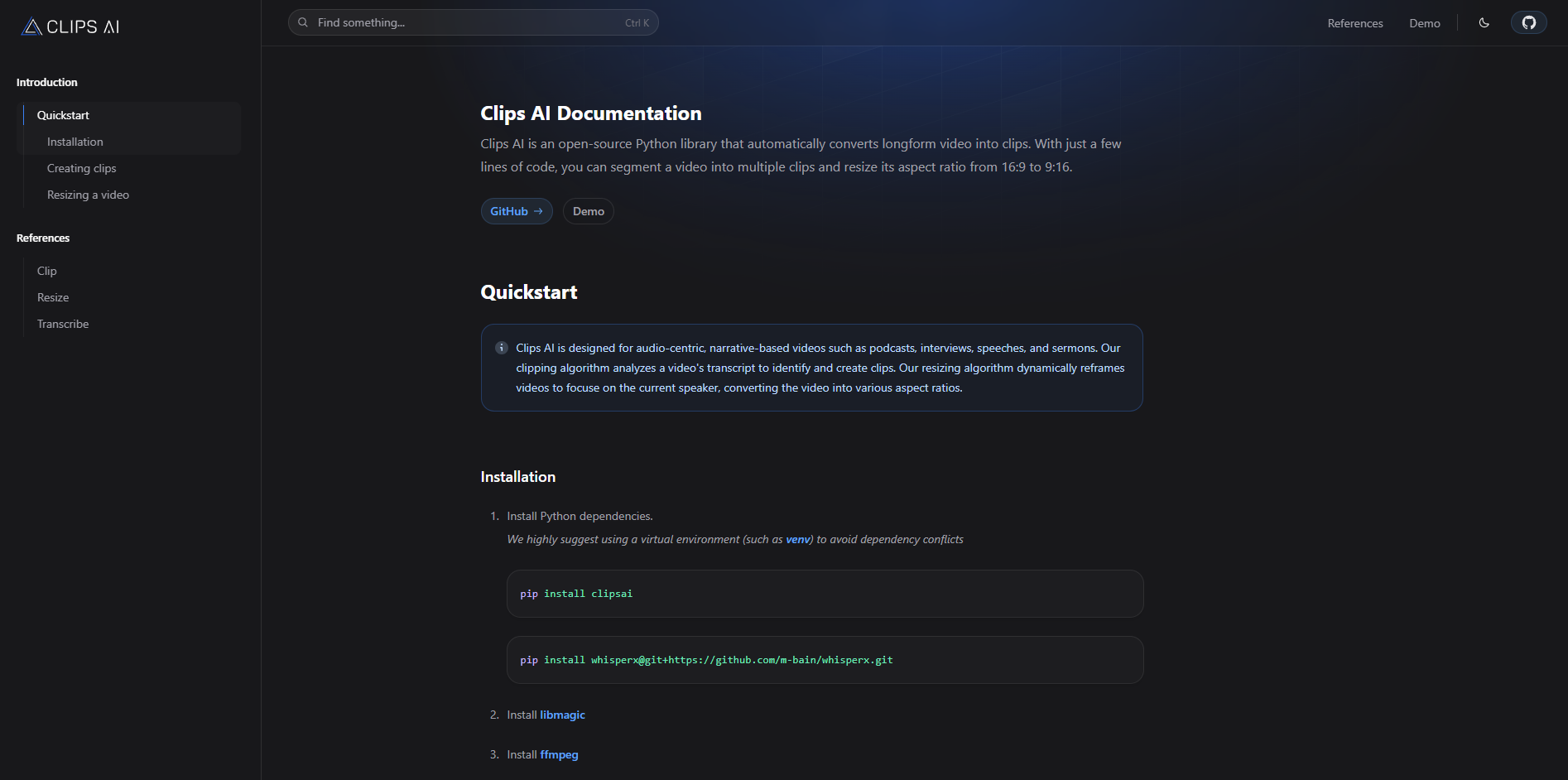
Clips AI uses a transcript-driven clipping pipeline rather than simple timestamp slicing, and its docs say the clip finder uses a TextTiling-based approach to identify coherent segments.
The library uses WhisperX and returns structured transcription data with word-, character-, and sentence-level timestamps.
The resize workflow uses speaker diarization, scene detection, and face detection to keep the frame focused on whoever is speaking.
The resize function exposes practical controls like aspect ratio, minimum segment duration, samples per segment, face detection width, scene merge threshold, and timing precision.
The repository is public and MIT licensed, which makes it easier to inspect, adapt, and integrate into custom pipelines.
The public docs focus on a few core building blocks—transcribe, find clips, trim media, and resize video—rather than bundling everything into a fixed social publishing workflow.
Clips AI is strongest when the source material is talk-heavy and the clip boundaries can be inferred from what is being said. That is why the official examples keep returning to podcasts, interviews, speeches, and sermons. If your content has clear topical shifts and recognizable speakers, the library’s transcript-first design makes a lot of sense.
That also tells you where it fits in the market. Clips AI is closer to an infrastructure layer than to tools like a polished repurposing studio. The public product surface is a docs site, a GitHub repo, and a demo link, and the Quickstart is literally install dependencies, transcribe, find clips, then resize. That is useful if you want control and code-level access. It is less appealing if you want a polished dashboard that does everything for you.
The workflow is straightforward in concept, even if it is more technical than many creators will want.
First, you transcribe the media with the Transcriber, which uses WhisperX and produces a Transcription object. That transcription includes not just raw text, but structured timing data at sentence, word, and character level, plus detected language and transcript timing.
Second, you run ClipFinder on that transcription. The clipping docs say this feature uses a TextTiling-based method to detect topic shifts in the transcript and return clip start and end times. In other words, it is trying to find coherent sections of speech, not just arbitrary 30-second chunks.
Third, you can trim the original media using the returned clip boundaries. The docs show this as an explicit media-editing step rather than some hidden automation, which is a small but important clue about the product philosophy: Clips AI gives you composable parts, not a black-box end-to-end repurposing button.
Fourth, you can run the resize workflow to crop the clip into another aspect ratio, usually 9:16. That step requires a Hugging Face access token for Pyannote because the library uses speaker diarization, then combines that with scene detection and face detection to keep the frame centered on the active speaker.
For developers, the onboarding story is reasonable. The Quickstart is concise, the code examples are short, and the public docs are clear about the main primitives: transcribe, find clips, resize. If you are already comfortable in Python and used to media tooling, this is approachable.
For non-technical users, it is a different story. Installation involves pip install clipsai, a separate WhisperX install from GitHub, and local dependencies like libmagic and ffmpeg. The resize path also needs a Pyannote token from Hugging Face. That is not absurd for a developer library, but it is real setup friction compared with consumer clipping tools.
That split matters because the homepage branding—“AI video repurposing for developers”—is accurate. Clips AI is not pretending to be a frictionless creator app. It is aimed at people building their own workflows, internal tools, or automated pipelines around long-form media.
The clipping quality is likely to live or die on transcription quality and topical structure, because the clip finder works from the transcript itself. The docs explicitly describe the algorithm as detecting topic shifts and segmenting at sentence granularity. That is a smart approach for narrative audio, but it also implies a practical limitation: if the “interesting” moments are visual rather than verbal, Clips AI has less to work with. That is an inference from the documented design, but it is a strong one.
The reframing side is more sophisticated than a basic center crop. The resize pipeline combines speaker diarization, scene change detection, MTCNN, and MediaPipe, then dynamically resizes the frame to focus on the current speaker. For interviews, podcasts, and talking-head videos, that is exactly the right bias. For gameplay, product demos, or B-roll-heavy edits, it may be less useful because “who is speaking” is not always the same thing as “what should be on screen.” That second sentence is an inference based on the official algorithm description.
One genuine strength is control depth. The resize reference exposes practical knobs for speed-versus-accuracy tradeoffs, including samples_per_segment, face_detect_width, min_segment_duration, and face_detect_post_process. That means Clips AI is not just “use our crop.” It gives developers room to tune the pipeline for their own content and hardware constraints.
The transcription layer is also more useful than a basic transcript dump. Because the Transcription object carries structured timing at multiple levels and supports language autodetection, Clips AI gives you a solid base for building additional workflows on top, like captions, search, analytics, or custom highlight logic.
The public documentation is refreshingly clear about what Clips AI does, and that also makes its omissions clear. The product surface is focused on transcription, transcript-based segmentation, trimming, and resizing. The docs do not position it as a full repurposing suite with social publishing, title generation, viral scoring, template editing, caption styling, or collaborative review.
That is not a flaw by itself. In fact, it is part of the product’s appeal. But it does mean the right expectation is “use this as a building block” rather than “this will replace a whole creator workflow platform.”
Clips AI is a strong fit for developers building internal media tools, automated clipping backends, podcast workflows, sermon repurposing pipelines, interview highlight systems, or vertical-video converters for talking-head content. Those use cases line up directly with the library’s transcript-first clip finding and speaker-focused resizing.
It is also a sensible choice if you care about inspectability and customization. Because the repo is public and MIT licensed, it is easier to adapt than a closed SaaS product, and the docs expose enough of the internal workflow to make that worthwhile.
It is a weaker fit for solo creators who want the simplest possible upload-and-export experience, and for content where the best clip moments depend more on visuals, reactions, or action than on topic segmentation in speech. The first part is grounded in the installation and developer-first workflow; the second is an inference from the transcript-based design and speaker-focused cropping.
- Start with the kind of content the docs recommend: podcasts, interviews, speeches, and other audio-led formats. That is where the transcript-driven clip finder has the best chance of feeling smart rather than arbitrary.
- Treat transcription as the foundation of the whole workflow. Since clipping depends on transcript structure, bad audio or messy transcripts will likely hurt results more than people expect. That is an inference, but it follows directly from the documented pipeline.
- Use the resize settings deliberately. Reducing samples_per_segment or face_detect_width can speed things up, but the docs explicitly warn that smaller values may reduce accuracy.
- Think of Clips AI as a backend primitive, not a complete finished app. It becomes more compelling when you want to build something around it.
The biggest limitation is audience. Clips AI is built for developers, and the official setup reflects that. If you do not want to manage Python packages, media dependencies, and token-based setup for some parts of the workflow, this will feel like too much overhead.
The second limitation is content bias. The library is openly optimized for audio-centric, narrative material and uses transcript analysis plus current-speaker reframing. That makes it well targeted, but also narrower than creator tools built for visual highlight hunting across many content types.
The third limitation is product scope. Publicly, Clips AI is a compact library with clear primitives, not a broad studio with lots of packaging around it. Some people will love that. Others will immediately notice the absence of higher-level workflow features.
Clips AI is a focused, useful open-source library for one specific job: turning long, speech-driven video into shorter clips and reframed vertical outputs through code.
It looks strongest for developers and technical teams working with podcasts, interviews, sermons, speeches, and similar content. The main caveat is equally clear: this is infrastructure, not a polished consumer clipping app, so the value rises sharply if you want customization and drops quickly if you just want a simple upload tool.
TAGS: Social Media Tools
Related Tools:

Social media analysis tool that extracts actionable insights
Transforms long videos into engaging social media clips

Social media management tool

Simplifies social media content creation

Create, schedule, and optimize social media content

Mange social media presence by providing real-time analytics