

Share this tool:
 |
Description:
VideoTok is no longer just a faceless video generator. Its current official positioning is closer to an AI video production and publishing system for brands, agencies, and creators who want ads, UGC-style content, faceless videos, avatars, and social automation in one place. The homepage now frames it as “your personal creative engineer” and even “your CMO made of AI agents,” which is exaggerated marketing language, but it does point to the real product shape: create, edit, and publish with a fairly wide automation layer wrapped around the video workflow.
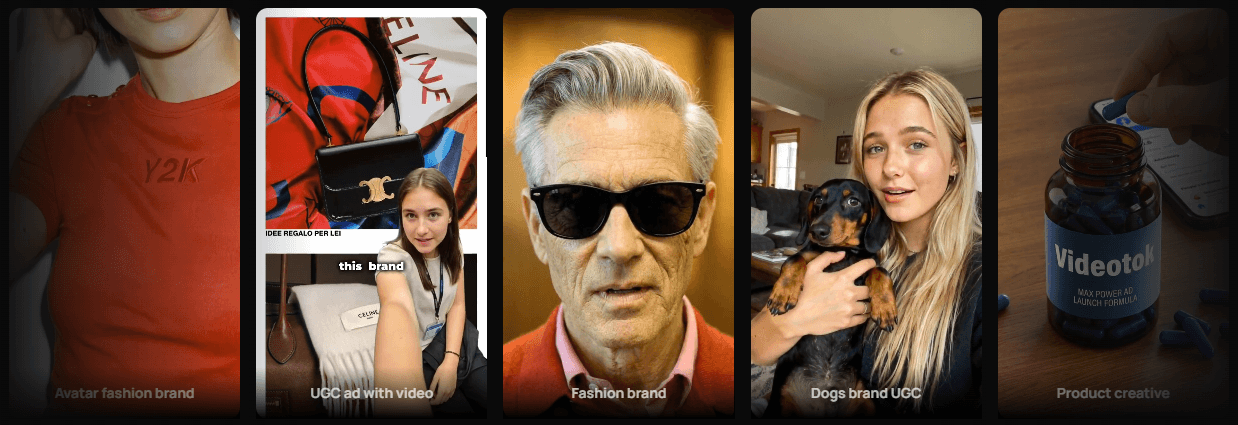
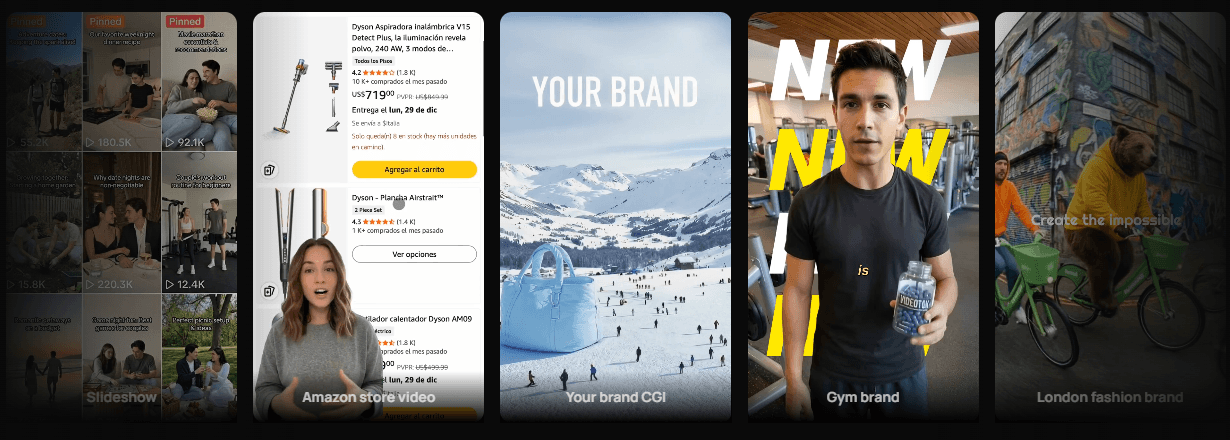
VideoTok supports text, URLs, YouTube links, audio, and images as starting points for video creation.
It is built not just for faceless videos, but also for AI UGC ads, talking avatars, custom avatars, and cloned voices.
The platform emphasizes agents that can generate on-brand content and publish it across connected social accounts.
VideoTok includes a professional editor with captions, transitions, background removal, face swap, asset storage, and post-generation revision tools.
Plans include unlimited brand kits, social account connections, user seats, and bulk-creation capacity that scale meaningfully by tier.
The pricing and credit model are clearly designed for teams producing ads and content volume, not just casual one-off experiments.
The clearest way to think about VideoTok is as a commercial video-content engine rather than a simple AI generator. The homepage positions it around “social media content and ads created and posted automatically,” while the rest of the site spreads that promise across faceless video, text-to-video, link-to-video, image-to-video, AI animation, avatars, UGC ads, voice cloning, and an online editor. That makes VideoTok less like a single model and more like a workflow shell around many models and media types.
That matters because the product is aimed at a different buyer than a pure image-to-video or prompt-to-video tool. VideoTok is trying to serve people who need repeatable content production: ecommerce brands, agencies, performance marketers, faceless-channel operators, and teams churning out many creative variations. Its official site leans hard into that scale story, especially for UGC ads and automated publishing.
VideoTok looks strongest in two workflows.
The first is faceless social video production. Its AI video, text-to-video, link-to-video, image-to-video, and animation pages all point to the same use case: take an idea or source asset, let the system generate script, visuals, narration, and motion, then clean it up in the editor. The product repeatedly frames that as useful for YouTube automation, TikTok, and Instagram Reels.
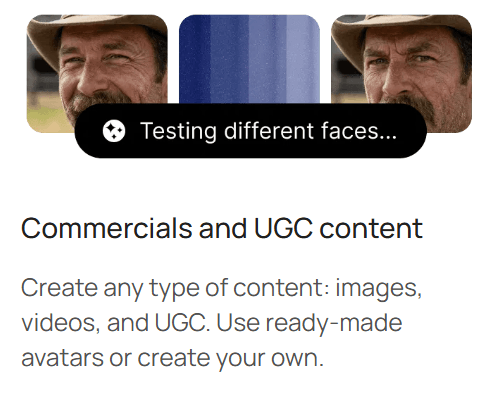
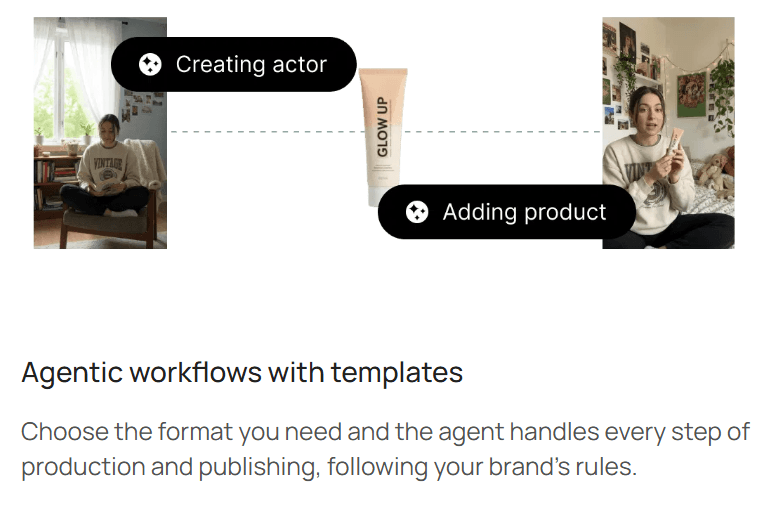
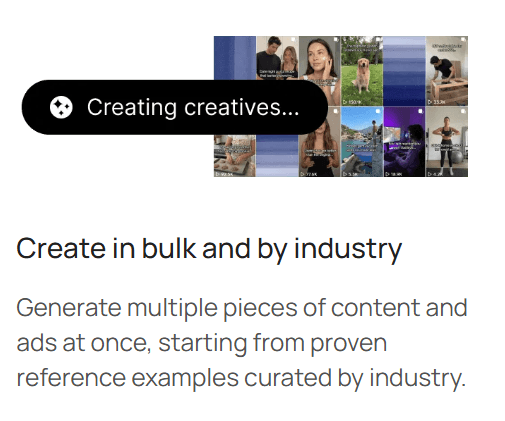
The second is UGC-style ad production at scale. VideoTok’s UGC page is much more specific than many AI video tools: it explicitly sells authentic-looking AI avatar ads, custom AI influencers, and the ability to create 10, 50, or 100+ variations in one session for faster A/B testing. That is one of the clearest signs that the product is designed for performance marketing more than for general creative play.
A subtler strength is that VideoTok seems built for speed with acceptable control, not speed alone. The site keeps repeating a three-step motion: enter topic or source, choose style and voice, then edit and publish. That is a good fit for people who do not want a black box but also do not want to hand-build every scene from scratch.
The public workflow is straightforward enough that you can sketch it without using the product.
First, you set the brand layer. The homepage says you define colors, voice, and style once so every video stays on-brand automatically. That is a useful starting point because it suggests VideoTok is trying to reduce rework across repeated content batches, not just generate random one-off videos.
Second, you hand the system a source. Depending on the use case, that can be a topic, text, a link, an article, a YouTube link, audio, or image inputs. The homepage and feature pages explicitly say the agents can work from “a topic, a link, or just an idea,” while the text-to-video and link-to-video pages describe largely automatic creation from those sources.
Third, the agents build the first pass. VideoTok says the agents handle script, visuals, and voiceover, and the feature pages repeatedly describe the process as automatic from source to publish-ready draft. That is useful for non-editors, but it also hints at the product’s ceiling: if you hate the first creative direction, you are still relying on VideoTok’s production logic rather than starting from a true blank timeline. That last point is an inference based on the product’s automation-first structure.
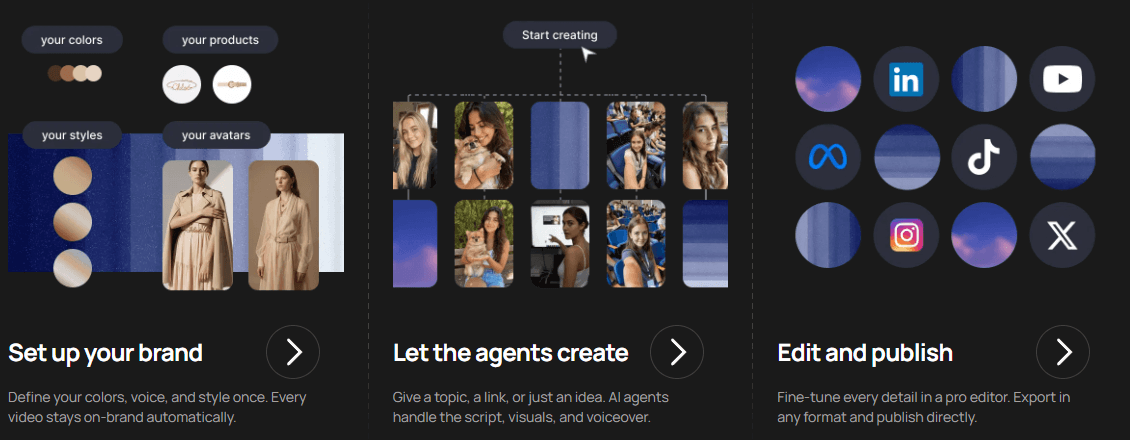
Fourth, you refine in the editor. This is where VideoTok becomes more credible than a pure one-click generator. The pricing page and editor page list semantic asset storage, AI assistant features, uploads, stock media, first/last-frame controls, background removal, extensions, transitions, captions, and multiple caption templates. Publicly, that looks like enough control to rescue and polish output, though not enough evidence to call it a deep pro editing suite.
Finally, you publish or automate. The homepage says AI agents can create on-brand content and publish it “without manual work,” and the pricing page includes agent social media automation and social account connections across tiers. That is one of the more important buying signals here: VideoTok is trying to own the downstream publishing step, not just hand you a file.
| Layer | Best For | Why It Matters |
|---|---|---|
| Faceless AI Video | YouTube automation, explainer clips, content repurposing | This is the broadest workflow and the easiest one to understand from the site. |
| UGC and Avatar Ads | Ecommerce, paid social, creative testing | VideoTok is unusually explicit about bulk variations, custom avatars, and brand-facing AI influencers. |
| Editor and Finishing | Captioning, polishing, uploads, background removal, media swaps | This is what keeps the product from being only a generator. |
| Agent Automation | Teams that want repeated creation and posting | The automation layer is one of the platform’s main differentiators. |
That breakdown is useful because the website can otherwise feel repetitive. Many of the landing pages reuse the same broad “create viral videos in minutes” pitch, so the real evaluation has to come from the workflow layers underneath. That last sentence is an inference from the current site structure.
This is one of the reasons VideoTok is more interesting than a basic faceless-video tool. Its pricing and UGC pages show a meaningful avatar stack: custom AI avatars, ultra-realistic avatar libraries, custom voices, emotions, clothing, voice cloning, and multiple voice styles. The talking-avatar page also says you can upload your own footage to create a custom avatar and localize into 30+ languages with lip-sync.
That is a strong commercial feature set on paper. It means the platform is not limited to stock narrator videos. It is clearly aiming at brand spokesperson content, AI presenters, and UGC-style ads with different hooks and delivery styles. For media buyers and creative teams, that matters more than a generic “AI avatar” checkbox.

The trade-off is realism trust. The site says the avatars speak naturally with realistic lip-sync, emotions, and expressions, but that is still a vendor claim. Publicly, I can verify the capability exists and is central to the product, but not independently verify how often the results cross the line from “usable” to “convincing enough for paid ads.” So this is an area where the workflow looks promising, but real buyer confidence should still come from testing outputs yourself.
- Ecommerce brands and paid-social teams: VideoTok is a strong fit for teams that need many ad variations quickly, especially when UGC-style creative and avatar-led product messaging are part of the testing workflow.
- Faceless content operators: It fits YouTube automation channels, TikTok pages, and Instagram Reels pipelines that need repeatable text/link/audio/image-to-video creation.
- Small agencies: The platform makes sense for teams that want one production shell for multiple brands, especially with brand kits, multiple seats, social connections, and automation agents.
- Performance marketers: VideoTok is useful when the goal is to produce enough creative variation to test hooks, avatars, products, and formats quickly.
- Not ideal for deep manual filmmaking: It is a weaker fit for filmmakers or editors who want deep manual control first and automation second.
- Use VideoTok when you already know the content lane you want. It looks much better suited to repeatable categories like faceless explainer, UGC product ad, avatar presenter, or slideshow creative than to highly bespoke video concepts.
- Treat brand setup seriously. The official site makes “define your colors, voice, and style once” part of the core workflow, which suggests the system gets more useful when you feed it a stronger brand baseline instead of asking it to improvise every time.
- Watch the credit math before assuming the headline monthly price is cheap. VideoTok is affordable only if your generation volume fits the tier you choose. Once you lean into bulk testing and automation, the credit model matters a lot.
- Use bulk creation for testing angles, not for blindly publishing everything. The real value is generating multiple options, then choosing the versions that fit the campaign best.
- Review avatar-led UGC carefully before running paid ads. The workflow may be fast, but realism, product claims, brand tone, and legal compliance still need human review.
- The biggest limitation is that VideoTok’s public product story is broad and repetitive. The site presents many related pages around faceless video, UGC ads, avatars, link-to-video, image-to-video, and automation, but the core promise often repeats: create videos quickly and publish them automatically. That can make it harder to understand exactly which workflow is strongest until you test the product.
- The second trade-off is automation dependency. VideoTok is clearly optimized for speed, agentic workflows, and repeatable production. That is useful for scale, but users who want detailed creative authorship may find the automation-first structure limiting.
- The third limitation is avatar realism uncertainty. The platform’s avatar and UGC feature set is commercially interesting, but the quality threshold for paid ads depends heavily on the exact output, product category, audience expectations, and brand standards.
- The fourth trade-off is credit planning. Since the product is designed for bulk generation, ad variation, avatars, and automation, generation volume can matter more than the headline plan price.
- The fifth limitation is that publishing automation still needs oversight. Even if agents can publish directly, brands should review messaging, claims, captions, visuals, and targeting before letting automated content represent them publicly.
VideoTok is best understood as an AI video production and publishing system for brands, agencies, performance marketers, and faceless-content operators who need repeatable creative output.
Its strongest qualities are multi-input video creation, UGC-style ad generation, avatar workflows, brand setup, bulk creative production, an integrated editor, and agent-based automation for publishing.
The main caveat is that VideoTok is built for throughput and commercial content scale more than detailed manual filmmaking. It is most compelling when you need lots of social videos, UGC variations, avatar ads, or faceless content quickly, and less compelling if you need full creative control over every frame.
TAGS: Social Media Tools Text to Video
Related Tools:
Enables users to create professional-quality videos from text

Extracts and edits short highlight clips from longer videos

Creates cinematic videos from text and images

Enhances sales force automation
Automates Instagram engagement growth

Generates videos and 3D models