
Share this tool:
 |
Description:
Syllaby is best understood as an AI content pipeline for short-form and long-form social video, not just a faceless video generator. Its current public product positioning spans idea discovery, AI script generation, avatars, voice cloning, thumbnails, faceless video creation, a video editor, text-to-scene generation, URL-to-video, audio-to-video, a content calendar, and social analytics. That broader shape matters, because the real buyer question is not “Can it make an AI video?” but “Can it take me from topic selection to a publish-ready content system without leaving the platform?”
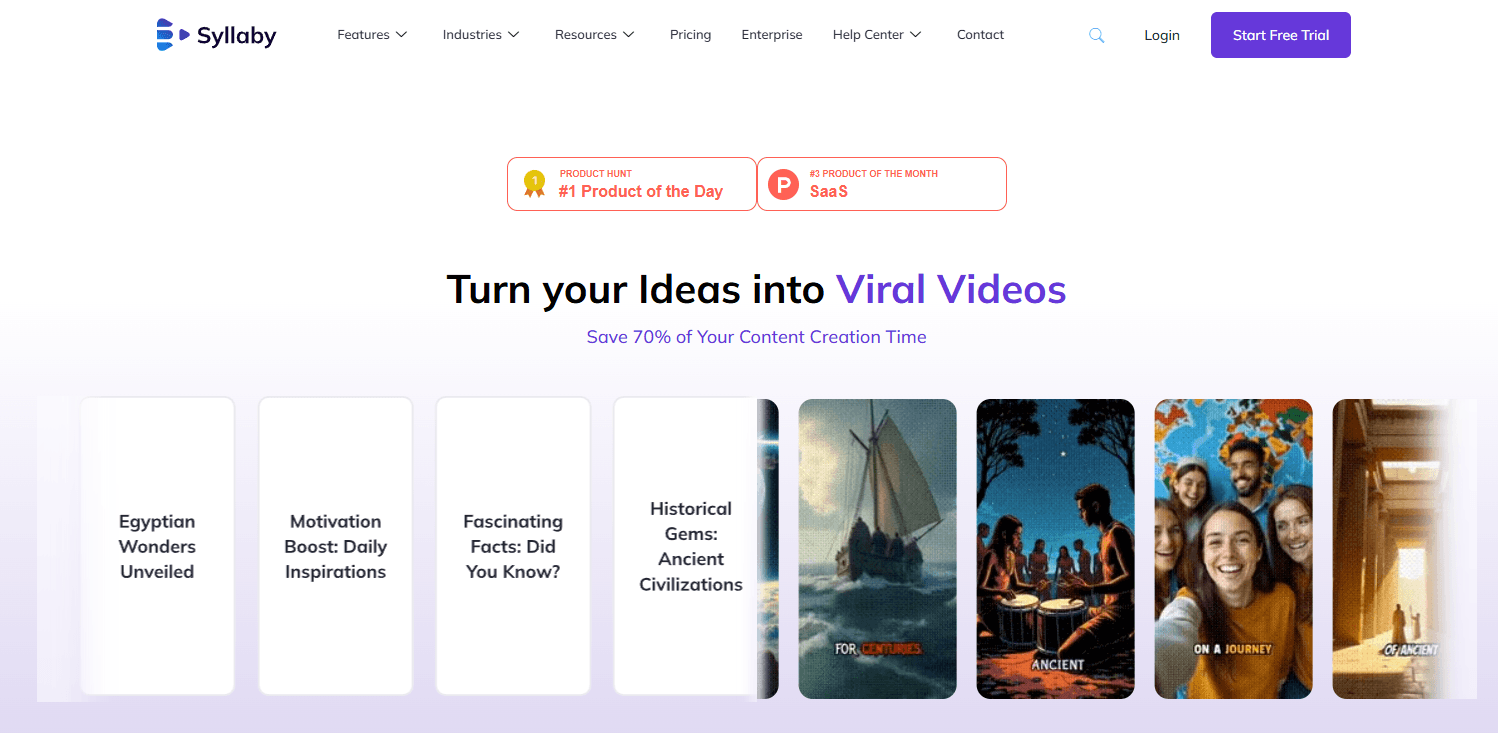
Syllaby’s Discover Ideas feature suggests trending topics, keywords, and angles for new videos instead of forcing you to start from a blank page.
The script tool analyzes topics and keywords to create audience-oriented scripts, and you can also refine your own ideas inside the platform.
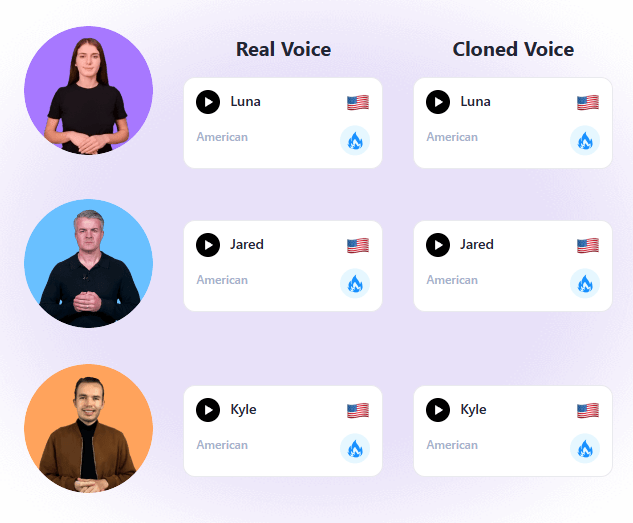
Syllaby supports both faceless video workflows and AI avatar workflows, including “Real Clone Lite Avatar” and “Real Clone Studio Avatar.”
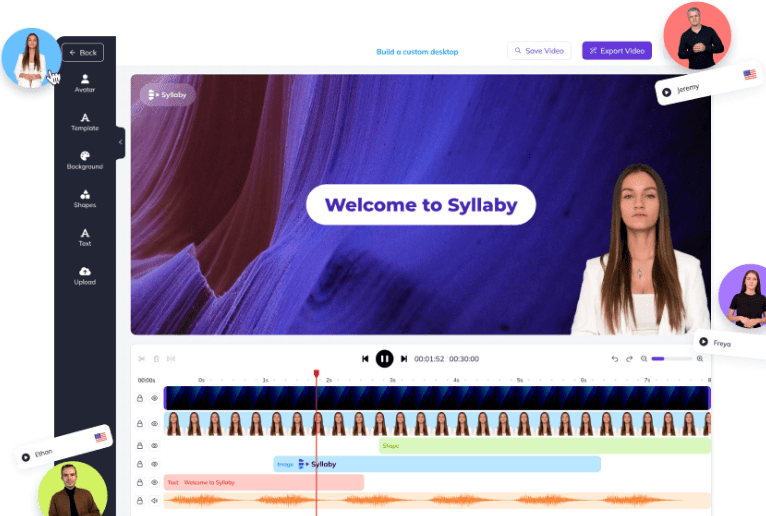
The editor covers trimming, effects, visual improvements, stock assets, media upload, and multiple creation inputs like audio-to-video and URL-to-video.
The content calendar supports scheduling, AI-suggested descriptions, thumbnail generation, and direct publishing or scheduling after export.
Plans differ by monthly credits, clone allowances, scheduling caps, storage, and text-to-scene model access rather than by one simple “all features or not” split.
The clearest way to think about Syllaby is as a creator workflow platform built around search-led video marketing. The official site repeatedly frames it around discovering content ideas, generating scripts, turning those scripts into faceless or avatar videos, polishing the result, and then publishing or scheduling it to social channels. Even its broader features page describes it as a complete social media management solution with analytics, planning, and content production layers, not just one isolated video widget.
That is useful because Syllaby sits in an awkward category if you judge it too narrowly. It is not only an avatar tool. It is not only a faceless video tool. It is not only a scheduler. It is trying to connect topic research, scripting, voice, visuals, editing, thumbnails, and posting in one system. Whether that sounds compelling depends on how fragmented your current workflow is. If you already use separate tools for ideation, scripting, editing, and scheduling, Syllaby is clearly trying to compress that stack.

The workflow starts earlier than many AI video tools. Syllaby wants you to begin with a topic, niche, or search-driven question, not just a generic prompt. Its own editor FAQ says a typical flow is to type in your industry or topic, discover ideas, choose a question with high search volume, generate a script, select an avatar, background, voice, and language, then generate the video. That is a very specific content-marketing workflow, and it tells you exactly who the platform is trying to help.
That search-led structure is one of Syllaby’s more practical advantages. A lot of AI video tools start at the generation stage and leave the user to figure out what to make. Syllaby’s official pages push much harder on finding topics, keywords, and creative angles first. For service businesses, coaches, educators, and creators who struggle more with “what should I post?” than with “how do I edit?”, that orientation makes sense. This is partly an inference from how prominently Syllaby presents Discover Ideas, script generation, and content strategy across its pages.
Once you move into production, Syllaby offers multiple output paths. You can make faceless videos, avatar videos, short-form videos, long-form videos, audio-to-video pieces, URL-to-video videos, or text-to-scene sequences. The online editor is positioned as the central place where those assets come together, and the public pages say you can trim footage, add effects, improve visual quality, and then export or share across multiple channels.
The publishing step is more developed than many AI generators offer. Syllaby’s calendar pages say you can schedule your post right after generating your video, add AI-suggested descriptions, generate thumbnails, and either publish immediately or schedule for later. That makes the platform feel less like a creation sandbox and more like a lightweight social operations tool.
Syllaby is strongest for people who create educational, explanatory, or promotional social content on repeat. The platform’s own examples and industries lean toward real estate, mortgage, legal, therapy, addiction treatment, doctors, dentists, contractors, fitness, marketing agencies, and similar service-led businesses. That fits the product logic: find questions people ask, turn them into scripts, then publish those answers as videos consistently.
It is also strong for people who do not want to be on camera all the time. The faceless video pages make that pitch explicitly, and the avatar layer gives a second route for creator presence without constant filming. If your content strategy depends on volume, consistency, and reusability more than on cinematic originality, Syllaby’s combination of faceless video, avatars, voice options, and scheduling is practical.
Another real strength is format flexibility. Syllaby is not locked into one input. It can work from ideas, scripts, audio, and URLs, and it also exposes text-to-scene generation and character consistency as separate video-building layers. That matters because once you use the platform regularly, the bottleneck changes: sometimes you have a topic, sometimes a draft script, sometimes an article, sometimes only a voice track. Syllaby appears to have noticed that and built multiple entry points around it.
The first layer is idea discovery and scripting. This is where Syllaby differentiates itself most clearly from raw video generators. The Discover Ideas feature suggests trends, keywords, and creative angles, and the script generator is designed to turn those into audience-facing narratives. If you skip this layer and judge Syllaby only as an editor, you miss part of its value.
The second layer is presentation format. You can go faceless, use an avatar, use your own voice, choose an AI-generated voice, or build visuals through text-to-scene and style-based image generation. On the avatar side, Syllaby specifically surfaces “Real Clone Lite Avatar” and “Real Clone Studio Avatar,” which suggests that avatar fidelity and customization are meaningful internal product layers rather than one generic avatar mode.

The third layer is the content calendar and scheduling system. This is not just a publishing checkbox. Syllaby’s public workflow explicitly includes AI descriptions, thumbnail selection or generation, ideal posting times, and post scheduling immediately after export. If you publish often, this layer matters almost as much as the video generation itself.
The fourth layer is analytics and planning. Syllaby clearly offers analytics, audience metrics, and performance tracking, but the public-facing documentation stays fairly high level. You can see that analytics exist and are tied into the broader planning stack, but the official pages do not expose an especially deep reporting story in the same way they expose video creation and scheduling. That likely means analytics are useful and present, but probably not the main reason to buy the platform. This is an inference from the detail level on the public features pages.
- Service businesses: Syllaby is a strong fit for businesses that need a reliable educational content engine, including real estate agents, mortgage brokers, lawyers, doctors, dentists, fitness brands, coaches, and agencies.
- Faceless creators: It is useful for creators who want one place to research, script, generate, edit, and schedule without filming themselves every day.
- Educational and explanatory content: The idea-discovery and script-generation workflow fits short videos that answer common audience questions.
- Small teams: Teams that currently stitch together separate tools for ideation, writing, video generation, editing, thumbnails, and scheduling may benefit from having the chain in one place.
- Avatar-led social content: Syllaby’s avatar and voice options make sense when a brand wants presenter-style videos without regular shoots.
- The biggest trade-off is that Syllaby can feel broad before it feels deep. It covers many steps well enough to form a complete workflow, but the public-facing pages are much more detailed about generation and scheduling than about analytics depth, collaboration depth, or nuanced editing control. That suggests the platform’s strength is workflow completeness more than best-in-class specialization in every layer. This is an inference from the balance of its official documentation.
- The second trade-off is pricing complexity. Credits are easy to underestimate, especially because avatars are more expensive per minute than faceless videos, and some actions like avatar export consume additional credits. That means your effective monthly cost depends less on the headline subscription price and more on what creation mode you choose most often.
- The third trade-off is documentation consistency. Syllaby’s official pages are not perfectly synchronized on supported publishing platforms. One homepage FAQ lists Facebook, Instagram, Twitter, and YouTube as integrated platforms, while the faceless-video page says the content calendar can publish directly to YouTube, TikTok, Facebook, Threads, and LinkedIn. That does not mean the platform is unreliable, but it does mean buyers should verify channel support inside the app if a specific network is business-critical.
- It is a weaker fit for users who want deep manual post-production, advanced analytics, or highly custom cinematic control. The public product story emphasizes streamlined workflow, not fine-grained filmmaking. That is not a flaw, but it does define the ceiling.
Syllaby is most compelling as a search-led AI video workflow for businesses and creators who need repeatable social content, not one-off flashy demos.
It is strongest when you use the full chain — topic discovery, scripting, faceless or avatar video creation, editing, and scheduling — and it is especially well suited to educational, service-led, and faceless content strategies.
The main caveat is that the platform is credit-driven and broad, so buyers need to pay attention to usage economics, publishing specifics, and whether they want an end-to-end workflow tool or a deeper specialist in one category.
TAGS: Social Media Tools Video Editing
Related Tools:
Streamlines social media strategies

Assists creators with social media data analysis

Generates engaging and personalized comments

Creates effective responses for emails

Transforms long videos into short, branded clips

Content publishing platform that simplifies video sharing