
Share this tool:
 |
Description:
Vubli is a short-form video distribution tool, not a general AI creator suite. Its pitch is simple: upload one video, let the platform generate platform-specific titles, descriptions, tags, and captions, then post or schedule that video across YouTube Shorts, Instagram Reels, TikTok, Facebook Reels, LinkedIn, and X from one workflow. It also adds a “Boost” layer for turning the same video into a blog post or newsletter draft.
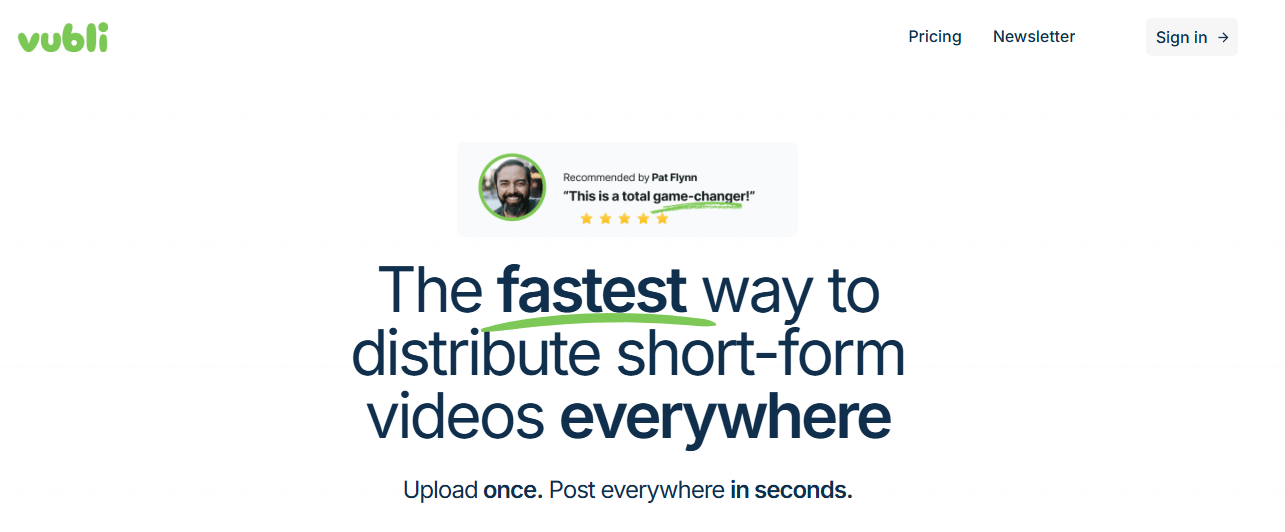
Vubli is built specifically for posting the same short video across YouTube Shorts, Instagram Reels, TikTok, Facebook Reels, LinkedIn, and X.
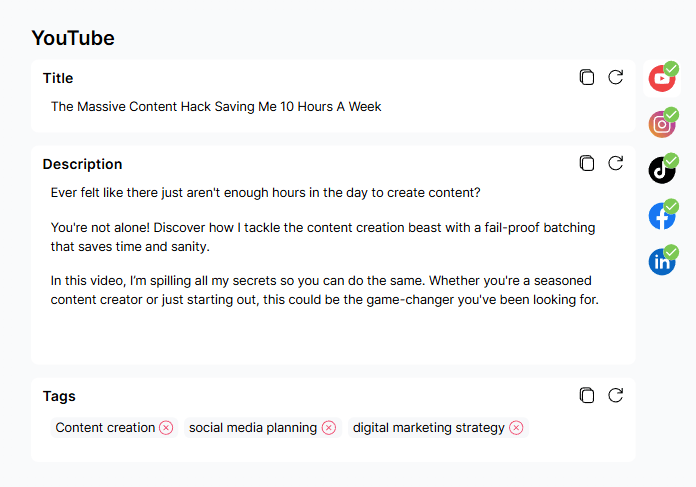
It generates different titles, descriptions, tags, and caption formatting for different platforms instead of forcing one identical post everywhere.
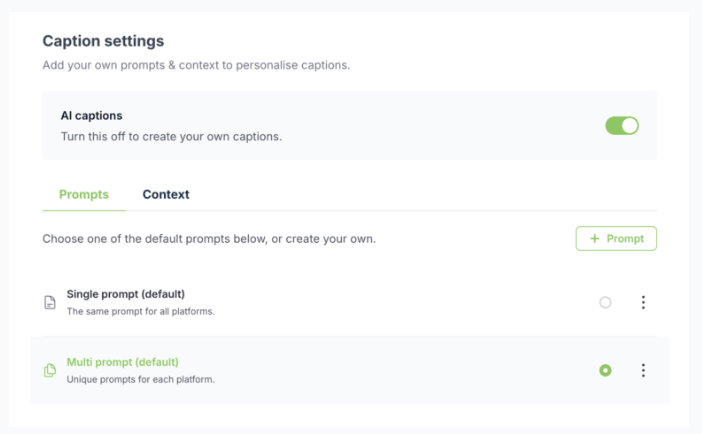
The product explicitly lets you personalize the AI output rather than accepting one default caption style.
You can publish immediately or use a date picker and drag-and-drop calendar for scheduled posting.
Vubli can generate a blog post and newsletter draft from the video after it has been posted to at least one social platform.
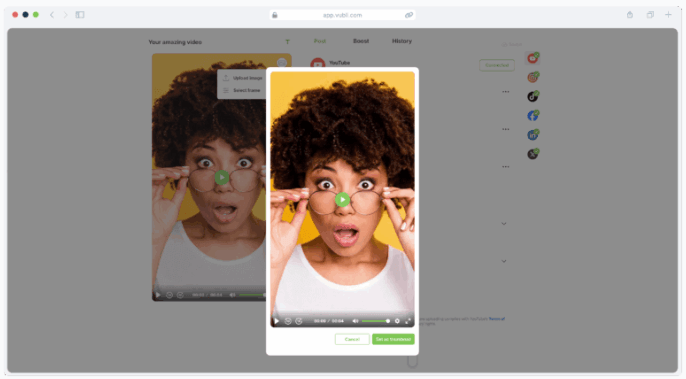
You can choose a frame or upload an image, with different platform-specific behavior for how the thumbnail is applied.
Vubli is strongest when your real problem is not making videos but distributing them consistently. If you already have a steady stream of Shorts, Reels, clips, founder videos, talking-head posts, or personal-brand content, the product makes sense quickly. Its main value is removing the repetitive part: re-uploading the same clip, adapting the post text for each platform, manually scheduling everything, and keeping track of what went live where.
That also makes its positioning much clearer than many broader “AI social media” tools. Vubli is not trying to be your video editor, your thumbnail designer, your long-form repurposing suite, or your analytics platform. It is built around one narrow workflow: get a short-form video out everywhere faster. That focus is a strength, because the product reads like it was designed by people who know the friction of short-form distribution specifically.
The workflow is straightforward. You upload a video, connect your social accounts, review the content Vubli generated for each platform, then either post immediately or schedule it. The help docs also make it clear that each platform gets its own version of the copy, and Vubli emails you when the post succeeds on each platform.
Where Vubli gets more practical is the editing layer. You can refresh AI-generated titles, descriptions, and tags if the first result is off, or manually edit them and let the edits autosave. There is also a platform-specific formatting layer: YouTube keeps titles, descriptions, and tags separate, while Instagram and similar platforms combine them into one caption. That sounds small, but it matters because cross-posting tools often feel sloppy precisely at this point.
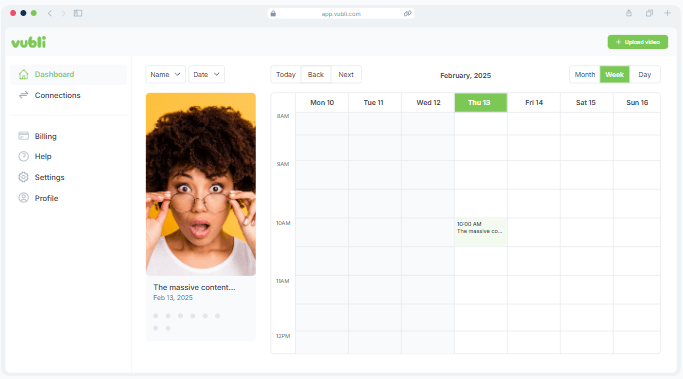
Scheduling looks solid rather than fancy. Vubli supports scheduling from the post confirmation page or via a drag-and-drop calendar with month, week, and day views. The platform also uses status colors for scheduled versus posted items and lets you unschedule entries from the calendar. That is useful for creators batching a week or a month of content at once.
The most important quality question with Vubli is not video quality generation, because it is not generating the video itself. It is copy quality and formatting quality. On that front, the platform’s strongest claim is that it writes unique copy for each platform and lets you control the prompts. The help docs reinforce that this is not one generic caption reused everywhere.
That said, Vubli also quietly tells you something important: review everything before posting. Its own help content repeatedly says you should click through each platform tab and check the generated copy before going live. That is a practical sign that the AI is meant to accelerate workflow, not replace judgment. For creators, agencies, and founders, that is the right expectation to have.
There is also a useful quality-related detail in the posting pipeline: Vubli says it does not compress your uploaded files before publishing, and instead uploads the exact same file you provided. That is good for keeping video quality intact, but it also means larger files can take longer to publish, especially under heavier load.
The public product story has three layers that matter most.
Upload once, connect socials, then post or schedule across the major short-form networks. That is the main product.
Platform-specific titles, descriptions, tags, editable text fields, refreshable outputs, and customizable prompts/context files. This is what separates Vubli from a plain scheduler.
Once a video has been posted on at least one platform, Vubli can generate a blog post for WordPress or a newsletter draft for Kit. The wording matters here because “draft” is the key limitation. For Kit, Vubli does not send the newsletter immediately; it creates a draft inside Kit. For WordPress, it can post directly or save as draft depending on your choice.
Vubli itself compares its product to Buffer, Later, and Metricool, and its main argument is fair: those platforms are built for generic social posting, while Vubli is tailored specifically for short-form video and writes platform-specific captions and hashtags. That does not automatically make it better for everyone, but it does make it more relevant for creators whose content is overwhelmingly video-first.
In practical terms, that means Vubli is easier to justify if your weekly workflow is “same video, six platforms” rather than “mixed social calendar across text posts, carousels, graphics, links, and community management.” If your job is broad social media management, Vubli may feel too narrow. If your job is cross-posting short videos over and over, that narrowness becomes the point.
Vubli is a strong fit for solo creators, founders, educators, coaches, and personal brands who make short-form video regularly and want the same clip pushed everywhere without repeating the upload-and-caption process manually.
It also makes sense for small agencies or social teams handling one brand profile at a time, especially when the real job is reliable publishing rather than content creation from scratch. The caveat is that the current public pricing and help docs say each account is limited to one user and one profile per social platform at a time, so this is not yet a broad multi-seat, multi-brand management system in the usual agency sense.
The Boost layer also makes Vubli more interesting for newsletter-driven creators and WordPress-based brands that want a lightweight repurposing path from short video to blog post or email draft. It is not full content marketing automation, but it is more useful than simple reposting.
- Review each platform tab before posting. Vubli’s whole advantage is platform-specific copy, so you should actually use that control instead of accepting the first output blindly.
- Use custom AI prompts and context files if you have a repeatable brand voice. That is one of the clearest ways to make the tool feel more like a system and less like generic AI captioning.
- If thumbnails matter to your workflow, learn the platform differences. Vubli handles YouTube, TikTok, and X differently from Instagram, Facebook, and LinkedIn, and YouTube Shorts may still require a mobile-app edit step afterward.
- Use Boost as a draft generator, not a blind publish button. The WordPress and Kit workflows are useful, but both are better treated as assisted repurposing rather than fully automatic finished publishing.
The biggest limitation is scope. Vubli is narrow by design. It helps you distribute and adapt short-form video posts, but it is not an editing platform, not a true caption-burn-in tool, and not a full social media management suite. Its own help docs explicitly say it does not currently add captions to the video itself, even though the homepage language could make that sound less obvious at first glance. What it actually generates is copy around the video: titles, descriptions, tags, newsletters, and blog posts.
The second limitation is account structure. Public docs currently say each account is limited to one user, and you can only use one profile per social platform at a time inside a Vubli account. That makes it less flexible for teams managing many clients or many brand channels at once.
The third limitation is some public-message inconsistency. Trial terms vary across pages, and help documentation still refers to a “free account” with under-60-second uploads while the pricing page mainly presents one paid plan and trial. That does not mean the tool is bad, but it does mean buyers should trust the live pricing page and confirm details before subscribing.
Vubli is a focused, useful tool for people whose bottleneck is short-form video distribution, not content ideation or editing. It looks strongest for creators and small teams posting the same clip across several platforms and wanting AI help with platform-specific copy, scheduling, thumbnails, and lightweight repurposing into newsletters or WordPress drafts.
The main caveat is that it is narrower than its AI branding might suggest: it is a publishing workflow tool first, and that is exactly why the right users may find it valuable.
TAGS: Social Media Tools
Related Tools:

Creates YouTube thumbnails

AI-enhanced tool for YouTube creators

Generates posts for social media campaigns

Transforms long videos into engaging social media clips
Analyzes and optimizes YouTube thumbnails

Creates engaging bios for social media