
Share this tool:
 |
Description:
- Introduction
- What Deepgram Actually Is
- Strong Features and Capabilities
- What Deepgram Does Best
- Speech-to-Text Quality and Control
- Text-to-Speech and Aura Voices
- Voice Agent API: The Most Strategic Part of Deepgram
- Workflow and Ease of Use
- Models and Platform Layers That Matter
- Best Use Cases
- Comparison to Other Tools
- Practical Tips
- Limitations and Trade-Offs
- Final Takeaway
Deepgram is a developer-first voice AI platform for turning live or recorded audio into structured text, generating speech from text, and building real-time conversational voice agents. The best reason to use Deepgram is not just transcription accuracy. It is the combination of low-latency streaming, production APIs, usage-based pricing, audio intelligence features, and an increasingly unified stack for voice applications.
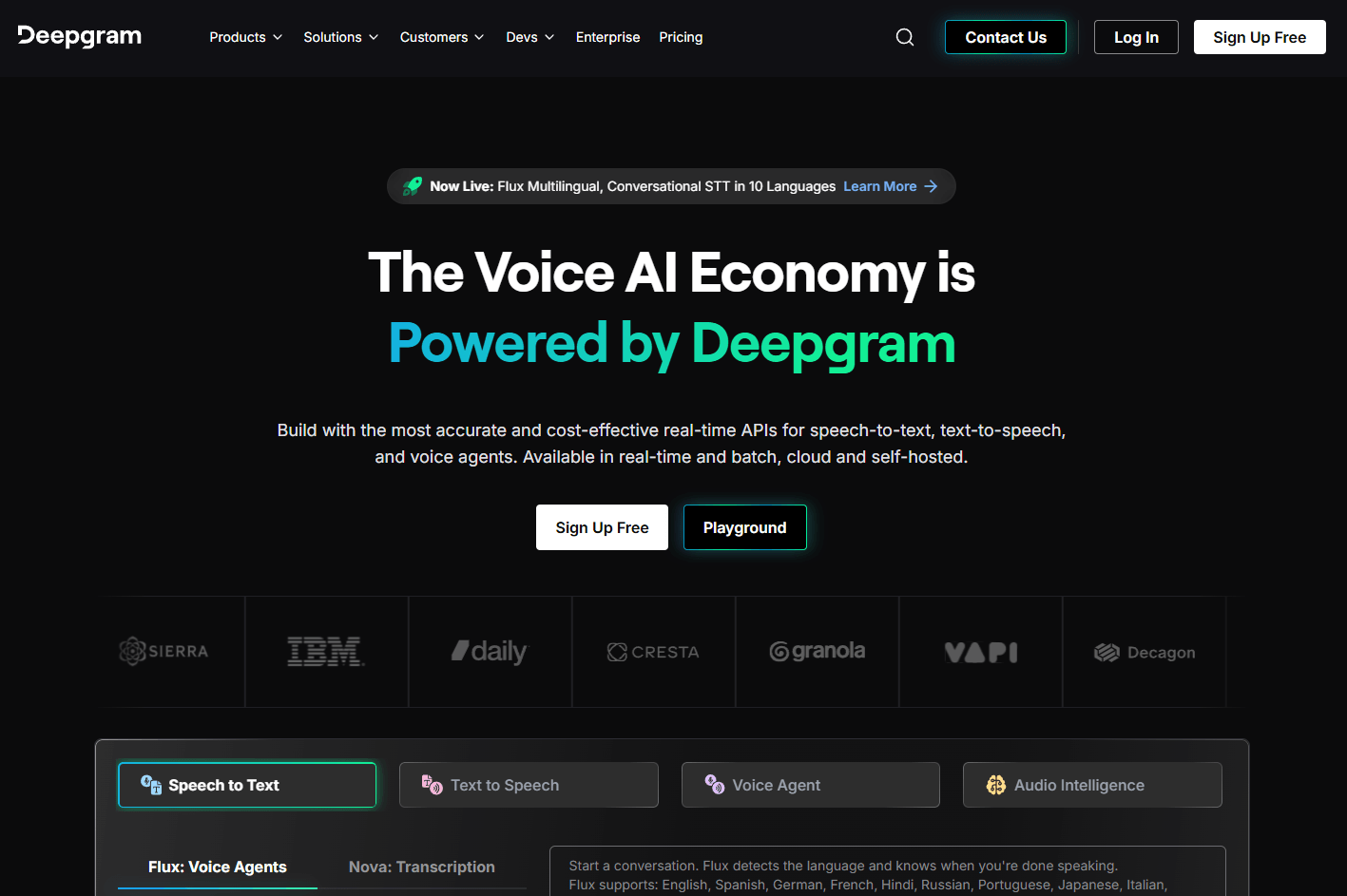
Deepgram started with speech-to-text, and that is still the core product most teams will evaluate first. You send audio to Deepgram through batch or streaming APIs, choose a model, configure options like language, formatting, diarization, keywords, keyterm prompting, or entity detection, and receive transcripts or real-time partial/final results.
The platform now goes beyond transcription. Deepgram’s current product family includes:
| Layer | What it does | Why it matters |
|---|---|---|
| Speech-to-Text | Converts live or recorded audio into text | Core for call analytics, captions, note-taking, compliance, and voice apps |
| Text-to-Speech | Generates spoken audio from text using Aura voices | Useful for assistants, IVR, product voice, and conversational AI |
| Voice Agent API | Combines STT, LLM orchestration, TTS, and business logic into one real-time voice workflow | Reduces the amount of infrastructure developers need to stitch together |
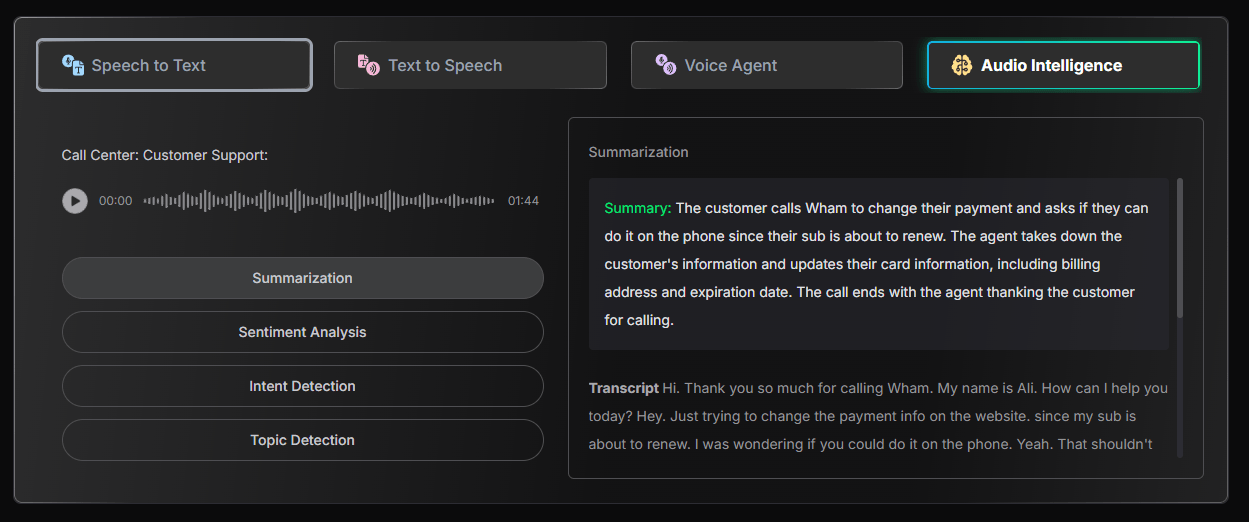
| Audio Intelligence | Extracts structured insights from audio and transcripts | Useful for downstream analysis, categorization, and automation |
That last point is important. Deepgram is trying to be more than a transcription endpoint. Its homepage describes a unified Voice Agent API that combines speech-to-text, text-to-speech, and LLM orchestration in one API, instead of making teams assemble each part separately.
Streaming transcription with interim results, language settings, keyword support, and Nova-3 keyterm prompting for specialized terms.
Good for recorded audio, podcasts, archives, call recordings, interviews, and analytics pipelines.
Deepgram’s TTS layer supports REST and streaming workflows, with Aura-2 voices across English, Spanish, German, French, Dutch, Italian, and Japanese.
A unified API for real-time conversational agents that can combine listening, reasoning, speaking, and business logic.
Keywords, keyterm prompting, and pronunciation controls help improve results for brands, product names, technical terms, and industry language.
SDKs, API docs, playground access, and examples make it practical for teams building production voice features rather than only testing demos.
Deepgram is strongest when speech is part of a product, not just a one-off file conversion task.
For simple transcription, plenty of tools can handle uploads. Deepgram becomes more interesting when you need real-time performance, high concurrency, streaming partial results, custom terminology support, or a developer workflow that can sit inside a live application.
Its best fit is not “I have one interview to transcribe.” Its best fit is closer to:
- A call center wants real-time transcripts and post-call analysis.
- A SaaS product wants voice notes, captions, or meeting intelligence.
- A healthcare or support workflow needs fast speech recognition with domain vocabulary.
- A startup is building a voice agent that needs to hear, reason, respond, and interrupt naturally.
- A platform team wants STT and TTS APIs from one provider instead of combining several vendors.
That makes Deepgram feel more like voice infrastructure than a polished end-user app. For technical teams, that is a strength. For non-technical users, it can also be the main friction.
Deepgram’s speech-to-text layer is the most mature part of the product. The practical value is not only that it can transcribe audio, but that it gives developers the kinds of controls that matter in production.
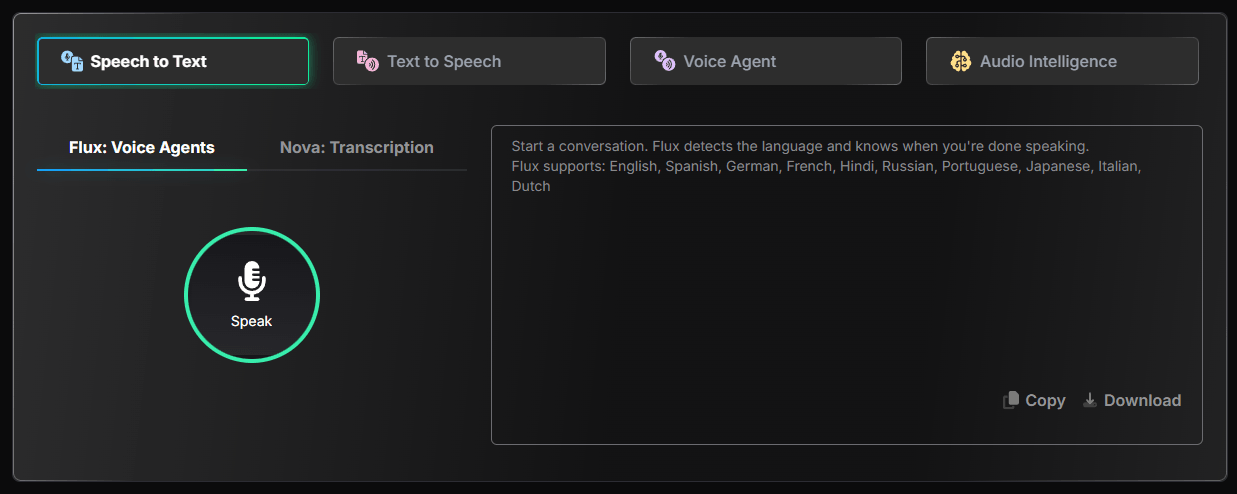
The most important controls are language selection, model selection, streaming versus pre-recorded mode, interim results, formatting, diarization, keyword boosting, and keyterm prompting. For real-time applications, interim results matter because the transcript can update while someone is still speaking. That is useful for live captions, agent routing, contact-center assist tools, and voice interfaces where waiting for a final transcript would feel slow.
Keyterm prompting is especially useful for specialized vocabulary. Many speech systems struggle with company names, product names, acronyms, medications, technical phrases, and unusual proper nouns. Deepgram’s streaming docs note that keyterm prompting can boost specialized terminology and brands, and that it is compatible with Nova-3. That gives developers a more direct path to improving accuracy without retraining a model.
The trade-off is that better control also means more setup. A casual user may expect a magic “upload and done” experience. Deepgram is more powerful when you tune the API for your domain, test on representative audio, and measure accuracy against your actual use case.
Deepgram’s text-to-speech layer is built around Aura, with Aura-2 as the more important current model for most new builds. It is not trying to be a full creator studio like ElevenLabs. It is aimed more directly at low-latency speech generation for products, customer interactions, IVR, and conversational agents.
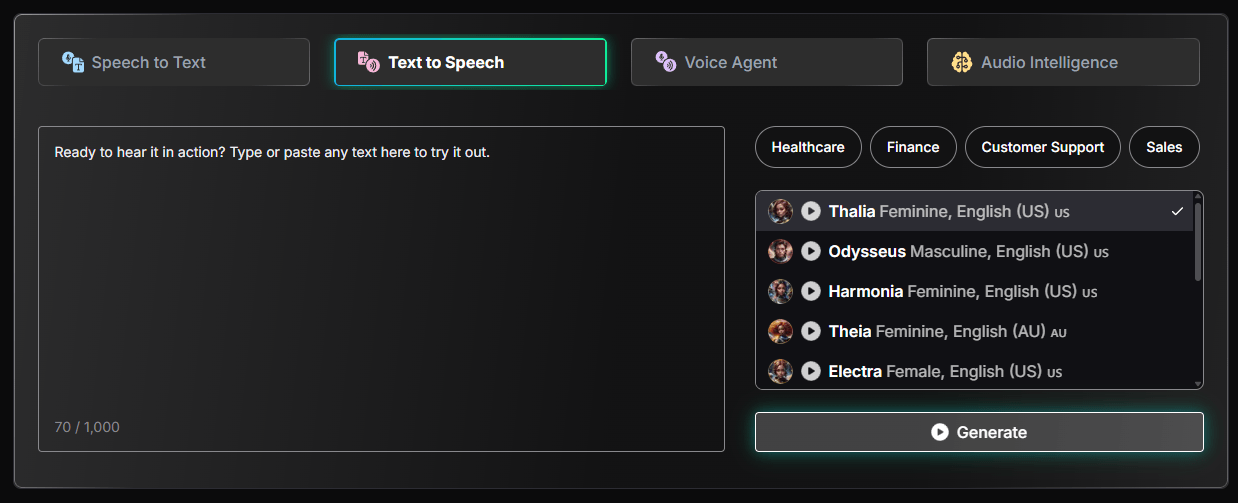
Aura-2 currently supports English, Spanish, German, French, Dutch, Italian, and Japanese, with multiple accents and voice options depending on the language. English includes American, British, Australian, Irish, and Filipino accents, while Spanish includes Mexican, Peninsular, Colombian, and Latin American accents.
The useful part is that Deepgram gives developers voice selection through model-style identifiers such as aura-2-thalia-en. That makes the voice layer feel API-native rather than creator-tool-native. You choose a voice, send text, stream or request audio, and plug the result into a product.
Deepgram also supports Aura-2 voice controls for speaking speed and pronunciation overrides. That matters more than it sounds. Enterprise voice systems often fail on brand names, account numbers, healthcare terms, product SKUs, and uncommon names. A pronunciation override system gives teams a way to make voice output sound more intentional instead of accepting whatever the model guesses.
The limitation is voice range. Deepgram’s voice catalog is useful and expanding, but ElevenLabs is still the stronger choice if your main goal is highly expressive narration, voice cloning, creator audio, character voices, or large-scale multilingual voice variety.
The Voice Agent API is the clearest sign of where Deepgram is going. Instead of selling speech-to-text and text-to-speech as separate building blocks only, Deepgram now wants to own more of the real-time voice agent pipeline.
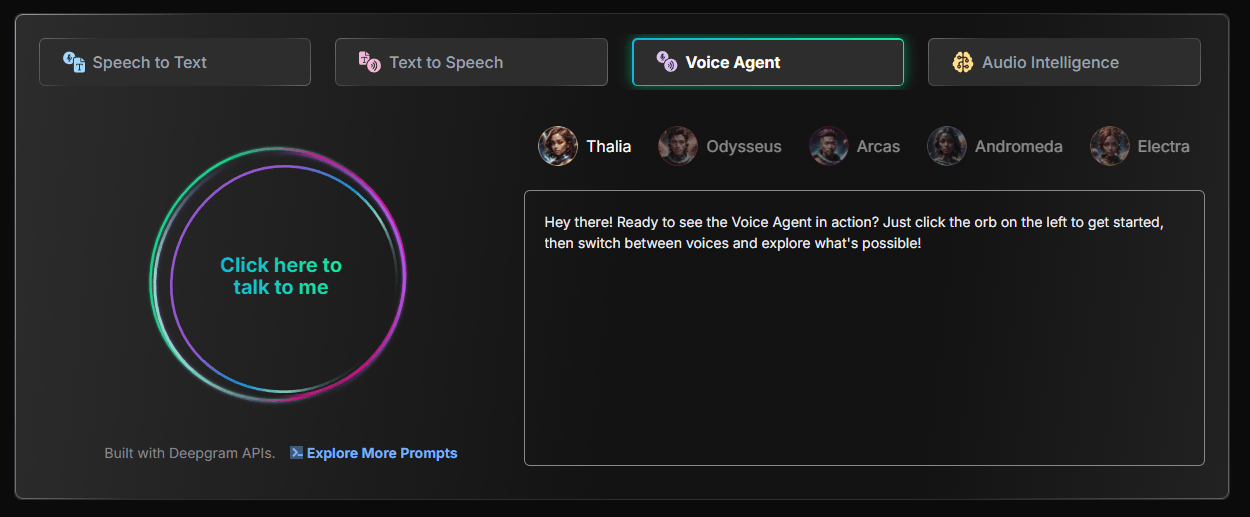
A real voice agent needs several things to happen smoothly:
- The user speaks.
- The system transcribes speech quickly.
- The transcript is sent to an LLM or business logic layer.
- The agent decides what to say or do.
- The reply is converted into speech.
- The agent handles interruptions, silence, turn-taking, and latency.
Many teams build this by connecting separate STT, LLM, TTS, telephony, and orchestration providers. Deepgram’s pitch is that its unified Voice Agent API reduces complexity, latency, and cost by bringing more of that pipeline into one place.
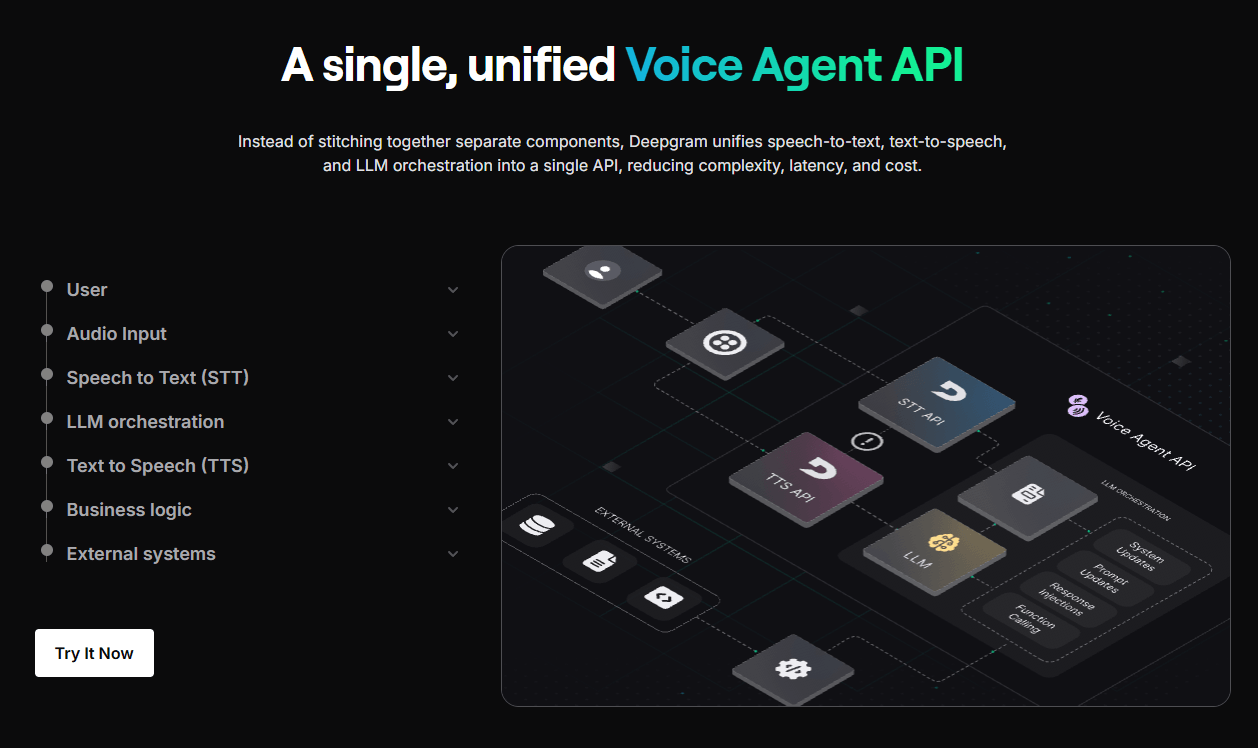
That is a compelling direction, especially for customer support, phone agents, scheduling assistants, ordering systems, healthcare intake, sales qualification, and internal workflow agents.
The important buying question is whether you want Deepgram’s integrated stack or whether your team prefers assembling best-in-class parts. If you already have a preferred LLM or TTS provider, Deepgram’s BYOM-style flexibility becomes important. The pricing page lists reduced Voice Agent API rates for configurations such as BYO TTS, BYO LLM, and BYO LLM + TTS, which suggests Deepgram understands that not every team wants the full bundled stack.
Deepgram is easy to test and more complex to master.
The first-run developer experience is straightforward. Create an account, get an API key, open the playground or docs, and make a request. The Voice Agent docs walk developers through setting up a project, installing the SDK, exporting a Deepgram API key, initializing the client, configuring the agent, sending keep-alive messages, and handling events.
That is friendly by API-platform standards. But Deepgram is still not a no-code product. The real work starts when you decide how to handle audio formats, latency, retries, silence, streaming connections, diarization, transcripts, redaction, cost monitoring, concurrency limits, and downstream analysis.
For product teams, this is normal. For creators, journalists, students, or solo users who only need occasional transcription, Deepgram may feel too technical compared with Otter, Descript, Riverside, or a built-in meeting recorder.
Deepgram’s model choices matter because quality, latency, language support, and cost can change depending on the workflow.
| Layer | Best For | Practical Meaning |
|---|---|---|
| Nova-3 STT | Current production speech recognition workflows | Best starting point for serious STT evaluation, especially when terminology control matters |
| Nova-2 / older STT models | Existing integrations or legacy workflows | May still matter for teams already tuned around them |
| Deepgram Whisper Cloud | Whisper-style transcription through Deepgram infrastructure | Useful when teams want Whisper behavior without self-hosting |
| Aura-2 TTS | Real-time product voice and agents | Better current choice for natural low-latency TTS |
| Aura-1 TTS | Lower-cost TTS | Useful when cost matters more than latest voice quality |
| Voice Agent API | Conversational AI | Best when you want a unified live voice stack instead of separate vendors |
Nova-3 is the model most new speech-to-text users should evaluate first. Deepgram has also been expanding Nova-3 language coverage, with its December 2025 changelog saying Nova-3 had reached 31 total languages after new language additions.
For TTS, Aura-2 is the more serious current option because it has broader voice quality positioning, newer language expansion, and additional controls. Aura-1 remains relevant when cost is the main concern. Deepgram’s pricing page currently lists Aura-2 at $0.030 per 1,000 characters on Pay As You Go and Aura-1 at $0.015 per 1,000 characters, with lower Growth rates.
- Contact centers and call analytics: Deepgram is a strong fit for live transcription, call review, agent assist, quality monitoring, customer-intent analysis, and post-call summaries.
- Voice agents and phone automation: The Voice Agent API is designed for real-time conversational AI, making Deepgram relevant for AI receptionists, support bots, appointment scheduling, food ordering, and intake workflows.
- Developer products with embedded speech: Apps that need voice notes, dictation, captions, transcript search, or audio-to-text features can build on Deepgram without creating their own speech stack.
- Media and podcast workflows: Batch transcription, speaker handling, and transcript processing make Deepgram useful for podcasts, interviews, video archives, and searchable media libraries.
- Healthcare, legal, and technical environments: Deepgram’s terminology controls are especially useful where accuracy depends on specialized vocabulary, although regulated use cases still need careful compliance review.
- Multilingual voice applications: Deepgram is becoming more useful internationally as Nova-3 and Aura-2 language support expand, but teams should test the exact target language, accent, and audio environment before committing.
Deepgram competes in a crowded space, but it has a clear identity.
| Tool | Strongest Fit | Where Deepgram Stands |
|---|---|---|
| AssemblyAI | Speech-to-text plus audio intelligence and transcript analysis | AssemblyAI is very strong for transcription intelligence; Deepgram is especially compelling for real-time voice infrastructure and unified STT/TTS/agent workflows. AssemblyAI promotes real-time Streaming Speech-to-Text with partial and final transcripts and low-latency use cases. |
| ElevenLabs | Expressive TTS, voice cloning, creator voice, dubbing, agents | ElevenLabs has broader creator voice appeal and a large voice ecosystem; Deepgram is more API-infrastructure oriented for real-time speech systems. ElevenLabs positions itself around voice generation, agents, 5,000+ voices, and 70+ languages. |
| OpenAI Realtime-style voice stacks | LLM-native voice conversations | OpenAI-style stacks are attractive when reasoning and model intelligence are the center; Deepgram is stronger when speech infrastructure, latency, transcription control, and vendor flexibility matter. |
| Google / AWS / Azure Speech | Enterprise cloud speech services | The hyperscalers are safe choices for teams already locked into cloud ecosystems; Deepgram is often more appealing to teams that want a speech-specialist API and more focused voice AI tooling. |
| Whisper self-hosting | Open-source or local transcription | Whisper can be cost-effective and flexible, but Deepgram reduces operational burden and adds production APIs, streaming, scaling, TTS, and voice agent layers. |
The simple version: choose Deepgram when speech is a product layer. Choose a consumer transcription app when you just need meeting notes. Choose ElevenLabs when voice performance and voice cloning matter more than transcription infrastructure. Choose a hyperscaler when procurement, cloud consolidation, or existing enterprise contracts matter most.
- Start with real audio, not clean demo clips. Speech tools often look great on studio-quality files and behave differently on phone calls, background noise, cross-talk, accents, and clipped audio.
- Test streaming separately from batch transcription. A model that performs well on uploaded recordings may need different configuration for live partial results, endpointing, and turn-taking.
- Use keyterm prompting for domain vocabulary. Add product names, brand terms, acronyms, medical terms, names, or industry phrases that the model is likely to mishear.
- Measure latency from the user’s perspective. For voice agents, the only latency that matters is the full loop: user speech, STT, LLM, business logic, TTS, and playback.
- Use Aura-2 for customer-facing voice. Aura-1 may be cheaper, but the newer voice quality and controls of Aura-2 are usually more important in live agent or brand-sensitive workflows.
- Watch websocket connection time for voice agents. Since Voice Agent API pricing is tied to websocket connection time, long idle sessions can change the cost profile.
- Build fallbacks early. Production voice systems need handling for silence, interruptions, low confidence, failed requests, noisy audio, and unsupported language or accent scenarios.
- Deepgram is not the simplest tool for non-technical users. If your goal is to upload one meeting and get a friendly summary, there are easier products.
- The platform also requires testing before serious deployment. Speech quality is highly dependent on audio quality, microphone type, speaker overlap, background noise, accent, domain vocabulary, and configuration. No pricing page or benchmark replaces testing on your own data.
- TTS is useful, but Deepgram is not yet the obvious winner for creator-grade voice performance. ElevenLabs still has a stronger brand and broader appeal for expressive narration, voice cloning, dubbing, and large voice catalogs.
- Voice Agent API is promising, but voice agents are still operationally complex. The hard parts are not only STT and TTS. They include turn-taking, interruptions, hallucination control, tool calls, escalation, compliance, latency, and user trust.
- Pricing is transparent but can still become complex. STT, TTS, Voice Agent API, audio intelligence, concurrency, Growth discounts, BYO components, and enterprise terms all affect total cost.
Deepgram is one of the strongest choices for developers and companies building real-time speech products. Its biggest advantage is not any single feature. It is the way speech-to-text, text-to-speech, terminology control, streaming APIs, audio intelligence, and voice agent infrastructure fit together in one platform.
It is especially compelling for contact centers, voice agents, live captions, product voice features, analytics pipelines, and companies that need speech AI at scale. It is less ideal for casual users who want a polished app, and less specialized than ElevenLabs for expressive creator voice work.
The best way to think about Deepgram is this: it is not just a transcription tool. It is a voice AI infrastructure layer. For teams building serious speech-enabled products, that makes it worth testing early.
TAGS: Speech to Text Text to Speech
Related Tools:
Text-to-Speech and Voice Cloning
Automates video dubbing and translation

Facilitates organization of scripts

Offers variety of tools for document creation

Captures, summarizes, and organizes your notes and recordings
Generates realistic speech and powers voice-based applications