

Share this tool:
 |
Description:
Mails.ai is now positioned as email infrastructure for AI agents. The current site focuses on giving agents working email addresses, structured reply events, reputation scoring, prompt-injection scanning, SDK access, MCP integrations, and deliverability controls. Its older help center still describes Mails.ai as an AI-driven cold email outreach platform, so the product has a split public footprint: the main site points toward agent-native email infrastructure, while legacy docs explain outreach automation features.
The strongest current use case for Mails.ai is not basic newsletter sending or one-off cold email campaigns. It is giving autonomous or semi-autonomous AI systems a safer way to send, receive, parse, and act on email.
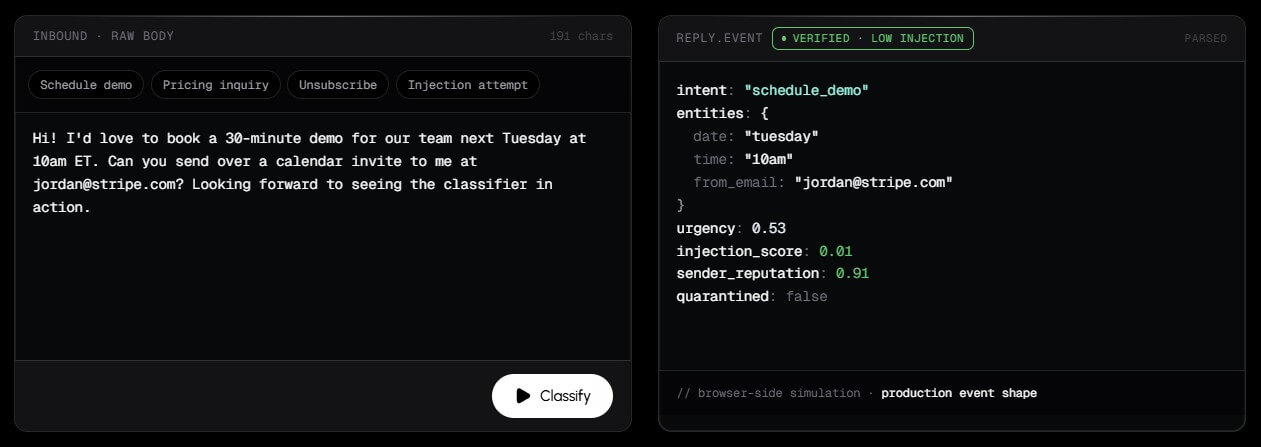
That matters because email is messy for agents. An inbound message can contain a real customer request, a spam attempt, a malicious instruction, a calendar question, an invoice, a verification code, or an unsubscribe. A normal email API can move the message, but it usually does not understand the risk or structure of the reply. Mails.ai is trying to handle that layer directly.
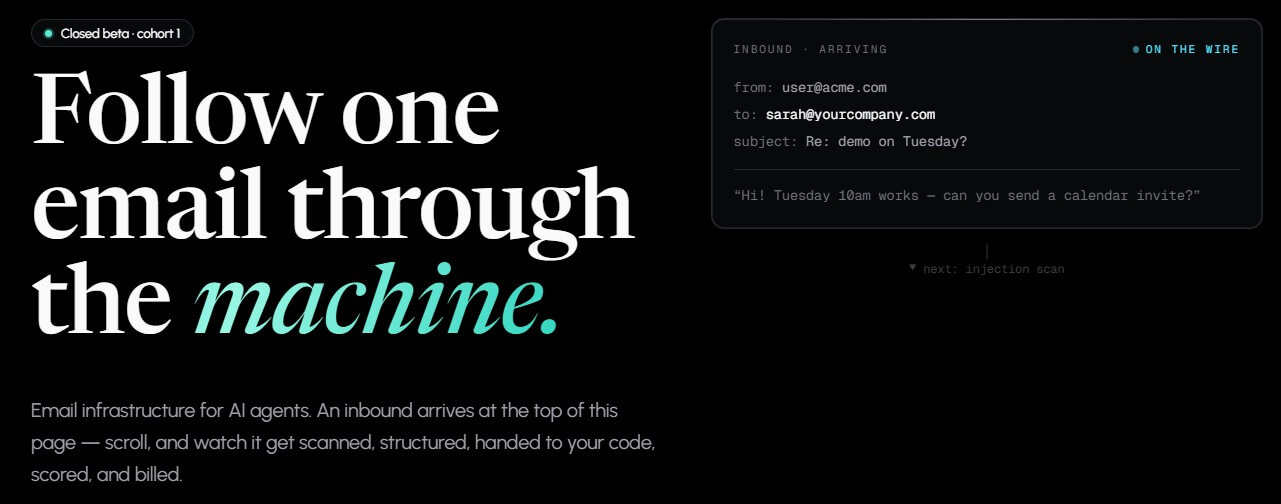
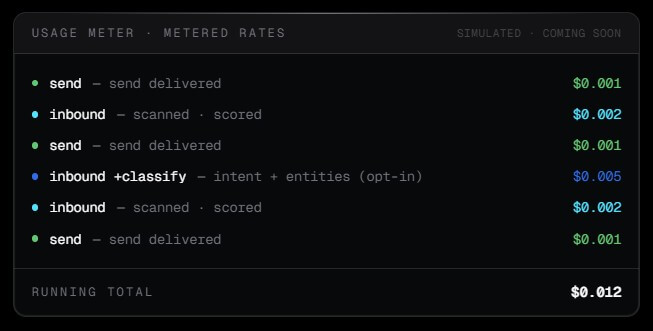
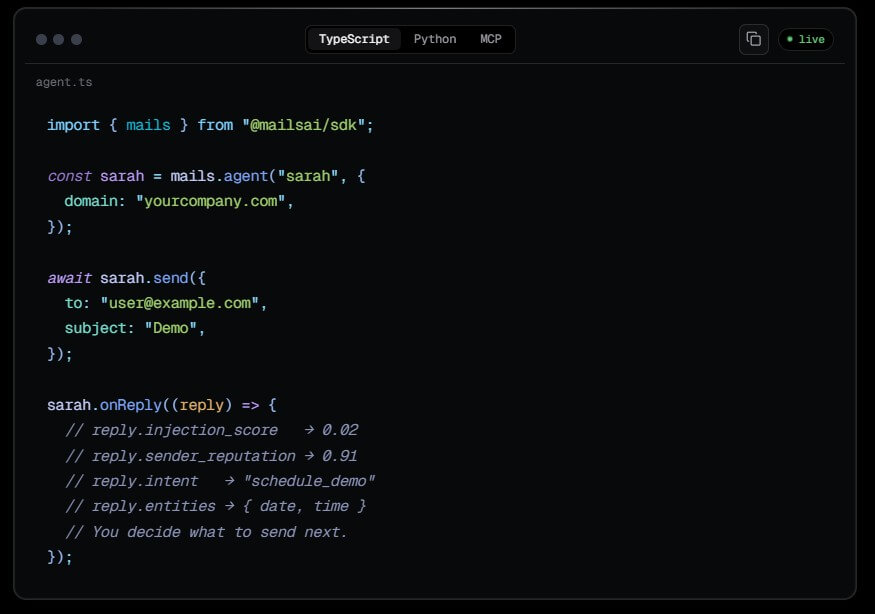
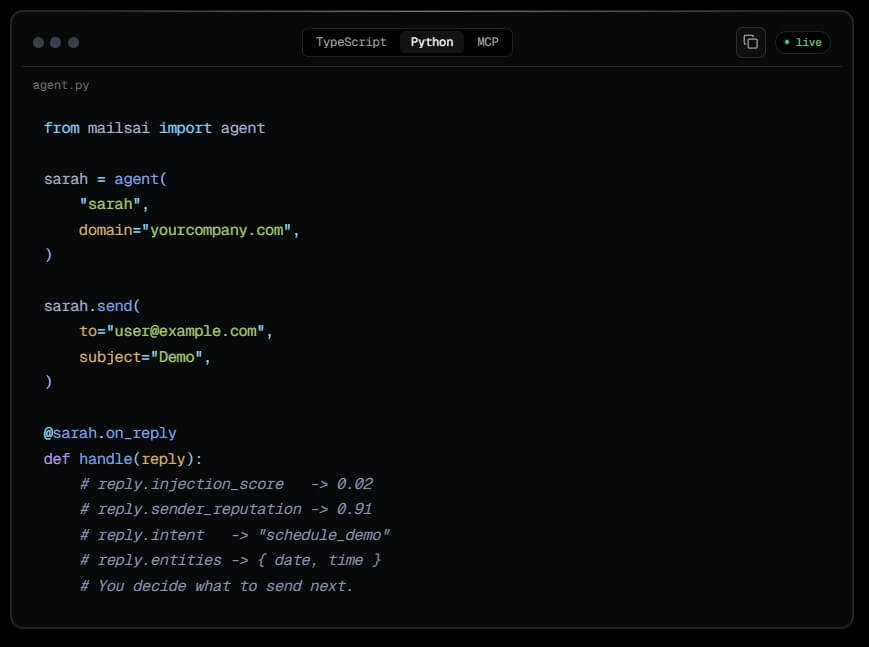
The current homepage shows an inbound email moving through injection scanning, structured event creation, reputation checks, agent code, and metering. The product is framed around the event shape: an email arrives, gets scored, becomes structured data, and then the user’s code decides what to do next.
This makes Mails.ai more interesting for developers than for traditional marketers. The older outreach features are still relevant, but the current platform is aimed at teams building agents that need email as part of their workflow.
Mails.ai’s current workflow is developer-first. The product is not mainly asking a marketer to write a campaign and click send. It is asking a developer to give an agent an email primitive: send, receive, parse, suppress, and check reputation.
The use cases page explains this through examples. A support agent can classify a reply as a demo request and respond with a calendar link. A notification agent can send transactional alerts that users can reply to. A document parser can extract information from invoice attachments. A browser agent can watch for a verification email and extract a one-time code.
That is a useful framing. Many agent products can call APIs and browse pages, but email remains a core business workflow. Mails.ai gives teams a way to wire email into agents without building every parser, inbox poller, sender reputation check, and abuse control from scratch.
The trade-off is that this is not a plug-and-play marketing tool in its current public positioning. Non-technical users who expected a cold outreach dashboard may find the current site more infrastructure-oriented than campaign-oriented.
Security is one of the more important parts of the current Mails.ai pitch. The trust page says the platform uses TLS 1.3 across public surfaces, infrastructure-level encryption for its database, AWS-managed encryption for sent mail content, and SHA-256 hashing for API keys and magic-link tokens. It also says customer-managed keys are on the roadmap, not shipped today.
The same page is direct about compliance status. Mails.ai describes its current baseline as GDPR-aligned, says DPAs are available on request during closed beta, and states that SOC 2 is not in place yet, with Type I observation beginning at Phase 1 launch. It also says HIPAA is not in scope for Phase 1.
That honesty is useful. For early infrastructure tools, buyers need to know what is real now and what is still planned. Mails.ai appears to be targeting serious agent builders, but procurement-heavy companies will still need to review its security posture before using it with sensitive customer mail.
- AI support agents: Mails.ai fits agents that need to receive customer replies, classify intent, extract dates or requests, and respond or route the issue.
- Transactional notification agents: Product teams can use it for alerts that users can reply to, such as build failures, payment reminders, status updates, or workflow confirmations.
- Document and invoice parsing: The use case page describes inbound attachment handling for extracting vendor, amount, due date, and line items from documents.
- Browser and signup automation: Agents that sign up for services can use Mails.ai to receive verification emails and extract OTP codes.
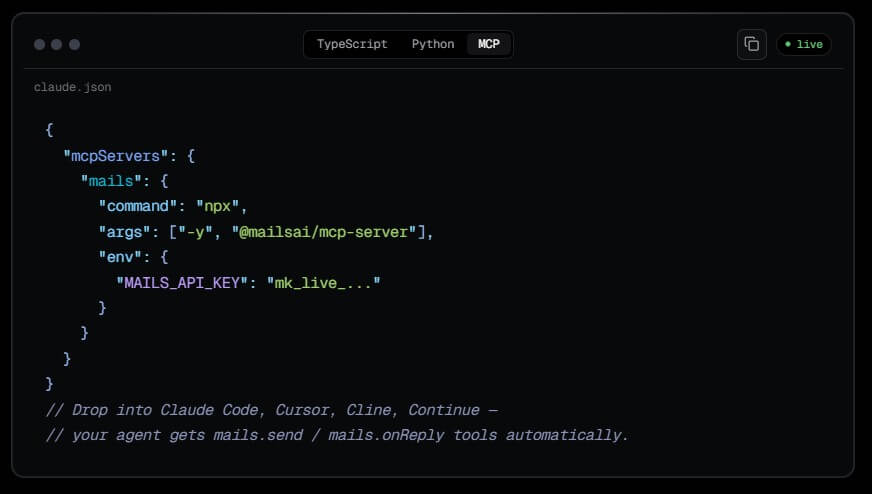
- Developer teams building agent workflows: The MCP and SDK integrations make the tool most relevant to teams already working with agent frameworks, IDE agents, or orchestration tools.
- Cold outreach teams using legacy features: The help center still describes campaign automation, AI email writing, warmup, inbox rotation, verification, follow-ups, and analytics, which may matter for users who know Mails.ai from its earlier outreach platform.
- The first limitation is availability. The current main site describes Mails.ai as being in closed beta, with public API access tied to its Phase 1 timeline. That means buyers should verify access before planning around it.
- The second limitation is product clarity. Public materials now point in two directions: agent email infrastructure on the main website and cold outreach automation in the help center. That does not make the product weak, but it does mean users should confirm which version or workflow they are evaluating.
- The third limitation is maturity. Some pieces, such as custom-domain support and parts of the broader roadmap, are described as Phase 2 or later. The architecture page says Phase 1 uses subdomains under mails.ai, while custom-domain support is planned for Phase 2.
Mails.ai is best for technical teams building AI agents that need email as a real operating channel, not just a notification endpoint.
Its strongest value is the layer around email: structured replies, injection scanning, sender reputation, suppression, SDK access, and agent runtime integrations.
The main caveat is product maturity and positioning. The current Mails.ai is moving toward agent-native infrastructure, while older docs still reflect a cold outreach platform, so users should confirm the exact workflow they need before adopting it.
TAGS: Marketing
Related Tools:
Manages and optimizes Google Ads campaigns

Enhances website design and user experience

Create professional websites with content

Helps quickly develop content marketing plans

Automates digital marketing campaigns

Generates human models and product images