
Share this tool:
 |
Description:
Keyla AI is an AI ad-creation platform built for brands, marketers, and content teams that need UGC-style static and video ads without running a traditional creator production process. The platform focuses on short-form commercial content: upload brand assets, choose a visual style or actor, then generate ad variations for testing and publishing. Its main value is speed, volume, and product-focused video creation, not open-ended filmmaking.

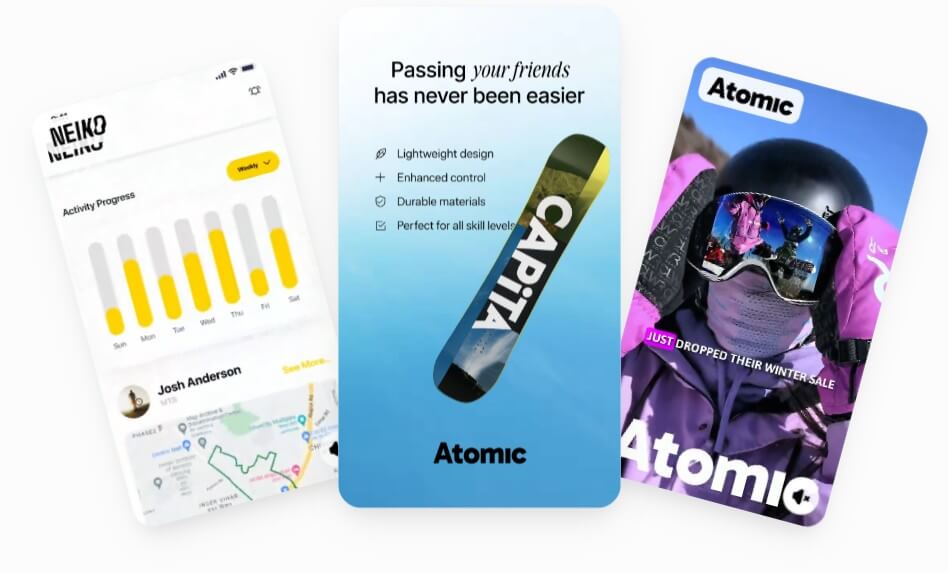
Keyla is strongest when you need lots of ad concepts fast. The platform is built around a three-step workflow: add your brand by uploading logos and product photos, choose a style from a large set of ad and actor variations, then generate and download many ad outputs.
That makes it useful for performance marketing teams. Instead of creating one polished hero video, Keyla is more about testing angles: different actors, hooks, scripts, scenes, and product presentations. This is especially relevant for brands that run paid social campaigns and need fresh creative often.
The tool also has a clear product-placement angle. Keyla says its AI avatars can hold, wear, and interact with products. That matters because many AI video tools still feel detached from the actual item being sold. For e-commerce and direct-response ads, the product cannot feel like an afterthought.
| Stage | What Happens | Why It Matters |
|---|---|---|
| Brand setup | Upload logo and product photos | Keeps the ad tied to the real brand |
| Style selection | Pick ad styles and actors | Helps teams create different campaign angles |
| Generation | Produce static and video ads | Useful for creative testing and content refreshes |
| Finishing assets | Add music, b-roll, and product-focused scenes | Makes videos feel closer to finished ad creative |
The workflow is more structured than a general text-to-video tool. You are not starting with a blank prompt and hoping the model understands the brand. You are feeding it assets, choosing a commercial format, and producing content around a marketing goal.
This is useful for brands that want creator-style ads without filming every variation manually. The output style is likely best suited to social ads, landing-page videos, product explainers, testimonial-style concepts, and short campaign assets.
This matters most for physical products: skincare, supplements, fashion, accessories, gadgets, home goods, and other items where buyers want to see the product in use. Still, brands should review the final visuals closely. Hands, packaging, scale, and object contact are areas where AI video can still look slightly off.

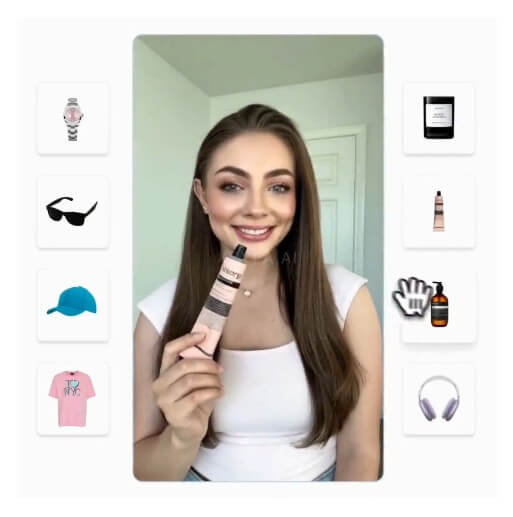
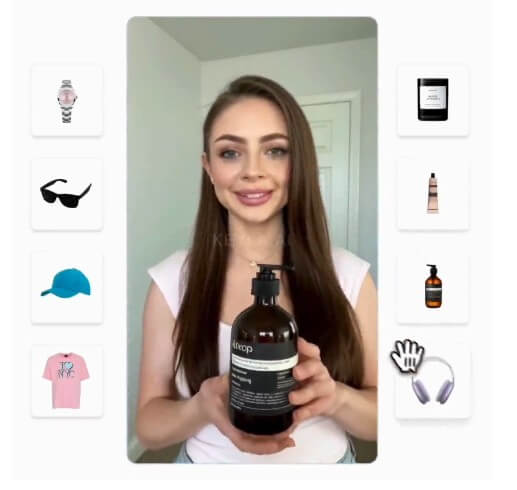

This is helpful for small teams because ad production rarely happens in one format. A single concept often needs several versions before it can be used across channels.
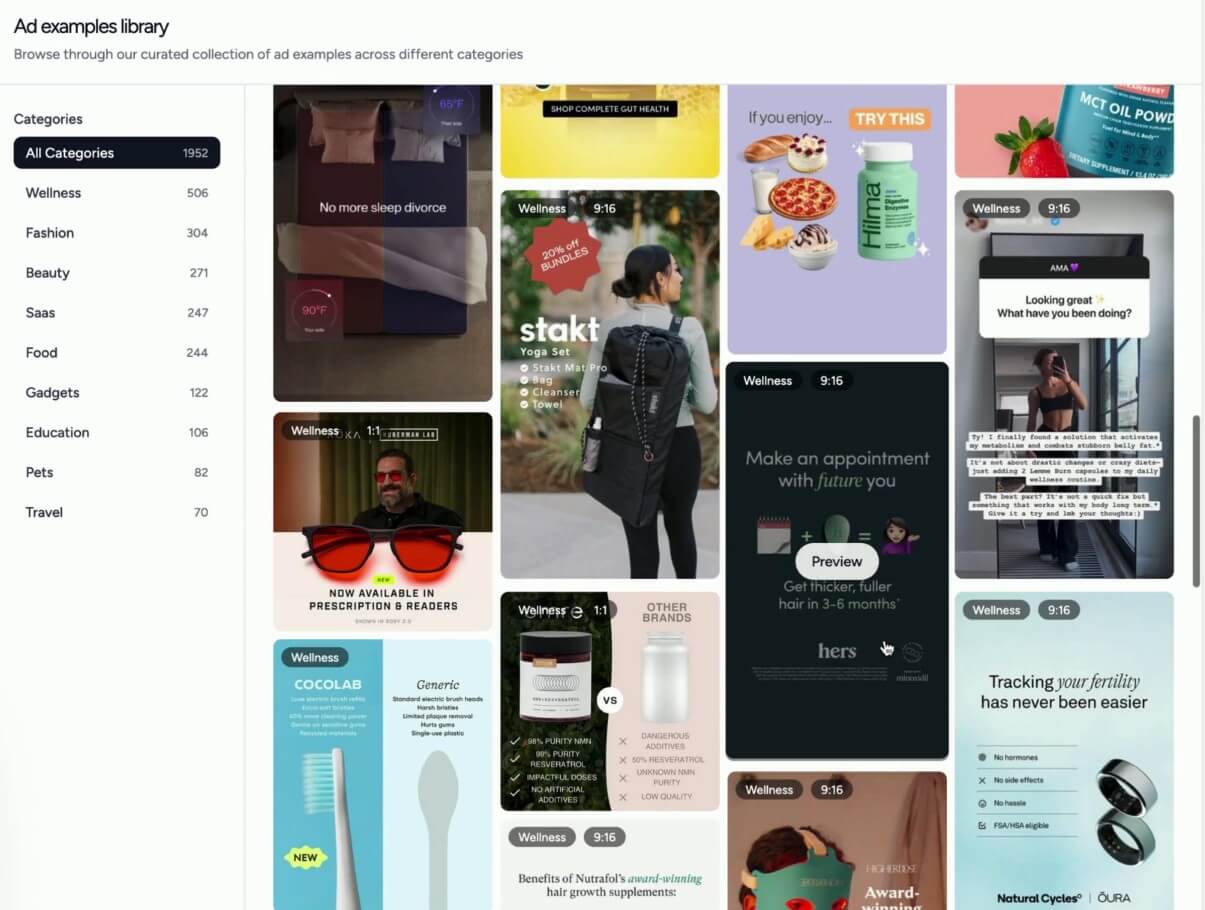
The value here is not copying for its own sake. It is pattern recognition. Marketers can study hooks, pacing, framing, offers, product shots, and actor styles, then use those ideas to build better briefs.
- Paid social creative testing: Keyla is a good fit for teams that need many versions of the same offer, hook, or product pitch.
- E-commerce product ads: The avatar-product interaction feature makes it useful for brands that want products shown in use, not just described.
- UGC-style campaign assets: Brands can create creator-like videos for short-form ad channels, especially when they need a fast content pipeline.
- Ad angle exploration: Keyla works well when a team wants to compare several scripts, actors, styles, and product presentations before committing to a direction.
- Small marketing teams: The workflow is practical for teams that do not have a large creative department but still need regular ad output.
Keyla’s main strength is focus. It is not trying to be a full video editor, animation suite, or cinematic generator. It is aimed at ads.
That focus makes the platform easier to understand. Upload your brand assets, choose the kind of ad you want, generate variations, then refine what works. The actor and ad variation library also makes it more practical for marketers who need direction, not just a blank prompt box.
It also fits the current creative-testing mindset. Many brands do not need one perfect video. They need enough decent variations to learn which message, format, and visual style performs best.
- The biggest limitation is that AI UGC still needs human review. A generated ad may look polished, but the claims, product handling, brand tone, and platform compliance still need checking.
- The product-placement feature is useful, but it also raises the quality bar. If an avatar holds a product awkwardly, if packaging looks distorted, or if scale feels wrong, the ad may lose trust.
- There is also a compliance issue. Keyla’s terms prohibit fake testimonials, fake reviews, and ads that violate consumer protection laws. That is worth taking seriously. AI makes it easy to create testimonial-style content, but brands still need honest claims and clear review practices.
- For data, Keyla’s privacy policy says it collects account details, generated video content, uploaded scripts, images, audio files, and usage data. It also says video content is stored securely, accessible only to the user, and not shared or sold to third parties. Teams handling sensitive product launches should still review the privacy policy before uploading unreleased assets.
Keyla AI is best for marketers and e-commerce brands that need fast UGC-style ad production with avatars, product shots, scripts, music, and b-roll in one workflow.
Its strongest value is creative volume: testing more hooks, actors, and angles without building every ad from scratch.
The main caveat is quality control. Product realism, ad claims, compliance, and brand fit still need a careful human review before publishing.
TAGS: Marketing Generative Video
Related Tools:

Streamlines the creation of educational content

Instantly creates professional videos using avatars

Creates cinematic videos from text, images, and frames

Automates lead generation, market research, and data processing

Produce high-quality marketing videos using product images

Automates content creation