

Share this tool:
 |
Description:
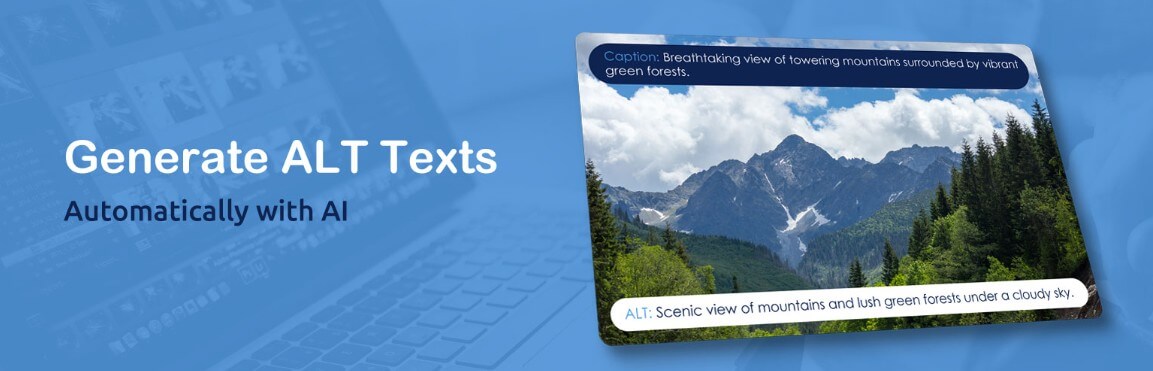
Imagerr AI is a focused AI tool for generating alt text and related image metadata. It is not trying to be a full image editor, design suite, or SEO platform. Its job is narrower: help website owners describe images faster, improve accessibility, and reduce the manual work of writing image titles, captions, descriptions, and alt text across a media library. That focus is the main reason it’s useful.
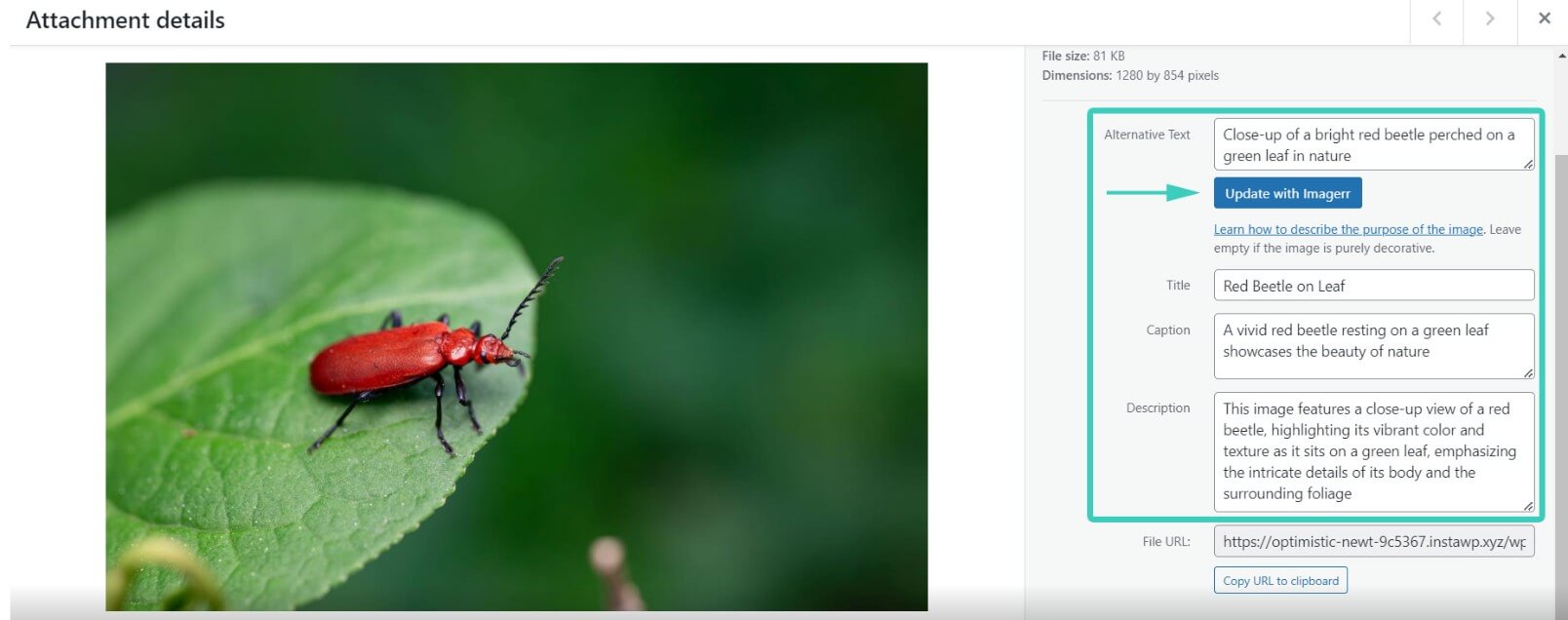
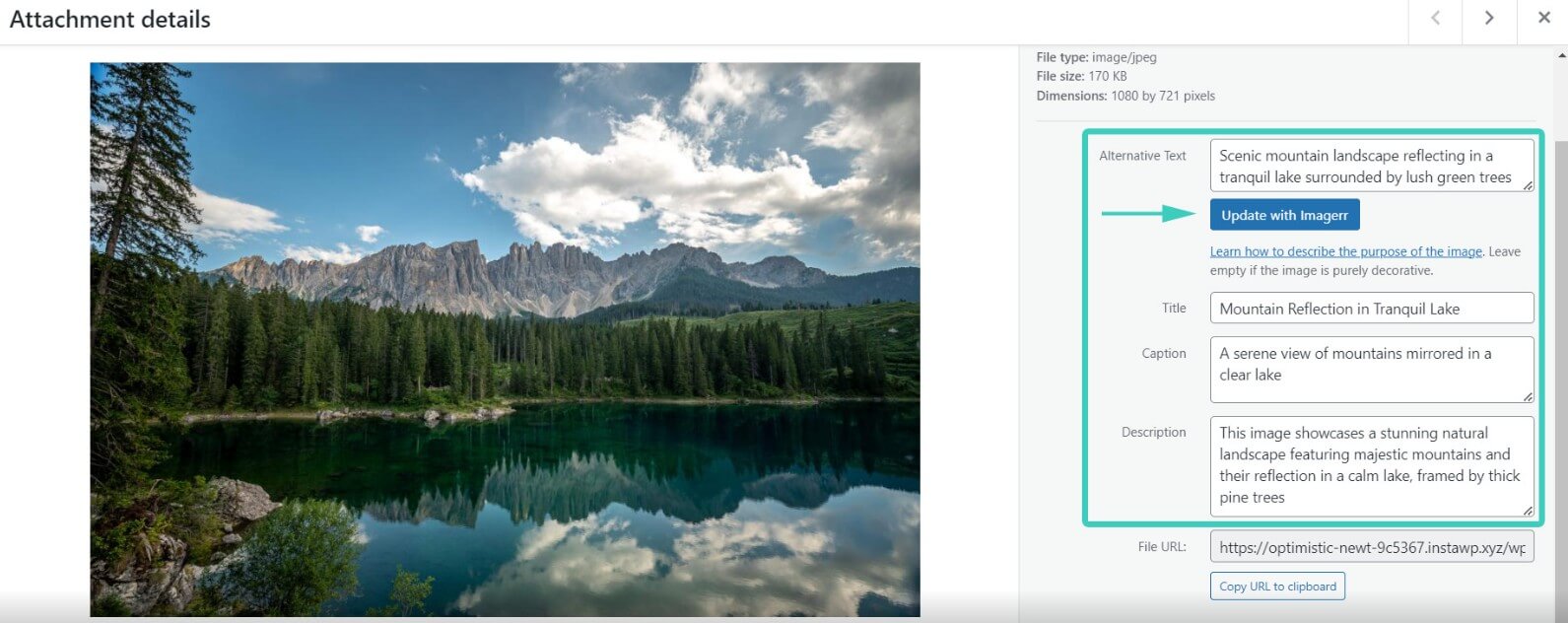
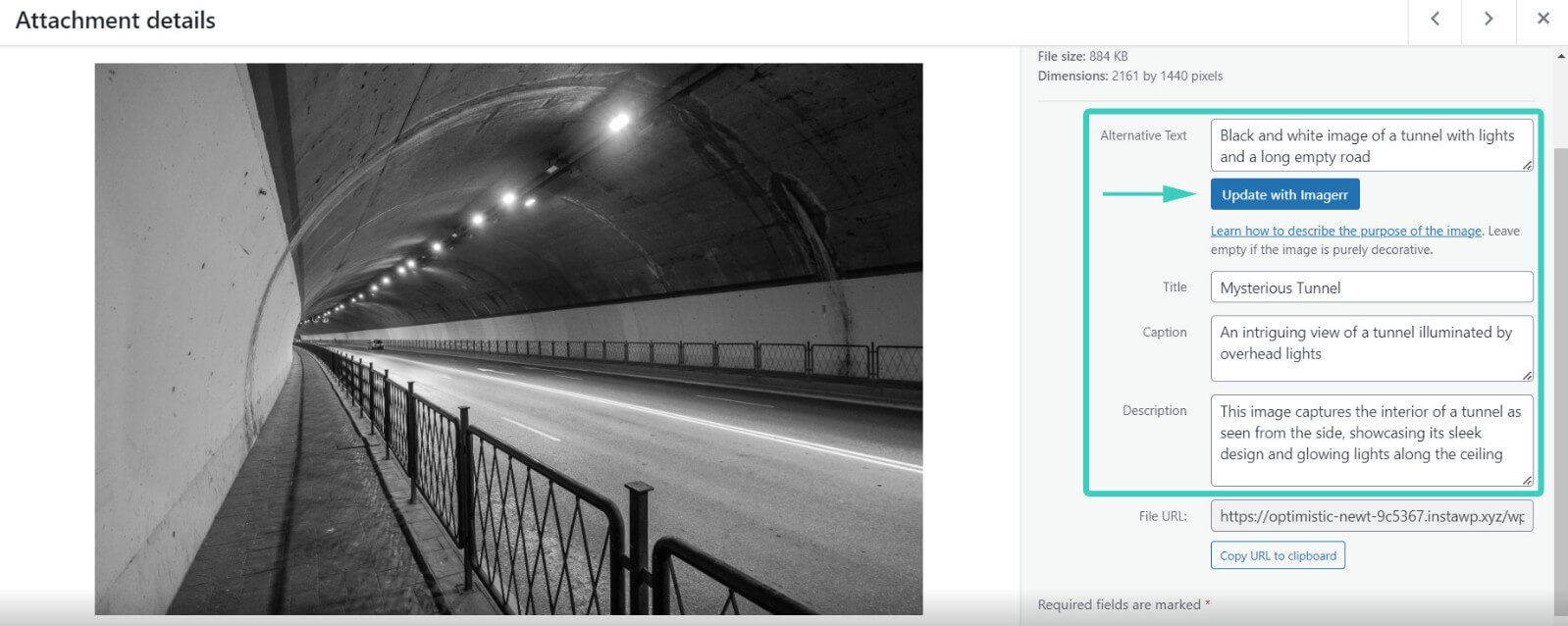
Imagerr AI is strongest when you have a lot of website images and no practical way to write metadata for each one by hand. This is common for blogs, ecommerce sites, magazines, portfolios, agency projects, and older WordPress sites with years of uploaded media.
The core workflow is simple. You connect through the web app or install the WordPress plugin, then use AI to generate alt text for individual images, new uploads, or large groups of existing images. The WordPress plugin can also generate image titles, captions, and descriptions, not just alt text.
That matters because image metadata tends to be one of those tasks everyone knows they should do, but few teams maintain well. It helps accessibility, gives screen readers a useful description, and gives search engines more context about image content. Google’s accessibility guidance also recommends describing the image in context, keeping descriptions brief, avoiding duplicate surrounding text, and leaving decorative images empty when they don’t add meaning.
Imagerr AI is useful because it turns that ongoing cleanup task into a repeatable workflow.
| Feature | What It Means in Practice |
|---|---|
| AI Alt Text Generation | Generates descriptive alt text for images automatically or with one click. |
| WordPress Media Library Integration | Works inside WordPress, so you don’t need to copy text back and forth from a chatbot. |
| Titles, Captions, and Descriptions | Can create extra image metadata fields beyond alt text, which is useful for content-heavy sites. |
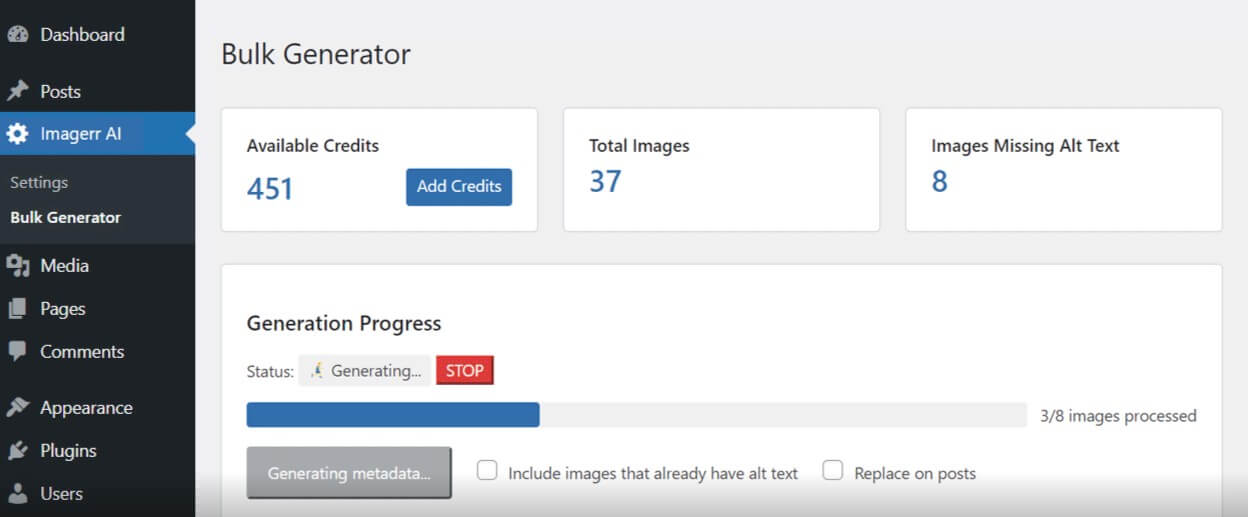
| Bulk Generation | Lets users process many images at once, including large existing media libraries. |
| Multilingual Support | Supports more than 130 languages and locales, making it more useful for multilingual websites. |
| SEO Keyword and Prefix/Suffix Controls | Allows users to add SEO keywords, prefixes, and suffixes so generated text can better match site conventions. |
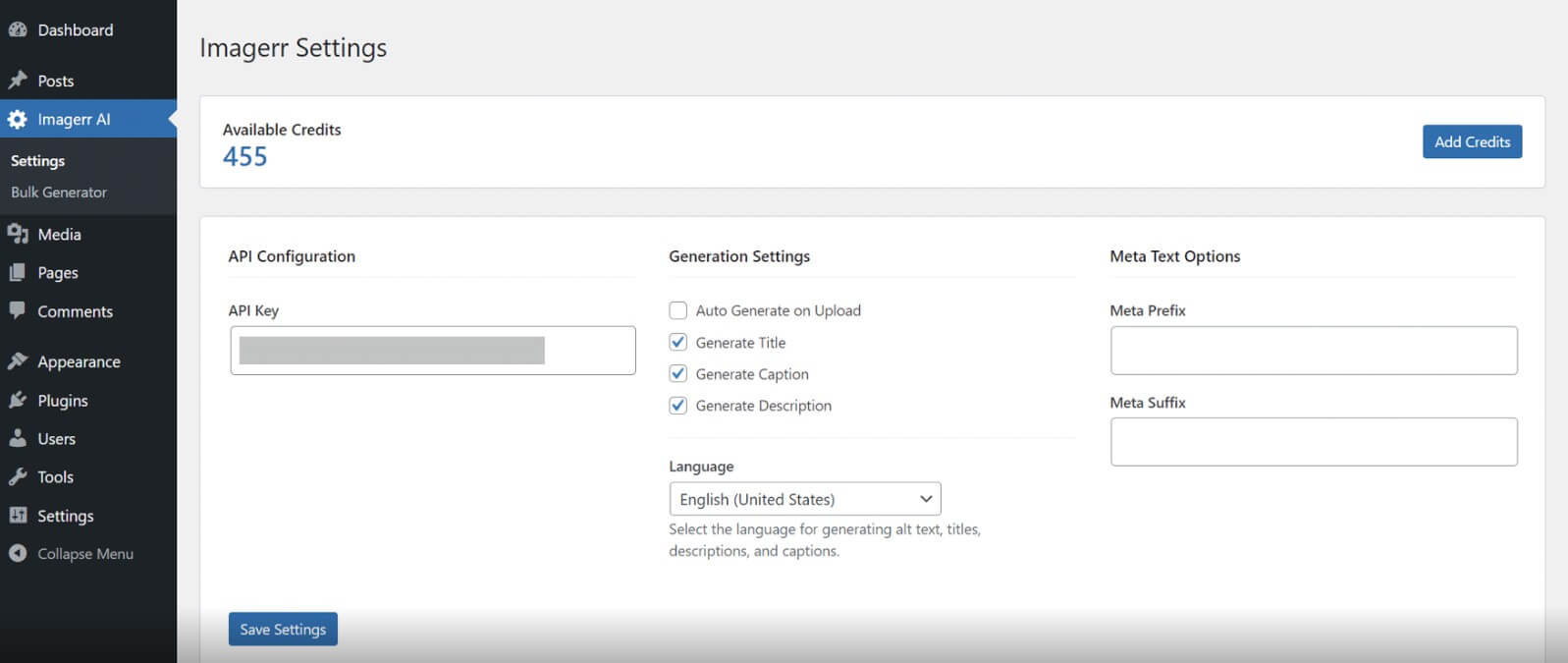
Imagerr AI’s best workflow is clearly the WordPress plugin. The plugin is built for the WordPress media library and can generate alt text on upload, from an attachment page, or in bulk. It also works with any WordPress theme or page builder, according to the plugin listing.
The most useful feature for real sites is “Replace on Posts.” During bulk generation, the plugin can search for each image across post types, including Elementor and Divi content, and update alt text where the image is used, not only in the media library record.
That is a practical detail. Many WordPress tools update metadata in the media library, but reused images can still carry old or missing alt text inside page builder content. Imagerr’s post replacement feature is built for that messier reality.
The web app is better for users who don’t run WordPress or who only need occasional image metadata. The plugin is better for anyone managing a real WordPress site with many images.
Imagerr AI is powered by ChatGPT and does not require users to bring their own API key. That lowers setup friction, especially for site owners who are not technical.
The output should be judged by practical usefulness, not by how polished it sounds. Good alt text is not marketing copy. It should describe the image’s purpose in context, avoid keyword stuffing, and stay short enough to be useful for screen reader users. Google’s guidance also warns against adding phrases like “Image of” or “Photo of” unless the media type matters.
Imagerr gives users some control through SEO keywords, prefixes, and suffixes. This helps when a site has naming rules or when an ecommerce team wants product-related terms included. But there’s a risk here too. If keyword settings are too aggressive, alt text can become SEO-first instead of user-first.
The best approach is to treat Imagerr as a strong first draft system. Let it write the first pass, then review important images manually, especially product photos, staff photos, medical images, legal diagrams, charts, and anything where context matters.
- WordPress blogs with large media libraries: Imagerr AI is a strong fit for sites that have hundreds of older posts and missing alt text.
- Ecommerce product images: It can help generate product image descriptions at scale, though teams should check key product details before publishing.
- Agency website cleanup projects: Agencies can use it when preparing client sites for launch, audits, migrations, or accessibility improvements.
- Multilingual websites: The language support makes it useful for sites that need localized metadata rather than English-only descriptions.
- Image-heavy editorial sites: Magazines, travel blogs, food blogs, real estate sites, and portfolio sites can benefit because image metadata volume grows fast.
- Accessibility improvement work: It helps teams start fixing missing image descriptions, but it should not replace a full accessibility review.
Imagerr AI’s advantage over manual writing is speed. Writing good alt text image by image is manageable for a small page, but not for a site with years of uploads.
Its advantage over using ChatGPT directly is workflow. ChatGPT can describe images, but users would still need to upload or reference images, copy results, edit them, and paste each description into WordPress. Imagerr removes much of that handling by working directly with the media library and related metadata fields.
Manual writing is still better for images that need human context. For example, AI may describe “a man speaking at a podium,” but only a site editor knows whether the alt text should identify the speaker, mention the event, or leave the image decorative.
- Start with a small batch before running site-wide generation. Check whether the output matches your tone and accessibility needs.
- Use SEO keywords lightly. A relevant keyword can help, but alt text should still read like a useful image description.
- Review images with people, products, charts, screenshots, and diagrams. These often need context that the AI may not infer.
- Leave decorative images empty when they do not add meaning. Not every image needs descriptive alt text, and over-describing decorative assets can make a page worse for screen reader users.
- Use the WordPress plugin when the media library is the main problem. Use the web app when you only need standalone image metadata.
- The biggest limitation is context. AI can describe what appears in an image, but alt text should describe the image’s purpose on the page. That purpose can change from one article to another.
- Accuracy also needs review. Imagerr’s own blog notes that AI-generated alt text may sometimes be incorrect and should be checked or modified when needed.
- Bulk generation is useful, but bulk publishing without review can create small errors at scale. This is especially risky for named people, branded products, charts, maps, technical diagrams, screenshots, and medical or legal content.
- Imagerr AI also focuses on metadata. It will not replace broader SEO tools, accessibility testing platforms, image compression tools, or content management workflows. It solves one important problem, but it does not solve the whole website quality stack.
Imagerr AI is best for WordPress site owners, bloggers, agencies, and content teams that need faster image alt text and metadata generation across many files.
Its strongest value is workflow, especially bulk generation, WordPress integration, multilingual support, and post-level replacement for reused images.
The main caveat is that AI-generated alt text still needs human review when context, accuracy, identity, or accessibility quality matters.
TAGS: Marketing
Related Tools:
Generates personalized sales copy

Shopping assistant for Shopify stores

Streamlines the invoice processing workflow for businesses

Comprehensive 3D modeling and animation software

Monitors websites, turning real-time changes into clear insights

Assists creators with social media data analysis