

Share this tool:
 |
Description:
- What Is Illustrae?
- Start With Text, a Sketch, or a Photo
- The Intelligent Canvas Makes the Difference
- Scientific Styles Are More Than Decoration
- Editing Helps When Generation Gets Close, but Not Quite Right
- Abstract-to-Poster Expands Beyond Individual Figures
- Export Is Geared Toward Research Communication
- Best Use Cases
- Limitations and Trade-Offs
- Final Takeaway
Illustrae is an AI-assisted scientific illustration platform built for researchers, academics, and educators. Illustrae combines AI-generated scientific elements with an infinite design canvas for assembling figures, graphical abstracts, posters, presentations, and teaching visuals instead of using a general image generator and hoping it understands specialist terminology.
That combination is important. Scientific communication often requires more than generating a picture of a cell or protein. Researchers need to show relationships, experimental stages, mechanisms, equipment, and annotations in a composition that readers can follow. Illustrae provides both the generated assets and the workspace for assembling them.
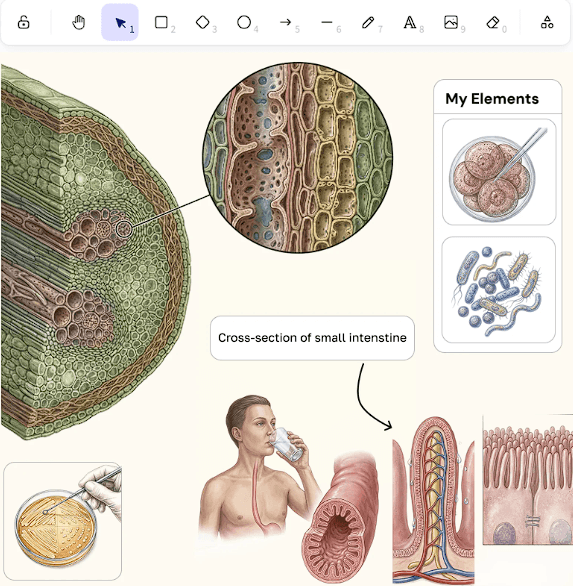
Illustrae offers three useful routes into a figure: Text-to-Figure, Sketch-to-Figure, and Photo-to-Figure.
Text-to-Figure works when you can describe the visual directly. You might request an anatomical structure, microorganism, molecule, protein visualization, or experimental component.
Sketch-to-Figure is more interesting when composition matters. A researcher can roughly draw an idea first, then use that sketch to guide the generated illustration. This provides the AI with spatial information that a text description may struggle to communicate.
Photo-to-Figure solves a different problem. Researchers can photograph equipment or specimens with a phone and transfer those images to the canvas for conversion into illustrations. Multiple photos can be uploaded without installing a separate mobile app.
For specialized lab setups, that can be more practical than searching through a stock illustration library hoping to find the right equipment.
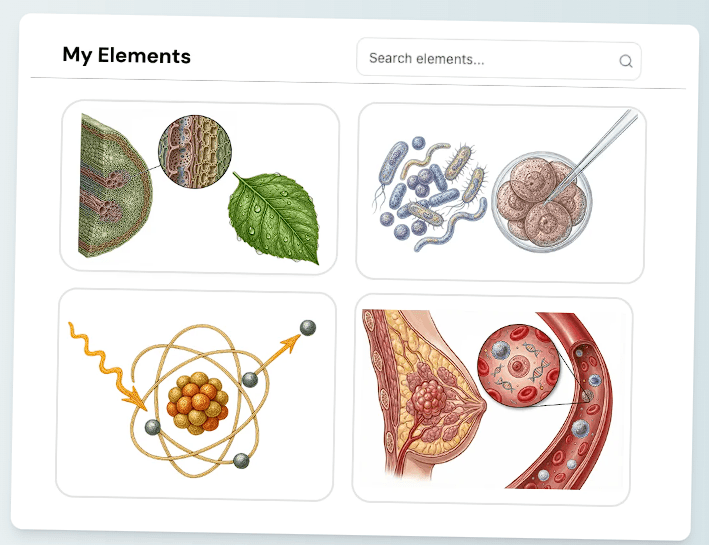
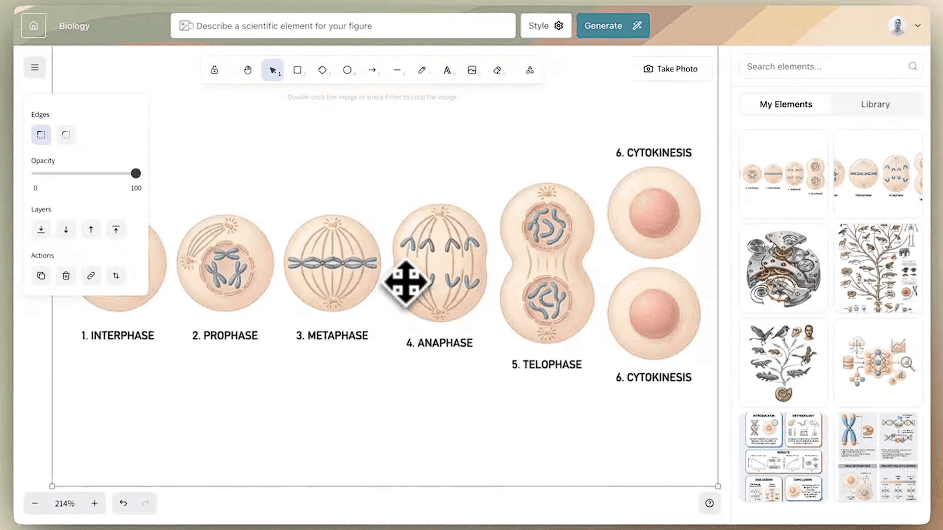
The infinite canvas is what separates Illustrae from a basic scientific image generator. Users can arrange, group, resize, and organize elements while working with grids, guides, measurements, and alignment controls.
That matters because scientific figures rarely consist of one image. A paper might require several panels showing an experimental setup, mechanism, intervention, and outcome. Those pieces need a clear visual hierarchy rather than four unrelated AI generations.
| Capability | Practical Use |
|---|---|
| Text-to-Figure | Generate scientific visuals from descriptions |
| Sketch-to-Figure | Develop rough concepts into polished illustrations |
| Photo-to-Figure | Illustrate equipment or real-world specimens |
| Infinite Canvas | Assemble multi-element figures and diagrams |
| Targeted Editing | Correct or change generated imagery |
| Abstract-to-Poster | Develop research content into a visual layout |
| Templates | Start figures, posters, slides, and graphical abstracts faster |
| Export | Prepare completed visuals for publications and presentations |
This canvas-first approach also gives users more control over composition than asking an image model to create an entire scientific infographic in one generation.
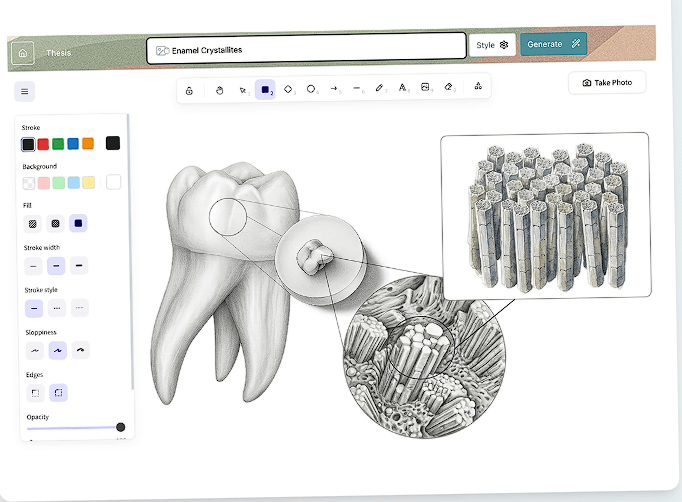
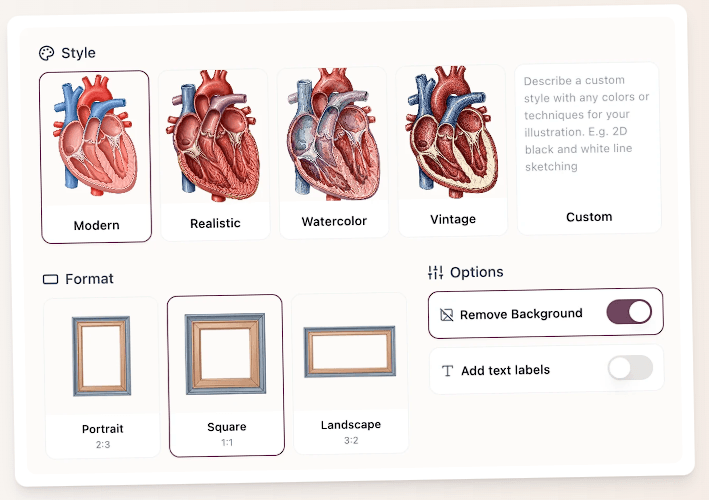
Illustrae provides multiple visual treatments for generated elements, including classic scientific illustration, modern diagrammatic styles, photorealistic imagery, watercolor, and custom styling.
Style consistency matters when a figure contains several independently generated elements. A realistic mitochondrion next to a vintage anatomical drawing and a flat vector cell can make a figure feel assembled from unrelated sources.
Keeping the visual language consistent should make Illustrae particularly useful for multi-panel figures, graphical abstracts, educational diagrams, and presentation decks.
AI scientific imagery creates a difficult problem: a result can look convincing while containing an important error.
Illustrae provides natural-language image editing for changes such as adding or removing elements, changing colors, adjusting lighting, and removing backgrounds.
This is more practical than regenerating an entire illustration because one structure is wrong. Researchers can keep the parts that work and focus corrections on the problematic area.
However, editing tools don't remove the need for subject expertise. Illustrae itself says it isn't an expert in every field and recommends that users guide, prompt, and edit figures until they match their specifications.
That's an important limitation rather than a minor disclaimer.
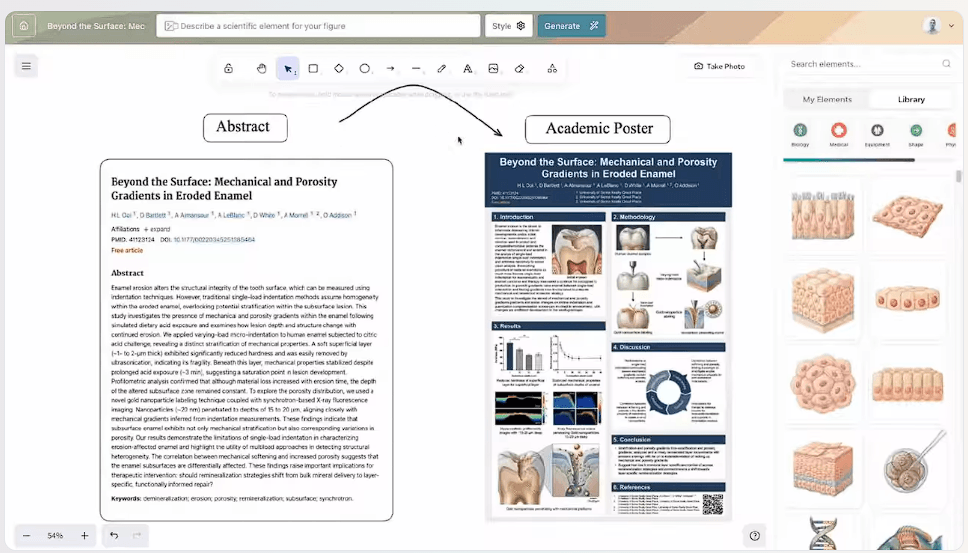
Illustrae also positions itself as a tool for turning research abstracts into graphical abstracts and academic posters. Templates are available for figures, graphical abstracts, presentation slides, and posters.
This makes sense as an extension of the canvas. Once scientific elements have been generated, they can become part of a larger communication asset instead of remaining isolated images.
For researchers preparing conference materials, that could reduce the amount of work moving between an illustration generator and separate design software.
Completed work can be exported as high-resolution PNG files, including selected portions of the canvas and transparent-background assets. Illustrae also supports SVG export for simpler elements, diagrams, labels, and text that don't contain AI-generated imagery.
Illustrae states that users can use created images in research publications, but also tells researchers to check the individual journal's policy regarding AI-assisted imagery before submission.
That check is worth doing before building a publication workflow around any generative illustration platform.
Illustrae makes the most sense for scientific figures, graphical abstracts, experimental workflow diagrams, biological illustrations, conference posters, academic presentations, teaching materials, and custom illustrations of laboratory equipment.
Researchers who understand their subject but lack illustration skills are the clearest audience. Educators can also use the same system to create custom teaching visuals rather than relying entirely on textbook graphics. Illustrae has a dedicated education workflow covering subjects beyond science as well.
Scientific accuracy is the biggest issue. Illustrae explicitly warns that AI outputs may contain errors, artifacts, or misleading details and puts responsibility for verifying scientific and factual accuracy on the user.
Sensitive material also requires care. Illustrae's terms say users should not upload medical images, patient data, or other sensitive or confidential records. Prompts and uploaded content used for AI generation may be processed through third-party providers including OpenAI and Google's Gemini API.
Finally, researchers needing detailed vector construction or specialist scientific modeling may still need dedicated software. Illustrae's strength is visual communication, not scientific simulation or data analysis.
Illustrae is most compelling when you treat it as a figure-building workspace with AI illustration built in, rather than a scientific image generator.
Text, sketches, and photos provide flexible starting points. The infinite canvas then gives researchers room to combine generated assets with labels, arrows, layouts, and other elements needed for actual scientific communication.
It's best suited to researchers, academics, PhD students, and educators who regularly communicate complex ideas visually. Illustrae can handle much of the drawing and layout work, but the researcher still has to be the scientific editor.
TAGS: Generative Art
Related Tools:

Optimizes content scheduling and keyword tracking

Transforms text or image ideas into ready-to-use visuals

AI creative platform for image enhancement, generation, and editing
Simplifies drawing process
Transforms text prompts into videos, images, and avatars
Generates artistic images and visuals