
Share this tool:
 |
Description:
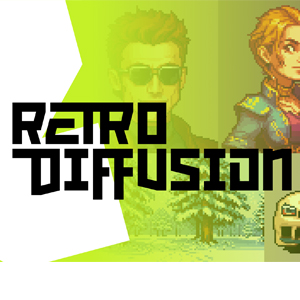
Retro Diffusion is an art platform built specifically for creating pixel art. Instead of treating pixel art as another visual style, it focuses on the details such as grid alignment, controlled palettes, sprites, tiles, animations, transparent assets, and low-resolution workflows.
That narrower focus is the main reason to use it. You can generate a nice pixel-style character with many AI image tools. Retro Diffusion is trying to produce something closer to an asset you can continue editing or place inside a game.
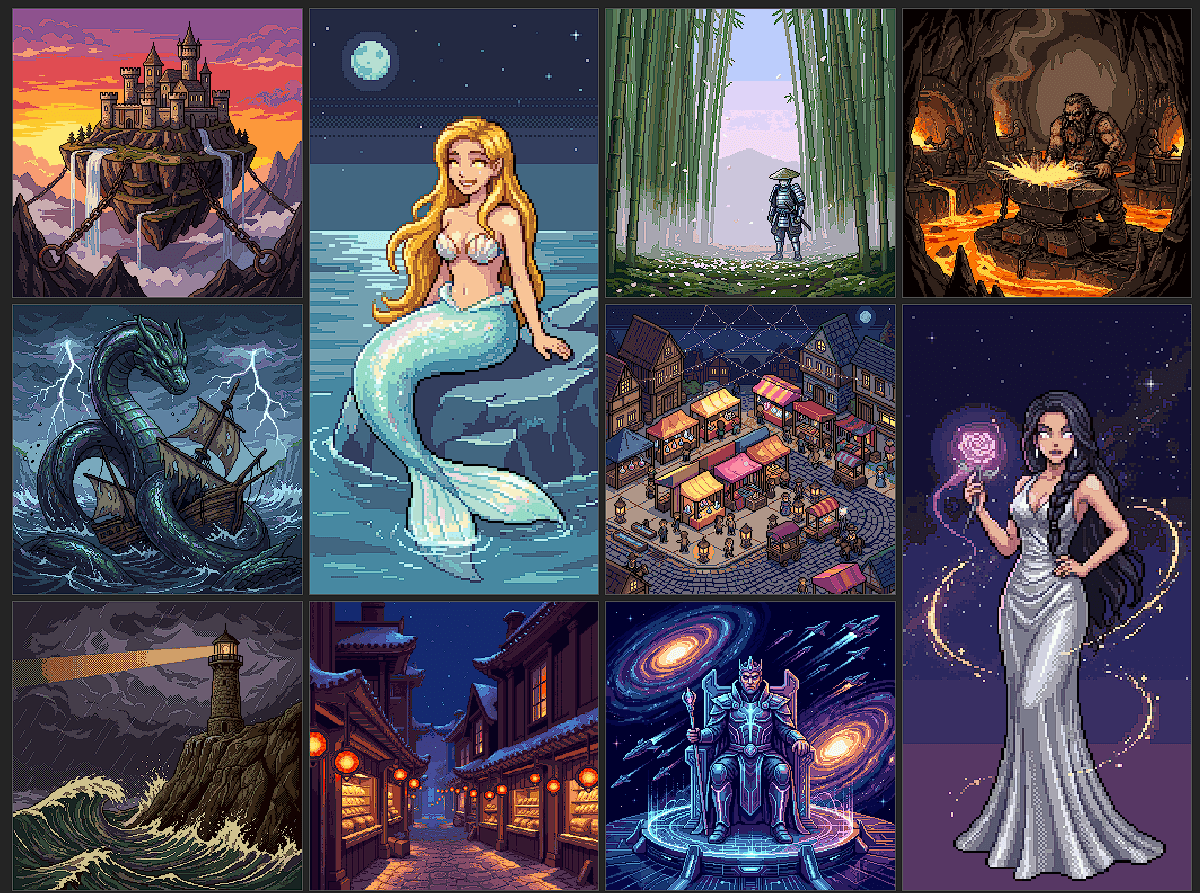
The platform has a surprisingly broad collection of specialized generators. Its style library includes more than 80 options covering characters, environments, game objects, maps, UI elements, textures, inventory items, skill icons, typography, visual effects, and different pixel-art aesthetics.
Some generators solve specific production problems. Spritesheet creates collections of related assets, while Item Sheet generates sets of objects. Tileset Advanced builds tilesets from prompts or textures using Wang-style tile combinations. There are also dedicated tools for top-down assets, dungeon maps, isometric objects, UI panels, FPS weapons, platformer scenes, and Minecraft-style items and textures.
This makes Retro Diffusion feel less like a single image model and more like a toolbox organized around pixel-art production.
The basic workflow is familiar: describe what you want, select an appropriate style or generator, and create the asset. But choosing the right generator matters almost as much as writing the prompt.
For example:
“Small fantasy RPG health potion, round glass bottle, bright red liquid, cork stopper, gold trim, centered inventory item, transparent background, readable silhouette.”
That prompt could work well with an inventory or top-down item generator. For a character, you could instead specify clothing, pose, viewing direction, palette, proportions, and the type of game the sprite needs to fit.
Retro Diffusion also supports multiple reference images in some workflows. Its Default style, for example, is designed for detailed prompts and multiple references, which gives creators another way to guide the visual direction instead of relying on text alone.
Character production is one of the platform's strongest areas. Retro Diffusion includes generators for character turnarounds, small sprites, battle sprites, directional walking, idle animations, attacks, jumps, crouching, and custom actions.
That matters because generating one good character is much easier than keeping the same character recognizable across movement frames and directions.
Some animation tools start from an uploaded neutral pose and generate a specific action. Others create multi-directional sprite sets. There are also tools for environmental motion and visual effects, including fire, explosions, and lightning.
For indie game development, these focused workflows are more practical than repeatedly asking a general-purpose image model to produce another frame.
One of Retro Diffusion's most interesting tools doesn't generate art at all.
The Pixel Art Fixer takes an image that looks like pixel art and rebuilds it as actual grid-aligned pixels. This addresses a common problem with general AI image generators: they can imitate pixel aesthetics while producing blurred edges, inconsistent pseudo-pixels, excessive colors, and messy grids.
The Standard engine detects the implied grid and snaps cells into pixels. A separate Neural mode is designed for more difficult inputs, including blur and distorted grids.
This is useful if you already have an AI-generated sprite from another tool but need to turn it into something easier to edit, palette-swap, or integrate into a game pipeline.
Retro Diffusion also supports prompt-based image editing. Upload existing pixel art, describe what should change, adjust the available controls, and continue working inside the same environment.
That makes the platform more useful for iterative production. You might generate a character, adjust an item, create animation frames, or modify an existing asset rather than regenerating everything from scratch.
| Best use case | Why it fits |
|---|---|
| Indie games | Sprites, environments, UI, items, and animations share one workflow |
| RPG assets | Strong selection of inventory, map, character, and tileset tools |
| Character sprites | Directional poses and animation-specific generators |
| Tilesets | Dedicated tile and texture workflows |
| Existing AI art | Pixel Art Fixer can clean up pseudo-pixel output |
| Prototyping | Quickly explores asset ideas before manual refinement |
Retro Diffusion's biggest advantage is also its boundary. It is specialized around pixel art, so creators who regularly move between photography, vector graphics, conventional illustration, and other styles will still need broader creative tools.
AI-generated assets also shouldn't be assumed to be production-perfect. Character consistency, animation frames, complicated tiles, small details, and unusual poses can require regeneration or manual cleanup. Choosing among dozens of specialized styles may also take some experimentation before you know which generator fits a particular asset.
And while the Pixel Art Fixer can repair structural problems in pseudo-pixel images, conversion can't guarantee that the underlying artwork itself has good silhouettes, animation logic, or game-ready design.
Retro Diffusion stands out because it treats pixel art as a production format rather than just an aesthetic filter. The specialized generators for sprites, animation, tilesets, maps, items, UI, and textures give game creators tools that general AI image platforms often lack.
It's best suited to indie developers, pixel artists, game designers, and creators building large sets of low-resolution assets. The main caveat is that AI generation doesn't remove the need for art direction and cleanup. But if your workflow revolves around pixel art, Retro Diffusion's specialization is precisely what makes it useful.
TAGS: Generative Art
Related Tools:

Optimizes content scheduling and keyword tracking
Streamlines content creation

Creates detailed 2D drawings from 3D models
Generate images from text
Generative tool that creates images, animations, and artworks

Generates various digital art styles