

Share this tool:
 |
Description:
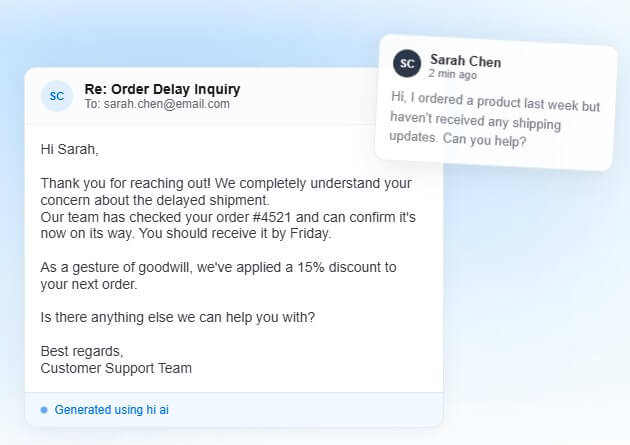
HI AI is an AI-powered email client built for people who answer customer emails themselves and want help drafting replies faster. It is not a general writing assistant or a full helpdesk platform. Its focus is narrower: connect an inbox, open customer messages, generate AI replies with business context, review the draft, edit where needed, and send.
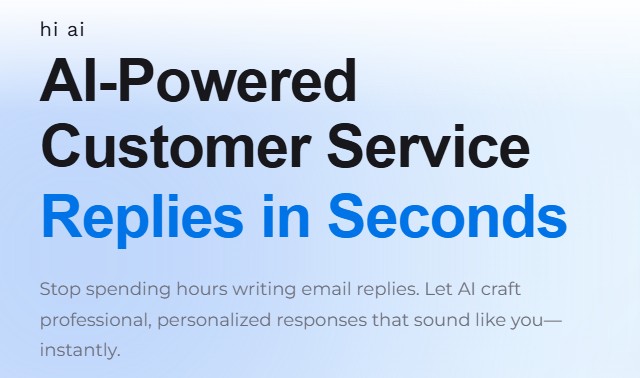
HI AI works more like an email workspace with AI built into the reply process. You connect Gmail, Outlook/Microsoft 365, or a custom IMAP/SMTP email account, then manage replies from inside HI AI’s browser-based interface. The help center describes it as an “all-in-one AI-powered email client” for customer inquiries, sales emails, and everyday correspondence.
That positioning matters. HI AI is not trying to replace a full customer support suite with ticket routing, macros, live chat, knowledge base hosting, and complex service reporting. It is built for small businesses, solo founders, ecommerce operators, and lean teams that still live in email but want AI to reduce the repetitive writing load.
The workflow is intentionally human-in-the-loop. The AI drafts the response, but the user reviews and sends it. That is the right design choice for customer service because even a good draft can mishandle a refund, shipping issue, product claim, or tone-sensitive complaint if it is sent blindly.
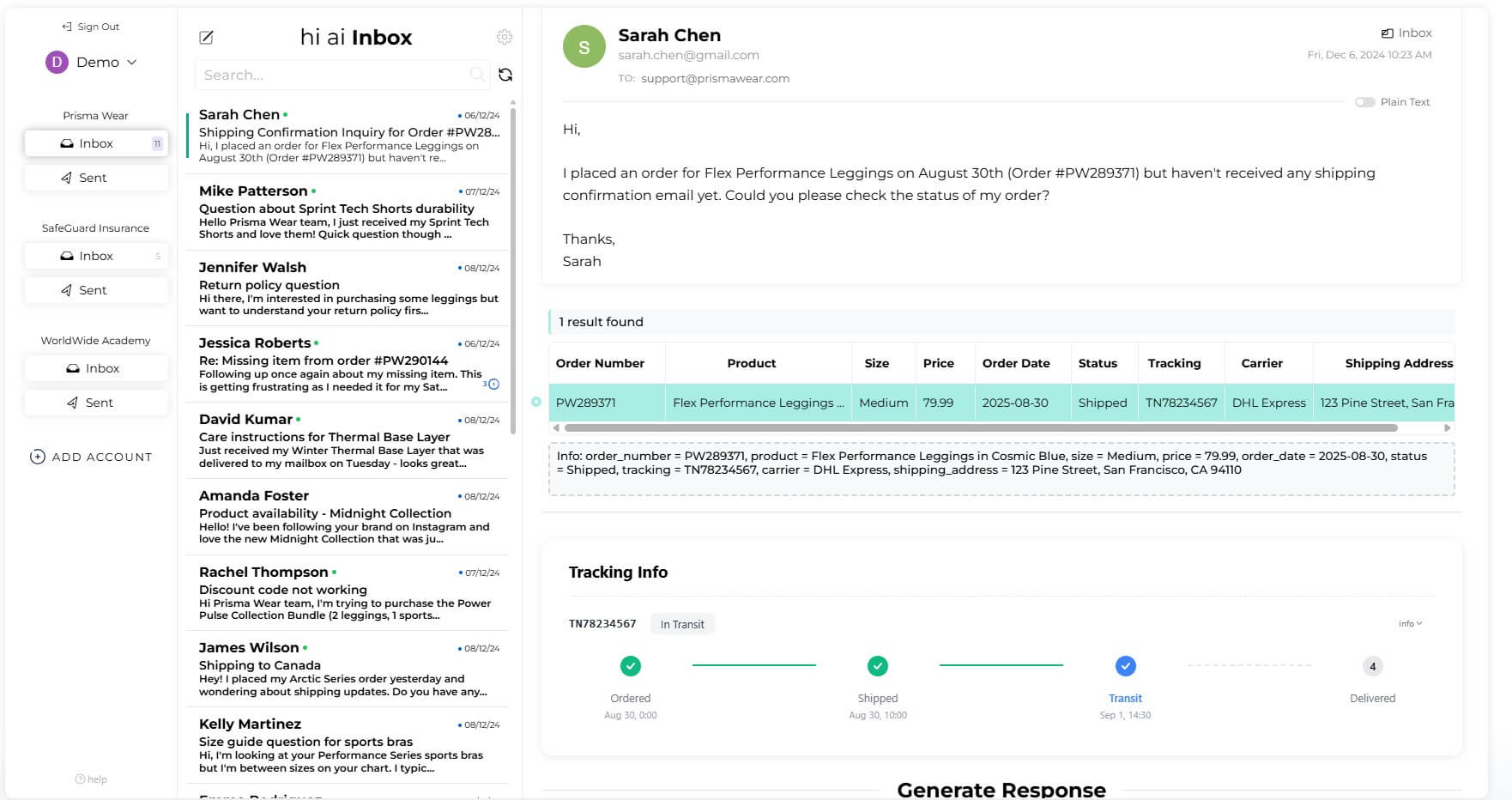
HI AI is strongest when the email question depends on business-specific context. A normal AI writer can produce a polite reply, but it will not know your product catalog, stock details, order status, policies, preferred tone, or customer history unless you provide that context.
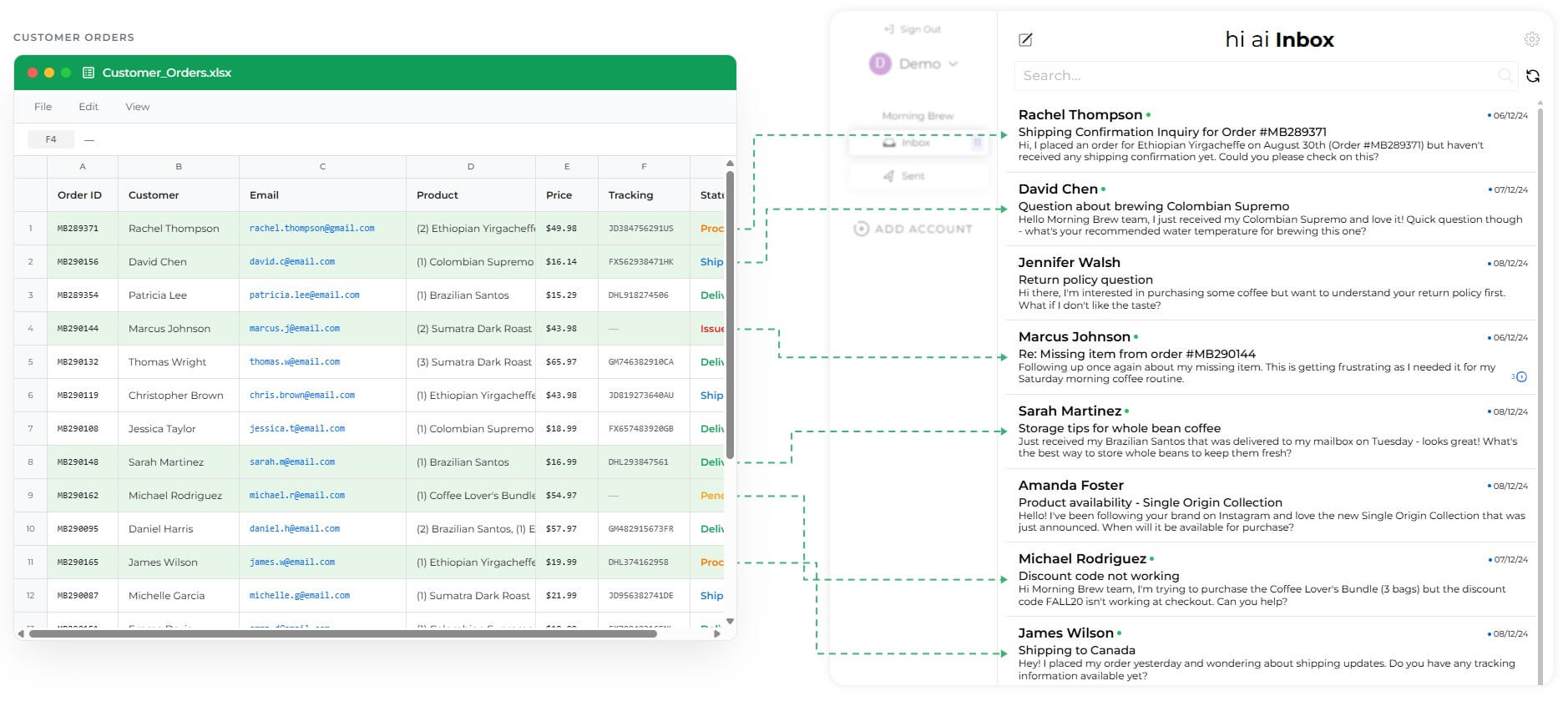
HI AI addresses this through business training, system instructions, and spreadsheet connections. Its homepage highlights AI-powered replies, customer data sync, real-time order tracking, and training the AI to match a brand. It also states that users choose which emails the AI reads instead of giving it access to an entire inbox by default.
| Use case | Why HI AI fits |
|---|---|
| Shipping questions | It can use connected customer or order data to draft more specific replies. |
| Product questions | Product lookup can reference catalog details rather than guessing. |
| Return and policy replies | System instructions can guide tone and policy handling. |
| Sales follow-ups | Drafts can stay polite, fast, and on-brand. |
| High-volume inboxes | Model choice and saved instructions reduce repeat writing. |
| Feature | What it does | Why it matters |
|---|---|---|
| AI email drafting | Generates replies from the customer’s email context, with the user reviewing before sending | Speeds up repetitive customer service replies while keeping humans in control |
| Multiple inbox connections | Supports Gmail, Outlook/Microsoft 365, and custom IMAP/SMTP accounts | Lets small teams connect the email systems they already use |
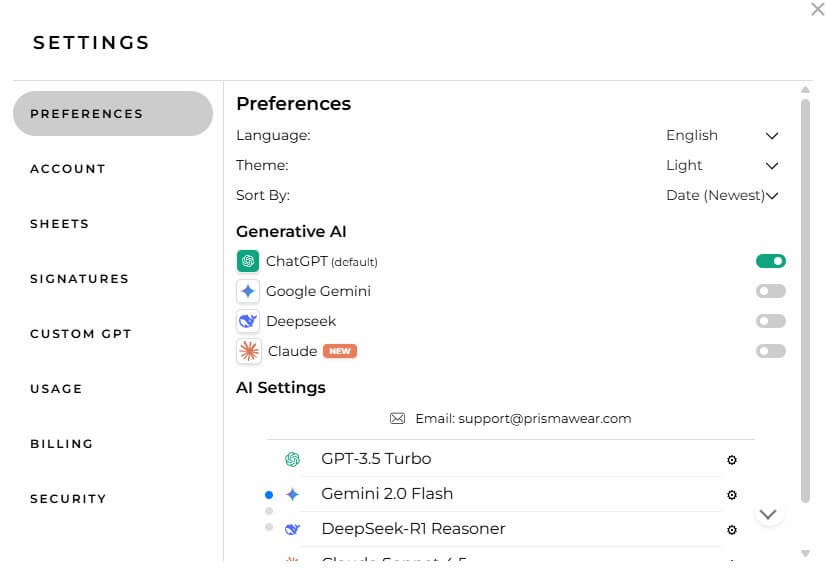
| Model choice | Lets users choose between ChatGPT, Gemini, DeepSeek, and Claude | Gives users flexibility for speed, quality, and response style |
| System prompts | Sets instructions for tone, style, response behavior, and brand voice | Helps replies sound more consistent and business-specific |
| Google Sheets and Excel lookup | References customer and product sheets for order, product, stock, and catalog information | Makes replies more accurate than generic AI drafts |
| Privacy controls | Limits AI processing to emails users explicitly open and says emails are not permanently stored | Gives users more control over what the AI can see |
The model options are useful, but most users should not overthink them at the start. HI AI’s own guidance recommends GPT-4o Mini as a balanced option for daily email replies and customer service, while Gemini 2.0 Flash is framed as a fast option for high-volume processing. It also lists other models such as GPT-4.1 Mini, o4-mini, Gemini 1.5 Pro, Gemini 1.5 Flash, DeepSeek-V3 Chat, and DeepSeek-R1 Reasoner, but notes that some may be slower or less ideal for typical email work.
The practical takeaway: use the faster, email-optimized models for normal replies. Save reasoning-heavy models for rare cases where the email requires more analysis, such as a complicated complaint, technical explanation, or multi-part customer situation.
The basic workflow is easy to understand:
- Connect your email account.
- Open the inbox inside HI AI.
- Choose the message you want to answer.
- Generate a draft.
- Review, edit, and send.
The setup becomes more valuable when you add business context. A good system prompt can tell the AI how formal to sound, what phrases to avoid, how long replies should be, and how to handle common situations. HI AI’s system prompt guidance specifically recommends clear instructions, brand voice details, and rules such as thanking customers or keeping replies under a certain length.
The spreadsheet layer is where the workflow becomes more operational. For example, Product Lookup can search a connected Google Sheet or Excel file and include product descriptions, stock availability, product identifiers, and purchase links in replies. HI AI’s product lookup guide also stresses clean product names, updated stock data, complete URLs, and detailed descriptions. That is a useful warning. HI AI can only be as accurate as the data behind it.
Email tools need more scrutiny than most AI apps because inboxes contain sensitive customer data. HI AI’s privacy documentation says it collects account information, email access tokens, usage data, AI settings, and references to connected sheets. It also says it does not permanently store emails, AI-generated responses, sent emails, or sheet content after display/session use.
HI AI also says the AI only sees emails the user explicitly opens, and users can filter by folders, labels, or senders. That is a good design for separating customer support mail from personal or sensitive messages.
Still, businesses should review permissions carefully before connecting a main inbox. The tool needs access to email content to generate useful replies. That is not unusual, but it should be a deliberate decision.
HI AI is best for small ecommerce teams answering product, shipping, availability, and order-related emails.
It is also useful for solo founders who handle support personally but want a faster first draft.
Service businesses can use it for appointment questions, quote requests, follow-ups, and policy replies.
Sales teams may find it helpful for routine inbound replies, especially when tone consistency matters.
It is less compelling for large support teams that need ticket routing, SLA management, agent reporting, live chat, and deep support operations.
The biggest limitation is that HI AI is still a review-first tool. It can draft quickly, but it should not be treated as an autopilot for sensitive support. The FAQ itself warns users to review responses carefully and notes that sent emails cannot be undone.
The second trade-off is data quality. Spreadsheet lookup is useful only if the sheets are clean, current, and mapped well. Outdated stock, vague product names, or incomplete customer records can lead to weak replies.
The third limitation is scope. HI AI is focused on email. That focus is a strength for small teams, but it also means it will not replace a full support platform for companies with complex queues, multiple agents, escalation rules, and detailed reporting needs.
HI AI is best for small teams, ecommerce businesses, and solo operators who answer customer emails manually and want faster, more consistent drafts with business context. Its strengths are AI-generated replies, model choice, system prompts, inbox connections, product and customer data lookup, and selective email access. The main caveat is that users still need to review every reply and keep their business data accurate. For email-heavy customer support without helpdesk complexity, HI AI is a focused and practical option.
TAGS: Productivity
Related Tools:

Create, customize, and deploy AI applications

Captures meetings, manages tasks, and organizes documents

Streamlines creation of business plans

AI assistant that delivers real-time insights and transcription

Enhances web applications by adding automation

Transforms plain text into accurate formulas