

Share this tool:
 |
Description:
Flowmapp is a visual UX planning platform for website projects. It helps teams map site structure, plan user journeys, create wireframes, manage content, collect feedback, and prepare work before moving into tools like Figma or development. The product is built around a simple idea: web projects go better when structure, flow, and content are planned together instead of scattered across docs, boards, and spreadsheets.
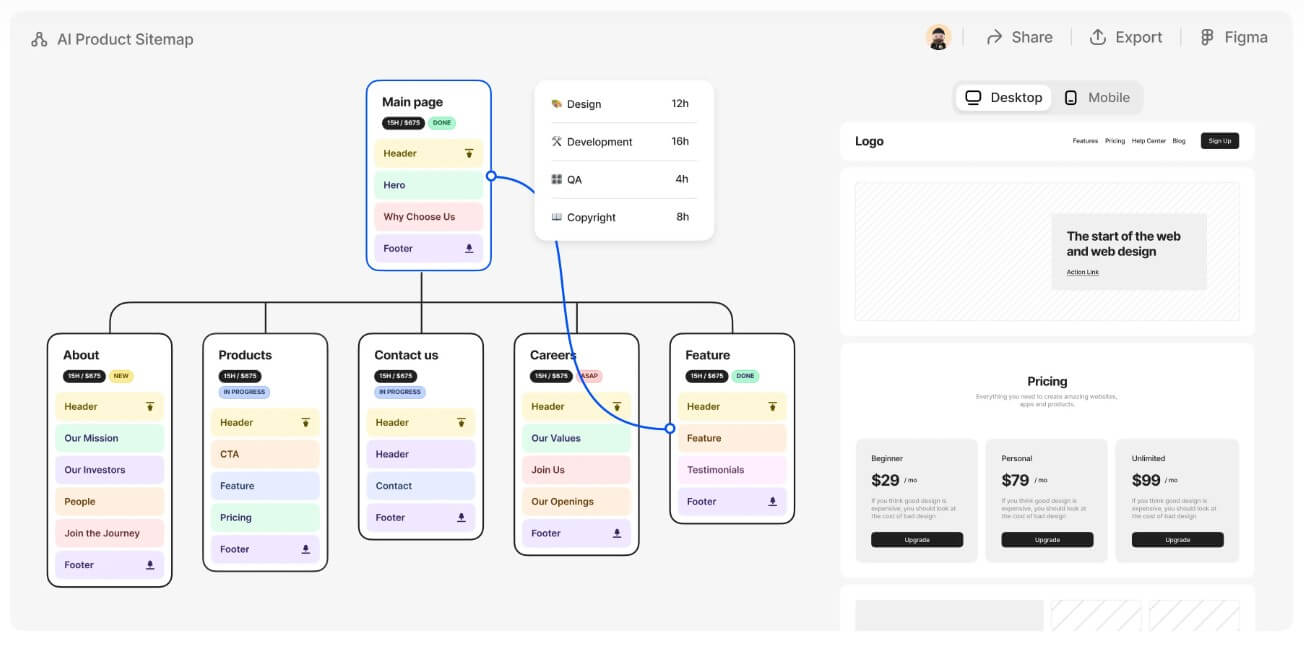
Flowmapp is strongest at the planning stage of a website project.
That stage often looks easy from the outside. In practice, it’s where many projects slow down. A client wants a new site, but the page list is unclear. A designer needs user journeys, but the sitemap is still changing. A copywriter needs page briefs, but the team has not agreed on the structure. A developer needs scope, but the project is still a loose conversation.
Flowmapp gives teams a shared visual place to solve those problems before detailed design begins. Its product overview says it combines interactive sitemaps, user-flow diagrams, wireframe prototyping, content management, and cost estimation in one collaborative workspace.
The key benefit is connection. A sitemap is not isolated from wireframes. User flows are not buried in a separate diagram. Page content can live near the page it belongs to. For agencies and UX teams, that makes Flowmapp more useful than a plain sitemap generator.
It is not trying to be the final visual design tool. That is important. Flowmapp works best before the pixel-perfect design phase, when the team still needs to understand what the site is, how it should work, and what each page must do.
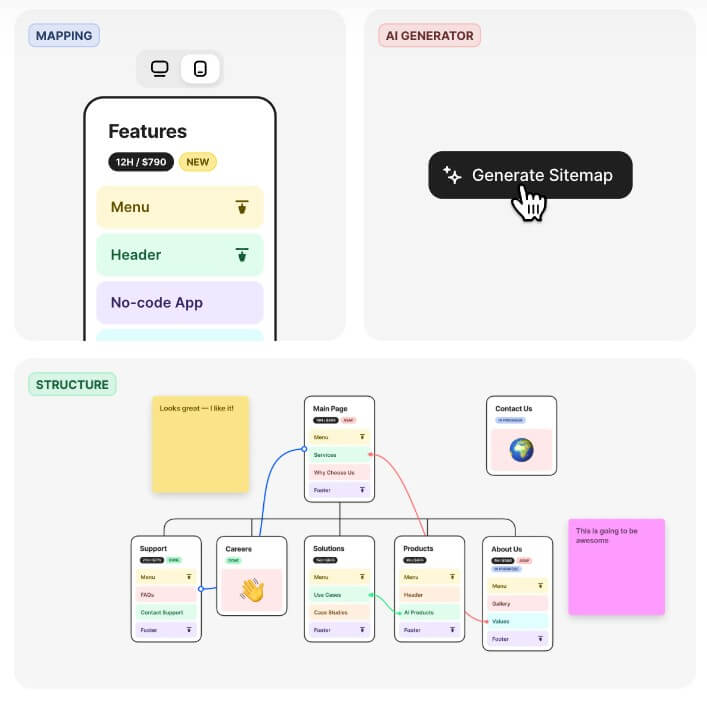
| Feature | Practical Value |
|---|---|
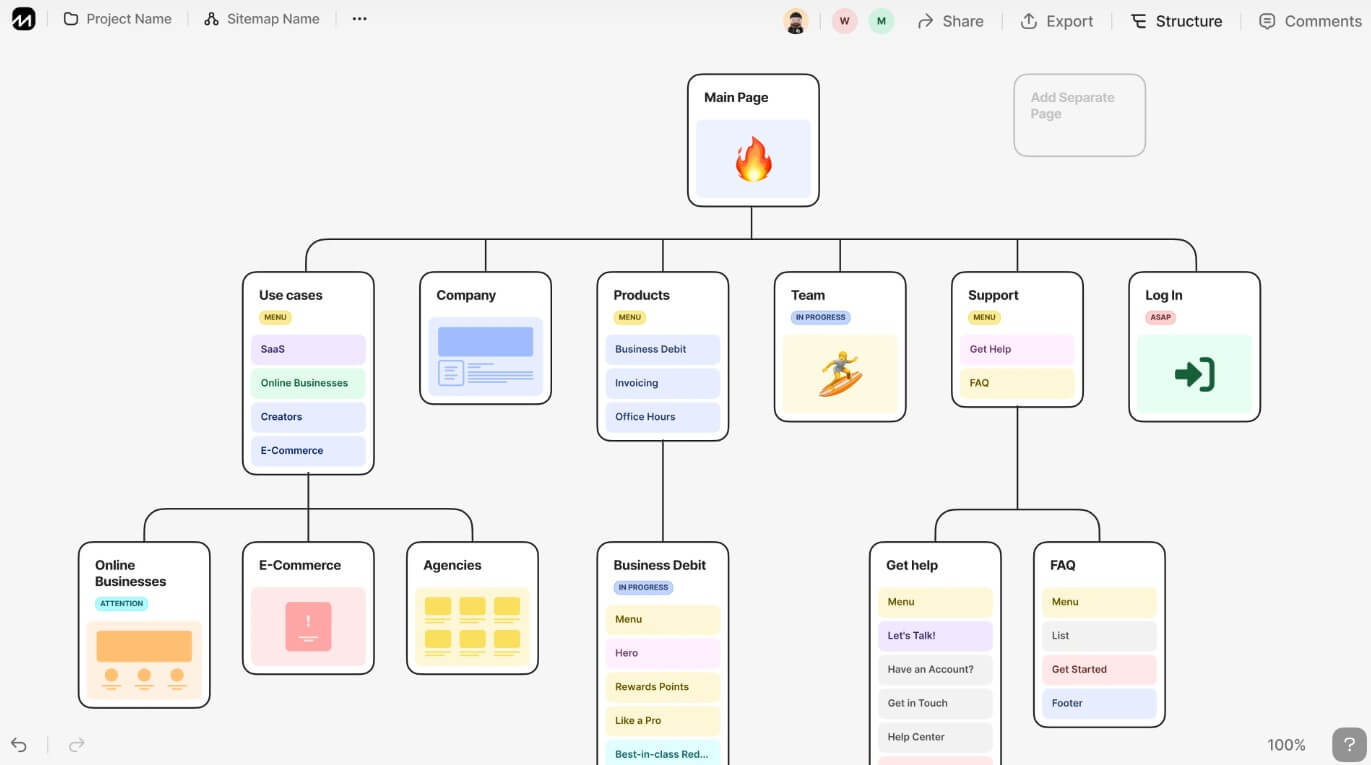
| Visual Sitemaps | Gives teams a clear bird’s-eye view of page hierarchy and website structure. |
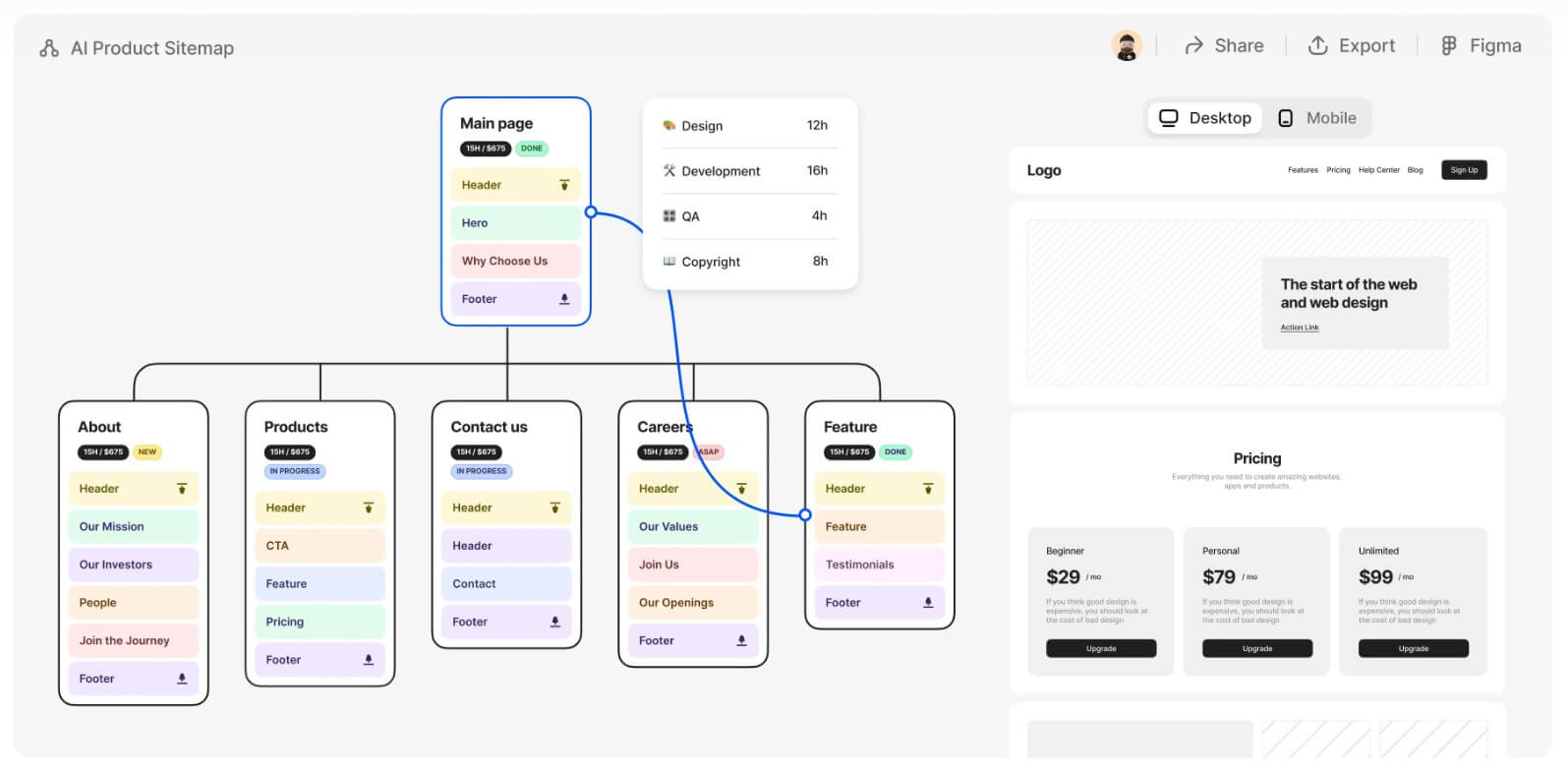
| AI Sitemap Generation | Creates a first sitemap draft from a website description, including page prototypes. |
| URL Crawling | Imports or generates a visual sitemap from an existing website URL. |
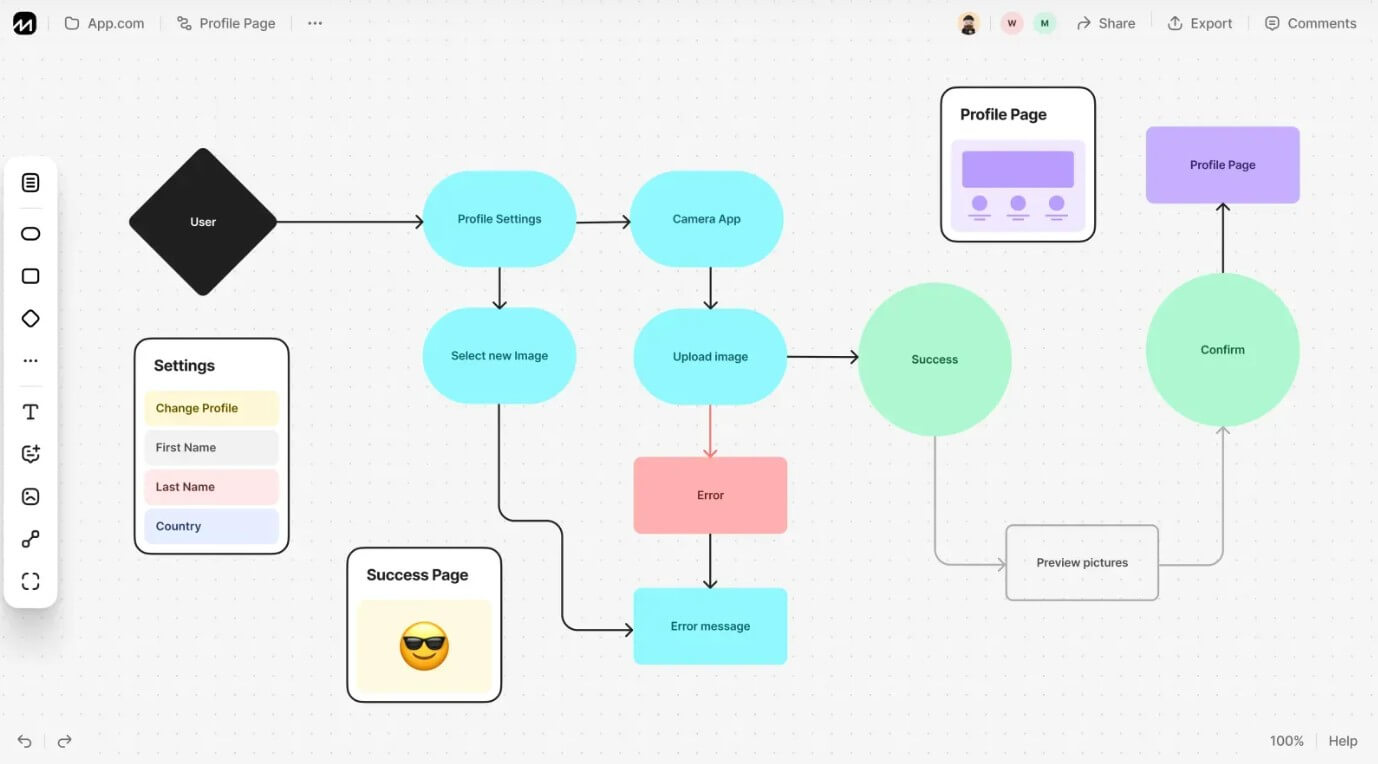
| User Flow Diagrams | Maps the paths users take through pages, choices, and conversion steps. |
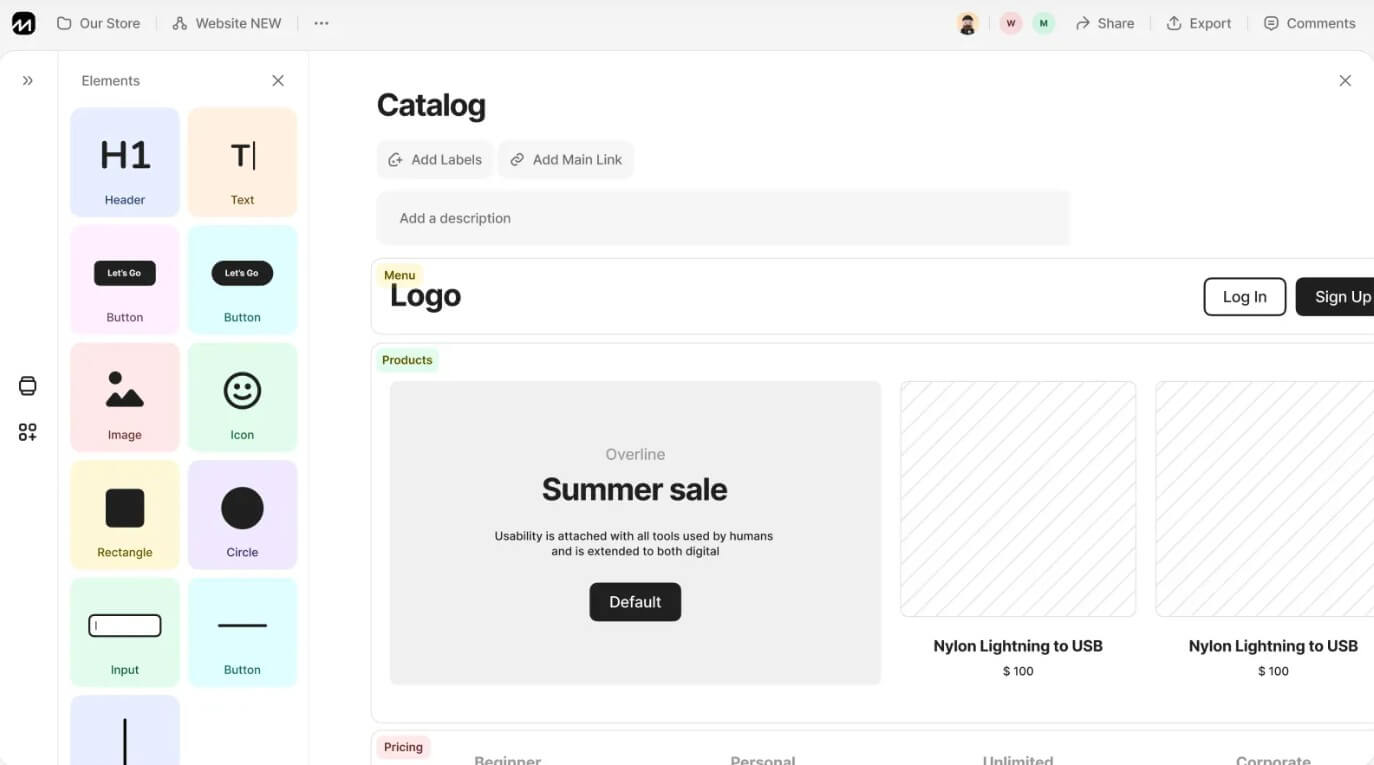
| Wireframes | Supports desktop and mobile page wireframes connected to the site structure. |
| Content Notes | Stores briefs, ideas, files, references, and page-level content in context. |
| Collaboration | Lets teams and clients comment, share work, and review structure together. |
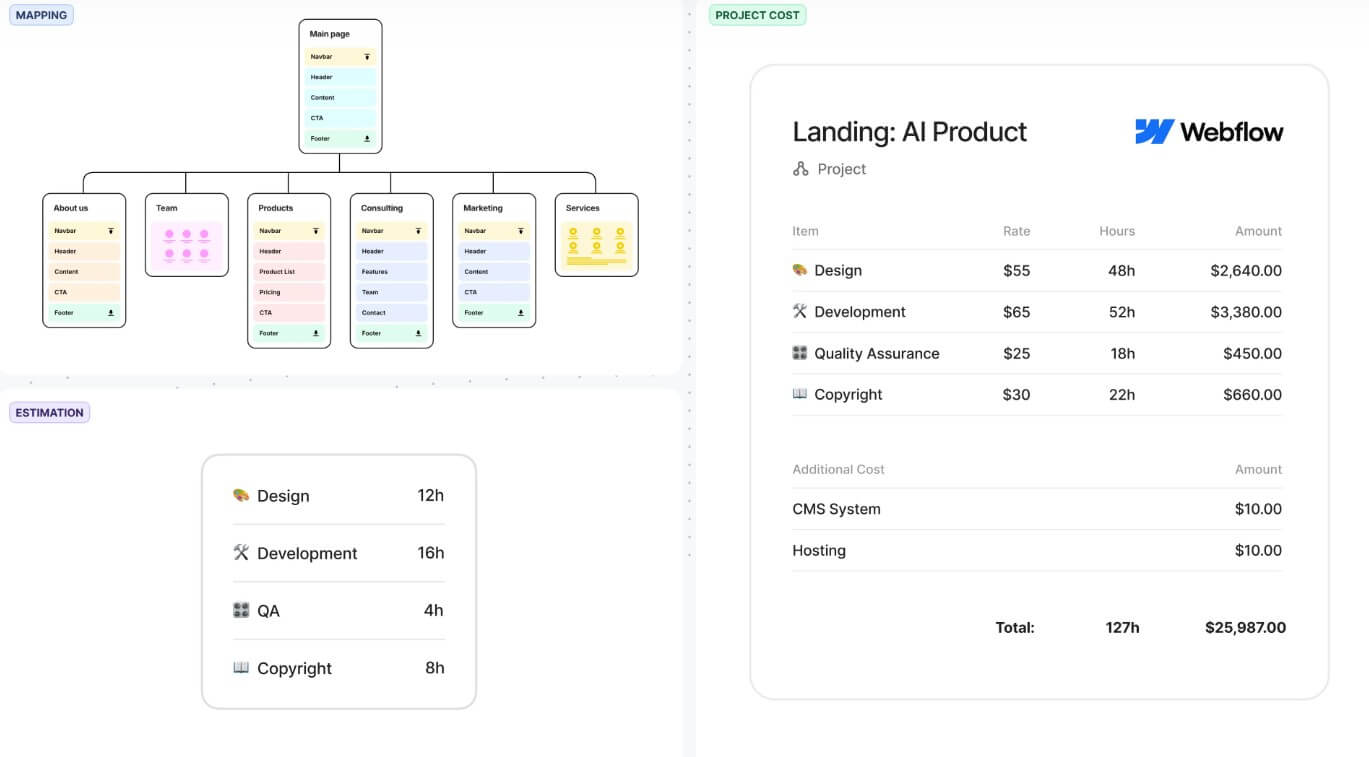
The sitemap feature is the center of the platform. Flowmapp describes it as an interactive visual sitemap builder with page editor and prototyping features. It supports page templates, content collection, desktop and mobile wireframes, real-time collaboration, URL crawling, XML imports, and prototypes built directly inside sitemap pages.
Flowmapp’s workflow usually starts with structure.
A team can create a sitemap manually, start from templates, generate a sitemap with AI, or crawl an existing website. This gives the project a visible foundation. From there, users can add page details, attach notes, create wireframes, map user flows, and share the plan for feedback.
The AI sitemap feature is useful when a team is starting from a loose brief. Flowmapp says users can describe the website they want, and the AI can create a visual sitemap with ready-to-use prototypes for each page. That is not a replacement for strategy, but it can remove the blank-page problem.
URL crawling is better for redesign work. If a client already has a website, crawling the current site can help reveal the existing structure. That makes audits, migrations, and rebuilds easier to discuss. Instead of guessing how large the site is, the team can start with a visual version of what already exists.
The interface is built for planning, so it should feel lighter than a full design platform. That is a strength. At this stage, the goal is not perfect typography or final components. The goal is alignment.
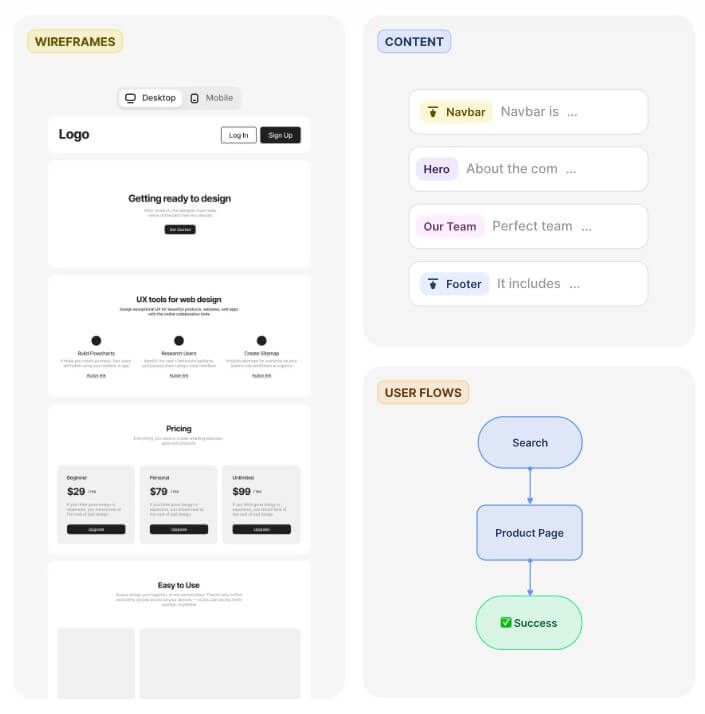
Flowmapp’s biggest strength is the way it separates structure from journey without splitting them into disconnected tools.
A sitemap tells you what pages exist and how they relate. A user flow tells you how a person moves through the experience. Both matter.
For example, a SaaS website may have a clean sitemap: homepage, product pages, pricing, blog, contact, and signup. But the conversion path may still be weak. Users might land on a feature page, compare plans, read a case study, then book a demo. That journey needs its own map.
Flowmapp’s user-flow feature is designed for this kind of work. The official user-flow page positions it as a visual tool for flow mapping and UX design, with sharing and collaboration as part of the experience.
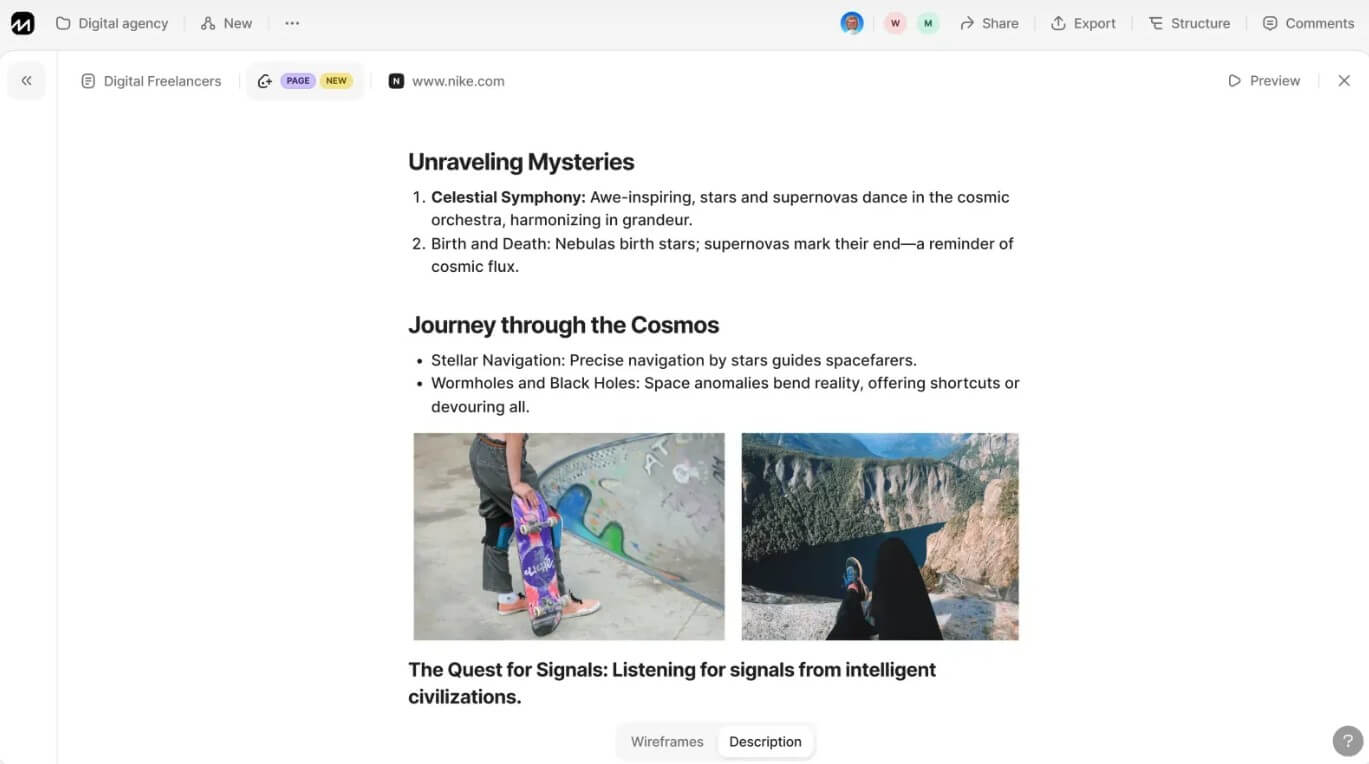
Wireframes add another layer. Flowmapp’s wireframe tool includes a template library, smart editor, presentation mode, text and image editing, content notes, sitemap connection, and mobile wireframes. That makes it useful for early page planning, client review, and rough layout direction. The main thing to remember: Flowmapp wireframes are best for planning and communication. For final interface design, teams will still likely move into a dedicated UI tool.
Content is where Flowmapp becomes more practical than a simple diagramming tool.
Many web projects fail because content is treated as something that comes later. The sitemap gets approved, the wireframes are built, and then someone realizes that the service pages need different copy, the resource hub needs categories, or the homepage needs proof points that nobody has collected yet.
Flowmapp helps reduce that problem by letting users collect page content, briefs, ideas, references, and files inside the sitemap workflow. Its sitemap page specifically mentions storing data, briefs, ideas, and files at each page.
That is useful for copywriters, strategists, and project managers. Instead of keeping content notes in a separate document, the team can attach them to the page they support. Clients also have an easier time reviewing structure when they can see the page hierarchy and the page intent together.
- Website redesigns: Flowmapp is a strong fit for teams that need to map an existing site, clean up structure, and plan a better version before design.
- Agency proposals: Agencies can use Flowmapp to turn discovery calls into visual plans that clients can understand and approve.
- UX planning: Designers can combine sitemap, user flow, and wireframe work in one place before moving into detailed visual design.
- Content-heavy websites: Blogs, service sites, education platforms, documentation hubs, and marketing sites benefit from page-level content planning.
- Client collaboration: Flowmapp is useful when stakeholders need to review structure without learning a complex design system.
- Pre-Figma planning: Flowmapp’s own site describes the workflow as “all you need before opening Figma,” which is a fair way to think about it.
- Start with the sitemap, then test it with user flows. A clean page tree does not always mean the user journey works.
- Use AI sitemap generation for speed, but review every section. AI can draft structure, but it will not know every business goal, SEO requirement, or client constraint.
- Attach content early. Flowmapp becomes much more useful when each page has notes, copy direction, references, and ownership.
- Use URL crawling for redesign audits. It helps reveal hidden pages, outdated sections, and structural bloat.
- Keep final design work separate. Use Flowmapp to plan the site, then move into Figma or development once the structure is approved.
- Flowmapp is not a full replacement for advanced UI design tools. Its wireframes are useful for page planning and presentation, but detailed visual systems, reusable components, design tokens, and final interface polish belong elsewhere.
- It also depends on how disciplined the team is. A sitemap can look clean while the actual user journey remains confusing. Teams need to use the user-flow layer, not just the page tree.
- The AI features are helpful for a first draft, but they still need human review. A generated sitemap may be logical in a general sense while missing brand strategy, conversion goals, regional content needs, compliance pages, or SEO priorities.
- Smaller projects may not need the full platform. A five-page personal site with one decision-maker might be planned well enough in a document or simple board. Flowmapp is more valuable when the project has multiple pages, contributors, stakeholders, or approval steps.
Flowmapp is best for agencies, UX designers, project managers, content strategists, and web teams that need to plan website structure before design and development.
Its strongest value is connecting sitemaps, user flows, wireframes, content notes, collaboration, and handoff in one visual workspace.
The main caveat is that Flowmapp is a planning platform, not a final UI design tool. Used at the right stage, it can make web projects easier to scope, explain, approve, and build.
TAGS: Marketing
Related Tools:

Provides comprehensive business analysis
Enables web professionals to create visual sitemaps
Generates personalized sales copy

Enhances marketing strategies and predict ad attention
create full brand identities—logos, visuals, and messaging

Optimizes A/B tests on Webflow websites