

Share this tool:
 |
Description:
Feeling Great is an AI mental wellness app built around the work of psychiatrist Dr. David Burns. It combines an AI chatbot with interactive lessons and exercises based on Burns’ TEAM-CBT methods, with the goal of helping users work through negative thoughts, anxiety, guilt, shame, hopelessness, and other difficult emotions.
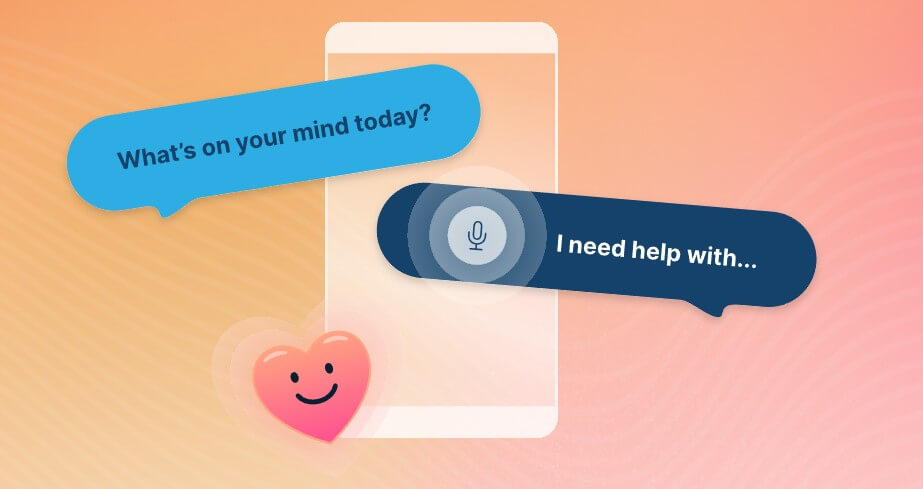
Feeling Great is strongest when used as a structured thought-work companion. It is not just a blank chatbot where you type anything and hope for useful advice. The app is designed to guide users through emotional reflection, identify why a thought feels upsetting, and help challenge the thinking patterns that may be driving the feeling.
That structure matters. Many AI wellness tools can sound warm but vague. Feeling Great has a clearer foundation because it is tied to a specific therapeutic model and a recognizable body of work. The app’s value is not only that it replies with empathy. Its value is that it gives users a process.
The strongest use case is the moment when someone is caught in a negative thought loop and needs help slowing it down. A user can open the app, start a chat, describe what is bothering them, and let the AI walk them through the thought. That makes it useful for daily mood support, between-session therapy homework, or self-help practice for people already familiar with CBT-style reframing.
| Feature | Practical Value |
|---|---|
| AI Chatbot | Talks through difficult thoughts and helps users challenge them. |
| Interactive Lessons | Teaches Dr. Burns’ methods through guided exercises. |
| Structured Home Screen | Separates chat, learning content, and settings for easier navigation. |
| Media Playback Controls | Lets users adjust audio and video speed for lessons. |
| Account Data Controls | Users can delete their account and associated data from settings. |
| Mobile Access | Designed for iPhone and Android users, with app-store distribution. |
The AI chatbot is the main attraction. It asks follow-up questions, reflects what the user shares, and guides the conversation toward reframing rather than just giving generic reassurance. The lessons give the product more depth because they teach the underlying method instead of leaving users dependent on the bot every time.
The app has three main areas: the AI chatbot, learning content, and settings. The FAQ describes the chatbot as accessible from the home screen through “Let’s chat,” while lessons are available through learning options such as “Start learning,” “Next lesson,” or “See all.”
That makes the workflow easy to understand. Chat is for immediate emotional processing. Lessons are for building the skill set. Settings handle profile, playback speed, and account controls.
The main workflow strength is focus. Feeling Great does not appear to be trying to become a broad meditation app, habit tracker, journaling platform, and therapist directory all at once. It centers on negative thoughts and the methods used to work through them.
A possible friction point is that structured CBT work can feel repetitive when users want fast comfort. The app may ask users to slow down, name the thought, examine the feeling, and challenge the belief. That is the point, but it may not suit someone looking for a quick mood quote or passive audio session.
The quality of Feeling Great depends on how well the AI can balance empathy with direction. Based on the official description, the chatbot is designed to learn why an issue is upsetting and then help users challenge the thoughts behind it.
That is a better design choice than open-ended “tell me anything” wellness chat. The AI has a job: help the user examine thoughts. This can make the experience feel more grounded, especially for users who already like CBT or Dr. Burns’ books.
Still, this is not the same as working with a clinician. The official site states that the app and website are not intended for urgent care and do not replace professional medical advice. It also directs users in crisis to contact emergency services or the 988 Suicide & Crisis Lifeline in the United States.
That warning should not be treated as fine print. It is central to how the app should be used. Feeling Great is better viewed as guided self-help, not emergency support and not a replacement for care when symptoms are severe, complex, or unsafe.
Feeling Great benefits from having a defined clinical lineage. Dr. David Burns is presented on the official site as the creator behind the approach, with a long background in mental health writing, research, and podcasting.
There is also a published proof-of-concept evaluation of the earlier Feeling Good App. The study reported that the prototype appeared safe for a select nonclinical population and showed promising symptom trends among users who stayed engaged, while also noting dropout over the 4-week protocol and the need for further efficacy research.
That distinction is important. The research gives the product more credibility than a wellness app with no published evaluation, but it does not mean Feeling Great should be treated as a proven substitute for therapy. The strongest conclusion is more modest: the approach is promising, structured, and worth watching, especially for self-guided CBT practice.
- Negative thought reframing: Feeling Great is best suited for moments when a user wants to work through a specific thought rather than just vent.
- Between-session therapy support: People already working with a therapist may find it useful as practice between appointments, especially if their clinician uses CBT-style homework.
- Self-help users familiar with Dr. Burns: Readers of Feeling Good or Feeling Great may appreciate having the methods turned into an interactive mobile flow.
- Anxiety and mood check-ins: The app can be useful when anxious or self-critical thoughts appear during the day and the user wants a guided reset.
- Learning TEAM-CBT basics: The lessons help users understand the method rather than relying only on chat responses.
Feeling Great has several practical limits.
- First, it is not crisis care: Users dealing with suicidal thoughts, psychiatric emergencies, or urgent safety risks need human support and emergency resources, not an app conversation.
- Second, availability may be limited: The FAQ says the app is currently available exclusively in the United States, with expansion planned but no specific timeline.
- Third, it is currently best for adults: Both the App Store and Google Play list the app with an 18+ age rating.
- Fourth, the structured method may not fit every user: Some people prefer meditation, habit tracking, human coaching, or journaling without much cognitive analysis. Feeling Great is more active than passive. It asks users to engage with their thoughts.
- Finally, AI mental health tools always need careful boundaries: Even a thoughtful chatbot can misunderstand context, miss risk signals, or give support that feels helpful but is incomplete. Users should treat it as a support tool, not an authority.
Feeling Great is best for people who want structured AI-guided help with negative thoughts, especially users who like CBT, TEAM-CBT, or Dr. David Burns’ work.
Its strongest advantage is that it gives the chatbot a clear therapeutic framework instead of relying on generic emotional support.
The main caveat is important: it is guided self-help, not urgent care, not a clinician, and not a replacement for professional mental health support when that level of care is needed.
TAGS: Self Improvement AI Chat/Assistant
Related Tools:
Create AI-powered voice and chat agents

Creates conversational AI chatbots
Automates customer support and lead generation
Utilize long-term memory data for smarter interactions.

Creates autonomous AI agents that connect with your systems

Analyze CSV files through natural language queries