

Share this tool:
 |
Description:
Blaze is an AI marketing platform for small businesses, founders, agencies, and lean teams that need more than a blank writing box. Its main value is not just generating captions. It tries to organize the whole marketing rhythm: content, publishing, landing pages, paid ads, review management, and lead response. That makes it more useful for users who want a repeatable system, not another place to ask for one-off social posts.
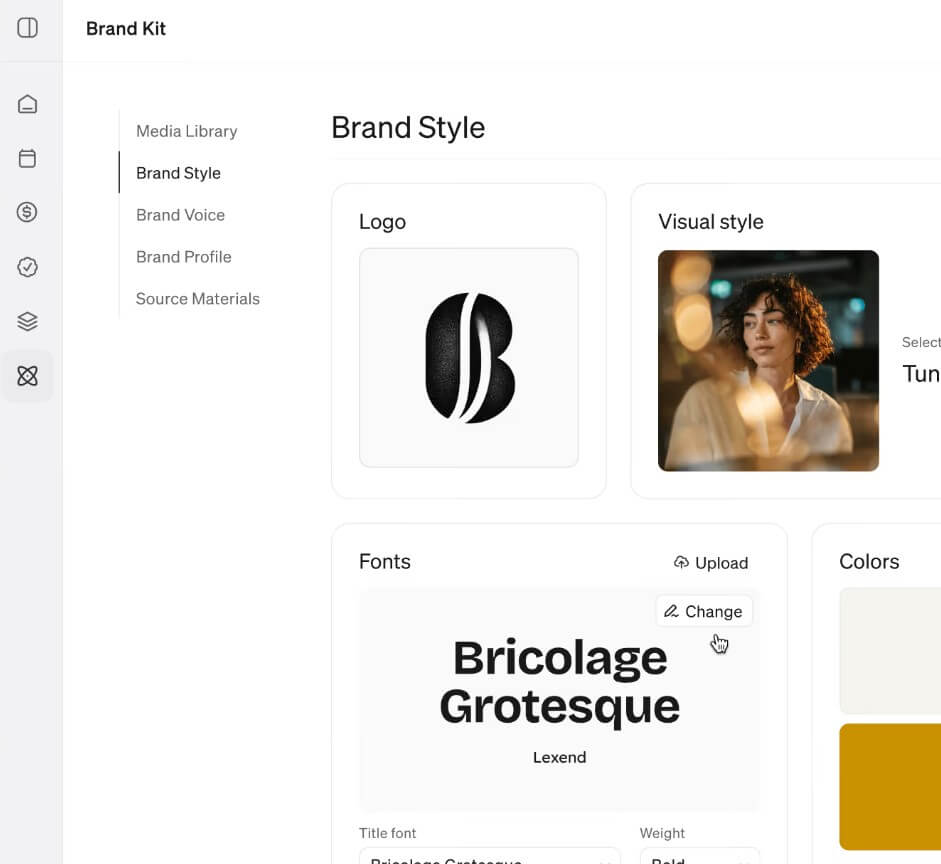
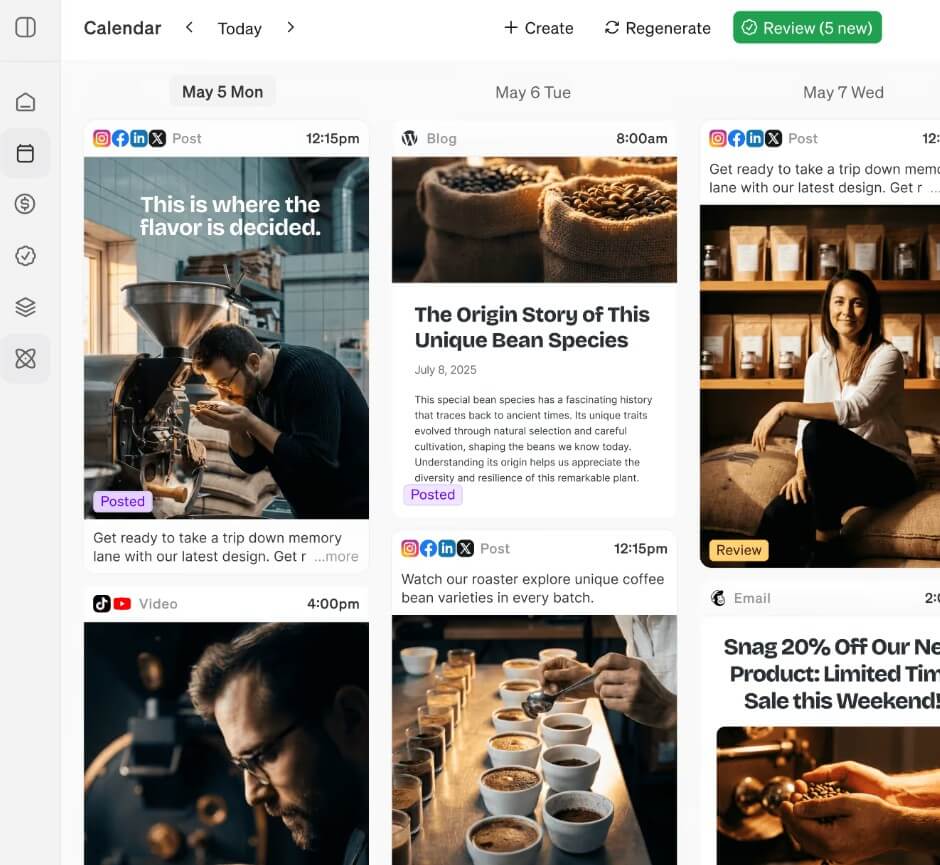
Blaze is strongest when you treat it as a weekly marketing engine. The platform’s current positioning is built around several connected “pillars”: organic content, paid ads, landing pages, reputation management, and AI SDR. Blaze says its organic content workflow covers social media, blogs, email newsletters, and Google Business Profile across eight channels. It also connects paid ads to Google and Meta, supports landing pages by campaign or audience, monitors reviews, and offers an AI SDR that can answer calls, qualify callers, and book meetings.
That matters because many AI marketing tools stop at content generation. Blaze is trying to own more of the loop: make the content, publish it, learn what worked, and turn that data into the next batch. For a small business owner, that is a more practical promise than “write better posts faster.”
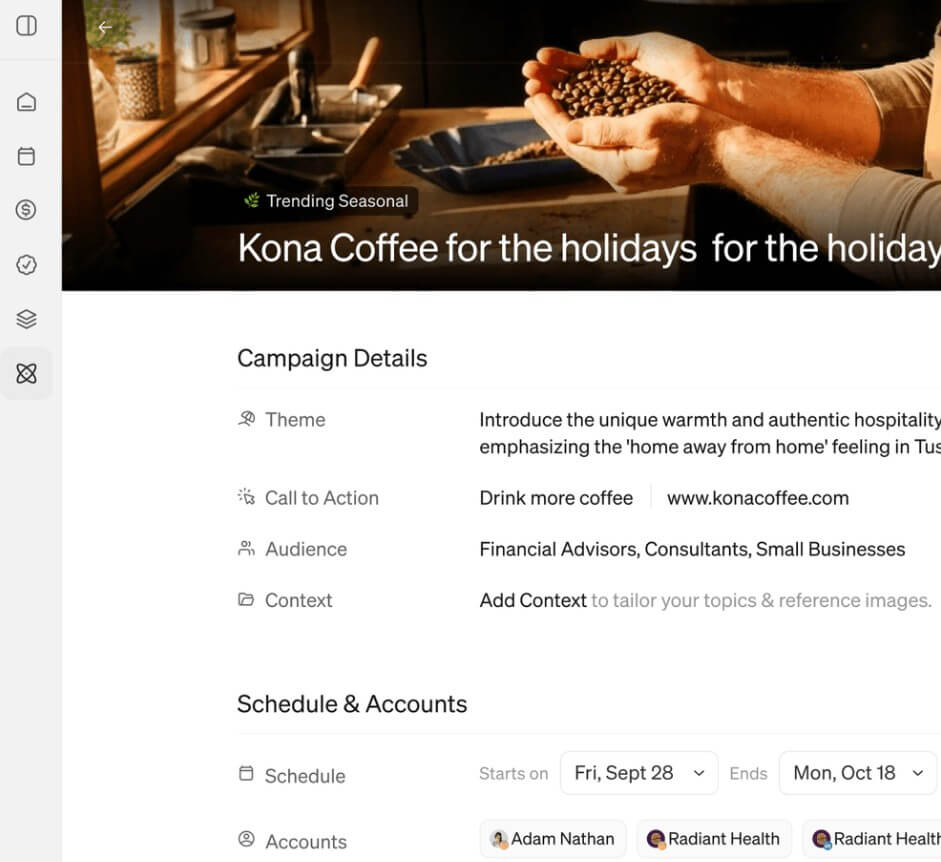
The most important product shift is Blaze Autopilot. Blaze’s help center describes Autopilot as the newer way to create, schedule, and publish marketing content, launched in September 2025. It says Autopilot recommends channels, topics, and campaigns, then creates weekly batches of visual, text, and video content. The older Blaze Copilot workflow is now described as a legacy product for existing users, not the main path for new workspaces.
This is a useful direction. Copilot-style tools depend on the user knowing what to ask for. Autopilot-style tools are better for people who know they need marketing but don’t want to plan every post, resize every creative, and manually copy content across platforms.
The trade-off is control. Autopilot is more convenient, but users still need to review the output. Blaze does provide editing and approval workflows, and its help center says users can change text, visuals, media, and design before publication. That is important because automated marketing can go wrong fast if the voice, claims, offer, or timing feels off.
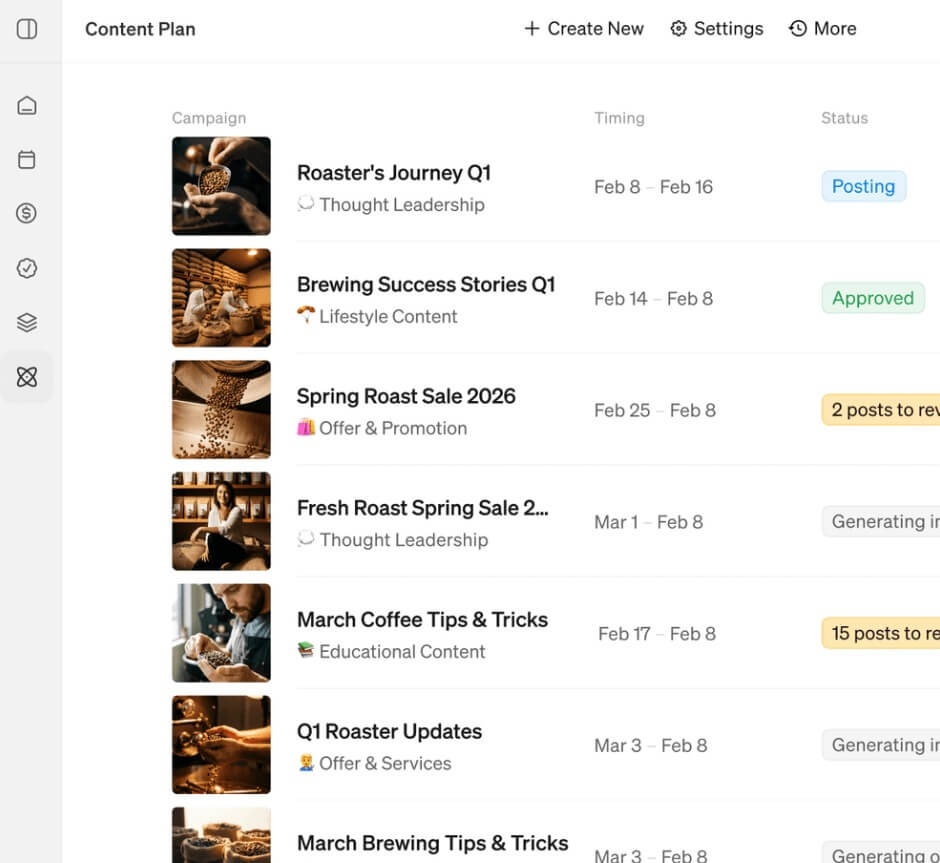
| Area | What Blaze Helps With | Why It Matters |
|---|---|---|
| Organic content | Social posts, blogs, newsletters, Google Business Profile | Helps businesses stay visible without planning every asset manually |
| Publishing | Scheduling, posting, approvals, retries | Reduces copy-paste work across platforms |
| Integrations | Facebook, Instagram, TikTok, YouTube, X, LinkedIn, Google Business Profile, WordPress, Wix, Mailchimp, Google Drive, Google Analytics, Zapier | Makes Blaze more useful as part of a real marketing stack |
| Learning loop | Uses edits and performance data to improve future content | Helps the system adapt instead of repeating generic output |
| Blaze Studio | Mobile photo and video styling on iOS | Useful for quick product, lifestyle, food, travel, and portrait visuals |
Blaze’s integrations are a major strength. The help center lists connections for major social platforms, blog and site tools, email, analytics, Google Drive, and Zapier. That matters because marketing tools are only useful if they connect to the places where work actually gets published.


Blaze Studio is separate enough to deserve its own mention. It is an iOS app for creators and solo business owners that turns everyday iPhone photos into more polished studio-style visuals. The workflow is straightforward: upload a photo, select a visual style, generate the result, then edit and share.
This fits the Blaze ecosystem well. A bakery, realtor, coach, travel agent, or e-commerce seller may not need advanced image prompting. They need better-looking visuals from the photos they already have. Blaze Studio is not a full design suite, but it can help raise the quality of raw phone content.
Blaze is a strong fit for local service businesses that need steady posting, review responses, simple landing pages, and lead follow-up. It also makes sense for real estate agents, coaches, travel businesses, small e-commerce brands, and agencies managing repeatable content calendars.
The best use case is weekly marketing consistency. If a business posts randomly, forgets newsletters, ignores Google Business Profile, and has no clear content rhythm, Blaze can give that work a structure.
It is also useful for teams that want content plus publishing in one place. The publishing help section covers direct publishing, approvals, failed post retries, automatic publishing controls, and related posting workflows. That is more practical than exporting AI copy into five different apps.
Blaze may be less appealing to users who want deep manual control over every creative decision. Autopilot workflows are built for speed and consistency, not full creative authorship.
It also may not replace a senior marketer for positioning, campaign strategy, offer design, or brand taste. Blaze can help execute and organize, but users still need to know whether a message is accurate, legally safe, and persuasive for their audience.
Another limitation is workspace structure. Blaze says each Autopilot workspace is designed for one brand at a time, with one Brand Kit per workspace. Agencies or multi-brand operators may need multiple workspaces, which adds setup overhead.
Blaze is best for small businesses, solo founders, agencies, and lean teams that want a repeatable AI-assisted marketing system rather than a generic content generator.
Its strongest value is the mix of planning, content creation, publishing, integrations, and learning from performance.
The main caveat is that users still need editorial review and brand judgment, especially before anything goes live.
TAGS: Marketing Video Editing
Related Tools:

Enables artists to create intricate 3D models

Generates and translates subtitles for videos
Automates sales and lead generation

Provides customizable email templates
Automatically edits videos by detecting highlights

Analyzes webpage performance