
Share this tool:
 |
Description:
VSub is an AI short-video creation platform built around faceless channels, auto-captioned clips, Reddit story videos, AI voiceovers, fake text videos, quiz formats, “would you rather” videos, and AI-generated shorts. It is not just a subtitle generator. The better way to understand it is as a workflow tool for creators who want to publish repeatable short-form formats without filming themselves or manually editing every clip.
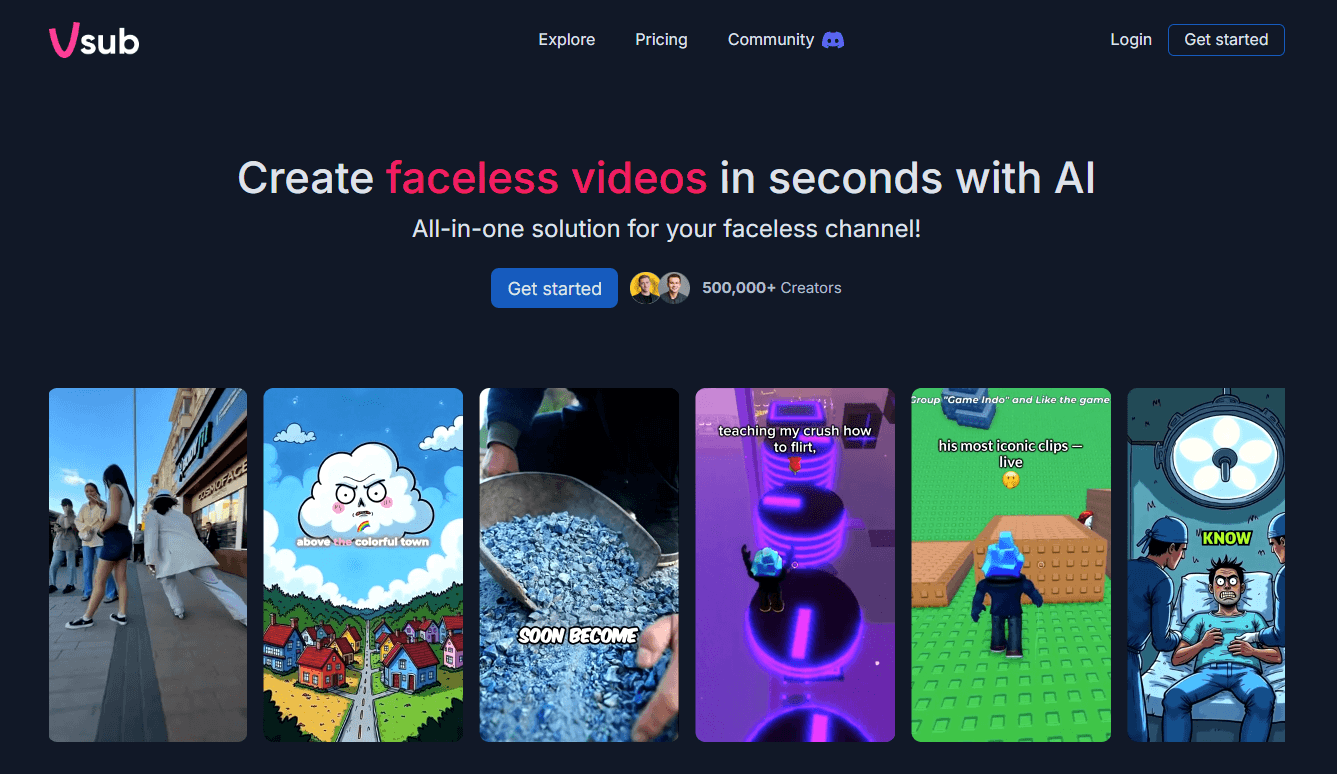
VSub is built around automated short-video formats for creators who do not want to appear on camera.
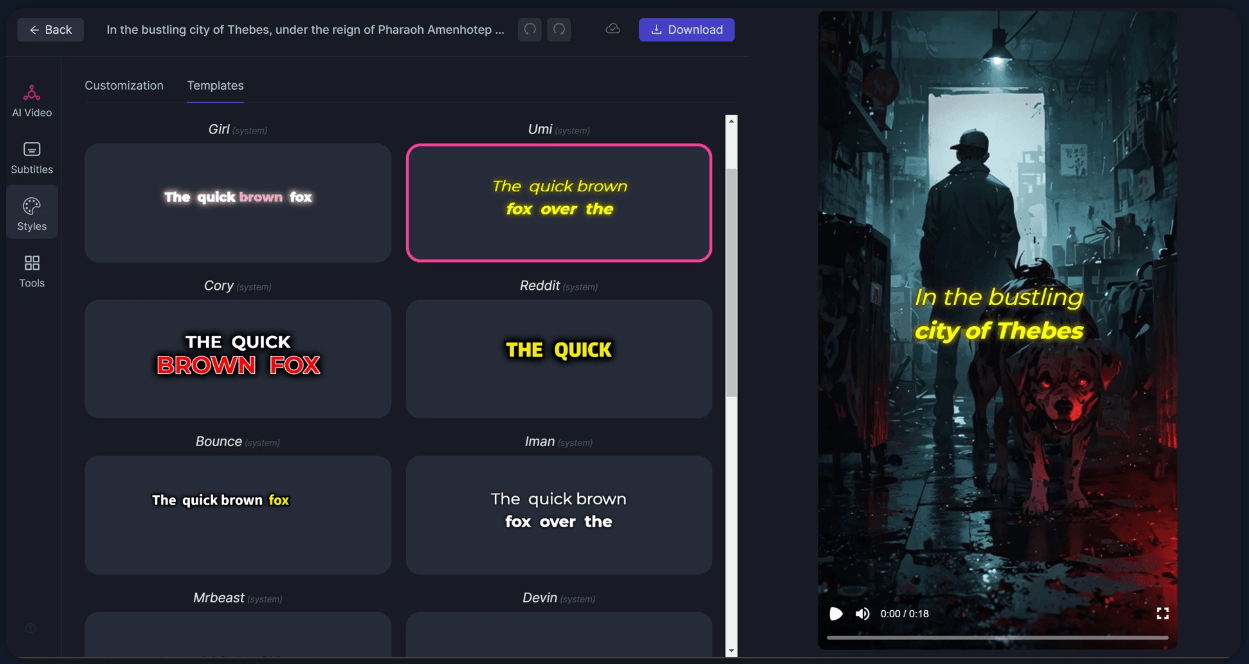
Captions are designed for engagement and short-form retention, not just plain subtitle export.
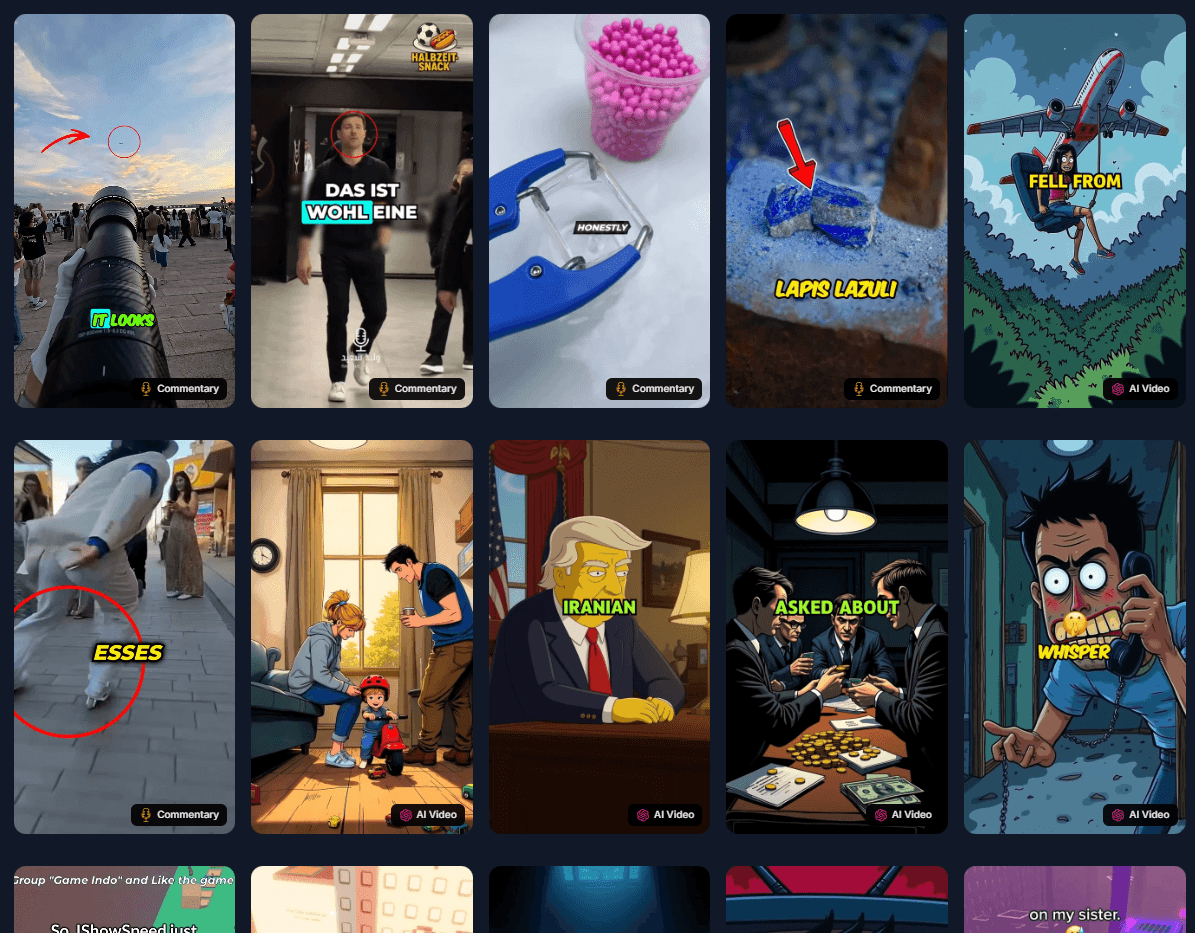
Supported formats include Reddit stories, Roblox rant/commentary, “would you rather,” AI videos, fake text videos, quiz videos, and ChatGPT-style story workflows.
VSub includes text-to-speech tools with selectable voices and 29-language support on its voice generator pages.
The homepage presents multiple visual styles, including cartoon, anime, cinematic, comic realism, dark comic, and other trend-oriented looks.
Video creation uses credits, with different credit costs depending on whether the video uses rendering, speech-to-text, AI images, OpenAI voice, AWS voice, or ElevenLabs voice.

VSub calls itself a “faceless channel factory,” and that description is fairly accurate. The product is aimed at creators who want to produce short videos quickly using structured formats: Reddit stories, Roblox commentary, fake text conversations, quiz videos, “would you rather” clips, AI videos, ChatGPT-style story videos, and captioned videos. The official homepage also emphasizes one-click AI shorts, animated emoji captions, and trend-style visual formats.
The main value is speed and repeatability. Instead of opening a video editor, finding background gameplay, generating a voiceover, adding subtitles, styling captions, and exporting manually, VSub packages those steps into template-driven workflows. That makes it more useful for high-volume short-form content than for polished one-off video production.
This also means VSub sits in a slightly different category from tools like EasySub, Zeemo, or Checksub. Those tools are more subtitle/localization oriented. VSub is more focused on faceless content production, especially formats that already perform well on TikTok, YouTube Shorts, Instagram Reels, and similar feeds.
VSub is strongest when the creator already knows the format they want. A Reddit story video, a fake text exchange, a quiz, or a “would you rather” clip has a predictable structure. VSub can then automate much of the production around that structure: visuals, captions, voice, timing, and export. The pricing page even estimates how many one-minute videos each plan can create by video type, which shows that VSub thinks in format-based production rather than generic editing minutes.
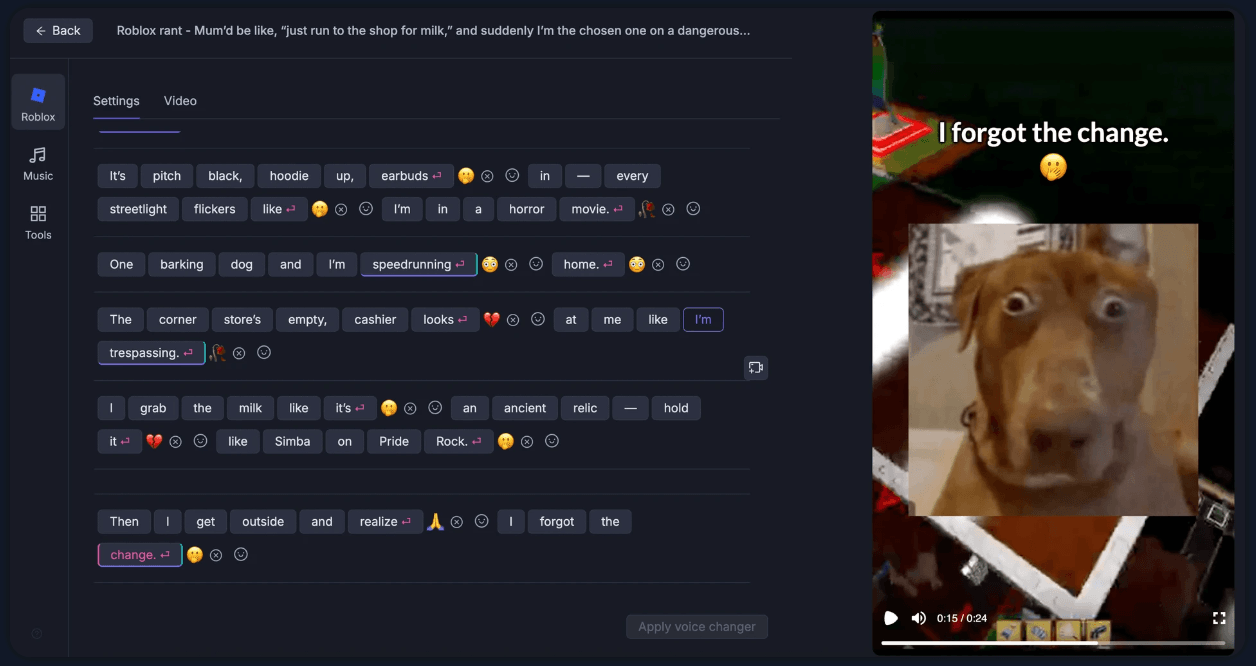
The second strength is caption-heavy social video. VSub highlights auto captions with animated emojis as a core feature, and its pricing table includes “video captioning” as one of the supported video types. That is important because faceless short-form content often depends on captions as the main retention tool, not just an accessibility layer.
The third strength is AI voice generation. VSub’s voice generator pages describe text-to-speech workflows where users log in, choose an AI voice character, enter text, and generate audio. The official pages also mention 29-language support and a large voice library with human, cartoon, anime, influencer-style, and character-style voices.
The VSub workflow is built for speed. For captioning, story videos, or AI short formats, the user starts with a format, provides or generates the content, chooses voice and style options, and exports a short video. That structure is much easier than building the same video from scratch in CapCut, Premiere, or a timeline editor.
The voice generator workflow is especially direct. VSub’s official voice pages describe a four-step process: log in with Google, select the AI Voice Generator tool, choose a character, enter text, and generate the voice. That is simple enough for non-editors and social media creators who mainly care about output speed.
The trade-off is control. VSub looks much more like a structured automation tool than a precision editing system. That is good when you want repeatable clips quickly. It is less ideal when you need detailed timeline control, manual sound design, advanced motion graphics, brand-perfect subtitle styling, or professional video finishing.
VSub’s captions are designed for social video behavior. The official homepage specifically highlights animated emoji captions and says they are meant to keep users engaged. That makes sense for Shorts and Reels, where captions often function as pacing, emphasis, and visual rhythm.
The voice layer is more varied. VSub’s AI voice generator pages list many categories, including anime, cartoons, politicians, The Simpsons, SpongeBob, influencers, celebrity-style voices, Marvel-style characters, and other recognizable character groups. The pages also describe the system as using AI text-to-speech, with pronunciation handling for details like currency, phone numbers, dates, and time.
That variety is useful for viral-style content, but it also creates the biggest risk area. Voice styles based on recognizable people, characters, or franchises can raise platform, rights, impersonation, or brand-safety questions. VSub’s own terms prohibit infringing intellectual property rights and violating third-party platform terms, so creators should be careful about using recognizable character or celebrity-style voices in commercial or monetized content.
- Faceless YouTube Shorts and TikTok Channels: VSub is strongest for creators who want repeatable short-video formats without filming themselves. Reddit stories, quizzes, fake texts, Roblox commentary, and “would you rather” clips fit the product well.
- High-Volume Captioned Clips: If the job is to create many short captioned videos quickly, VSub’s video captioning workflow and animated emoji captions are more relevant than a traditional subtitle editor.
- Story-Based Social Content: Reddit-style storytelling, AI stories, fake message conversations, and character voice formats are a clear fit because they rely more on structure and pacing than on filmed footage.
- Creators Testing Viral Formats: VSub is useful when you want to test multiple short-form formats quickly before committing to a full content strategy.
- Small Creator Teams: Premium is the most relevant tier if more than one person is producing content, because that plan explicitly includes team collaboration.
- Use VSub for formats, not general editing. It is best when you are making a known short-form pattern: Reddit story, fake text, quiz, Roblox rant, AI video, or captioned clip. For cinematic edits, music videos, brand films, or precise motion work, use a dedicated editor.
- Watch credit usage by video type. A one-minute captioned video and a one-minute AI video do not cost the same because different services are involved. The pricing page shows separate credit costs for rendering, speech-to-text, AI images, and TTS providers.
- Start with captioning or Reddit story workflows if you are testing the tool. Those formats appear more credit-efficient than AI-image-heavy videos based on VSub’s own one-minute video estimates.
- Be careful with recognizable voices and styles. VSub’s voice library includes categories based on famous people, politicians, cartoons, and entertainment properties, but creators are still responsible for IP, platform rules, and monetization risk.
- Use Premium only when export length or collaboration matters. If you mostly make one-minute shorts alone, Pro may be enough. If you need longer exports, more credits, and team collaboration, Premium makes more sense.
- The biggest limitation is that VSub is not a full editing suite. It is excellent for structured short-form automation, but it does not appear to offer the kind of deep timeline, audio-mixing, color, motion, or brand-template control you would expect from a professional editor.
- The second trade-off is creative sameness. Template-based faceless videos are fast, but they can become repetitive. If many creators use the same story formats, voices, captions, and gameplay-style backgrounds, the output may feel familiar unless you add stronger writing, better pacing, or a unique niche angle.
- The third limitation is credit predictability. VSub is transparent about credit components, but beginners may still underestimate usage because credits depend on the services used inside each video type. AI videos, voice-heavy formats, and image-heavy formats consume more than basic captioning.
- The fourth limitation is brand safety. The public voice generator pages list many recognizable characters, celebrities, and politicians. That may be attractive for meme content, but it can be risky for commercial brands, monetized channels, or content that could be mistaken for endorsement or impersonation. VSub’s own platform rules require users not to infringe intellectual property rights or violate third-party platform terms.
- The fifth limitation is that some product areas are still developing. The homepage says Reddit story is completed while AI videos are in beta, and it also lists ChatGPT story, would-you-rather video, and fake text video among the short-video automation tools being built. That suggests the product is still evolving rather than fully settled across every format.
VSub is best understood as a faceless short-form video factory rather than a traditional video editor or subtitle tool.
Its strongest qualities are repeatable video formats, AI shorts, Reddit story workflows, animated emoji captions, AI voices, social-first templates, and credit-based scaling for creators who want to publish quickly without filming themselves.
It is best for faceless YouTube Shorts, TikTok, Reels, story videos, quizzes, fake text clips, Roblox commentary, and creators testing repeatable viral formats. The main caveat is that VSub trades deep creative control for speed, so it works best when you want structured, fast output rather than custom professional editing.
TAGS: Speech to Text Video Editing
Related Tools:

Translates videos into multiple languages

Offers advanced keyword analysis

Simplifies video editing process

Transforming audio and video recordings into polished, shareable content

Analyzes webpage performance

Automates video scriptwriting, shot selection and editing