

Share this tool:
 |
Description:
Slite is an AI-powered knowledge base for teams that want company information to be easier to write, trust, update, and find. Its main value is not just document storage. It is the mix of clean documentation, verified knowledge, AI-powered answers, search across connected tools, and adoption-friendly design that makes it useful for teams tired of scattered docs and repeated internal questions.
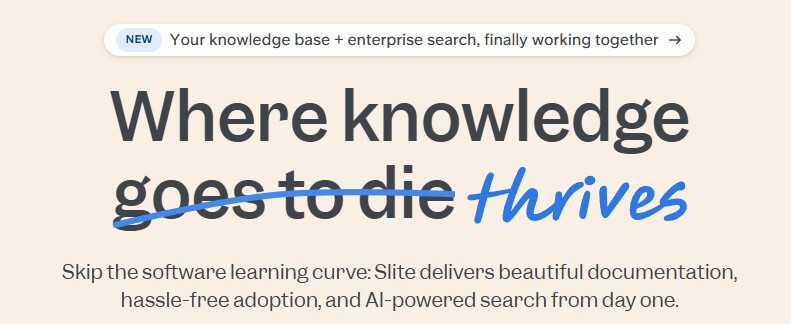
Slite is a dedicated knowledge base platform. It gives teams a shared place to write docs, organize information, verify content, search internal knowledge, and use AI to get answers from trusted company sources. Slite’s homepage describes the product as a knowledge base with AI-powered search from day one, built to reduce the usual software learning curve around documentation tools.
That focus matters. Slite is not trying to be a broad project management system, a database builder, or a visual workspace for every kind of work. Its strength is narrower: make company knowledge easier to maintain and easier to retrieve.
This is especially useful for growing teams where knowledge starts to split across Slack, Google Drive, old docs, onboarding pages, engineering notes, customer support articles, and meeting records. Slite gives that knowledge a clearer home, then uses AI and verification signals to make it more useful.
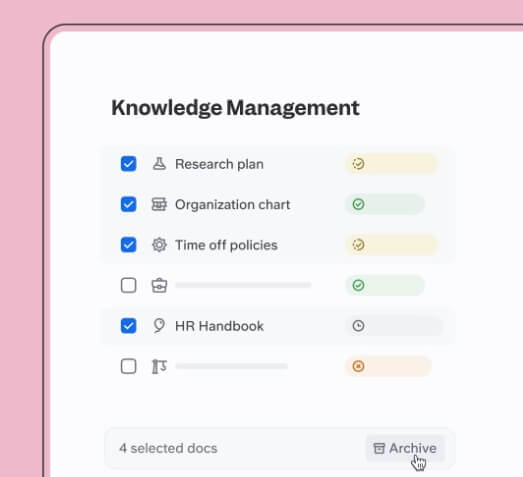
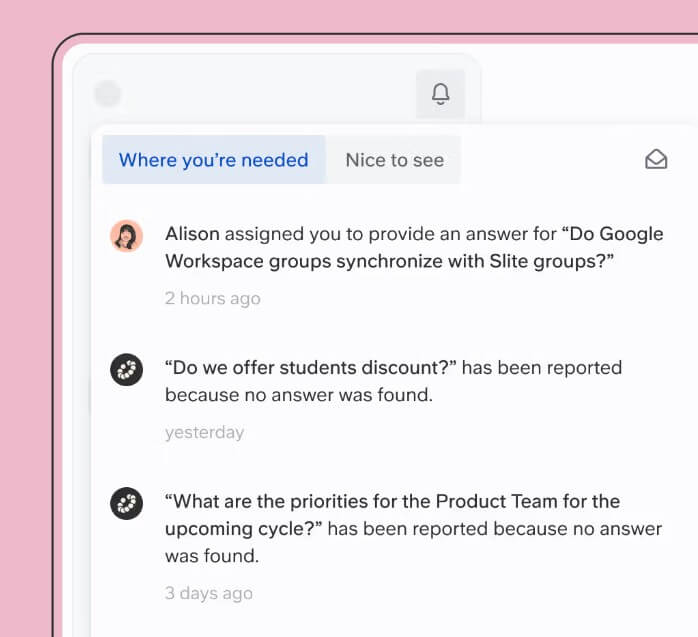
Slite is strongest when the main problem is knowledge reliability. Many teams already have documents, but the documents are hard to find, out of date, duplicated, or ignored. Slite addresses that with document verification, automated reminders, bulk knowledge management, AI-suggested maintenance actions, and ownership transfer when team members leave.
That makes the platform practical for HR handbooks, engineering documentation, support playbooks, product specs, operating procedures, onboarding guides, and company policies. These are not glamorous documents, but they are the exact documents people need to trust.
The best fit is a team that wants one place for internal knowledge and wants that place to stay usable over time. Slite is less compelling if your team only needs a flexible notes app or a general collaborative doc editor.
| Feature | What it does | Why it matters |
|---|---|---|
| Knowledge base docs | Gives teams a clean place to write and organize internal knowledge | Helps reduce scattered documentation |
| AI Ask | Answers questions from company knowledge and connected sources | Makes information easier to retrieve |
| Document verification | Marks trusted docs and helps keep them current | Reduces uncertainty around outdated content |
| Analytics | Shows what people are reading and searching for | Helps teams spot gaps in documentation |
| Integrations | Connects Slite with tools such as Slack, Google Drive, GitHub, Jira, Figma, Linear, and more | Keeps knowledge closer to daily work |
| API and automation | Lets teams create, update, and search docs programmatically | Useful for custom workflows and bulk operations |
Slite’s feature page highlights trusted answers, verified docs, source-backed AI responses, filters, permissions-aware answers, and analytics as key parts of the product.
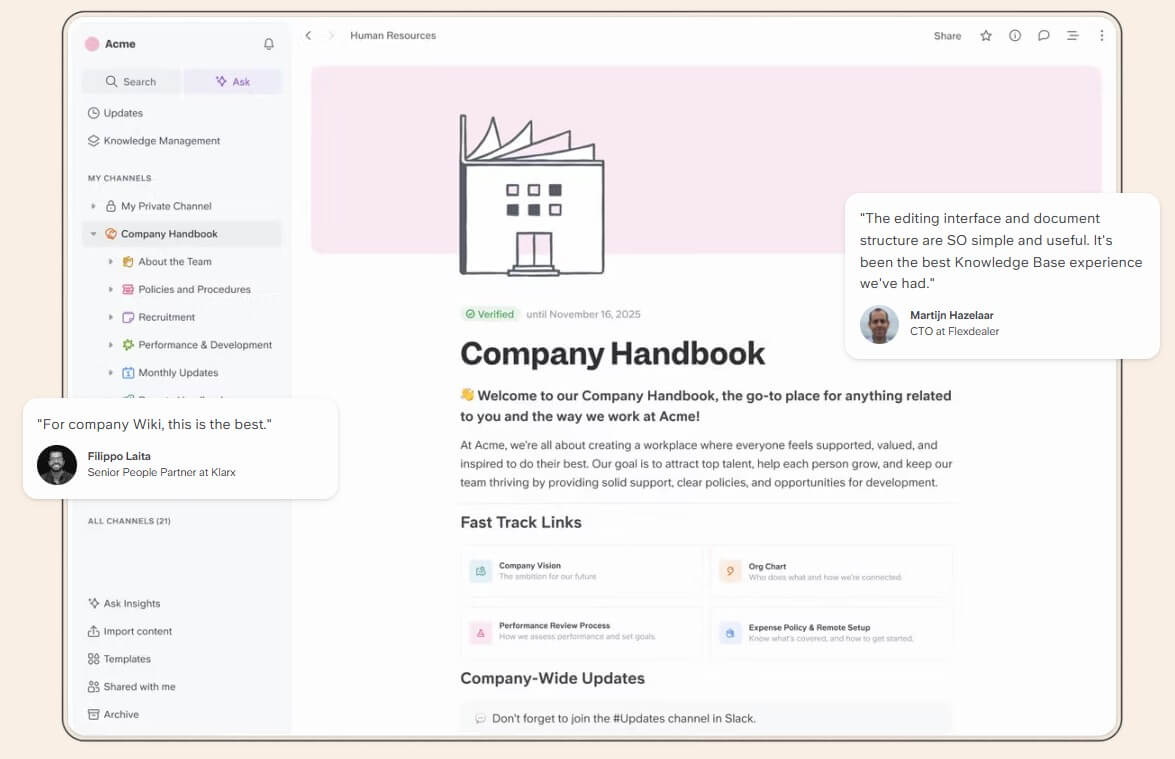
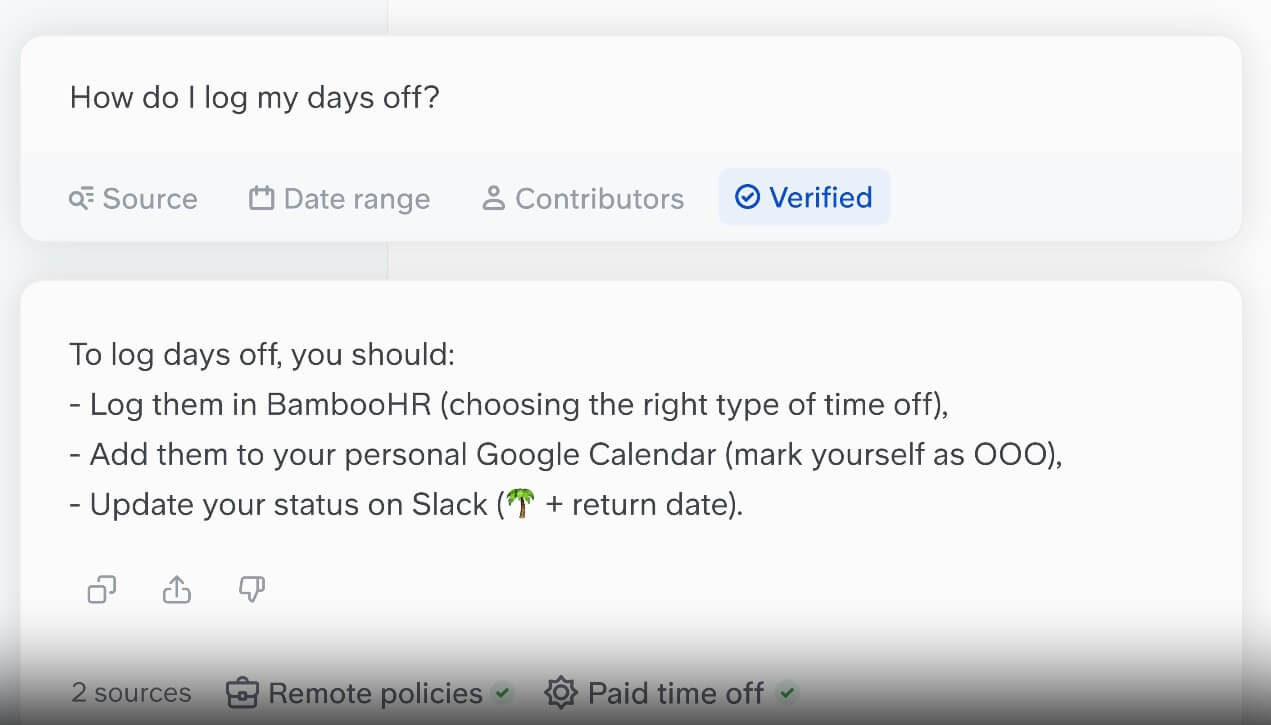
AI Ask is one of Slite’s most important features. Instead of asking employees to remember where a doc lives, Slite lets them ask a question and receive an answer based on the company information they are allowed to access. Slite says answers are based on personal permissions, can be filtered by need, and include sources so users can inspect the underlying material.
That source-backed design is important. AI answers inside a company knowledge base are only useful if people can trust where the answer came from. A confident but unsupported answer creates more risk than a slow manual search. Slite’s emphasis on verified docs and cited sources makes the AI layer feel more practical for internal use.
The platform also extends beyond Slite itself through its broader Knowledge Suite direction. Slite’s site says its AI can help find answers across tools, with Super positioned as a connected company search and orchestration layer for data across external sources.
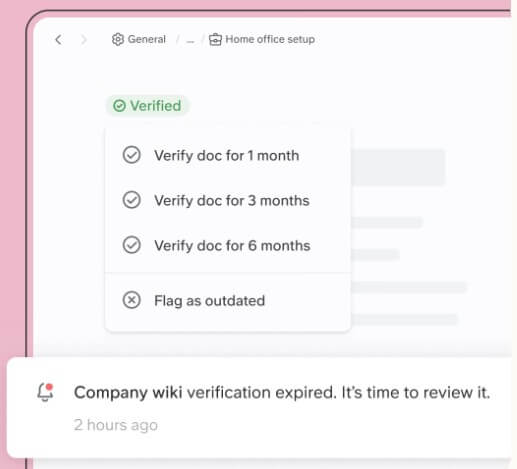
Document verification is one of Slite’s strongest ideas because it addresses the real reason knowledge bases fail: people stop trusting them.
A doc can be well written and still be useless if no one knows whether it is current. Slite lets teams verify docs so people can see what is relevant, and its feature page says verified docs help teams trust what they find without second-guessing.
This works well for content with a shelf life: security procedures, product release notes, support macros, engineering runbooks, HR policies, and onboarding materials. Teams can assign ownership, review docs, and use analytics to understand what people are reading and searching for. Slite’s homepage also mentions ownership transfer when people leave, which is a small but important detail for long-lived documentation. The limitation is that verification still needs discipline. Slite can support the process, but someone on the team has to own the content and decide what should be archived, updated, or promoted.
Slite has a broad integration layer. Its integrations page lists tools across design, project management, docs, code, data, forms, and communication, including Airtable, Asana, ClickUp, Confluence, Figma, GitHub, Google Drive, Google Sheets, Jira, Linear, Loom, Miro, Notion, Slack, Trello, Typeform, and more.
The Slack integration is especially practical because a lot of internal knowledge requests start in chat. Slite says teams can search the Slite workspace from Slack, ask questions using the AI assistant, mention the Slite bot, share docs with previews or PDFs, set notifications, and sync Slite channels with Slack channels.
For technical teams, the API matters too. Slite says its API gives developers programmatic access to create, update, and search docs, run bulk operations, and build custom integrations. It follows the OpenAPI v3.0 standard, and Slite also points no-code users toward Zapier for common automation needs.
Slite is a strong fit for HR teams that need onboarding guides, company policies, benefits documentation, and internal FAQs in one trusted place.
Product and engineering teams can use it for specs, technical documentation, release notes, incident processes, QA docs, and product decisions.
Customer support teams can use Slite for support playbooks, troubleshooting guides, customer-facing knowledge, escalation rules, and internal answer libraries.
Operations teams can use it for SOPs, team handbooks, compliance docs, vendor processes, and recurring workflows.
It is also a good fit for remote and hybrid companies, where people cannot rely on hallway conversations to find context.
Slite is focused, and that is both its strength and its ceiling. If your team wants a flexible all-in-one workspace with databases, complex project views, and broad app-building options, Slite may feel narrower than tools like Notion or Coda.
The second trade-off is upkeep. Slite gives teams better tools for verification and knowledge maintenance, but it cannot make outdated content correct by itself. The best results come when teams assign owners and build review habits.
The third limitation is AI trust. Slite does a better job than many generic AI tools by using sources, permissions, and verified docs, but AI answers still need review in high-stakes contexts. Teams should treat Ask as a fast path to knowledge, not a replacement for judgment.
Slite is best for teams that need a clean, trusted, AI-powered knowledge base rather than another all-purpose workspace. Its strongest features are AI Ask, source-backed answers, document verification, analytics, Slack access, integrations, and a writing experience that keeps documentation approachable. It is a strong choice for HR, product, engineering, support, operations, and remote teams that need company knowledge to stay findable and current. The main caveat is ownership. Slite can make knowledge easier to manage, but the team still has to care enough to keep the knowledge base accurate.
TAGS: Productivity
Related Tools:

Summarizes and take notes from videos

Automates web tasks, summarizes content, monitors webpage changes
Email assistant that automatically generates replies

Simplifies project planning by providing cost estimates

Records, transcribes, and summarizes meetings
Helps users analyze and explore massive datasets