
Share this tool:
 |
Description:
MailMaestro is an AI email assistant for professionals who spend too much of the day reading, writing, polishing, and organizing email. It works inside Outlook and Gmail, with the strongest focus on drafting replies, improving messages, summarizing long threads, handling repetitive templates, and reducing inbox friction without forcing users into a separate chatbot tab.

| Feature | What it does | Why it matters |
|---|---|---|
| AI Email Writer | Writes new emails from short instructions, with control over language, tone, and length | Helps users move from rough intent to polished business email faster |
| AI Reply Assistant | Generates replies using the context of the current email thread and attachments | Reduces copy-paste work compared with using a separate chatbot |
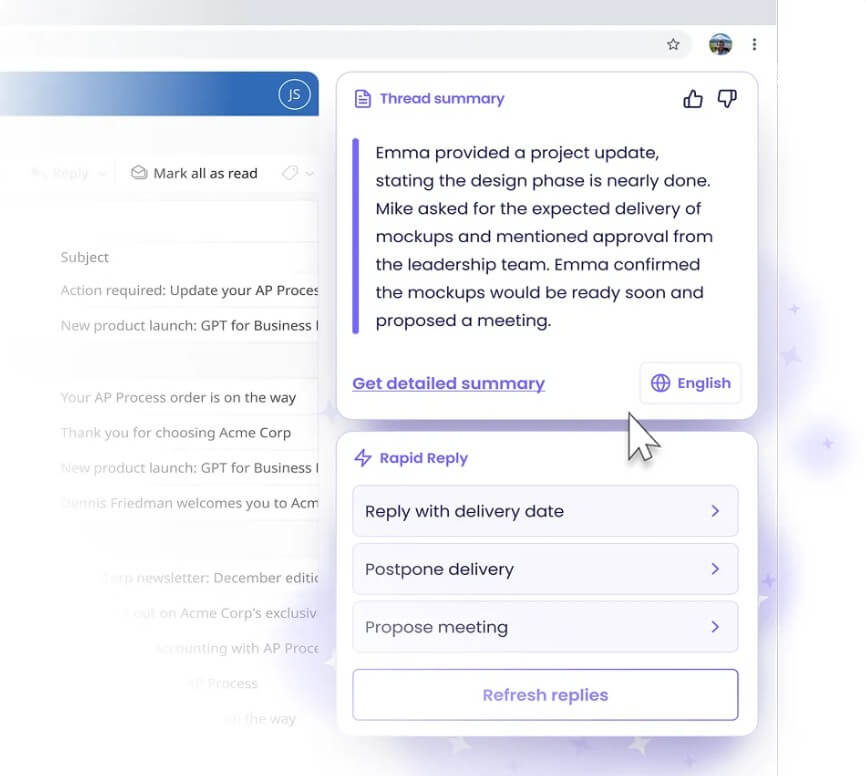
| Thread Summaries | Summarizes a single email or an entire thread, with adjustable summary length and multilingual support | Makes long email chains easier to understand before replying |
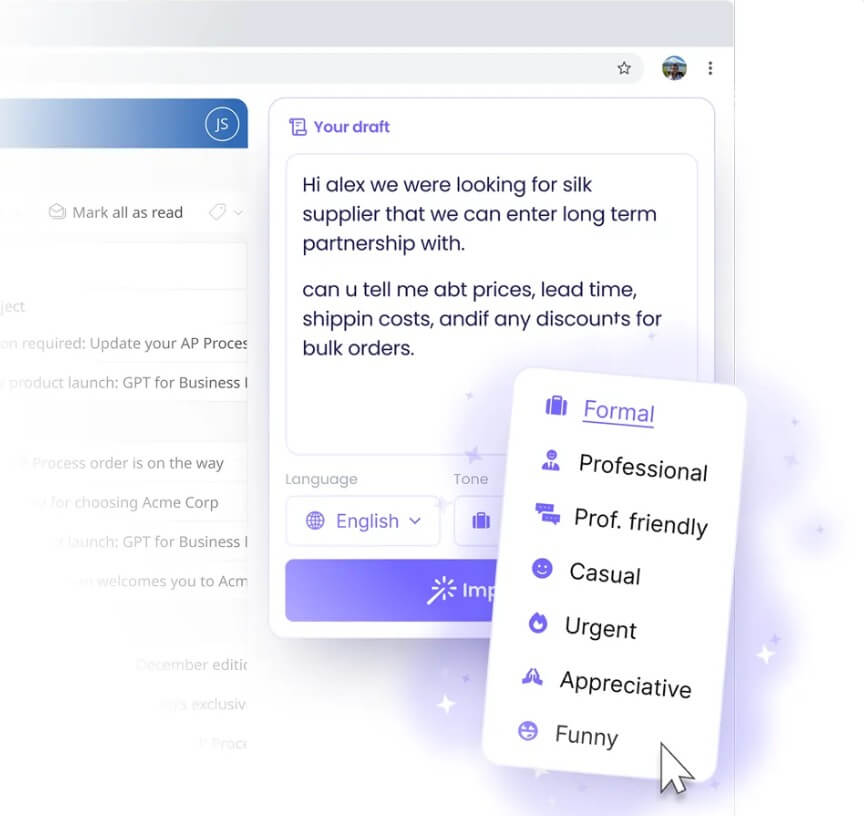
| Draft Improvement | Improves rough messages for clarity, tone, structure, and typos before sending | Helps users send clearer and more professional messages |
| Magic Templates | Combines templates with AI writing for common email types | Speeds up repeatable communication |
| Keyword Shortcuts | Inserts reusable personal or business details through predefined shortcuts | Reduces repetitive typing for common details |
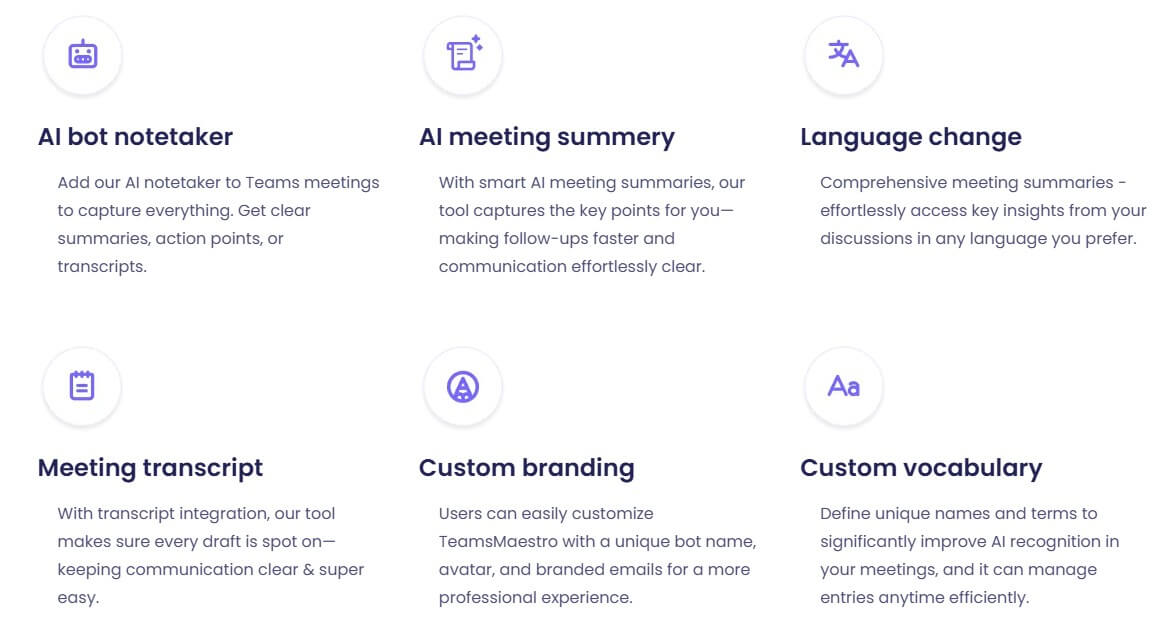
MailMaestro is not a full writing platform, and it is not trying to replace your inbox. It is an email-layer assistant that sits inside the tools many office workers already use. The product appears in the email workflow as a sidebar or extension, then helps you compose new messages, reply with context, improve rough drafts, summarize conversations, and manage follow-ups. Maestro Labs describes it as working directly in Outlook, Gmail, and Teams, with MailMaestro focused on email and TeamsMaestro covering meeting notes.
That distinction matters. A general chatbot can write emails, but it usually requires copying context from your inbox, pasting it into a chat window, refining the result, then moving the answer back. MailMaestro’s value is that it reduces that loop. It reads the email context, gives you options where you are already working, and lets you paste or use the result without leaving the message window.
MailMaestro is strongest in repetitive professional email. Think follow-ups, meeting requests, polite declines, sales replies, internal updates, customer responses, scheduling notes, and long email threads where the important point is buried several messages back.
The product is less about producing original long-form writing and more about helping you move through communication faster. Its best use case is not “write a complex report.” It is closer to: understand this thread, draft three possible replies, improve the tone, shorten the message, and help me send something clear. That makes it a practical fit for people who already know what they want to say but lose time shaping it into polished email.
The Outlook workflow is straightforward. After installing the add-in, users open MailMaestro from the Outlook ribbon, which launches a sidebar. From there, they can choose actions such as Improve, Compose, Reply, or Template. The quickstart guide also shows options for flags, reminders, archiving, tone control, language selection, and generating multiple drafts before pasting the chosen version into Outlook.
The Gmail workflow is similar in intent, though it runs through the Chrome extension. The Chrome Web Store listing says the Gmail assistant can summarize long threads and attachments, reply using conversational context and custom prompts, and adjust tone, language, and length.
The practical benefit is that MailMaestro keeps email work inside email. That may sound small, but it is the whole point. Most email productivity tools fail when they add too much overhead. MailMaestro is useful because it handles small moments quickly: a messy reply, a long thread, a delicate tone shift, a meeting follow-up, or a repetitive message that should not take ten minutes.
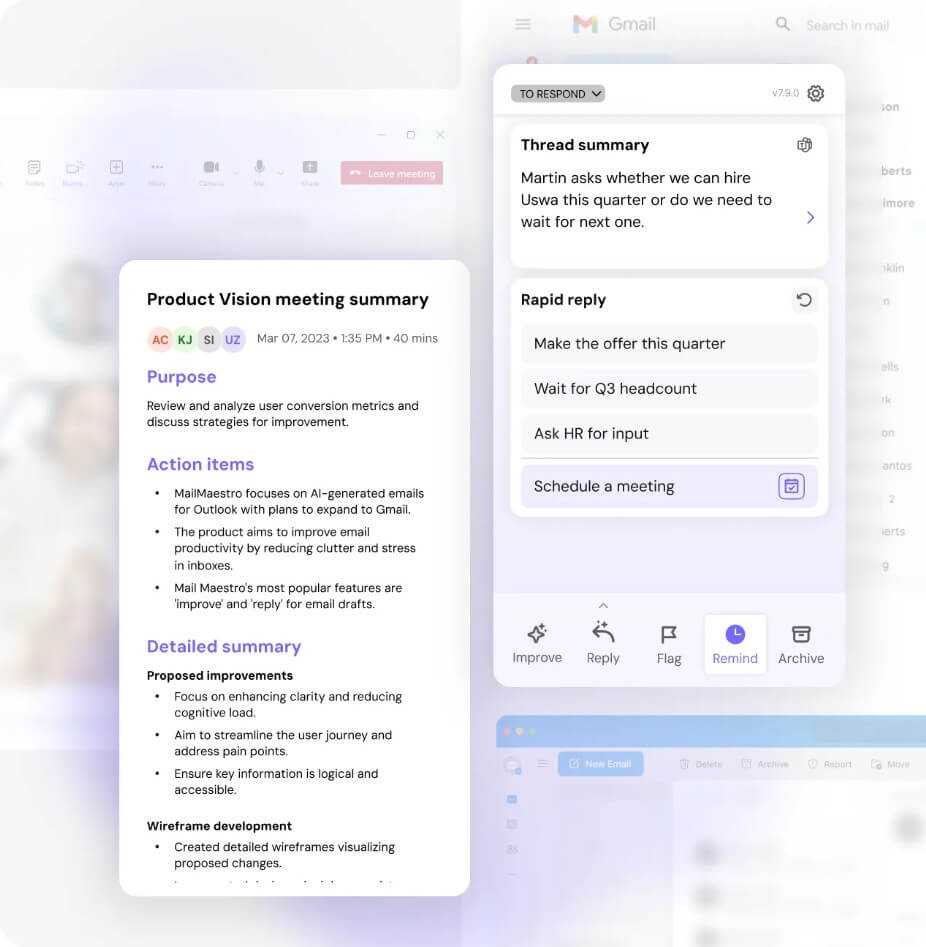
Thread summaries are one of the most valuable parts of MailMaestro. Long email chains are rarely hard because of the writing alone. They are hard because you have to reconstruct what happened, who asked for what, and what still needs a response. MailMaestro’s automatic thread summaries help with that by giving users a faster read before they reply.
The response workflow is also important. MailMaestro can generate multiple draft options, which is better than forcing users into one AI answer. Email tone is situational. A reply to a client, a vendor, a manager, and a teammate may all need different levels of warmth and detail. Having several drafts gives the user a starting point instead of a finished answer they must accept.
Inbox management is more uneven. Maestro Labs says its email management tools can help prioritize messages, categorize emails, archive less important items, flag important ones, and support email triage. It also notes that these inbox management tools are currently available inside the Microsoft Outlook plugin, with Gmail support planned. That means Outlook users get the more complete workflow today. Gmail users can still benefit from drafting, replies, and summaries, but should check whether the specific management features they want are available in the Gmail extension.
MailMaestro is a strong fit for email-heavy professionals who need to respond faster without sounding careless. Sales teams can use it for follow-ups, objections, scheduling, and polite nudges. Customer success teams can use it to summarize long threads and write clearer replies. Recruiters can use it for candidate outreach, interview coordination, and status updates. Executives and managers can use it for internal communication where tone and speed both matter.
It also works well for multilingual communication. MailMaestro’s public pages reference support for multiple languages across writing and summaries, making it useful for teams that regularly communicate across regions.
The weaker fit is deep writing, strategy, research, or complex document drafting. MailMaestro can help shape an email. It is not the tool you would choose for building a full proposal, preparing a research memo, or planning a campaign from scratch.
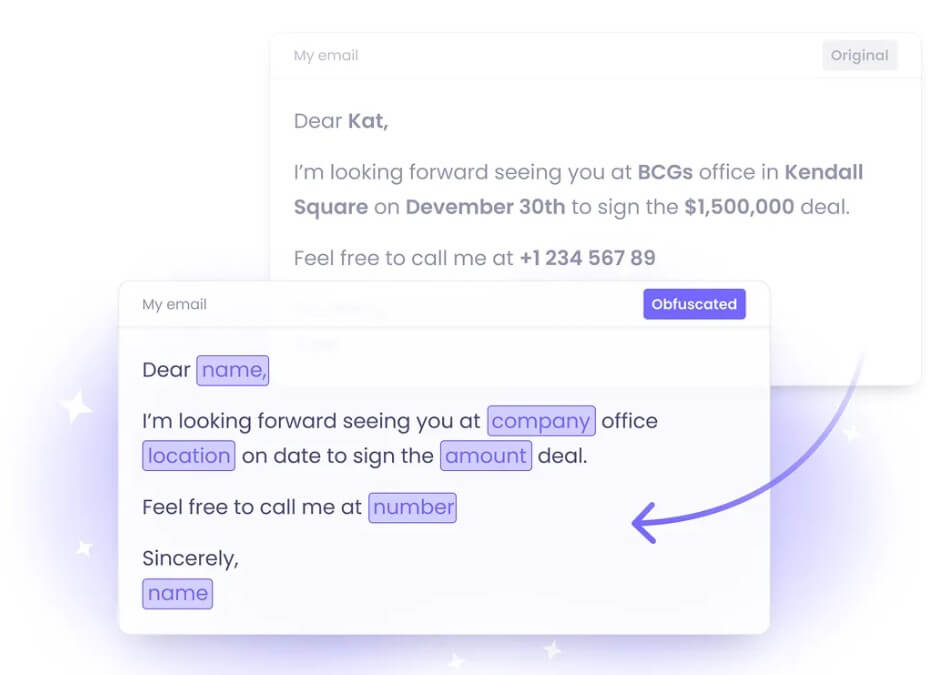
Email contains sensitive information, so MailMaestro’s security posture matters. Maestro Labs says it is SOC 2 Type II compliant, GDPR compliant, HIPAA compliant with BAA support on request, Microsoft attested, Google verified, and CASA verified. Its security page also states that data is encrypted at rest and in transit, and that customer data is not used to train AI models.
That is a strong baseline for business use, but teams should still review internal policies before installing any inbox-connected AI tool. The key questions are who can use it, what data it can access, how retention is handled, and whether the organization has stricter rules for legal, healthcare, finance, HR, or customer data.
MailMaestro depends on the quality of the email context. If a thread is messy, vague, or missing important background, the AI can still produce a polished answer that needs human correction.
It also needs review before sending. Tone control helps, but email is high-context. A message can be grammatically clean and still too casual, too firm, too long, or too vague for the relationship.
The Outlook experience appears more complete than Gmail for inbox management right now, based on Maestro Labs’ own email management page. That is not a dealbreaker, but it matters for Gmail-first teams.
Finally, MailMaestro is most useful when email is a major part of the workday. If you only send a few simple messages, the tool may feel like more assistant than you need.
MailMaestro is a practical AI email assistant for professionals who want faster replies, cleaner drafts, thread summaries, templates, and lighter inbox management inside Outlook and Gmail. Its biggest strength is reducing the daily friction of business email without making users leave the inbox. It is best for email-heavy workers and teams, with the main caveat that Gmail users should confirm feature availability and everyone should review AI-generated messages before sending.
TAGS: Productivity
Related Tools:

Provides tools for writing, image creation, coding

Provides quick summary of Google search results

Captures, summarizes, and organizes your notes and recordings

Automatically tracks tasks and facilitates goal setting

Merges documents, spreadsheets, and apps to help teams collaborate

Automates task prioritization and management