

Share this tool:
 |
Description:
Skinive is an AI skin scanner and mole checker designed to help users photograph skin concerns, receive an instant AI risk assessment, and track changes over time. It is not a replacement for a dermatologist, and that distinction matters. Skinive is better understood as an early awareness and documentation tool: useful for self-checks, triage, and follow-up conversations with a qualified medical professional.
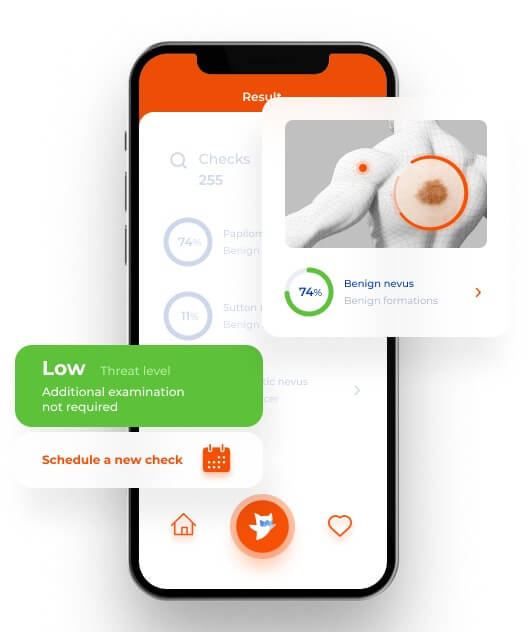
Skinive’s strongest value is helping users act earlier. Many people notice a mole, rash, acne flare, or irritated patch and then delay doing anything because they are unsure whether it matters. Skinive gives them a structured first step: take a photo, get an AI-based assessment, then decide whether the issue needs monitoring or medical attention.
The app is especially useful for routine skin self-exams. Skinive encourages regular checking, photo documentation, and ongoing monitoring, which is more practical than treating each skin concern as a one-time event. That matters because skin changes are often easier to judge when there is a record over time.
Skinive also works across more than one audience. The main Skinive app is aimed at home users, Skinive MD is built for medical professionals, and Skinive.Cloud gives developers an API path for integrating skin analysis into digital health, telemedicine, beauty, or healthcare products.
| Feature | Practical Value |
|---|---|
| AI skin scanning | Analyzes photos of visible skin concerns and returns risk guidance in seconds. |
| Mole and lesion monitoring | Helps users track moles or unusual spots over time instead of relying on memory. |
| Real-time camera guidance | Helps users capture better photos, which is important because lighting and image quality affect results. |
| 3D skin mapping | Supports fuller documentation of skin concerns and body areas. |
| Skinive MD | Gives clinicians a tool for AI-assisted skin analysis, documentation, and triage support. |
| Skinive.Cloud API | Lets third-party health, beauty, and telemedicine products integrate Skinive’s dermatology AI. |
The basic workflow is simple: take a photo in good lighting, submit it, receive an assessment, and monitor the issue over time. Skinive’s patient page describes this as a three-step process: take a photo, assess skin health, and continue monitoring.
That simplicity is one of the product’s better choices. A tool like this should not feel like a medical records system for consumers. Users need enough structure to take a usable image, but not so much friction that they avoid doing the check.
The app is also clear that image quality matters. Skinive’s FAQ recommends natural daylight or a bright room, centering the mole or abnormality, removing distracting objects such as hair or jewelry, holding the camera perpendicular to the skin, and taking more than one photo when needed. This is not a minor detail. Poor images can lead to weak or inconsistent AI results.
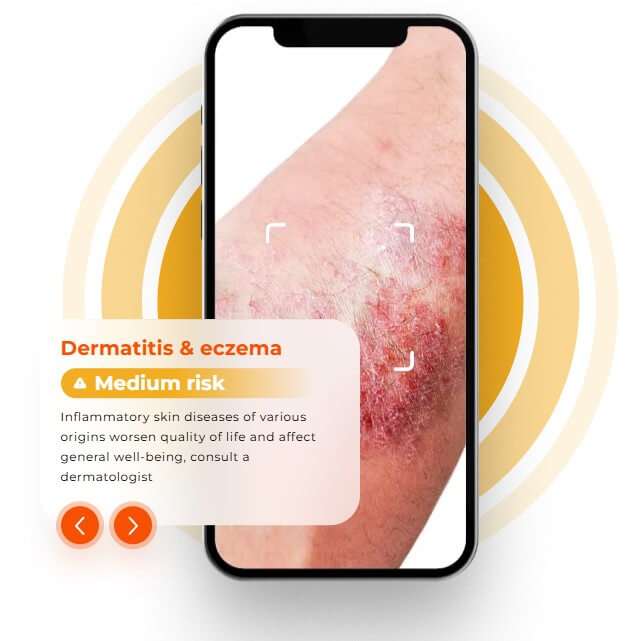
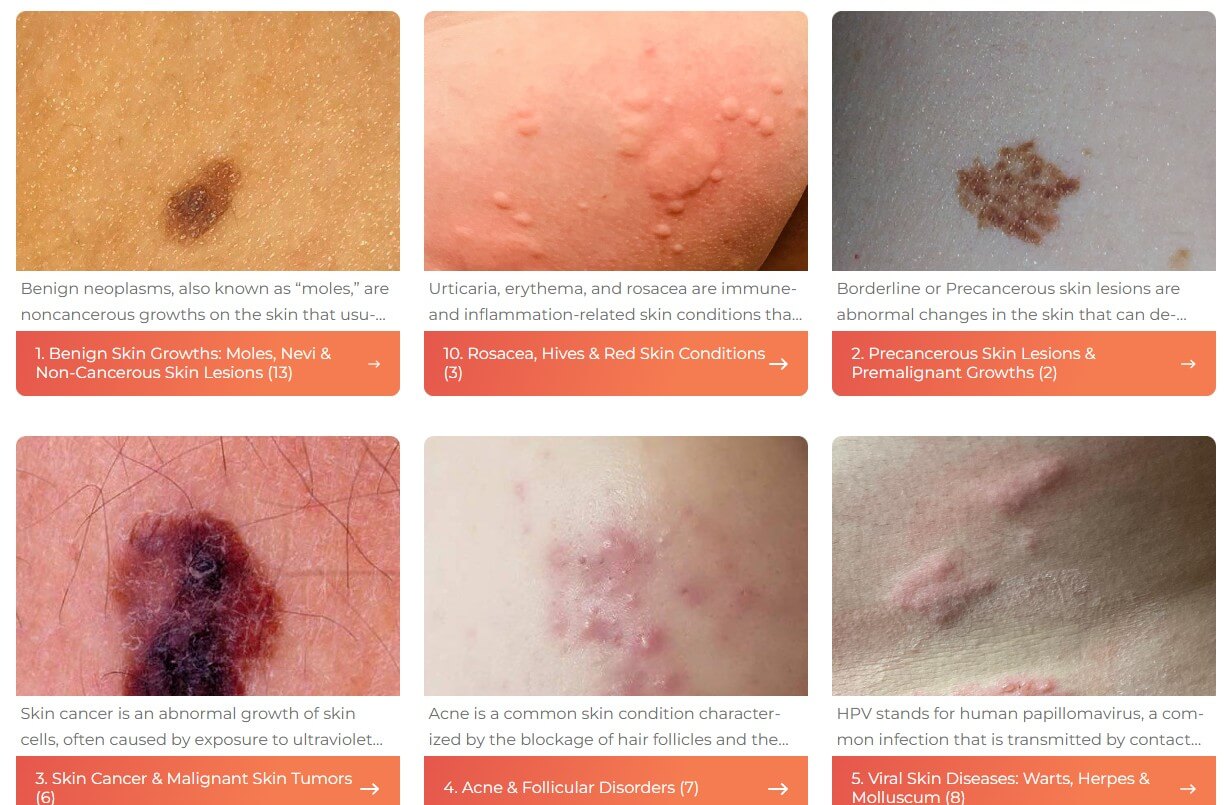
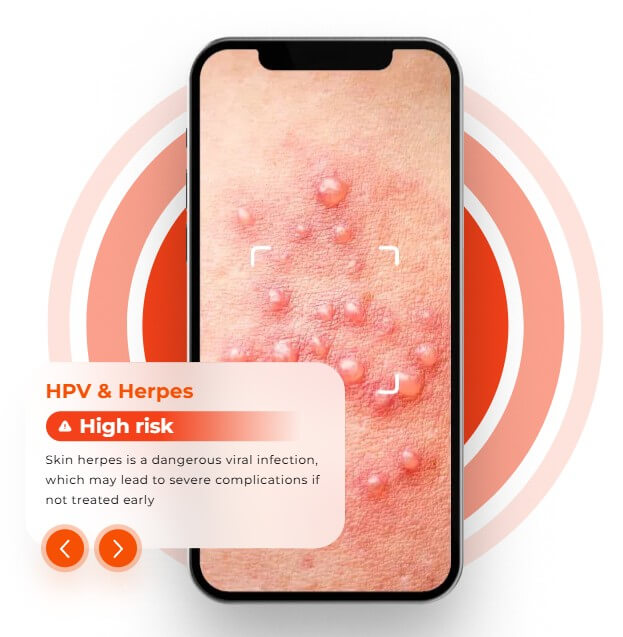
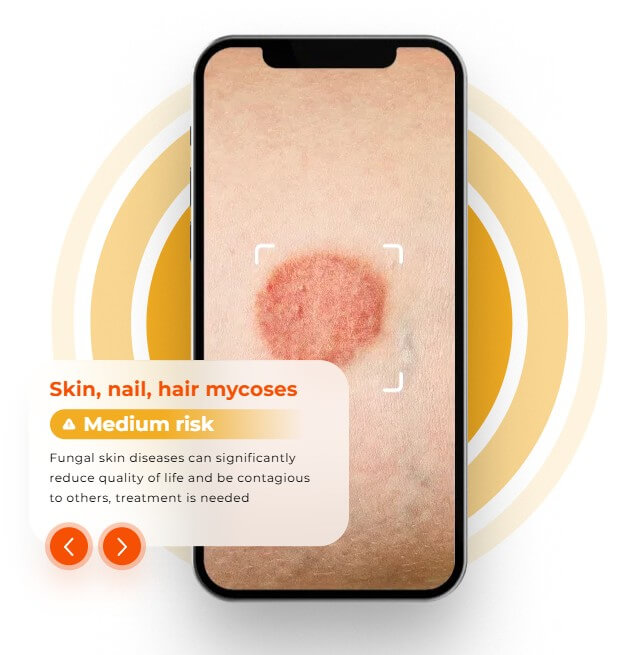
Skinive covers a broad set of visible skin concerns. Its consumer materials mention acne and rosacea, HPV and herpes, fungal conditions, psoriasis and lichen, dermatitis and eczema, moles, pre-cancer risks, and skin cancer risks.
The app’s scope is useful, but users should be careful about how they interpret the result. “Risk assessment” is not the same as diagnosis. Skinive’s own manual says Skinive.MD is for informational purposes only and is not a diagnostic tool. It also warns that false positives and false negatives can happen because of skin type, camera quality, and lighting.
Skinive says its apps are CE-marked medical software, and its professional manual describes Skinive.MD as a Class I software medical device under MDR 2017/745. The same manual says it is intended to assist skin monitoring, documentation, and recognition of visual similarities between skin conditions and database cases.
That positioning is helpful, but it should not be overstated. Skinive is not a dermatologist in your phone. It is an AI-assisted screening and documentation layer. For home users, its best role is to support awareness and help users decide when to seek medical advice. For professionals, it can support documentation and triage, but clinical judgment still matters.
- Weekly skin self-checks: Skinive is well suited for people who want a routine way to check visible skin changes and keep a photo record.
- Mole monitoring: It is useful when a user wants to track moles that are irregular, changing, or larger than 5 mm, while still involving a doctor when changes appear.
- Rash and acne documentation: Skinive can help users document flare-ups before a clinic visit, especially when symptoms come and go.
- Primary care and clinic triage: Skinive MD can support clinicians, nurses, and GPs with AI-assisted pre-assessment and patient triage.
- Digital health integration: Skinive.Cloud is most relevant for telemedicine platforms, health apps, beauty apps, and healthcare providers that want skin analysis inside their own products.
- The biggest limitation is medical risk: Skinive can help flag possible concerns, but it cannot confirm what a lesion is, rule out cancer, prescribe treatment, or replace a doctor. Users should not delay care because an app output looks reassuring. Skinive’s FAQ says users should visit a specialist without hesitation if a spot changes, becomes irritated, bleeds, or feels uncomfortable.
- The second limitation is input quality: Skin analysis depends on the photo. Bad lighting, shadows, hair, skin folds, jewelry, creams, tattoos, or the wrong camera angle can make results less reliable. Skinive’s own manual and FAQ both point to image conditions as an important source of error.
- The third limitation is user interpretation: A “low threat” or “medium risk” style result can be useful, but some users may treat it as a final answer. That is the wrong use case. The better approach is to use Skinive as a structured note-taking and screening tool, then involve a clinician when anything looks suspicious or persistent.
Take photos in bright, even light. Keep the skin concern centered and in focus. Remove hair, jewelry, cosmetics, or anything else that blocks the view. For moles or lesions, take multiple photos from slightly different distances and compare whether the result stays consistent. Skinive’s FAQ specifically recommends submitting more than one photo for verification when needed.
Also, use the app regularly rather than only when anxious. Skin tracking becomes more useful when it builds a timeline.
Skinive is best at making skin self-checks more structured, visual, and actionable.
It is a strong fit for people who want to monitor moles, rashes, acne, or other visible skin concerns, and for clinicians or digital health teams that want AI-assisted documentation and triage.
The main caveat is essential: Skinive can support awareness, but it should not replace medical judgment or delay a dermatologist visit when a skin change looks concerning.
TAGS: Self Improvement
Related Tools:

Personalized martial arts training

Facilitates English language learning

Helps entrepreneurs practice and improve their pitches

AI-powered mental health companion

Generates personalized prayers

Enhances healthcare experiences by providing personalized meditations