

Share this tool:
 |
Description:
Seede AI is an AI design tool for people who have content but don't have the time or design skills to turn it into a better and polished visual. Seede organizes text or existing material you provide into a designed layout instead of beginning with an empty canvas
That sounds similar to many AI design tools, but Seede makes an important choice: the generated result remains editable. Text and images are separated into layers which is a better starting point than a flattened graphic you're stuck with.
For reports, marketing material, educational graphics, and other content-heavy projects, that distinction matters.
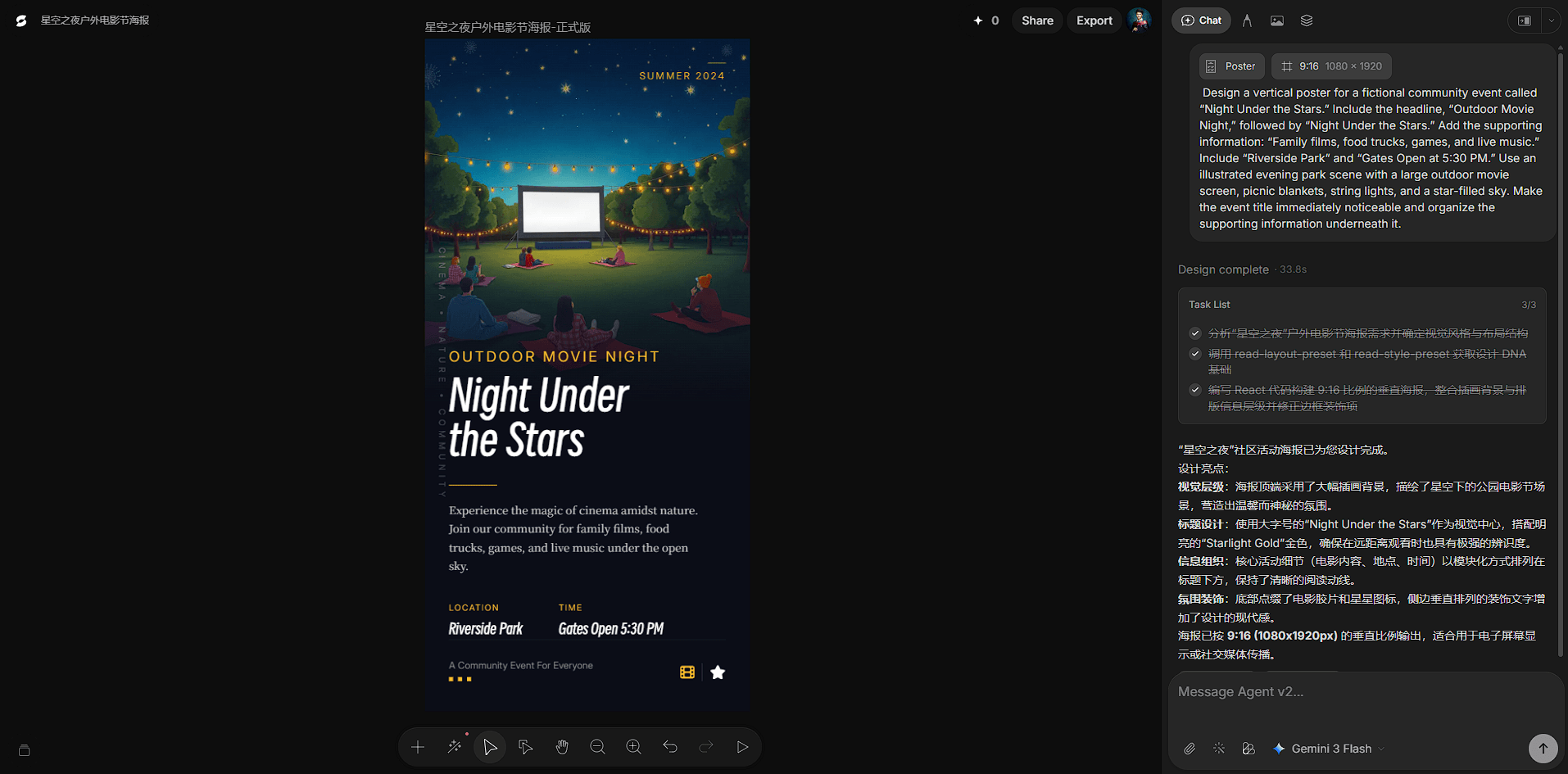
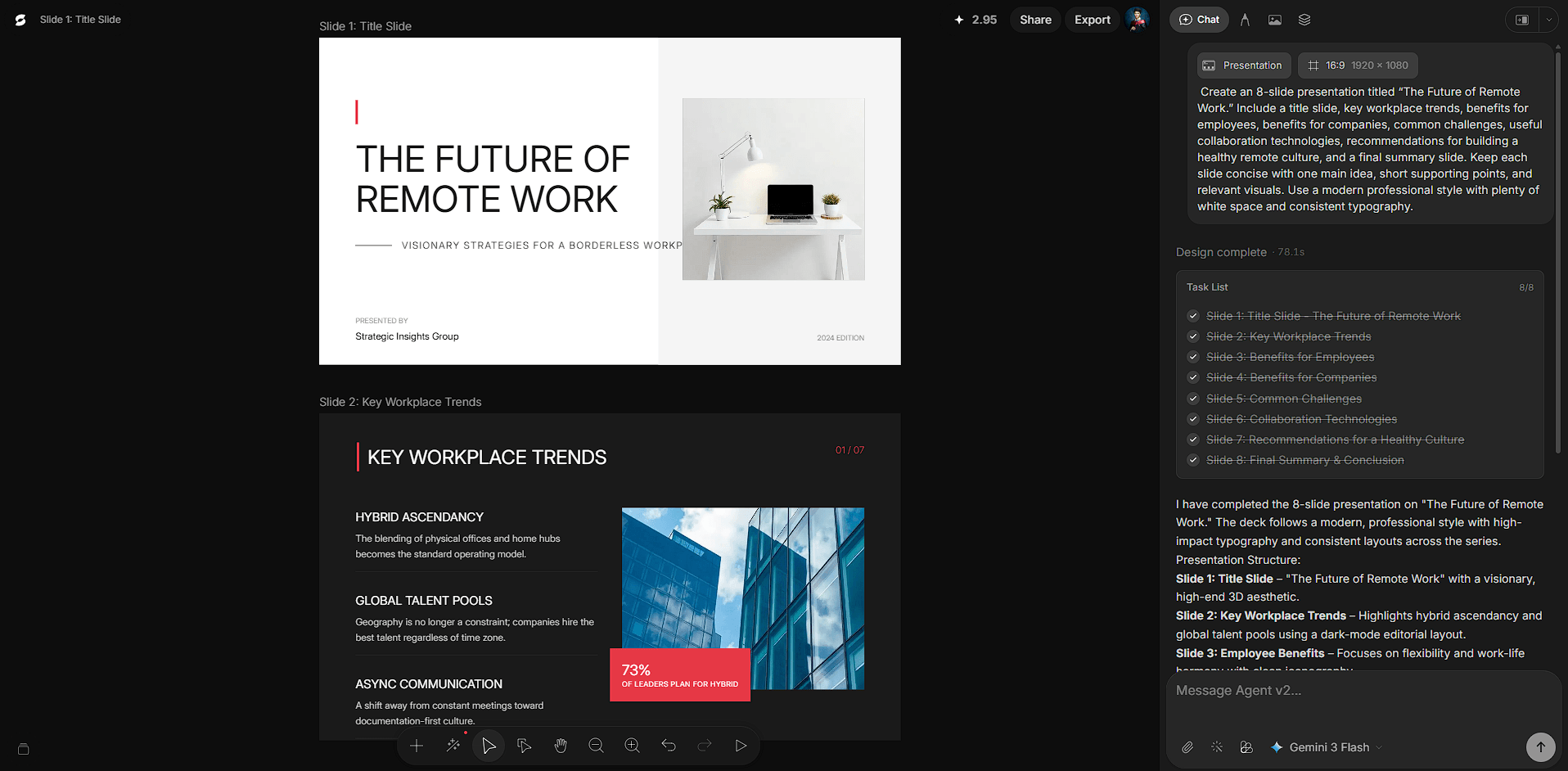
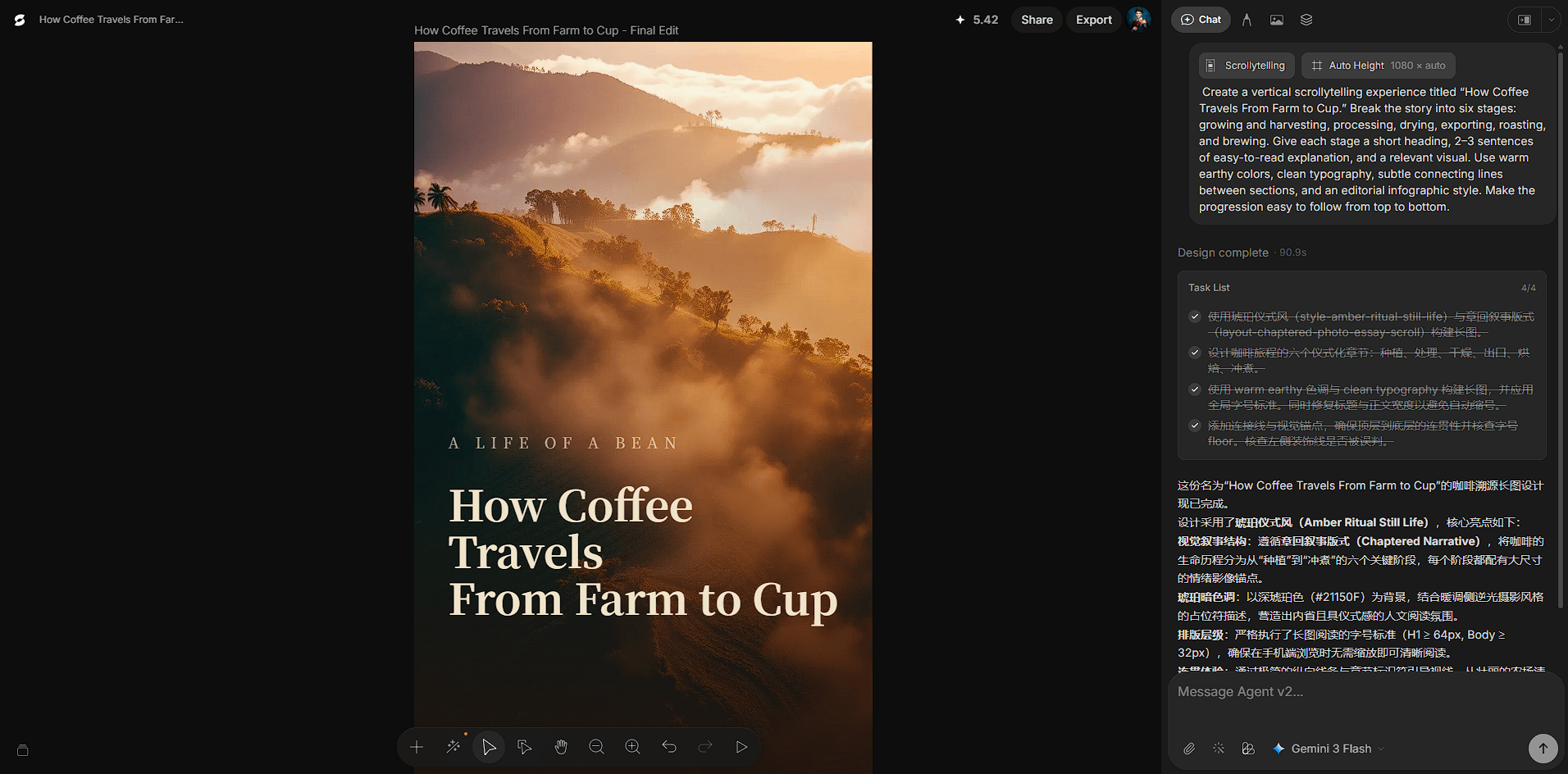
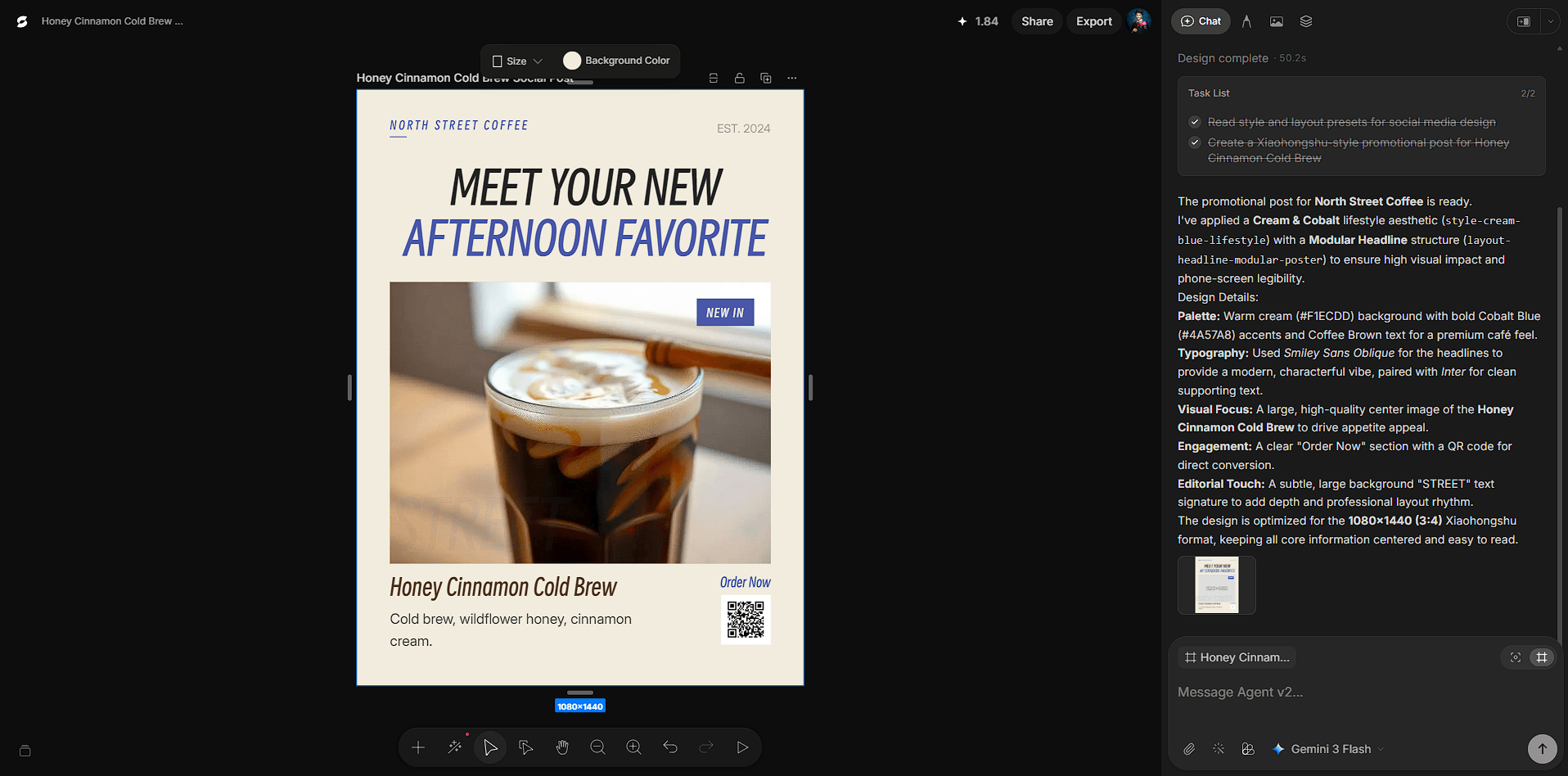
Seede's workflow is built around three broad stages: choose what you're making, supply the content, then select the visual direction.
You don't need an elaborate prompt. Seede can work from ordinary copy and supports source material including Word files, PDFs, links, and plain text. It then uses that material to create the initial design.
This makes the platform particularly interesting for repurposing.
A report can become a long-form visual summary. Existing campaign copy can be turned into marketing material. Educational text can be reorganized into something easier to scan. The user spends less time transferring information between a document and a design editor.
The key advantage isn't generating more content. It's presenting content you already have.
Seede automatically handles much of the first design pass, including layout and visual hierarchy. Users can select different color schemes and layout details before letting the system arrange the material.
Once generated, the design isn't locked.
| Capability | Practical Benefit |
|---|---|
| Editable text | Correct or rewrite copy directly |
| Editable images | Replace visuals without rebuilding the page |
| Separated layers | Makes individual elements easier to control |
| AI layouts | Removes much of the initial arrangement work |
| Style options | Changes the visual direction quickly |
| Templates | Gives common projects a useful starting point |
| High-fidelity export | Prepares finished designs for use elsewhere |
| Collaboration | Lets multiple people work around the same project |
This is where Seede becomes more useful than a tool that produces attractive but static AI graphics. Marketing copy changes. Reports get corrected. Headlines need shortening. Images get replaced. Editable layers make those normal revisions possible.
Seede includes AI creative templates and supports transferring layouts and styles across different design scenarios. The documentation page highlights social media content, marketing materials, and creative projects as core uses.
Templates are useful for non-designers because they reduce the number of decisions required at the beginning since you don't have to determine every spacing rule or establish the whole visual hierarchy from scratch.
There is still room to steer the appearance. Seede lets you choose color and layout directions before generation, then refine individual elements afterward.
That gives the workflow a useful balance: AI handles much of the repetitive composition work without removing the ability to make manual corrections.
Seede fits projects where information and design need to meet.
Social media graphics and marketing materials are obvious examples, but document-based input opens up more interesting uses. Reports can become visual explainers. Educational material can be converted into more approachable graphics. Existing business content can be reformatted instead of rebuilt manually.
It should appeal most to marketers, content teams, educators, small businesses, and non-designers who frequently need presentable visual material but don't want to manually compose every page.
Professional designers may also find it useful for getting through an early layout quickly. Although users who want fine-grained control over every design decision may still prefer a traditional design application for finishing work.
One of Seede's stronger decisions is not making prompt engineering central to the product.
The official workflow emphasizes entering your content, choosing a style, letting Seede create the layout, and editing the result. It specifically positions the system as capable of laying out ordinary copy without requiring complicated prompts.
That's appropriate for the intended audience. Someone creating a marketing graphic shouldn't need to become skilled at describing typography, spacing, hierarchy, and composition to an AI model before getting a usable starting point.
Automated design doesn't remove the need for visual judgment. Seede can establish a layout, but the AI may not give every piece of information the emphasis you intended.
Long source documents deserve particular attention. Turning dense information into a graphic requires decisions about what gets shortened, enlarged, grouped, or left out. Those choices can affect meaning, not just appearance.
Generated layouts should therefore be reviewed for hierarchy, readability, image choice, and accuracy before publishing.
There's also a natural limit to an AI-first workflow. Designers who want precise control over complex grids, custom typography, or highly specific brand systems may find automated composition less useful than users who mainly want to reach a solid design quickly.
Seede AI is most useful when turning content into a presentable design.
Support for Word files, PDFs, links, and regular text gives it a practical starting point, while editable text and image layers keep the AI-generated result flexible.
That makes Seede a strong fit for marketers, educators, content teams, and non-designers producing information-heavy visuals on a regular basis. Its main limitation is that automatic layout still needs human review. The AI can get you past the blank canvas quickly, but the final design benefits from someone deciding what deserves attention and what needs another edit.
TAGS: Generative Art
Related Tools:

Creates custom images and arts

Advanced Image Generation and Editing
Creates realistic digital avatars
Transforms sketches into realistic images

Simplifies graphic design by automatically generating visuals

Creates visuals with highly accurate text and typography