

Share this tool:
 |
Description:
HearTheWeb is an AI podcast creation tool for turning written content into conversational audio. Instead of producing a plain text-to-speech narration, it restructures content into a host-and-expert style discussion, which makes it especially useful for creators, educators, newsletter writers, marketers, and publishers who want to repurpose existing material into a more listenable audio format.
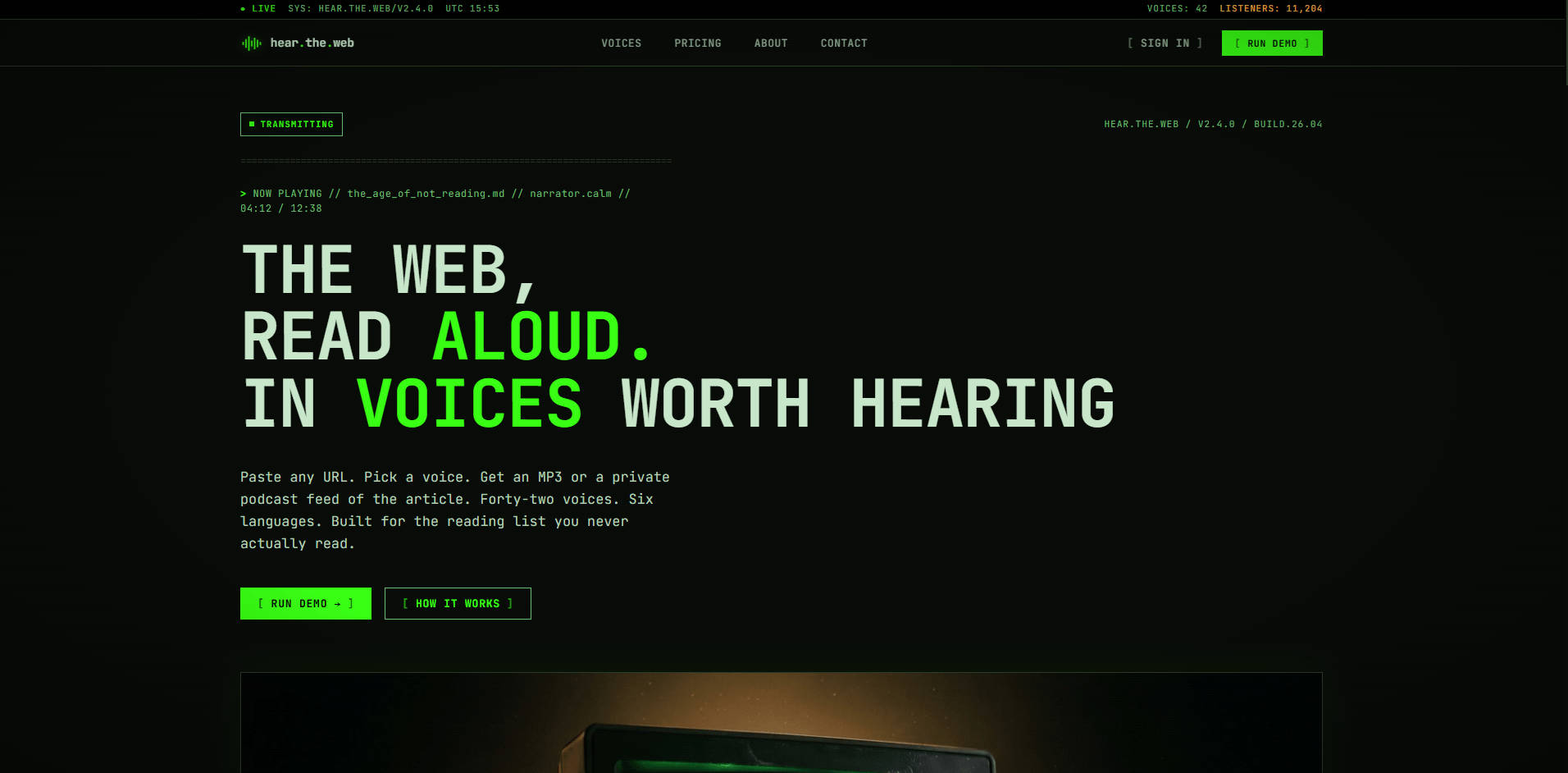
HearTheWeb is best understood as a text-to-podcast repurposing tool.
You give it a topic, article, URL, newsletter, or written explanation. The platform turns that source material into a podcast-style episode. The official site shows examples like tech news, science concepts, sports commentary, biology basics, pop culture recaps, personal storytelling, financial news, startup news, book reviews, wellness tips, marketing trends, and product newsletters.
That makes HearTheWeb different from a standard text-to-speech tool. A basic TTS tool reads your script. HearTheWeb is closer to an audio-format converter: it takes written or web-based content and turns it into a more conversational listening experience.
| Layer | What it does | Why it matters |
|---|---|---|
| Source input | Accepts topics, pasted text, articles, or links | Lets users reuse content they already have |
| Podcast generation | Converts the source into a conversational episode | Makes written content easier to consume as audio |
| AI co-host format | Uses multiple voices in a back-and-forth structure | Feels more engaging than one flat narration voice |
| Episode output | Produces audio that can be used as a podcast-style file | Useful for publishing, sharing, or internal learning |
The product’s strongest idea is not that it reads text aloud. It is that it makes written information feel more like a podcast conversation.
HearTheWeb is strongest at fast content repurposing.
If you already have a blog post, newsletter, article, lesson, explainer, or research summary, HearTheWeb gives you a quick way to create an audio version without manually writing a podcast script, hiring hosts, recording voices, editing dialogue, and mixing the final episode.
That matters because many teams already produce a lot of written content, but not all audiences want to read it. Some people prefer audio while commuting, exercising, working, studying, or multitasking. GenAI Works describes HearTheWeb as a tool for audiences who prefer auditory content or are often on the go, and says it converts text such as newsletters or articles into audio podcasts with interactive AI co-hosts.
The best use case is not replacing a serious human-led podcast. The best use case is turning existing written material into a listenable audio companion quickly.
- A newsletter becomes a short discussion.
- A blog post becomes an explainer episode.
- A product update becomes an audio briefing.
- A textbook excerpt becomes a student-friendly conversation.
- A news article becomes a recap.
- A business report becomes an internal listening file.
That is where HearTheWeb is genuinely practical.
Turns written material, URLs, and topic ideas into podcast-style episodes rather than basic narration.
Creates a conversational structure with back-and-forth discussion, which helps keep the audio more engaging.
The official site shows prompt-like examples for technology, science, sports, business, books, wellness, marketing, politics, and education.
Third-party catalog pages describe HearTheWeb as offering over 25 AI co-hosts, giving users some choice in how the episode sounds.
Future Tools notes that users can customize co-host names, add custom branding, and adjust the conversation style.
Practical Ecommerce reported that users can edit the transcript and reproduce the audio after changes.
HearTheWeb’s workflow is intentionally simple.
The current official site centers the interface around “Make a podcast from anything,” followed by examples of topics and links users can turn into episodes. It includes a visible “Create Episode” action and a discovery-style layout with trending and new episodes.
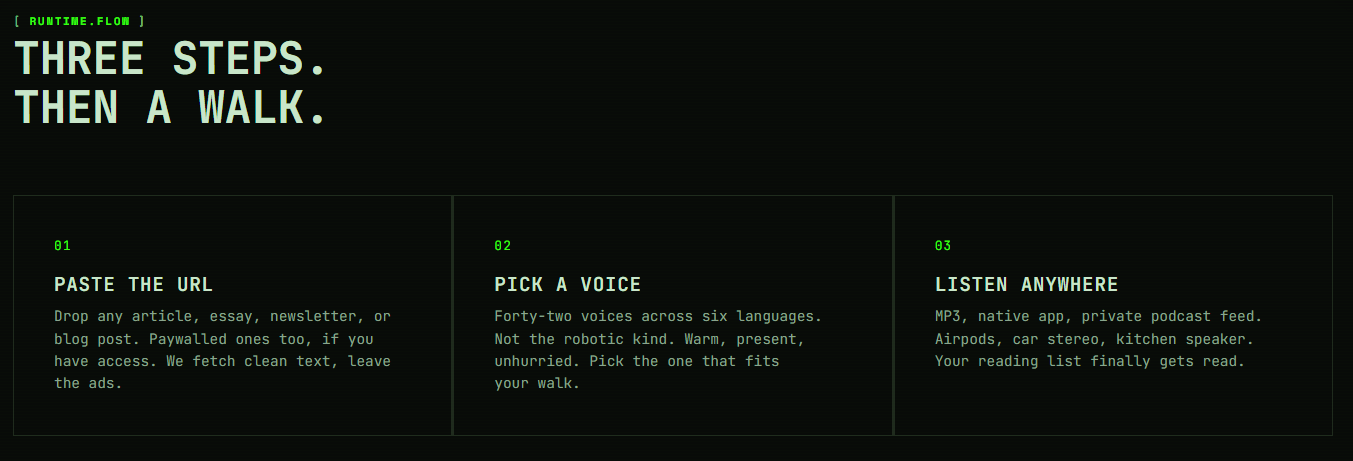
| Step | What You Do | What HearTheWeb Handles |
|---|---|---|
| Add source material | Paste text, enter a topic, or provide a link | Interprets the content and prepares it for audio |
| Generate episode | Click create and let the system process it | Turns the source into a podcast-style conversation |
| Review output | Listen and check the transcript/audio | Lets you decide whether edits are needed |
| Publish or share | Use the audio as a podcast-style asset | Helps repurpose written content into an audio channel |
That simplicity is the product’s biggest advantage. Users do not need to understand audio production, podcast scripting, voice direction, mixing, or recording. The tool handles the first draft of the entire podcast experience.
The trade-off is control. The more automated a tool is, the less granular control users usually have over the final conversation. HearTheWeb appears designed for speed and ease more than deep studio-level editing.
HearTheWeb’s most important format choice is the AI co-host structure.
Instead of producing a single narrator reading text line by line, the tool turns content into a dialogue. GenAI Works describes the output as dual-voice narration with a back-and-forth discussion designed to maintain listener attention and deepen engagement.
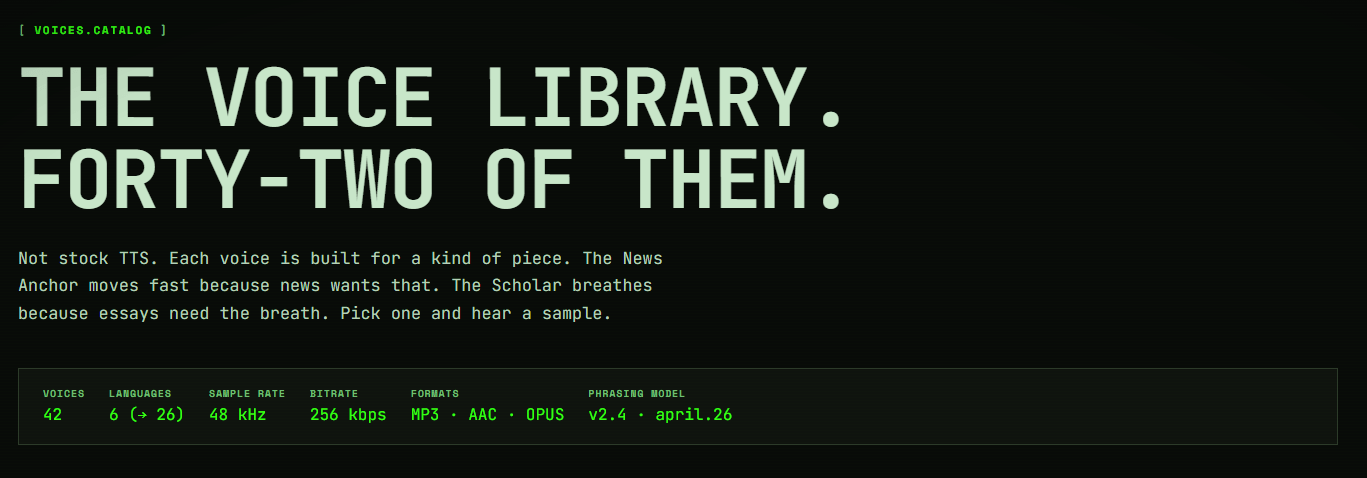
This is a smart choice because podcasts are often more engaging when they feel conversational. A host can introduce the topic, ask questions, react to ideas, and guide the listener. An expert-style second voice can explain the material, add context, and break down the important points.
Practical Ecommerce described the format similarly: one voice acts as the host, introducing the topic and asking questions, while the other voice acts as the expert.
That structure works especially well for educational, business, and explainer content. A dense article can feel easier to follow when it is broken into questions and answers. A newsletter can feel more lively when converted into a casual discussion. A complex topic can become more approachable when one voice asks the questions a listener might ask.
The most useful public quality note comes from Practical Ecommerce, which tested HearTheWeb alongside other AI tools for turning text into podcast conversations. The article said HearTheWeb had limited controls, but the quality in testing was excellent; it also said HearTheWeb turned content into an engaging conversation and required no editing in that test.
That is a useful distinction. HearTheWeb may not offer the deepest editing workflow, but its automation can produce strong first-pass results when the source material is clear.
The likely strength is structure. A good text-to-podcast tool needs to do more than generate nice voices. It has to decide what to emphasize, how to introduce the subject, when to ask questions, when to summarize, and how to keep the pace moving. GenAI Works says HearTheWeb is designed to maintain a lively, varied pace in its audio content, which matches the product’s focus on keeping listeners engaged.
The main output risk is accuracy and nuance. If the source article is complex, opinionated, technical, legally sensitive, or fact-heavy, users should review the transcript before publishing. A conversational rewrite can make content easier to understand, but it can also simplify too much, change emphasis, or introduce phrasing that does not match the original author’s intent.
- Newsletter repurposing: Turn weekly issues into audio recaps for subscribers who prefer listening.
- Educational explainers: Convert lessons, textbook excerpts, or complex topics into a host-and-expert discussion.
- Marketing and content teams: Reuse blog posts, product updates, reports, and thought leadership as podcast-style assets.
- Internal learning: Turn business updates, research summaries, or strategy documents into listening files for busy teams.
- Creators and publishers: Add an audio layer to existing written work without building a full podcast production process.
- Start with focused source material. A single article, newsletter issue, lesson, or topic usually works better than a large pile of mixed content.
- Use clear headings and structure. If you are pasting text, make the main points easy to identify before generating the episode.
- Avoid overly long source material at first. Shorter inputs make it easier to judge tone, pacing, and accuracy.
- Review the transcript before publishing. Even if the audio sounds good, check names, numbers, claims, dates, and sensitive phrasing.
- Use the co-host format for explainers. The host-and-expert setup is especially good for education, business, science, tech, and complex topics.
- Do not use it as a fact checker. HearTheWeb can convert content into audio, but users should verify any claims from the original material and final script.
- Repurpose strategically. The strongest workflow is not “make random podcasts.” It is turning your best existing content into audio for another audience segment.
- The biggest limitation is control. Public descriptions consistently frame HearTheWeb as easy and automated, but not as a deep production suite. Practical Ecommerce specifically noted that it offers limited controls, even though the tested quality was excellent.
- That means users who want line-by-line performance direction, custom emotional delivery, multitrack editing, voice cloning, advanced mastering, or detailed sound design may find it too lightweight.
- The second limitation is editorial accuracy. Any AI system that transforms content into a conversation may compress, reframe, or simplify the original. This can be useful for accessibility and engagement, but risky for legal, medical, financial, academic, or technical material.
- The third limitation is voice individuality. HearTheWeb’s value comes from fast co-hosted audio, not from giving users total control over vocal identity. Third-party directories describe more than 25 co-hosts, which is useful, but it is not the same as a full voice studio or advanced voice cloning platform.
- The fourth limitation is production depth. A serious podcast often includes an editorial angle, human chemistry, guest interviews, original reporting, music, pacing, ads, show notes, distribution planning, and audience strategy. HearTheWeb can help create an audio version of content, but it does not replace the creative judgment behind a strong show.
HearTheWeb is a practical AI tool for turning written content into podcast-style conversations.
Its strongest advantage is speed. You can take an article, newsletter, topic, or link and turn it into a listenable host-and-expert episode without building a full podcast workflow. The AI co-host format makes it more engaging than simple narration, and public testing from Practical Ecommerce described the output quality as excellent despite limited controls.
It is best for creators, educators, marketers, and publishers who want to repurpose existing text into audio. It is less ideal for users who need deep editing, custom performance direction, advanced voice control, or professional podcast production tools.
The best way to think about HearTheWeb is this: it is not a full podcast studio. It is a fast text-to-podcast converter. For the right user, that simplicity is exactly the appeal.
TAGS: Text to Speech
Related Tools:

Automates video dubbing and translation

Creates realistic and customizable voiceovers

Transforms voices into professional performances for media projects

Delivers real-time, hyper-realistic voice generation

Converts text to realistic speech

Generates realistic speech and powers voice-based applications