
Share this tool:
 |
Description:
Stitch is a Google Labs AI design tool that helps users create UI designs for web and mobile apps from natural language prompts and image inputs. Google introduced it in 2025 as an experiment for turning prompts and sketches into UI designs and frontend code, then expanded it in 2026 into a more AI-native software design canvas for creating, iterating, prototyping, and collaborating on high-fidelity interfaces.
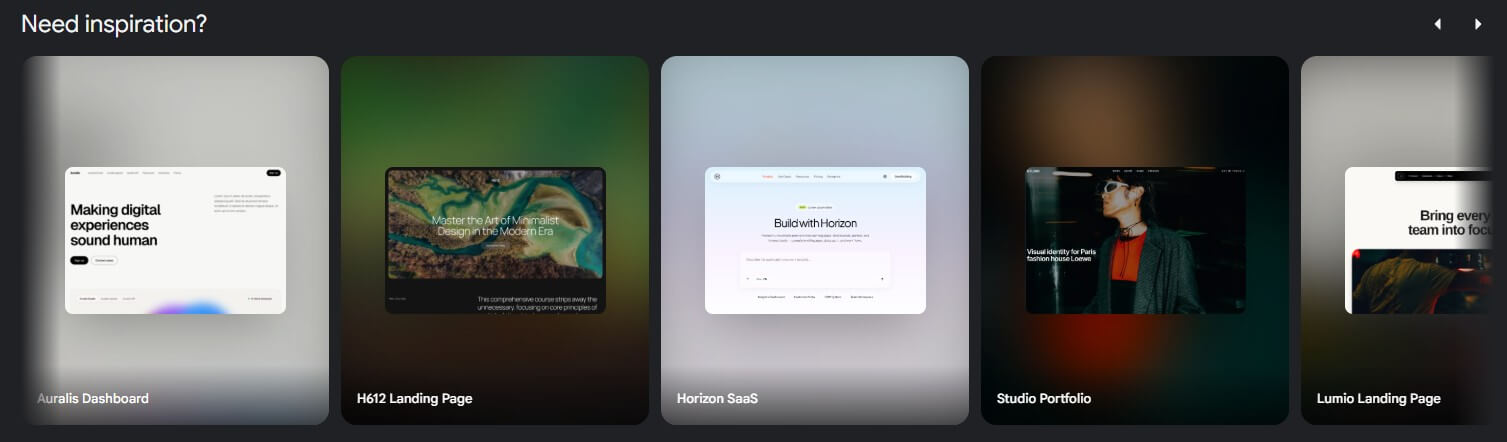
Stitch works best when the prompt gives it three things: structure, visual style, and product context. Weak prompts like “make a finance app” will usually produce generic layouts. Better prompts describe the screen, audience, hierarchy, tone, and interaction goal.
Personal finance app home screen
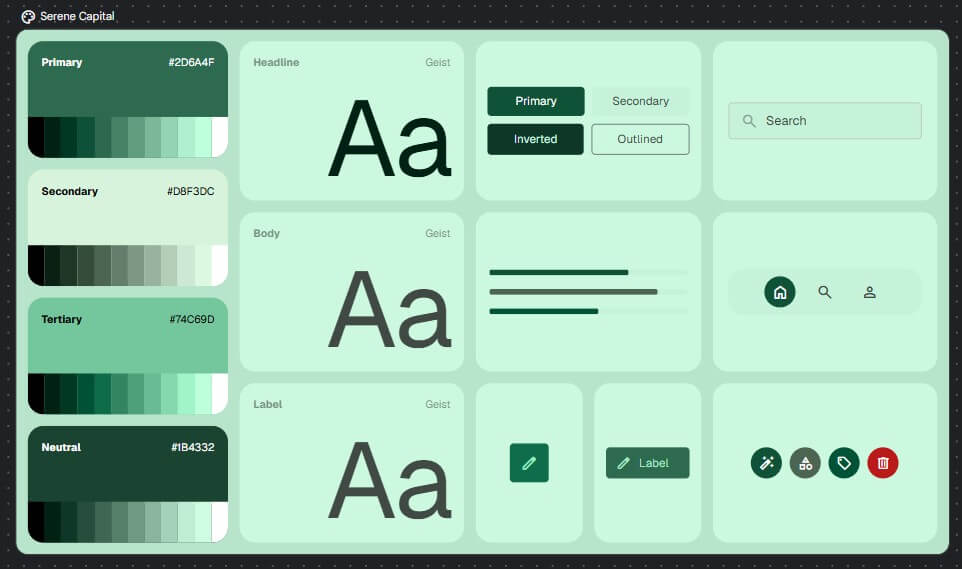
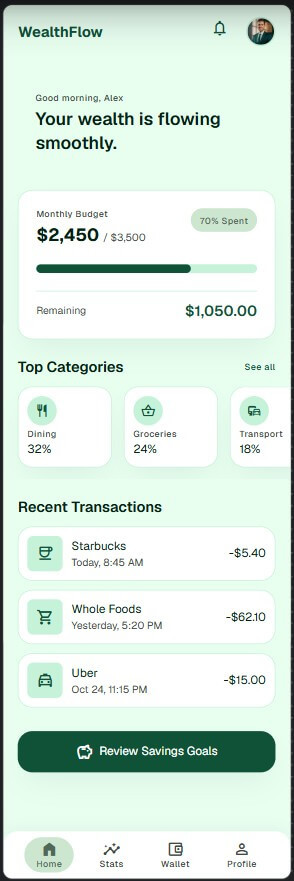
“Create a mobile app home screen for a personal finance app for young professionals. Use a calm, trustworthy visual style with soft green accents, rounded cards, clear spending categories, a monthly budget progress bar, recent transactions, and one primary CTA to review savings goals. Keep the layout clean and modern.”
Here are the prompt results for this Stitch example.
Analytics dashboard
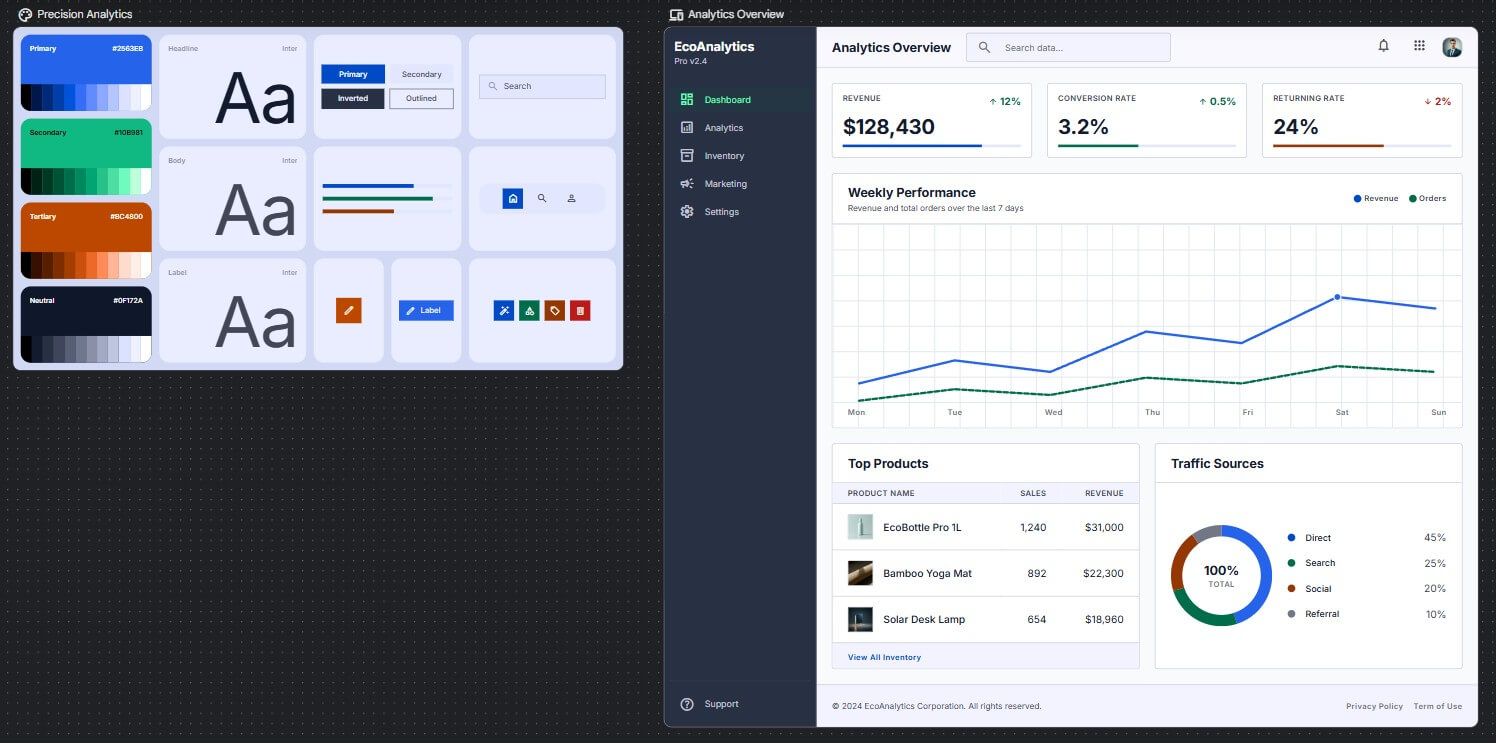
“Design a desktop SaaS analytics dashboard for an eCommerce brand. Include revenue, conversion rate, top products, traffic sources, returning customer rate, and a weekly performance chart. Use a polished B2B style, light mode, compact data cards, clear navigation, and a professional layout that could be handed to a product team.”
Here are the prompt results for this Stitch example.
Wireframe conversion
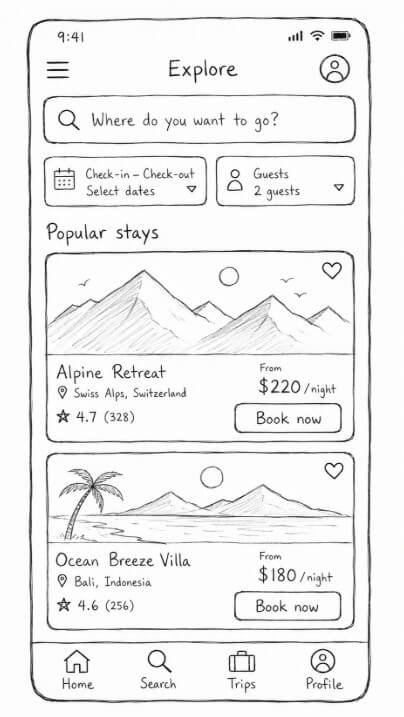
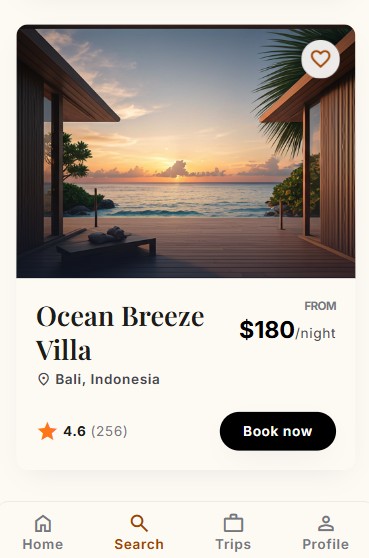
Before using this prompt: Upload a sketch, rough wireframe, or screenshot reference.
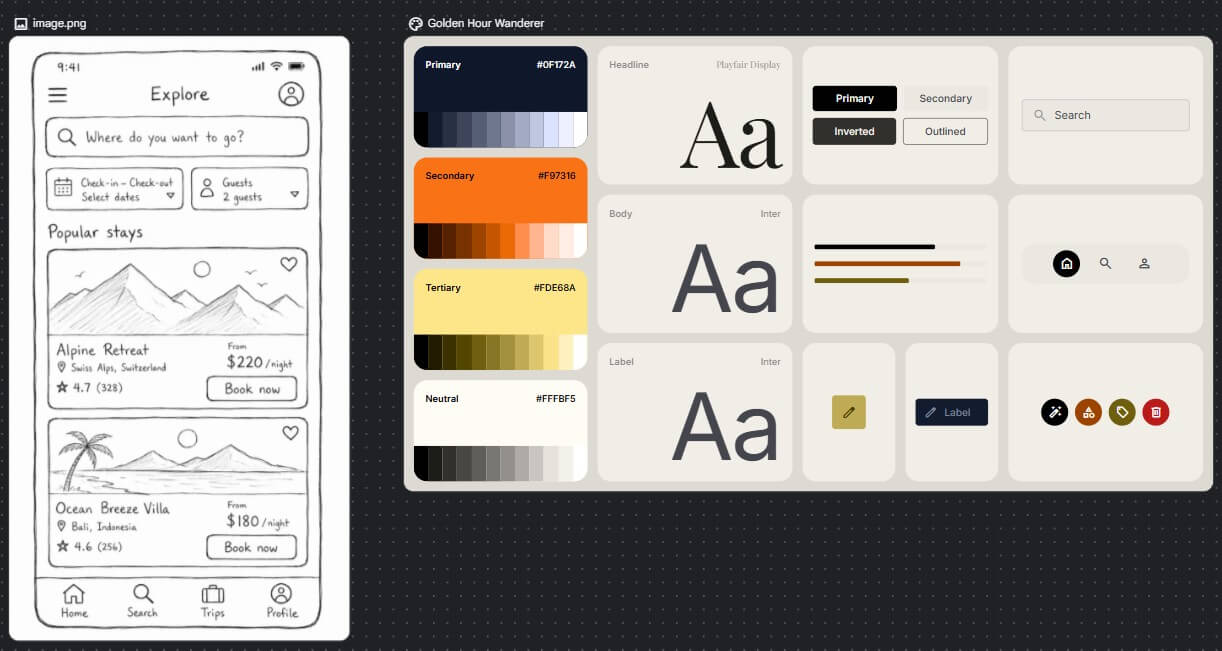
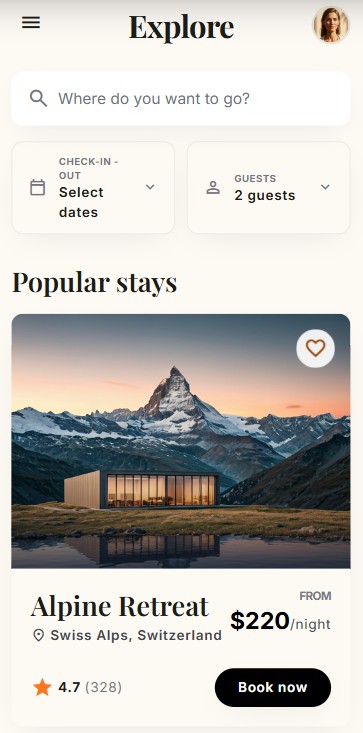
“Turn this rough wireframe into a clean mobile booking app interface. Preserve the main layout, but improve spacing, typography, button hierarchy, and visual polish. Use a warm travel brand style with large image cards and clear booking actions.”
Here is the reference input and the prompt results for this Stitch example.
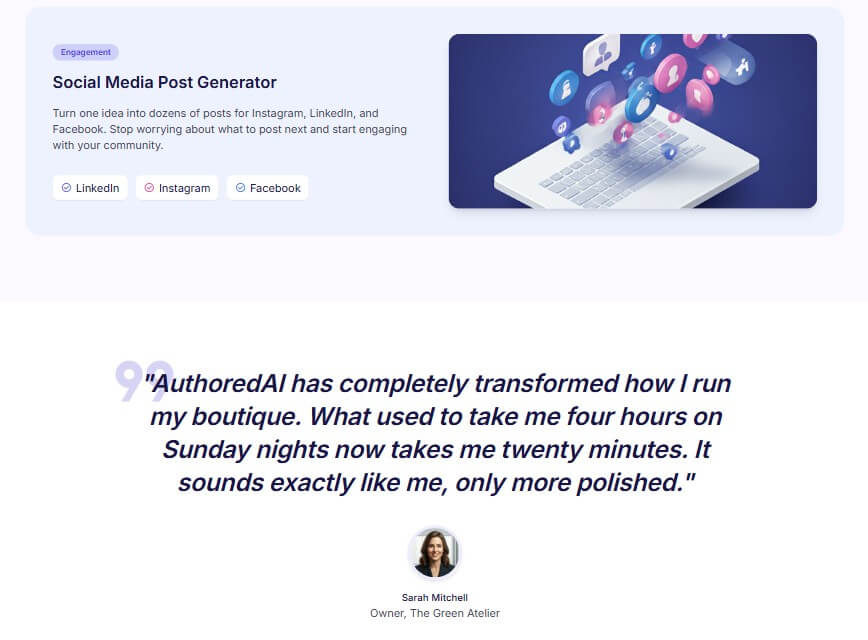
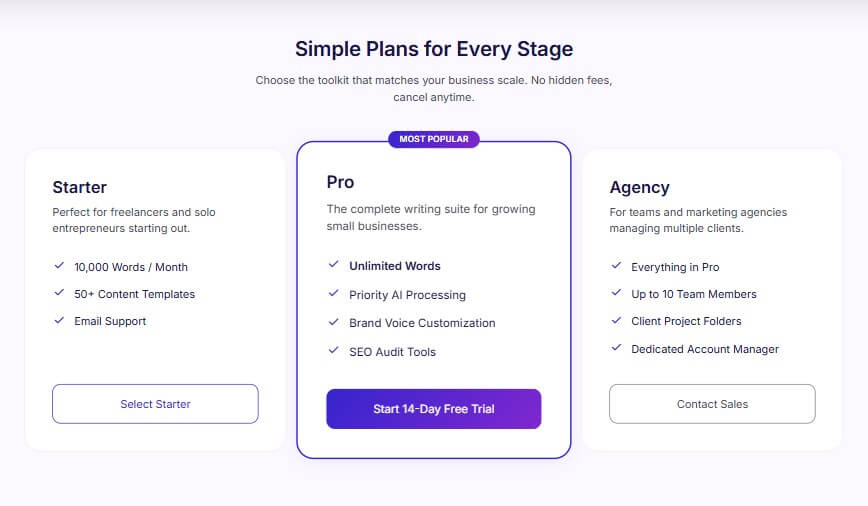
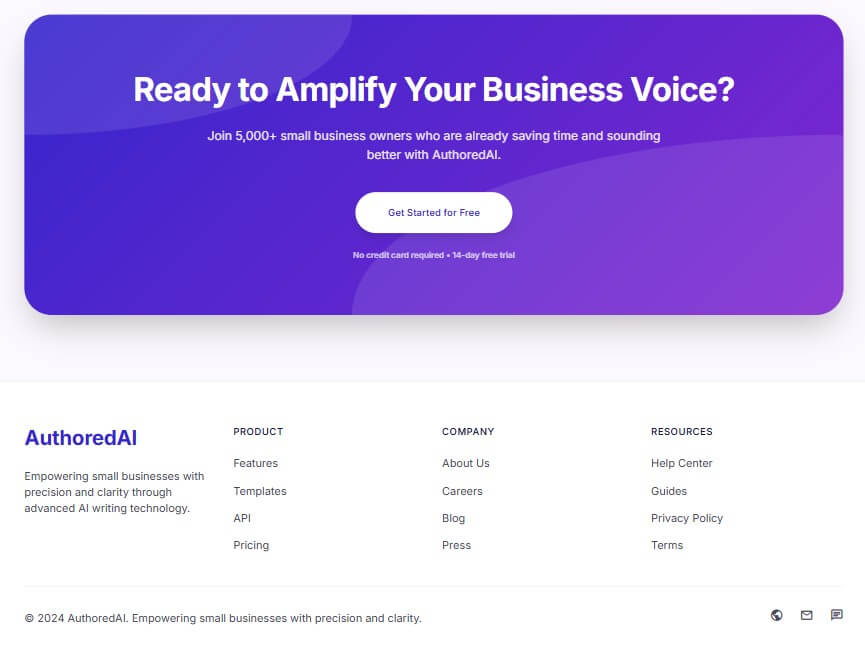
AI writing tool website
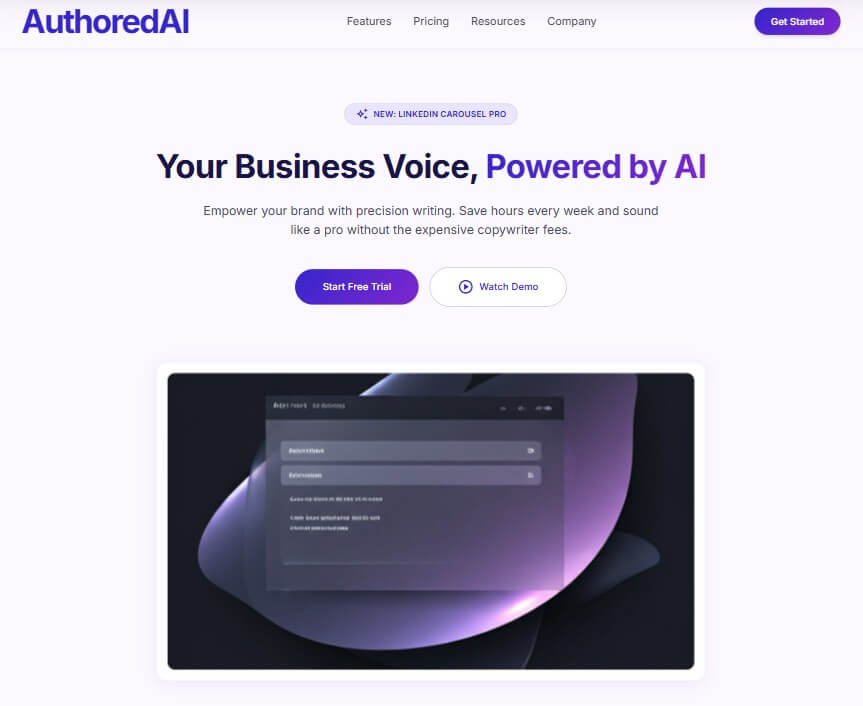
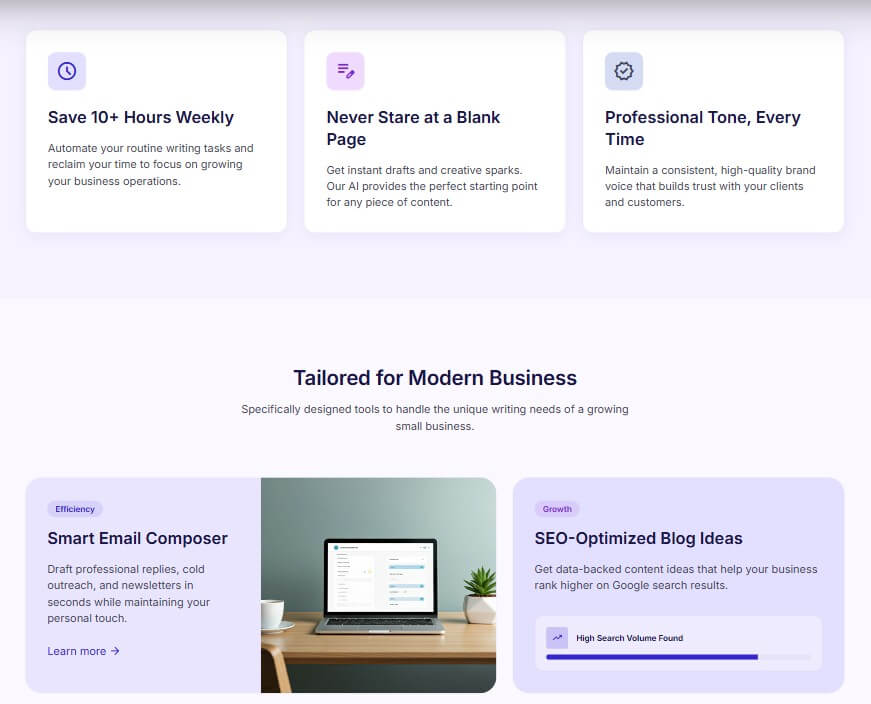
“Create a responsive landing page for an AI writing assistant for small business owners. Include a hero section, product benefits, three feature cards, a short testimonial area, pricing teaser section without prices, and a final call-to-action. Use a friendly but credible style with soft gradients and clear conversion flow.”
Here are the prompt results for this Stitch example.
Stitch is strongest at early UI exploration. It helps users move from an idea to a visible interface much faster than starting from a blank Figma file or hand-coding a layout. That is useful for founders, product managers, designers, developers, and students who need to see whether an interface direction makes sense before spending hours on manual design.
The tool’s value is not only that it generates a pretty screen. The more interesting part is the bridge between design and implementation. Google’s original announcement said Stitch can generate UI from natural language, turn sketches or wireframes into digital interfaces, support rapid design variants, paste designs to Figma, and export frontend code.
That makes Stitch useful for the messy middle of product work: exploring concepts, comparing layouts, refining visual direction, and creating something developers can react to. It is not a full replacement for product design judgment. It is more like a fast design partner that gives teams something concrete to critique.
The workflow starts with direction. You describe the product, screen, user goal, and style. Stitch then generates an interface that you can refine. If you already have a sketch or screenshot, you can use that as visual input instead of describing everything from scratch.
The 2026 canvas update makes the tool more flexible. Google says users can bring images, text, or code directly into the canvas as context, and the design agent can reason across the project’s evolution. That is important because real design work rarely happens in one prompt. You try a direction, reject parts of it, ask for variants, adjust hierarchy, and refine the flow.
Stitch also supports interactive flow exploration. Google says static designs can be transformed into interactive prototypes, screens can be “stitched” together, and users can click Play to preview the app flow. It can also generate logical next screens based on a click, which helps users think beyond one isolated screen.
Stitch’s output quality depends on prompt quality and project context. If the prompt only gives a category, the design may look like a familiar template. If the prompt gives audience, hierarchy, platform, brand tone, content blocks, and interaction goals, the result should be more useful.
The strongest outputs are likely to come from prompts that sound like a small product brief. For example, “a checkout flow for a premium coffee subscription” is better than “shopping app.” Better still: include the buyer type, checkout steps, trust elements, payment summary, brand feel, and what the user should do next.
Control is where Stitch becomes more practical than a simple UI generator. Chat refinement, image inputs, theme direction, Figma handoff, code export, and the newer canvas all give users ways to move from first draft to something closer to a real product direction.
Still, generated UI should be reviewed carefully. AI can create convincing layouts that have weak accessibility, unclear hierarchy, poor spacing, generic components, or unrealistic product flows. Stitch speeds up exploration, but it does not replace design review.
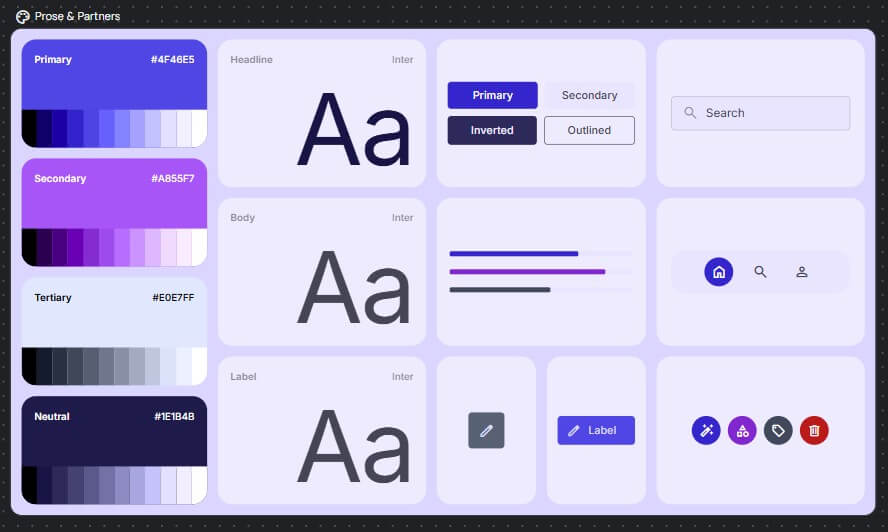
One of Stitch’s more useful newer additions is support for design-system context. Google says Stitch can extract a design system from a URL and use DESIGN.md, an agent-friendly markdown file, to export or import design rules across design and coding tools.
That is a smart direction. AI-generated UI often fails when every screen looks slightly different. A design-system layer can help maintain colors, typography, component rules, and brand feel across projects. For teams using AI-assisted coding tools, this also helps reduce the gap between a nice-looking mockup and a buildable interface.
- Startup MVP exploration: Founders can turn an idea into early app screens without hiring a designer for every rough concept.
- Product design ideation: Designers can use Stitch to explore layout directions, generate variants, or convert loose sketches into cleaner drafts.
- Developer UI starting points: Developers who are stronger at logic than visual design can use Stitch to get a better frontend starting point.
- Client concept mockups: Agencies can use it to create early visual directions before committing to a full design round.
- Pitch decks and product demos: Teams can quickly create high-fidelity app screens for investor presentations, concept validation, or internal buy-in.
- Wireframe cleanup: Rough sketches, whiteboard photos, and early layouts can become more polished UI drafts through image input.
- Write prompts like product briefs. Include screen type, user, goal, main content, visual style, and interaction priority.
- Ask for variants before refining. Stitch is useful for exploring options, so do not commit to the first generated screen too quickly.
- Use image inputs when layout matters. If you already know the structure, a rough wireframe can communicate more than a long text prompt.
- Review accessibility. Check contrast, font size, tap targets, hierarchy, and form clarity before moving anything toward production.
- Use Figma or code export as a starting point, not a final handoff. Generated assets still need human cleanup before serious product work.
- Stitch’s main limitation is that AI-generated UI can look finished before it has been properly tested. A screen may seem polished but still fail on user flow, accessibility, edge cases, responsive behavior, or product logic.
- The second trade-off is originality. Prompt-to-UI tools can drift toward familiar SaaS dashboards, soft gradients, rounded cards, and standard landing-page blocks. To avoid that, users need stronger art direction and more specific product context.
- It is also still a Google Labs-style experimental product. Teams should be careful before building a critical production workflow around it without checking export quality, collaboration needs, and integration fit.
Stitch with Google is best for founders, designers, product managers, and developers who want to move from idea to interface quickly.
Its strongest value is fast UI exploration: natural language generation, sketch-to-UI, variants, interactive flows, Figma handoff, frontend code, and newer AI canvas features.
The main caveat is design judgment. Stitch can create useful starting points in minutes, but teams still need to review usability, accessibility, originality, and implementation quality before treating the output as product-ready.
TAGS: Marketing Generative Art
Related Tools:
Allows users to design 3D real-world objects
Generates unique tattoo designs
Turns text into stunning visuals

Enhances e-commerce operations
Allows users to easily find AI-generated artworks
Enhances digital media