
Share this tool:
 |
Description:
- Introduction
- Strong Features and Capabilities
- Sample Texts You Can Paste Into Corrector App
- What Corrector App Actually Is
- Where Corrector App Is Strongest
- Workflow and Ease of Use
- Language Support and Platform Reach
- The AI Detector Side, and How Much It Changes the Product
- Best Use Cases
- Practical Tips
- Limitations and Trade-Offs
- Final Takeaway
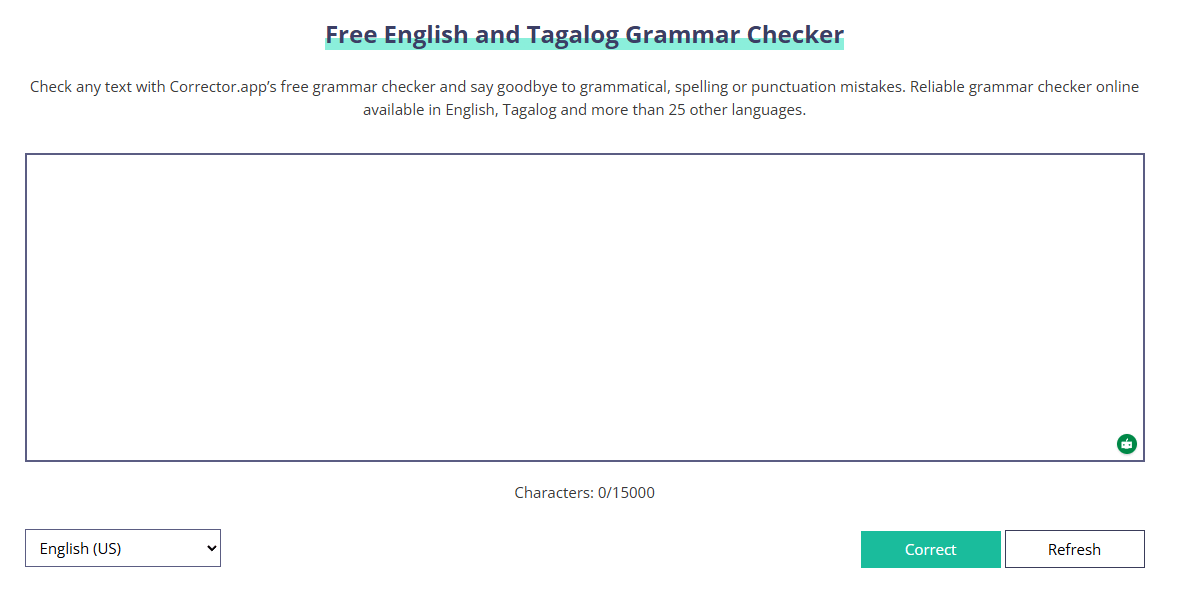
Corrector App is a much narrower product than most AI writing tools. Its public product is built around a free online grammar checker, a separate AI content detector, and lightweight downloads for phones, tablets, and browsers. That narrowness is not a flaw. It is the main reason to use it. Corrector App is for quick proofreading and basic text checking, not for full writing workflows, team collaboration, or brand-voice-heavy editing.
The main checker is free to use and the site says you do not need to register an account.
Corrector App says it supports English, Tagalog, and more than 25 other languages.
The site explicitly calls out support for variants such as American English and Tagalog-specific proofreading.
Official downloads are listed for iOS, Android, Chrome, Firefox, Edge, and Kindle.
Corrector App also runs a distinct AI content detector for ChatGPT, GPT-4, and other AI-written text.
The site explains that you paste text, run the check, and review highlighted suggestions, with mistakes and punctuation issues visually marked.
One of the easiest ways to judge Corrector App is to test it with messy real-world writing rather than perfect sentences. The examples below are useful because they stress different kinds of errors: grammar, punctuation, spelling, awkward phrasing, subject-verb agreement, and multilingual switching.
What it tests: tense, articles, agreement, punctuation
Last weekend me and my cousin goes to the mall to buy a new shoes for school. We was planning to stay only one hour, but we ends up spending almost the whole afternoon there. The store have many options, and it was hard to chooses the cheapest one. In the end, I buyed a black pair because it look more comfortable than the others.
What it tests: business writing clarity, punctuation, tone, sentence structure
Hi Sir, I am writing this email to inform you that I cannot attend the meeting tomorrow because of some important family matters that suddenly came up. I already finish most of the report, however there is still few corrections that needs to be done before sending it to the clients. Please let me know if we can move the discussion on Friday instead.
What it tests: essay flow, repetition, weak transitions, grammar
Social media have changed the way students communicate with each other, and it also affects the way they study everyday. On one side, it helps them share informations faster, join group discussions, and find learning materials online. On the other side, it distract them from schoolworks because they often spend too much time scrolling instead of finishing assignments. For me, social media is helpful, but only if students are using it carefully and with proper discipline because too much usage can creates more problems than benefits.
What it tests: paragraph structure, consistency, grammar across multiple sentences
Technology is becoming one of the most important part of modern education. Many schools now use laptops, projectors, online classrooms, and digital learning platforms to make lessons more interactive. These tools can help students understand difficult topics easier, especially when videos and visual examples are used in class. However, technology also brings some disadvantages that teachers and students should not ignore.
One problem is that not every student have equal access to devices and stable internet connection. Because of this, some learners may fall behind even if they are trying hard to keep up. Another issue is distraction. Students sometimes use their gadgets for games, entertainment, or social media during study time, which reduce their focus and productivity.
Even with these challenges, I still believe technology can improve education if it is used properly. Schools should not depend on it too much, but they should use it in a balanced way. Teachers must guide students on how to use digital tools responsibly, and schools should also make sure that poorer students are not left behind. In this way, technology can support learning without creating more inequalities.
What it tests: commas, run-ons, apostrophes, capitalization
my brother said he would call me after dinner but he didnt, when I asked him about it the next day he said he forgot. I wasnt really angry just annoyed because we had already made plans. if he had sent even a short message it wouldve save a lot of confusion.
What it tests: unnatural English, clarity, phrasing
The decision of the committee was very unexpected by many people due to the fact that the proposal itself was already almost near to final approval. A lot of employees was confused regarding why the plan was suddenly being postponed at this point of time. It would be more better if the management explained their reasons in a clearer way.
What it tests: whether the app can handle multiple error types at once
There are many reason why people wants to work from home, and one of the biggest reason is convenience. Employees does not need to travel everyday, which saves time, money and energy. But working remotely also have disadvantages. Some workers feels isolated, others is struggling with communication, and some find it difficult to separate there personal life from there job. In my opinion, remote work is effective only when the company provide clear expectations, good tools, and regular support for employees.
Why these samples are useful: These examples are better than perfect demo text because they reveal what Corrector App is actually good at. A strong grammar checker should be able to catch obvious mistakes quickly, improve awkward phrasing, and handle mixed-error writing without collapsing into bad suggestions. Since Corrector App also promotes multilingual support, testing both English and Tagalog makes the review more practical than checking English alone.
The clearest way to understand Corrector App is as a free web-first proofreading utility with a few adjacent tools. The main grammar checker lets you paste up to 15,000 characters, highlights mistakes, and supports English, Tagalog, and more than 25 other languages. The AI detector is a separate tool with an 800-word box and its own interface. On top of that, the site offers downloadable versions for iOS, Android, Chrome, Firefox, Edge, and Kindle.
That matters because Corrector App does not really present itself as a broad “AI writing assistant.” The public pages focus on catching spelling, grammar, and punctuation mistakes quickly, then expanding sideways into adjacent text utilities like AI detection. In practice, that makes it feel more like a free language utility site than a polished writing workspace. That last point is an inference from the product surfaces it publicly emphasizes.
Corrector App is strongest on accessibility. The grammar checker is free, does not require account creation, works in the browser, and is explicitly positioned for quick copy-paste proofreading rather than gated subscription use. For casual writers, students, multilingual users, and anyone who just wants fast error spotting without signup friction, that is a real advantage.
Its second real strength is language coverage. The site says it supports over 27 languages and highlights not just English but Tagalog plus language-specific checking for Portuguese, German, Chinese, Polish, Romanian, Swedish, Dutch, Greek, Japanese, Slovak, Finnish, Arabic, Danish, Norwegian, Persian, and multiple English variants. That is broader than many free grammar utilities, at least in the way Corrector App publicly frames the product.
The third strength is reach across devices. Even if the main experience is web-first, the official download page lists smartphone, tablet, and browser apps across the big consumer platforms. That gives Corrector App a more practical footprint than a simple single-page web checker.
The workflow is extremely simple, which is both good and limiting. You write or paste your text, click the check button, then review highlighted issues and suggested corrections. The grammar checker page itself leans hard into this simplicity: it is designed for fast proofreading, not project management.
That ease of use is probably the product’s biggest day-to-day advantage. There is very little setup overhead, and because the checker does not require registration, it behaves more like a quick browser utility than a platform you have to commit to. If all you want is “paste text, find mistakes, move on,” Corrector App makes sense immediately.
The trade-off is that the public workflow also looks very light on control. Corrector App’s public pages do not foreground deep rewriting modes, tone adjustment, document collaboration, citation handling, or integrated long-form writing assistance. Based on the official surfaces, this is much closer to a checker than to a full writing copilot. That is an inference from what the product pages actually expose.
Language support is the clearest reason to try Corrector App instead of defaulting to a more English-centric checker. The site says the tool works across more than 27 languages and repeatedly frames that breadth as one of its defining advantages. It also explicitly says the checker can be used in all browsers with supported languages, which fits the product’s utility-first design.
There is also a practical Philippines-specific angle here. The homepage is not just “English grammar checker”; it is branded as an English and Tagalog grammar checker, and the Tagalog section says the tool was developed in response to user demand and can be activated directly by selecting Tagalog. That makes Corrector App more interesting for bilingual English/Filipino workflows than many mainstream grammar tools that treat Tagalog as an afterthought or do not surface it clearly at all.
The download page helps here too. Officially listing mobile apps plus browser extensions makes Corrector App more flexible for quick corrections in different contexts, even if the main web interface remains the center of the product.
Corrector App’s second major public tool is its AI detector. Officially, it is framed as a free AI content detector for ChatGPT, GPT-4, and other AI-generated text, with an 800-word limit in the interface. The company also says the detector uses its own algorithm to identify AI-written text.
This does add some breadth to the platform, but it probably should not be the main reason to choose Corrector App. The detector page makes strong claims about reliability and accuracy, but the public materials surfaced here do not expose benchmark methodology, validation details, or comparison data that would make those claims easy to trust at face value. That does not mean the detector is useless. It means it is safer to treat it as a supplementary signal rather than a definitive judgment. This is an inference from the public copy and the absence of transparent methodology on the surfaced pages.
Corrector App is a good fit for students, casual writers, bloggers, multilingual users, and professionals who need quick proofreading more than deep writing support. It is especially practical when the task is short-form cleanup: emails, schoolwork, captions, short articles, comments, or fast revisions before sending text out. The free no-login flow is a big part of that appeal.
It is also a sensible fit for bilingual or non-English-heavy work. The explicit support for Tagalog and the broader multilingual coverage make it more relevant than many free English-only checkers if your writing moves between languages or markets.
It is a weaker fit for teams that need a serious writing environment. If you need style control, collaborative editing, deeper rewriting, citation or source management, or strong enterprise governance, Corrector App’s public product surface does not look built for that. It looks built for quick checking. That is an inference from the official pages and download surfaces currently exposed.
- Use Corrector App as a final-pass checker, not as your whole writing workflow. Its strongest value is fast cleanup after drafting, not structured composition.
- Break longer pieces into chunks. The main grammar checker shows a 15,000-character limit, and the AI detector shows an 800-word limit.
- Choose the right language or variant before checking. The site makes a point of language-specific handling, including Tagalog and regional English variants, so this is one of the easiest ways to get better results.
- Treat the AI detector as a clue, not a verdict. Corrector App says it uses its own algorithm, but the public pages do not show enough methodology to treat detection output as definitive proof.
- The biggest limitation is product depth. Corrector App is useful, but it appears much narrower than full writing assistants like Grammarly, LanguageTool, or QuillBot-style suites. Its public surfaces emphasize proofreading and AI detection, not broad writing enhancement, rewriting, or integrated research-style workflows. That is not a knock on the product. It is just the category it seems to occupy. This comparison is partly an inference based on the public feature surfaces of those tools and Corrector App.
- The second limitation is presentation and polish. The public pages are long, marketing-heavy, and more SEO-content-like than software-dashboard-like. That makes the site feel more like a utility content property than a modern product workspace. Again, that is an inference from the public site structure and content density.
- The third limitation is trust on the AI detector side. The detector page leans on strong claims about identifying AI-written text and high accuracy, but the surfaced official pages do not provide enough testing detail to make those claims especially verifiable.
- The fourth limitation is privacy clarity and freshness. Corrector App’s privacy policy says it collects usage data including IP address, browser details, page visits, and cookies, and may use data to improve services, contact users, and provide offers. It also shows a last update date of February 1, 2022, which is older than you might want for a site still talking about fast-moving AI-related tooling in 2026.
Corrector App is best understood as a free multilingual proofreading utility with a useful device footprint and a separate AI detector, not as a full AI writing platform.
Its biggest strengths are simple access, no-sign-up grammar checking, Tagalog visibility, broad language support, and downloadable apps/extensions. The main caveat is that it looks much lighter and less polished than a full writing suite, especially if you need deeper editing control, stronger privacy confidence, or more trustworthy AI-detection methodology.
TAGS: Copywriting
Related Tools:

Streamlines content creation
AI-driven scriptwriting software
Creates marketing copy and content from short prompts
Quickly generate high-quality, customizable written content
Helps users quickly polish professional emails
Simplifies copywriting on webpages