
Share this tool:
 |
Description:
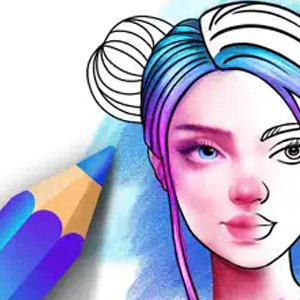
Color Pop is a digital coloring app from MWM that adds generative AI to your coloring-book experience. You can pick an artwork from its large built-in catalog, describe something you want to turn into line art, or just convert one of your own photos into a coloring page. From there, you color the design with brushes, fills, effects, and other digital art tools.
That mix is what separates Color Pop from a basic coloring app. AI doesn't replace the activity itself. It expands what you can color, while the hands-on part remains the focus.
Color Pop gives you three useful starting points, and each suits a different kind of session.
The first is its built-in catalog. MWM says the library contains more than one million designs, including mandalas, animals, landscapes, patterns, and other subjects. This is the quickest route when you don't have a particular idea and just want to start coloring.
The second is the AI Art Generator. Describe an idea in words and Color Pop creates custom line art around it. Instead of hoping the library contains an oddly specific scene, you can ask the AI to make one.
The third is Photo to Art, which converts an existing image into a sketch for coloring. Pet photos and vacation pictures are examples highlighted by MWM, but the same idea lends itself to portraits, favorite objects, and other personal images.
Of the three, photo conversion is arguably the feature that gives Color Pop its most personal angle. You're not just generating another AI picture. You're turning something familiar into an activity.
Color Pop's AI is deliberately narrower than the generation systems found in dedicated AI art platforms. That's not necessarily a weakness.
Its job is to produce colorable line art. You aren't dealing with a complicated creative workspace, long prompt formulas, or extensive generation settings. The AI creates the starting point, then Color Pop hands creative control back to you.
That makes the app approachable for people who like the idea of AI art but don't necessarily want AI to make the finished artwork for them.
There are limits to this approach. Complicated prompts can produce line art that's less pleasant to color, particularly when a scene contains many small subjects or overlapping details. Photo conversion faces a similar issue. A clean image with a strong main subject naturally has a better chance of becoming useful coloring material than a crowded photograph.
Once you've selected an illustration, Color Pop behaves much more like a conventional digital art app. MWM highlights realistic painting options such as watercolor and oil-style tools, alongside effects including glitter and plasma. There are also straightforward options such as tap-to-color and paint-bucket filling.
One particularly useful feature is Lock Lines. It keeps your coloring within the drawing boundaries, which makes it easier to produce a neat result without carefully tracing every edge. You can concentrate on color choices and shading rather than constantly correcting mistakes.
| Tool | Where It Helps |
|---|---|
| AI Art Generator | Creating an original coloring subject |
| Photo to Art | Personalizing pages with your own images |
| Paint and brush tools | More hands-on coloring and shading |
| Paint bucket | Filling larger areas quickly |
| Lock Lines | Keeping colors inside boundaries |
| Effects | Giving finished pieces more visual character |
There's enough flexibility here for different approaches. Someone looking for a calming activity can use simple fills, while a more creative user can spend longer experimenting with shading, brushes, and effects.
Color Pop isn't entirely a solo experience. It includes a community where users can share completed work, explore other people's creations, and interact through social features. The developer also positions the community as a place to discover color palettes and creative inspiration.
This works particularly well for coloring because the same underlying illustration can look completely different depending on palette and technique. Seeing another interpretation can provide ideas without requiring you to copy the finished piece.
Still, the community is an extra rather than the reason to use Color Pop. The core experience works without it.
Relaxed digital coloring is the obvious fit. The large existing catalog means you can open the app and start without thinking about what to generate.
Personal coloring projects are where the AI becomes more valuable. Turning a pet, trip photo, or meaningful image into a sketch creates something a stock coloring library can't easily reproduce.
Custom coloring ideas are another strong use case. If you want a particular animal, fantasy setting, character concept, or unusual scene, text generation removes the need to search endlessly for a close match.
Color Pop can also suit people who want to experiment with digital art without starting from a blank canvas. The line work is already there, so the creative decisions center on color, texture, shading, and finishing.
The main limitation is that the AI stays within a narrow creative lane. Color Pop isn't designed for detailed image composition, advanced AI editing, professional illustration, or extensive generation control. People wanting those capabilities will be better served by a dedicated image generator.
Advertising is another concern. Multiple App Store reviews specifically complain about ads interrupting browsing and coloring sessions. Because relaxation is part of Color Pop's appeal, frequent interruptions can matter more here than they would in a utility app.
Finally, AI generation won't make every source image or complicated concept equally suitable for coloring. Simpler subjects and cleaner compositions are likely to make better starting material.
Color Pop's best idea isn't AI generation by itself. It's using AI to remove one of the traditional limits of coloring apps: you're no longer restricted to the pages the developer gives you.
The huge design library handles quick, casual coloring, while text-to-art and photo conversion make the experience more personal. Add useful painting tools, Lock Lines, effects, and community sharing, and there's more depth than a standard tap-to-fill coloring book.
It's best for casual creators and coloring fans who want variety without needing drawing skills. The biggest caveats are the limited depth of its AI controls and the potential for ads to interrupt what is otherwise designed to be a relaxing creative experience.
TAGS: Generative Art
Related Tools:

Generates human models and product images

Generates high-quality images and videos quickly

Generates customizable images

Creates detailed 2D drawings from 3D models
Generate and edit Images
Transforms room spaces with different styles