

Share this tool:
 |
Description:
CogBias AI is an AI-powered cognitive bias detection tool built for teams that write questions, collect feedback, and make decisions from user responses. Its main job is not to generate content from scratch. It reviews existing wording, highlights phrases that may introduce bias, and suggests cleaner alternatives so surveys, interviews, chatbots, emails, and research prompts produce more useful answers.
CogBias AI is strongest when the cost of a bad question is high.
That sounds narrow, but it is a serious problem. A survey question can push users toward a preferred answer. A customer discovery prompt can confirm what a founder already wants to believe. A chatbot flow can frame choices in a way that changes user behavior. In each case, the issue is not the data collection tool. It is the language going into the system.
CogBias AI focuses on that early layer. It looks at the question before the answer arrives.
The platform’s value is most obvious in research-heavy workflows where phrasing matters: customer discovery, product validation, user interviews, market research, customer support prompts, and internal decision-making. Georgia Tech’s Research News Center described CogBias AI as a decision-intelligence startup focused on identifying cognitive bias in written communication used for research, surveys, and customer discovery.
That positioning matters. This is not a generic grammar checker with a bias label attached. It is closer to a question-quality review layer for teams that want cleaner inputs before they trust the outputs.
| Feature | Why It Matters |
|---|---|
| Cognitive Bias Detection | Identifies phrases that may shape, lead, or distort responses before users answer. |
| Phrase-Level Feedback | Shows which parts of the text may carry bias, instead of only giving a broad warning. |
| AI Rephrasing Suggestions | Offers alternative wording designed to improve clarity and neutrality. |
| Workflow Support | Built for practical formats like surveys, chatbots, emails, and related research workflows. |
| Quality Scoring | Helps users understand how question wording may affect the quality of insights. |
| Browser-Based Review | The site describes real-time detection directly in the user’s browser workflow. |
The most useful part is the combination of detection and rewrite guidance. A warning alone can leave users guessing. CogBias AI appears designed to show what is wrong and what to try instead, which is much more useful for busy product, research, and marketing teams.
CogBias AI’s workflow is built around review and refinement.
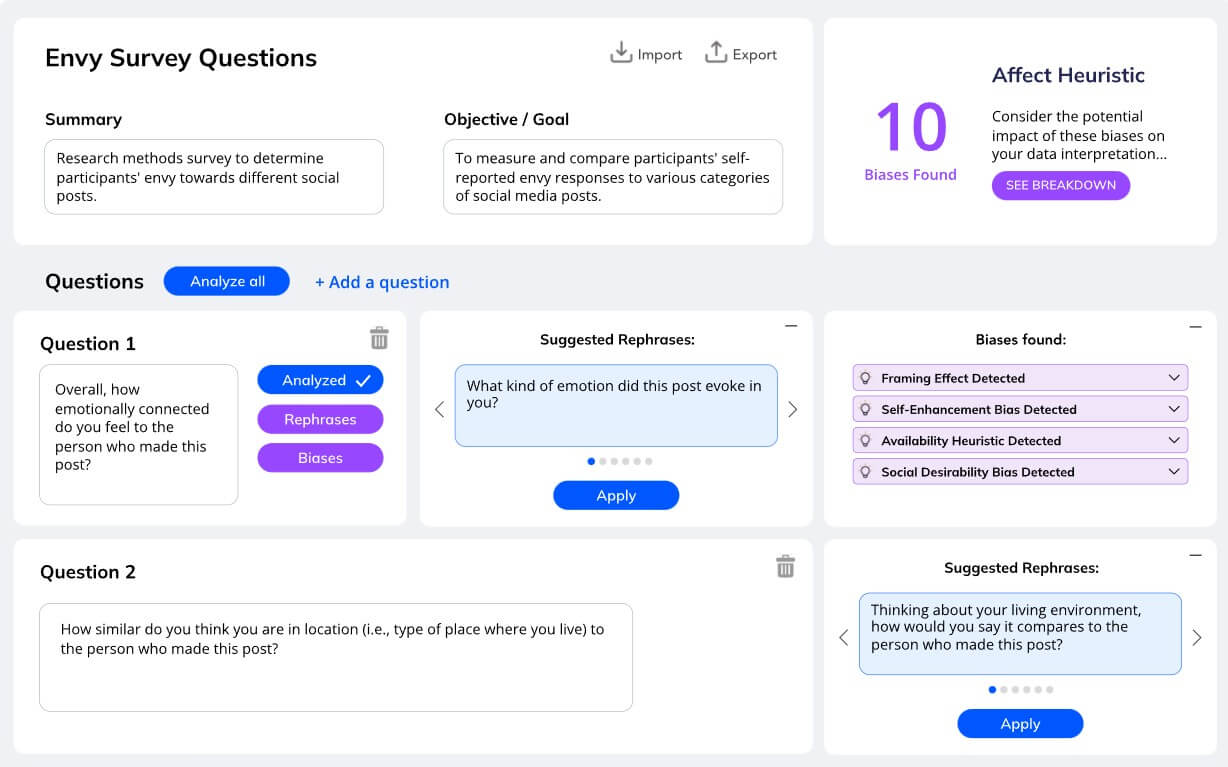
A user enters or reviews text, such as a survey question or customer interview prompt. The system analyzes the wording, identifies possible cognitive biases, and recommends alternative phrasing. The homepage also shows a beta project page with a project summary, objective, overall bias breakdown, and a question section where suggested rephrases and biases found are shown.
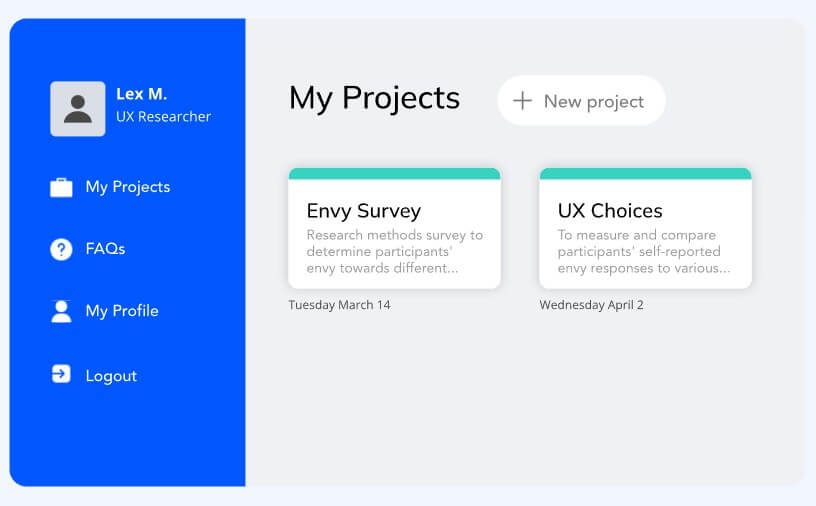
That project-based structure is a good fit for real teams. Most research work is not one question at a time. It is a set of prompts tied to a product test, feature launch, customer segment, or decision. A project view can help users keep the research goal in mind while reviewing individual questions.
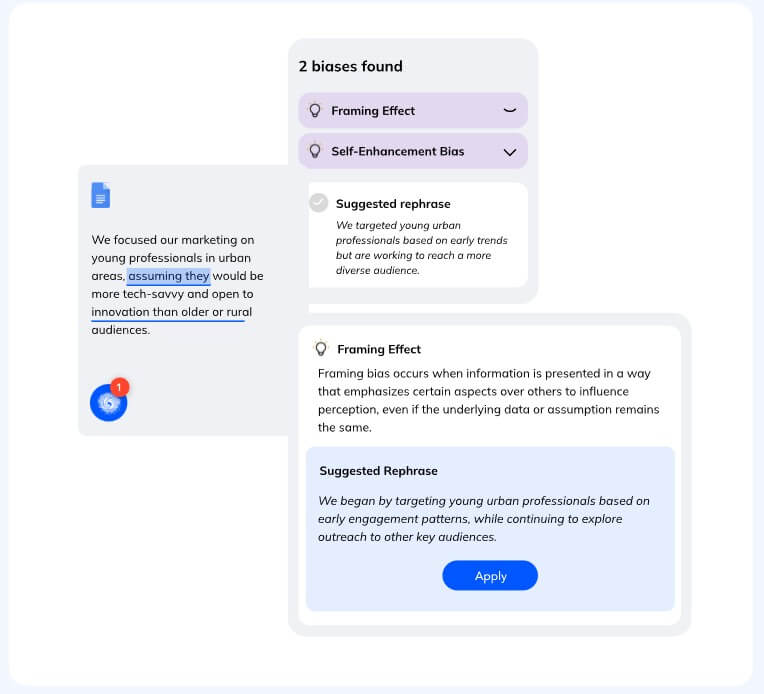
The browser angle is also important. If CogBias AI can sit close to where people already draft questions, it has a better chance of being used before mistakes reach customers. The official site describes real-time detection “right in your browser” and shows the tool detecting bias on a Word document with a suggested rephrase.
That said, the review workflow will only be as useful as the user’s willingness to slow down and revise. CogBias AI can flag language, but teams still need to decide whether the revised question fits the research goal.
The best output from CogBias AI is not polished prose. It is a better question.
That makes it different from many AI writing tools. A normal writing assistant might make a survey sound cleaner or more professional. CogBias AI is aiming for a deeper issue: whether the question is likely to distort the response.
For example, a weak customer discovery question might ask: “How much would this feature improve your workflow?” That already assumes the feature improves the workflow. A stronger version might ask: “What effect, if any, would this feature have on your workflow?” The second version is less exciting, but it is more useful because it gives the respondent room to disagree.
This is where CogBias AI should be judged. The best rephrases should reduce leading language, remove hidden assumptions, avoid loaded framing, and preserve the original research intent. The worst rephrases would become bland, over-neutral, or too vague.
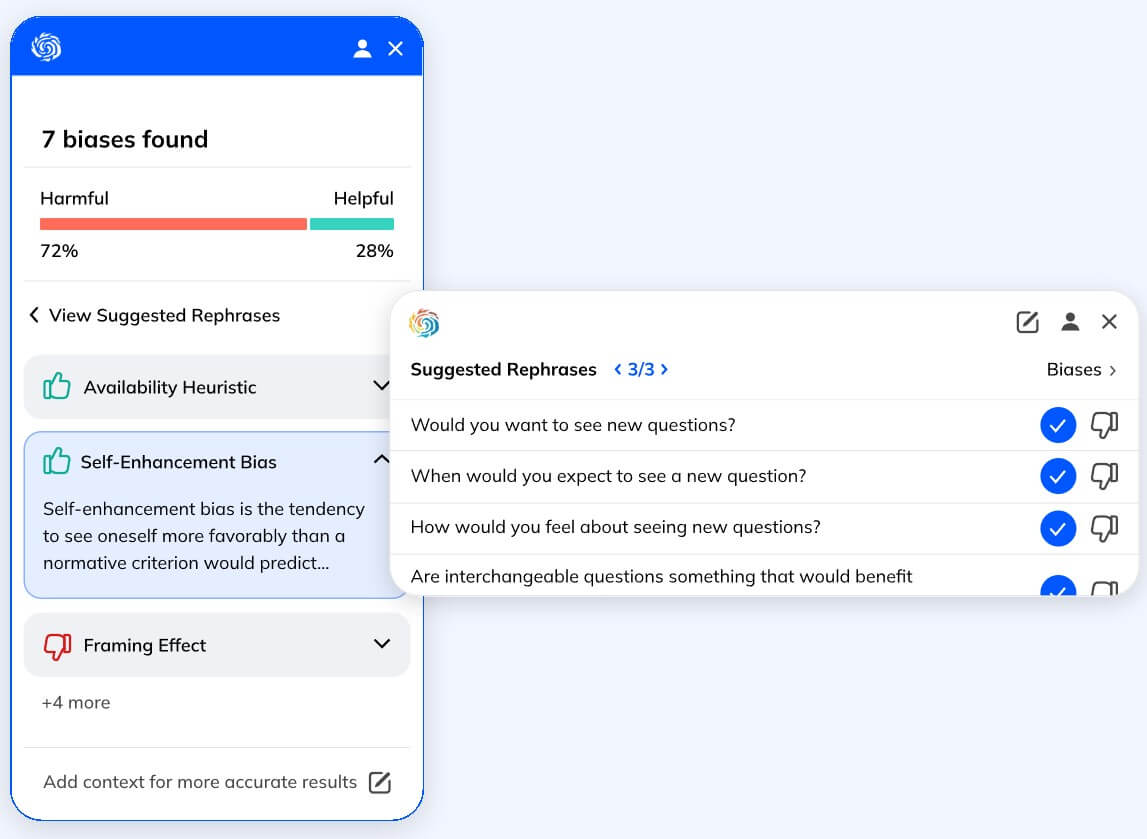
A good bias review tool has to balance neutrality with usefulness. If every question becomes so cautious that it loses focus, researchers will not get better data. CogBias AI’s quality scoring could help here, especially if it gives users a sense of how wording affects insight quality rather than only telling them that bias exists.
- Customer discovery for startups: Founders often ask questions that confirm their own assumptions. CogBias AI is useful before interviews, surveys, or landing page tests, especially when teams are trying to validate demand.
- Product research surveys: Product teams can use it to review feature feedback questions, satisfaction surveys, and post-launch research. The goal is to avoid prompts that push users toward praise, complaint, or a specific product direction.
- UX research interviews: Interview scripts can drift into leading language. CogBias AI can help researchers catch loaded phrases before interviews begin.
- Chatbot and AI assistant flows: The official site mentions chatbots as one of the workflows CogBias AI is built for. This makes sense because chatbot prompts can influence user choices, escalation rates, and satisfaction feedback.
- Customer support and feedback emails: A support team can use CogBias AI to review outbound messages, feedback requests, and follow-up questions that may frame the customer’s answer.
- Internal decision documents: Teams making high-stakes decisions can use it to review the questions behind their assumptions, especially when survey results or stakeholder feedback will guide budget, roadmap, or hiring decisions.
CogBias AI sits between a writing assistant, a survey design checker, and a decision-quality tool.
It does not compete directly with broad AI chatbots. A general chatbot can rewrite a biased question if the user knows what to ask. The problem is that most users do not always notice the bias in the first place. CogBias AI’s value is the detection layer.
It also differs from standard survey tools. Survey platforms help users distribute questions and collect responses. CogBias AI is focused on improving the wording before distribution. That makes it more of a preparation layer than a full survey management platform.
The closest practical comparison is a specialist editor for research language. It is most useful when a team already has a question, prompt, script, or message and wants to know whether the wording may shape the result.
- Start with the decision you need to make. CogBias AI will be more useful if the question has a clear purpose.
- Review full question sets, not just single questions. Bias often appears across a sequence, especially when earlier questions frame later answers.
- Do not accept every rewrite without judgment. A suggested rephrase may be more neutral but less specific. The best version should keep the research goal intact.
- Use it before sending surveys, not after responses come in. Once biased data is collected, cleanup is much harder.
- Pay attention to repeated patterns. If CogBias AI keeps flagging the same type of framing, the issue may be the team’s research approach, not one sentence.
- CogBias AI is solving a real problem, but users should not treat it as a final authority.
- First, bias detection is partly contextual. A phrase that looks leading in one survey may be acceptable in another setting. The tool can flag risk, but it cannot know every business goal, audience, or research constraint.
- Second, neutral wording does not guarantee good research. A survey can be unbiased and still be too vague, too long, poorly timed, or sent to the wrong audience.
- Third, the public site gives a clear overview of the product’s direction, but it does not provide deep public documentation on the exact bias taxonomy, model behavior, review methodology, or evaluation benchmarks. That may matter for enterprise research, regulated industries, or teams that need audit-grade explanations.
- Fourth, users should watch for over-correction. Some AI rewriting tools make language safer but flatter. For research, the best question is not always the softest one. It is the one that gets honest, specific, usable feedback.
- Data handling also matters because users may paste research language, customer questions, or internal prompts into the system. CogBias AI’s security page says text inputs are processed but not stored unless explicitly saved by the user, and it states that the company does not sell user data.
CogBias AI is best for teams that already understand the value of better questions.
Product managers, UX researchers, startup founders, customer discovery teams, market researchers, support leaders, and AI workflow designers are the clearest fit. These users often make decisions from customer language, so better question design can improve the quality of the whole process.
It is less useful for people who only need grammar cleanup, casual writing help, or general brainstorming. A broad AI assistant can handle those tasks. CogBias AI is more specialized, and that is the point.
CogBias AI is best at helping teams catch biased wording before it turns into biased feedback.
Its strongest fit is customer discovery, UX research, surveys, chatbot flows, and decision-heavy communication where question quality matters.
The main caveat is that it should be used as a review layer, not as a replacement for research judgment. It can help teams ask better questions, but humans still need to decide whether those questions serve the right goal.
Related Tools:

Research assistant that lets you interact with web content

Designed for efficient data discovery
Automates digital marketing tasks
Generates personalized book summaries and recommendations

Condenses articles, videos, and podcasts into clear summaries

Simplifies cryptocurrency whitepapers by providing clear summaries